Insightful Review 2026: Workforce Analytics & Employee Monitoring That Respects Privacy
Insightful review 2026: features, pricing from $8/seat, privacy and compliance, pros and cons of the work intelligence and employee monitoring platform.
Expert Review
What is Insightful?
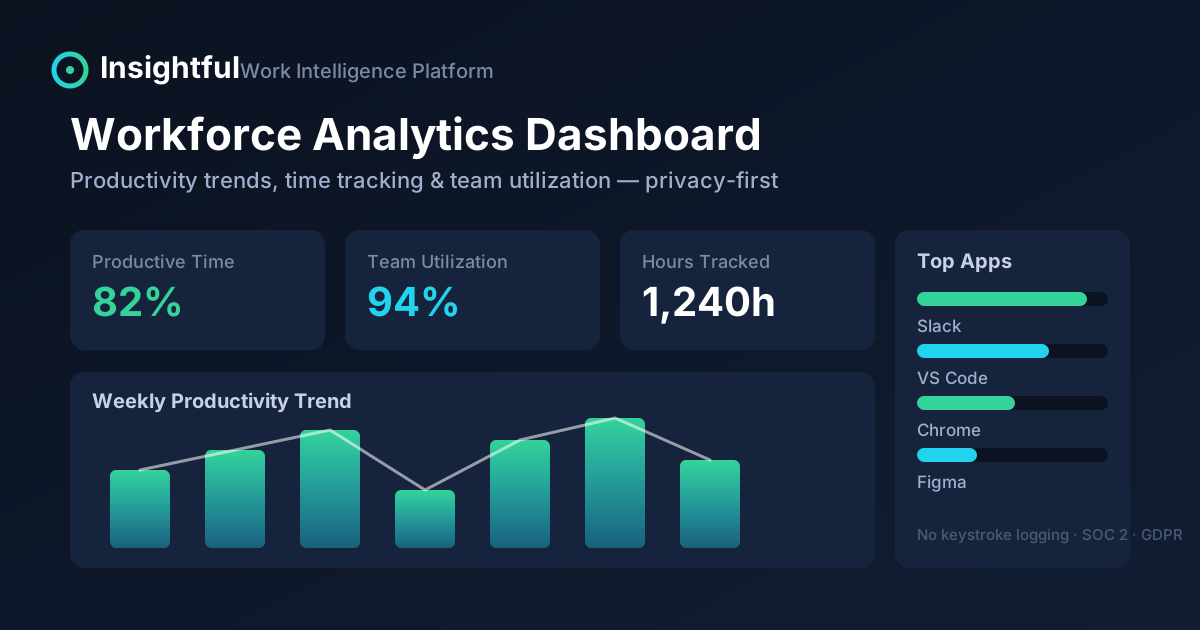
Insightful (formerly known as Workpuls) is a work intelligence platform that helps companies understand how work actually gets done. It combines employee monitoring, automatic time tracking, and workforce analytics into a single dashboard, then turns that raw activity into productivity trends managers can act on.
Unlike basic "screenshot every 5 minutes" spyware, Insightful positions itself as an operational-intelligence tool aimed at COOs, CFOs, HR, and IT leaders who manage remote, hybrid, or on-site teams. It measures app and website usage, time-on-task, capacity, and attendance — without keystroke logging — and was recognized by Forbes as a top choice for employee privacy.
How Insightful Works
Insightful installs a lightweight agent on employee computers (or runs in a stealth/visible mode you configure). From there it does three things:
- Captures activity automatically: which apps and websites are used, for how long, and when — no manual timers required.
- Classifies it into productive, neutral, or unproductive time based on rules you set for each team or role.
- Rolls it up into dashboards and reports so leaders can see real-time capacity, utilization, attendance, and productivity trends across individuals and teams.
The result is a data layer that answers questions most companies can only guess at: Are teams over- or under-utilized? Where is billable time leaking? Which workflows are eating the most hours? Is anyone using unsanctioned AI tools?
Key Features
- Employee & computer monitoring: real-time visibility into app and website usage and system-level activity.
- Automatic time tracking & attendance: clock-ins and clock-outs are triggered by computer activity, with automatic time mapping to tasks and projects.
- Workforce analytics: productivity trends, capacity analysis, and team-based utilization reporting.
- Screenshots & activity logging: optional periodic screenshots and app/website usage tracking, with per-app opt-outs.
- Workflow optimization (beta): maps and measures how work moves through a process so you can spot bottlenecks.
- Insider risk management: insider-threat detection, internet-connectivity reporting, and audit logs.
- AI adoption / Shadow AI detection: surfaces unsanctioned AI use so you can govern how tools like chatbots are used at work.
- Integrations: payroll systems, project management, and customer-service platforms; SSO and data-warehouse exports on higher tiers.
Privacy & Compliance
Employee monitoring lives or dies on trust, and this is where Insightful tries hard to differentiate itself. It does not log keystrokes, and it gives admins granular privacy controls.
- Compliance standards: SOC 2, ISO 27001, HIPAA, GDPR, and CCPA.
- Encryption: AES-256 at rest and SSL/TLS 1.2 in transit.
- Privacy controls: configurable tracking exclusions, screenshot opt-outs for specific apps, and the option to let employees view their own productivity data.
That said, monitoring software still raises real legal and cultural questions. Rules on consent and notification vary by country and even by state, so treat Insightful as a tool that must be paired with a clear, transparent internal policy.
Pricing & Plans
Insightful is priced per seat, billed annually, and it comes with a 7-day free trial that requires no credit card. Current plans:
| Workforce Analytics | from $8/seat/mo | Real-time overview, capacity analysis, app/website usage, screenshots, online support. |
| Workflow Optimization (beta) | from $12/seat/mo | Workflow mapping, tracking, measurement, project-management integrations, custom onboarding. |
| Combo (Analytics + Optimization) | from $16/seat/mo | Both products (save ~20% vs. buying separately), payroll integration, dedicated account manager, phone support. |
| Enterprise | Custom | Insider-threat detection, audit logs, SSO, tailored deployment. |
Add-ons run roughly $4/seat/mo each for Workspace Security, On-Demand Screenshots, or Screen Recording, plus a small per-seat fee for data-warehouse integrations. Always confirm current numbers on the official pricing page before committing.
See live pricing and start a trial: insightful.io
Pros & Cons
Pros
- Automatic, low-effort time and activity tracking — little manual input needed.
- Strong compliance posture (SOC 2, ISO 27001, HIPAA, GDPR, CCPA) and no keystroke logging.
- Genuinely useful analytics: capacity, utilization, and productivity trends, not just raw screenshots.
- Flexible, modular pricing starting at a competitive $8/seat.
- Free 7-day trial with no credit card.
Cons
- Monitoring can hurt morale if rolled out without a transparent policy.
- Some of the most interesting pieces (Workflow Optimization, Work Intelligence) are still beta/alpha.
- The best security features (insider-threat detection, SSO, audit logs) are gated behind Enterprise pricing.
- Annual billing to get the lowest per-seat rate.
Who Is It For?
Insightful is a strong fit for organizations that need defensible data about how time is spent, especially:
- BPOs, call centers, and outsourcing firms that bill by the hour and need to prove utilization.
- Remote and hybrid teams where managers lack visibility into distributed work.
- Regulated industries — healthcare, finance, insurance — that must balance monitoring with compliance.
- Operations and finance leaders chasing revenue leakage and capacity problems.
It's overkill for a small, high-trust team that just needs a simple timesheet — a lighter time-tracker will do there.
Verdict
Insightful is one of the more mature and privacy-conscious options in the employee-monitoring and workforce-analytics space. It goes well beyond surveillance, turning activity data into operational intelligence you can use to fix real problems: idle capacity, billing disputes, workflow bottlenecks, and shadow AI. Priced from $8/seat with a no-card free trial, it's easy to test before committing.
The caveat is cultural, not technical: monitoring only works when it's transparent. Deploy it with a clear policy and employee buy-in, and Insightful can deliver measurable ROI. Use it as a trust weapon and it will backfire.
FAQ
Is Insightful the same as Workpuls? Yes — Insightful is the rebranded name of the tool formerly called Workpuls.
Does Insightful log keystrokes? No. It tracks app and website usage, time, and (optionally) screenshots, but not individual keystrokes.
Is there a free trial? Yes — a 7-day free trial of Workforce Analytics with no credit card required.
Is employee monitoring legal? In most places, yes, but laws on consent and notification vary by region. Pair Insightful with a clear written policy and, where required, employee notice or consent.
Ready to try Insightful?
Visit the official website to see the latest plans, pricing, and special offers.
Get Started - Insightful* Affiliate link - we may earn a commission at no extra cost to you.