Thinkific Review: The 10% Price Rise, the 5% Gateway Fee and Who It Still Suits
Thinkific review: Basic $40/mo annual after the August price rise, the 5%/2%/1% fee off Thinkific Payments, export limits, support hours and the best alternatives.
Expert Review

The short version
Thinkific had a busy late summer. On August 13, 2026 it raised self-serve prices by about 10%, its first increase since 2022. Six weeks later it cut 96 jobs and said the savings would go into Thinkific Plus, its plan for mid-market and enterprise customers. The course builder barely changed in between. The bill did, and so did the question of who the company is building for.
This review covers the three plans a solo creator or small training business would actually buy: Basic, Start and Grow. Prices, fees and limits were checked on Thinkific's pricing page and help centre on October 8, 2026.
One fact decides most of the maths. Sell through Thinkific Payments and Thinkific takes no cut of your sales. Sell through Stripe or PayPal, or live somewhere Thinkific Payments does not serve, and it takes 5% on Basic.
Pricing after the August increase
There is no free plan. You get a 30-day trial instead, and Basic, Start and Grow can be upgraded, downgraded or cancelled at any time, trial included. Thinkific does not say whether the trial takes a card, but its help centre has an article for people "charged anyway" during the trial that blames a pre-authorization charge. Expect to enter one.
| Plan | Monthly billing | Annual billing | Before Aug 13 (monthly) | Platform fee off Thinkific Payments |
|---|---|---|---|---|
| Basic | $54/mo | $40/mo ($475/yr) | $49 | 5% |
| Start | $109/mo | $82/mo ($978/yr) | $99 | 2% |
| Grow | $219/mo | $164/mo ($1,968/yr) | $199 | 1% |
| Plus | Custom, through sales | - | None at this time | |
Annual billing saves 25%: $173 a year on Basic, $660 on Grow. Customers still on the old Pro plan now pay $109 a month. Expand ($499) still turns up in help articles but is gone from the public pricing page.
The limits are flatter than the prices suggest. All three plans allow unlimited published courses and the same 10,000 current students, so the student cap is no reason to upgrade. The real dividers are video bandwidth (100, 200 and 400 GB a month), communities (1, 1 and 3), admin seats (1, 2 and 6, owner included) and, on Basic only, a cap of five digital downloads and five coaching or webinar products. Thinkific's branding stays on your site until Grow.
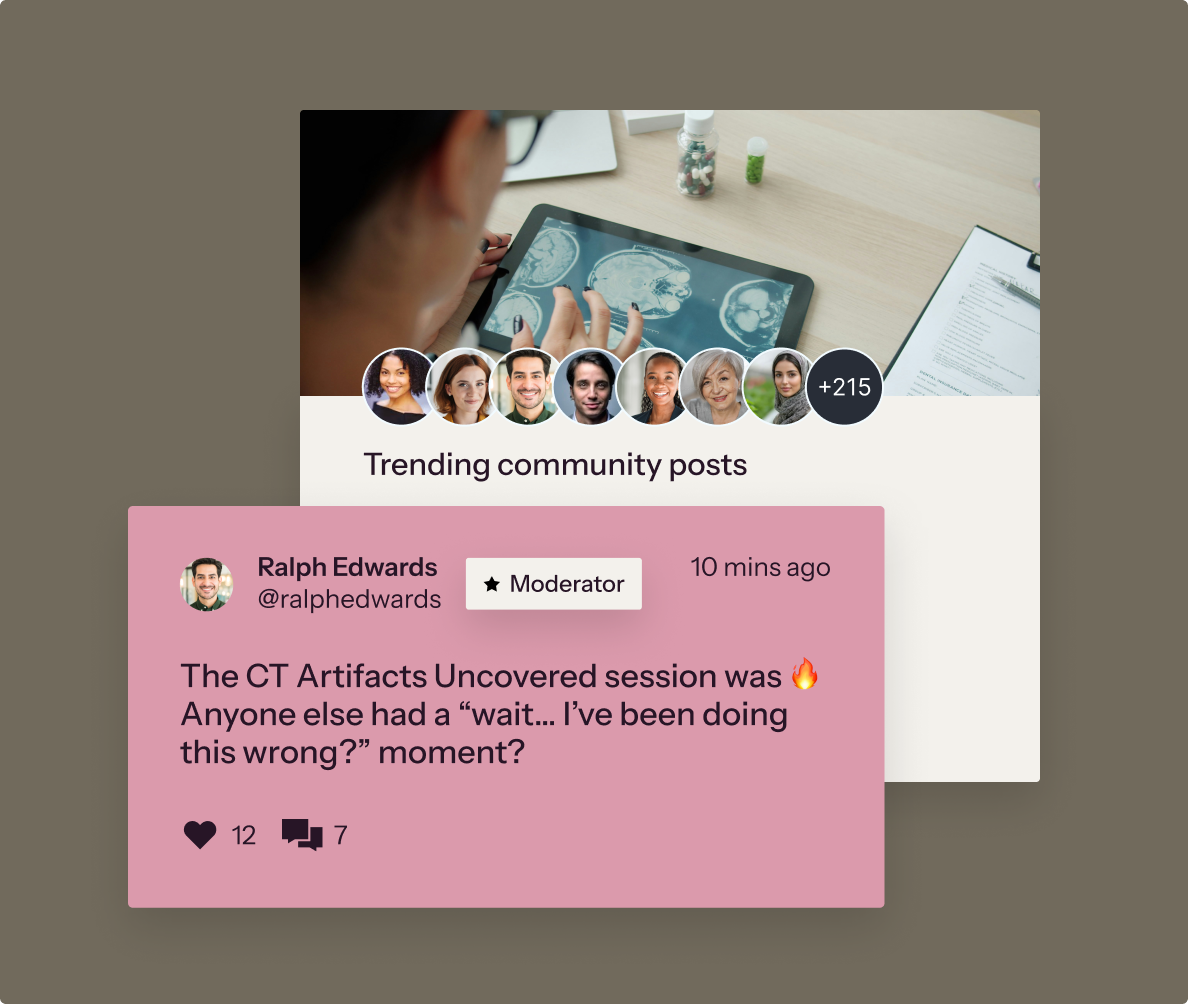
Bandwidth is the limit that sneaks up on you. At a typical 1 to 2 GB per hour of 1080p streaming, 100 GB is roughly 50 to 100 hours of viewing across all your students in a month. One launch can eat that.
The 5% fee, and who cannot avoid it
Since July 2024 in the US, Canada and UK, and November 2024 in the EU, Thinkific has charged a platform fee on sales processed through a third-party gateway: 5% on Basic, 2% on Start, 1% on Grow. It covers the first $1M of sales in a calendar year. On Thinkific Payments there is no fee at all.
That is easy to dodge if you can use Thinkific Payments, and it only serves creators in the USA, Canada, the UK, the EU, Switzerland, Norway, Singapore, Hong Kong, Australia and New Zealand. A creator in India, Brazil or South Africa has to use another gateway and pays the fee on every sale.
Thinkific Payments has its own costs, and they stack. The base card rate is 2.9% + $0.30 in the US, 1.7% + £0.20 in the UK, 1.7% + €0.25 on EEA cards in Germany and 3.4% in Hong Kong and Singapore. International cards add 1.5% in the US, currency conversion 1% to 2%, subscriptions and payment plans 0.7%, and any transaction where tax is assessed 0.5%. Refunds cost nothing to issue, but the original fees are not returned.
A worked example: a US creator sells a $200 course on a payment plan through Thinkific Payments and pays $5.80 + $0.30 + $1.40 = $7.50. Through Stripe on Basic, the same sale costs Stripe's own processing fee plus Thinkific's $10. For creators stuck on a third-party gateway, the fee also decides the plan. Start costs $503 a year more than Basic on annual billing and saves 3 points, so it pays for itself above about $1,400 a month in sales.
Payouts run daily once they start; the first arrives 7 to 14 days after your first successful payment.
Building courses, and where the AI stops
The course builder is what Thinkific has always done well, and Capterra's verified reviewers still give it 4.4 out of 5 across 207 reviews. Lessons can be video, text, quizzes, surveys, PDFs or audio, grouped into chapters.
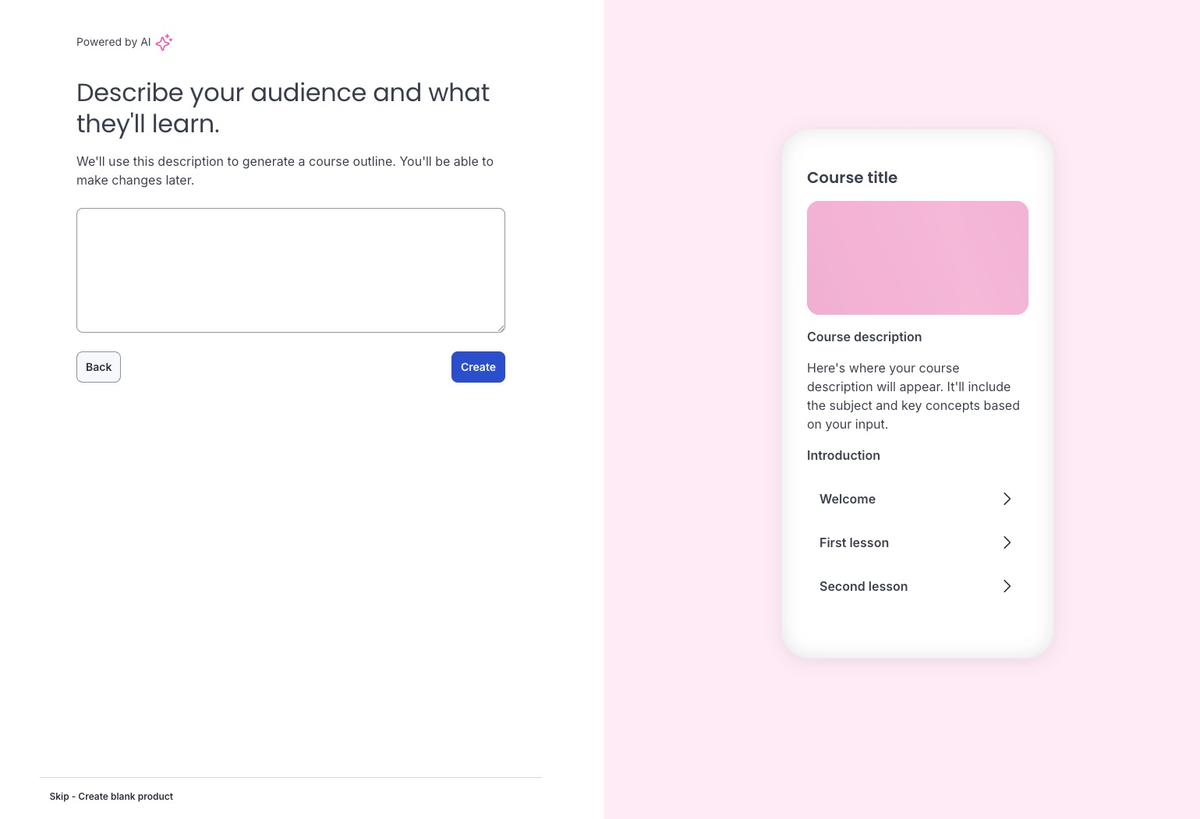
The AI tools on self-serve plans are modest. The AI Quiz Generator, on every paid plan, writes multiple-choice questions from a chapter's content. Landing pages can be AI-generated, and a caption tool outputs SRT files. The AI Course Outline Generator drafts a course from a prompt, but only text lessons, and Thinkific does not say which plans get it.
The headline feature, Thinker, is out of reach. Launched in February 2026, it answers learners' questions from your course and uploaded PDFs (25 MB maximum), and it is Plus-only, on monthly credits that do not roll over.
Capterra reviewers' complaints are small but real: learning paths cannot be duplicated, drafts of webinars and communities cannot be deleted, and progress only registers if the student clicks the continue button. That last one matters if you issue completion certificates. A branded iOS and Android app is a $199-a-month add-on, billed from the day you switch it on, and needs a D-U-N-S number plus your own Apple and Google developer accounts.
What leaving looks like
Read this before you build 40 lessons. Thinkific cannot export a course as one file and has no bulk download. Videos come out one at a time from the Asset Library; PDFs and audio from inside each lesson. Text lessons, quizzes and surveys must be copied and pasted, and there is no direct way to export quiz questions with their answers and explanations. A 200-question quiz bank is 200 copy-and-paste jobs.

Student data is easier. The user table exports to CSV, but only visible columns are included, so switch them all on first. Progress reports export as CSV too.
Cancel, and the site stays up with students keeping what they bought, but you can no longer edit courses or moderate communities, and add-ons stop at once. Branded-app students have to move to the browser. The trap: students on subscription plans keep being billed after your account is cancelled or even deleted, so end those subscriptions first.
Support, ratings and the September layoffs
Basic and Start get email and chat; Grow adds phone and priority support; Plus gets a dedicated success team. No response times are published. A help article updated on October 7, 2026 lists hours of Monday to Friday, 8 a.m. to 2 p.m. Pacific. Six hours a weekday is thin cover if checkout breaks during a Saturday launch.
The review sites disagree completely. Capterra's verified users give 4.4 and mostly talk about the product. Trustpilot shows 1.8 out of 5 from 867 reviews, mostly about billing, cancellations that would not go through, failed checkout payments and slow support. Both can be true.
The company's direction suggests support will not get better for small customers. Thinkific's Q2 2026 results showed self-serve revenue of $13.3M, down 1%, while Plus grew 14% to $5.3M. The September 23 reorganization cut 96 positions for about $19M in annual savings, to "accelerate growth in Thinkific Plus". BetaKit put the cuts at roughly 30% of staff, concentrated on SMB support. Thinkific is TSX-listed, roughly break-even and holds $51.0M in cash, so it is not going anywhere. But a Basic customer is no longer who it is optimizing for.
Thinkific vs Teachable, Kajabi and Podia
| Entry plan | Annual price | Platform fee | The trade vs Thinkific Basic |
|---|---|---|---|
| Thinkific Basic | $40/mo | 0% on Thinkific Payments, else 5% | - |
| Teachable Starter | $29/mo | 7.5% | $11 cheaper, but against Thinkific Payments the fee wipes that out above about $147 a month in sales |
| Kajabi Basic | $143/mo | None | $103 more a month, with email marketing and funnels included |
| Podia Mover | $42/mo | 5% | Similar price, with a fee Thinkific Payments users avoid |
Prices checked on each vendor's pricing page on October 8, 2026, before card processing. For courses, email and funnels in one cheap tool, Systeme.io covers more ground at the low end.
Verdict
Buy Thinkific if you are in a country Thinkific Payments serves, you sell courses rather than run a marketing operation, and you want unlimited courses with no revenue cut for $40 a month. In that position it is the cheapest serious course platform once you pass a few hundred dollars a month in sales. Use the 30-day trial to build one real course, then try getting it back out before you build the second.
Skip it if you are only testing an idea with a handful of sales: Teachable Starter is $11 a month cheaper. Skip it if you want email campaigns and funnels on the same bill, which Kajabi does and Thinkific does not. And if you are outside the Thinkific Payments countries, the 5% fee makes it ordinary; past about $3,000 a month in sales, Kajabi's fee-free $143 beats even Thinkific Start. Whatever you choose, keep your course content in your own files from day one.
Ready to try Thinkific?
Visit the official website to see the latest plans, pricing, and special offers.
Get Started - Thinkific* Affiliate link - we may earn a commission at no extra cost to you.