KeywordTool.io Review: Free Autocomplete Ideas, $88 a Month for the Numbers
KeywordTool.io review: free autocomplete ideas across 16 platforms, new daily-quota plans from $88/month with API and MCP included, no keyword difficulty, and a cancel that deletes your data.
Expert Review

What changed: daily quotas, with the API and MCP in every plan
The idea behind Keyword Tool hasn't changed in more than a decade. You type a seed term and it collects every long-tail phrase that Google's autocomplete box suggests, plus the suggestions from fifteen other sites. What changed is the price list. The old Pro Basic, Pro Plus and Pro Business tiers are gone. A September 2025 Topicranker roundup listed them at $89, $99 and $199 a month. Four plans now replace them, sold by daily request quota, and every plan includes the web app, the REST API and an MCP server that connects to Claude, Cursor and ChatGPT.
That is a real gain for anyone who used to pay for API access on top. It is also a steeper entry price than it looks, because no plan includes a keyword difficulty score. So who does the new pricing actually suit?
The free version needs no account
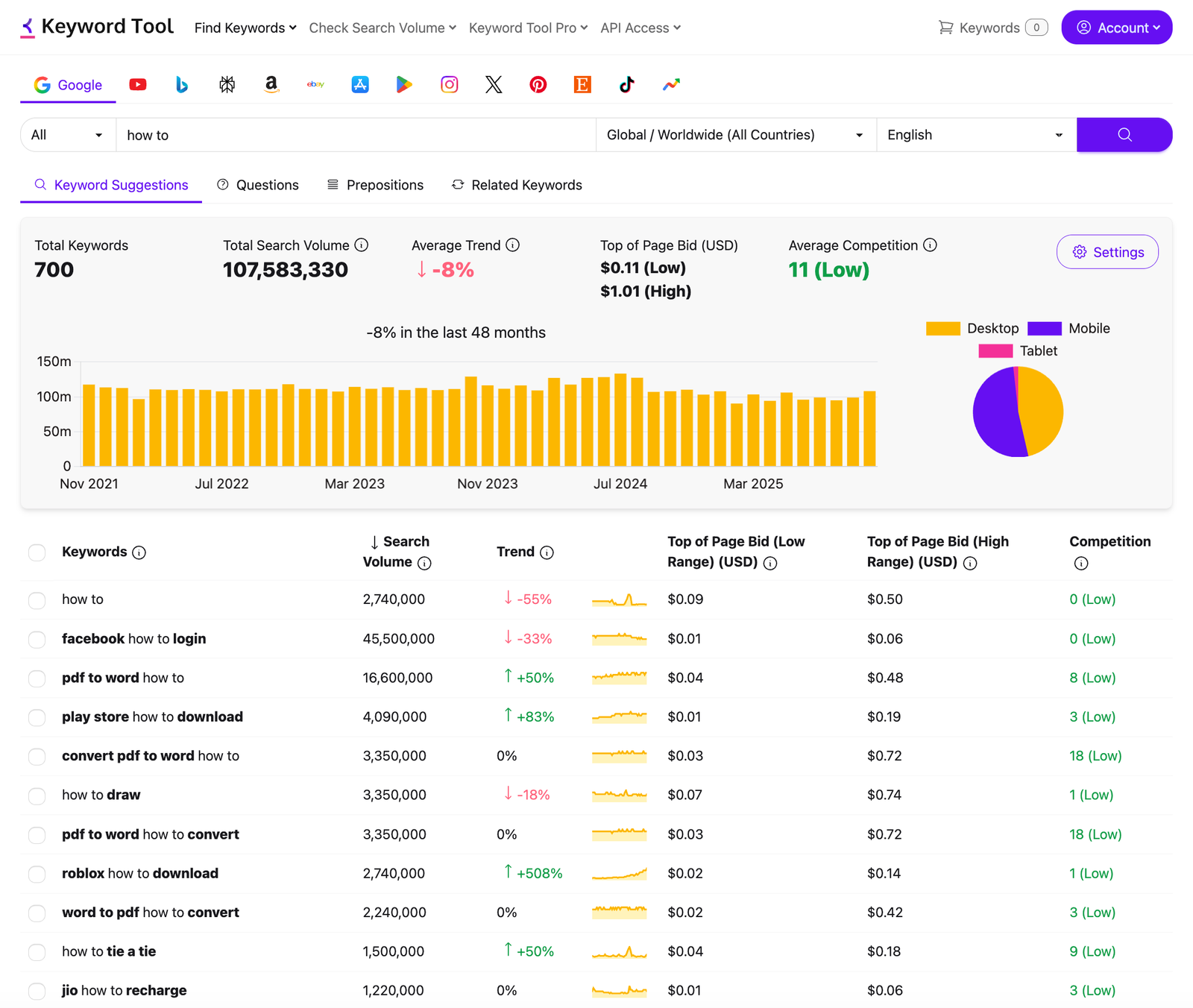
There is no signup, no email and no card. Type a term and the free version returns what the vendor describes as "up to 750+ long-tail keyword suggestions for every search term", taken straight from autocomplete. The FAQ chooses its words carefully about the rest: the free version "may display search volume data for some keywords". Volume, cost per click, competition and trend for every row are what Pro sells.
For brainstorming blog headings, YouTube titles or Amazon listing phrases, that free list is the best part of the product, and plenty of people will never need more. A free Guest MCP endpoint goes further for AI users. It needs no API key and no signup, but it covers only Google and Bing suggestions and returns volume and trend for just the first 5 keywords, and only when they are cached.
Pricing and how the quota really works
Prices below were checked on keywordtool.io/pro on 15 October 2026. Annual prices are per month, billed yearly. The EUR toggle shows the same numbers with a euro sign.
| Plan | Monthly | Annual (per month) | Requests per day | Volume lookups per day | History |
|---|---|---|---|---|---|
| Starter | $88 | $68 | 50 | 50,000 keywords | 12 months |
| Growth | $188 | $148 | 100 | 100,000 keywords | 24 months |
| Scale | $388 | $308 | 200 | 200,000 keywords | 48 months |
| Agency | $788 | $628 | 400 | 400,000 keywords | 48 months |
The number that matters is requests per day, and it is one shared pool. The web app, the API and the MCP server all draw from it. Generating suggestions costs one request, and so does checking volume. A suggestion request can return up to about 1,000 ideas with metrics, and a volume check takes up to 1,000 keywords. On Starter, that means 50 searches a day across everything. An AI assistant connected over MCP spends one request per tool call, so a long agent session can use up a day's quota before lunch. The API docs say the reset runs on "a fixed 24-hour cycle aligned to the hour your account was created", not a sliding window. A burst limit of 15 API requests per minute applies on top.
The help centre hasn't caught up. An article last edited in October 2024 still says you "should not face any restrictions while conducting your routine keyword research". The pricing page says otherwise, and the pricing page is what your account follows.
Two more gaps matter for teams. No plan lists a number of seats, and the fair-usage policy counts "sharing account credentials" as a violation. Three people therefore means three Starter accounts at $264 a month, or a custom Enterprise quote. There is no pay-as-you-go option either; the help centre says plainly that it does not offer one. Credit-based Keywords Everywhere suits occasional use far better.
Where the numbers come from, and what is missing
Google and Bing volumes come from Google Keyword Planner and Bing Keyword Planner, and the vendor calls them "100% accurate". Every other platform is different. YouTube, Amazon, TikTok and the rest get what the pricing FAQ calls "reliable estimates based on clickstream data" from third-party providers. An Amazon volume figure here is a modelled guess, not something Amazon reports. Topicranker also notes that some users found the volume and CPC figures inconsistent with other tools.
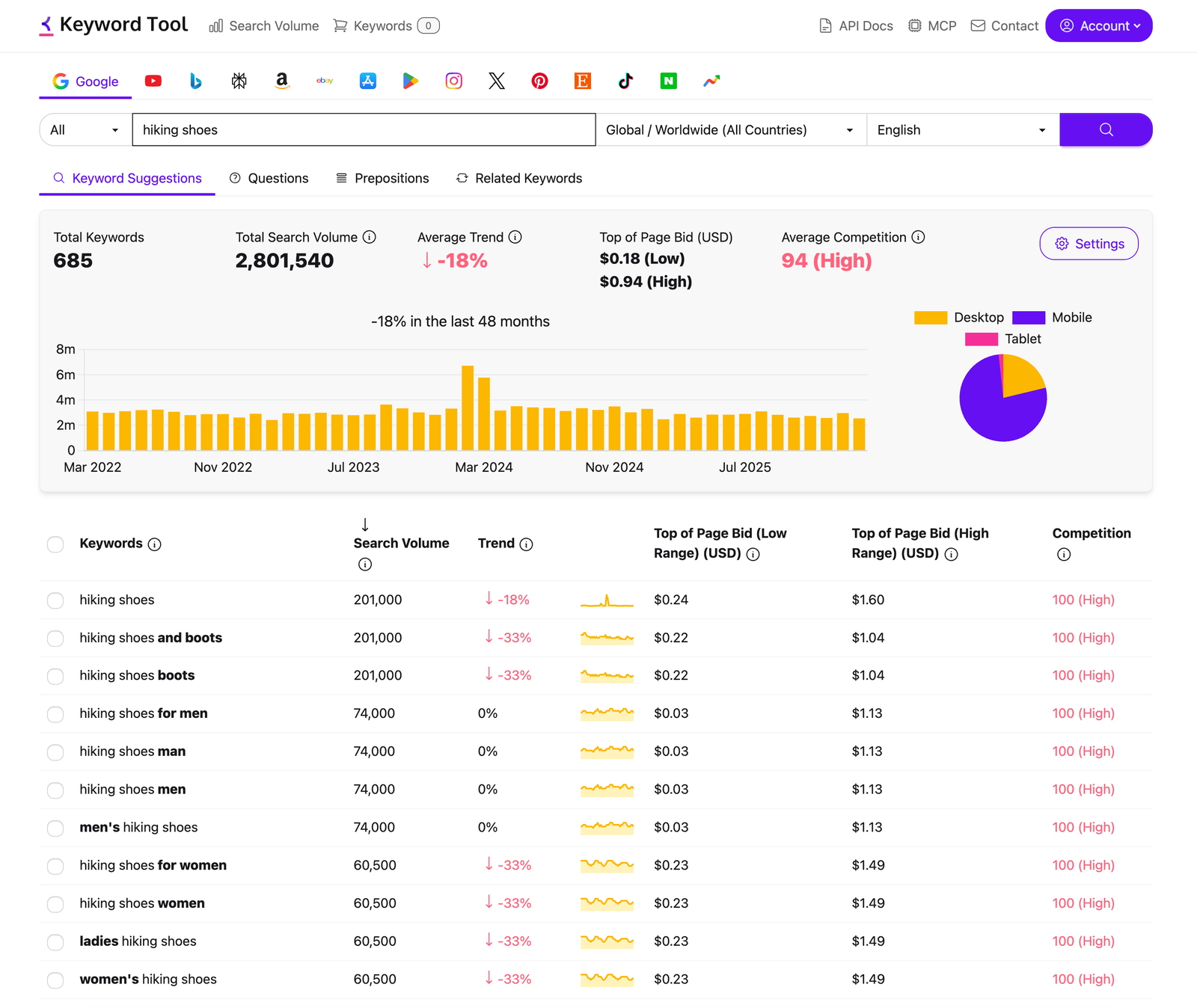
Language coverage splits the same way. Suggestions work in 120+ languages, but Pro search volume covers only 50+. Google coverage spans 190+ country domains and 68,000+ locations.
The bigger gap is what no plan includes: a keyword difficulty score, SERP analysis, rank tracking and backlink data. The "competition" column is the Google Ads metric. It tells you how many advertisers bid on a phrase, not how hard the organic top ten is to break into. If you need that second answer, Keyword Tool can't give it to you at any price.
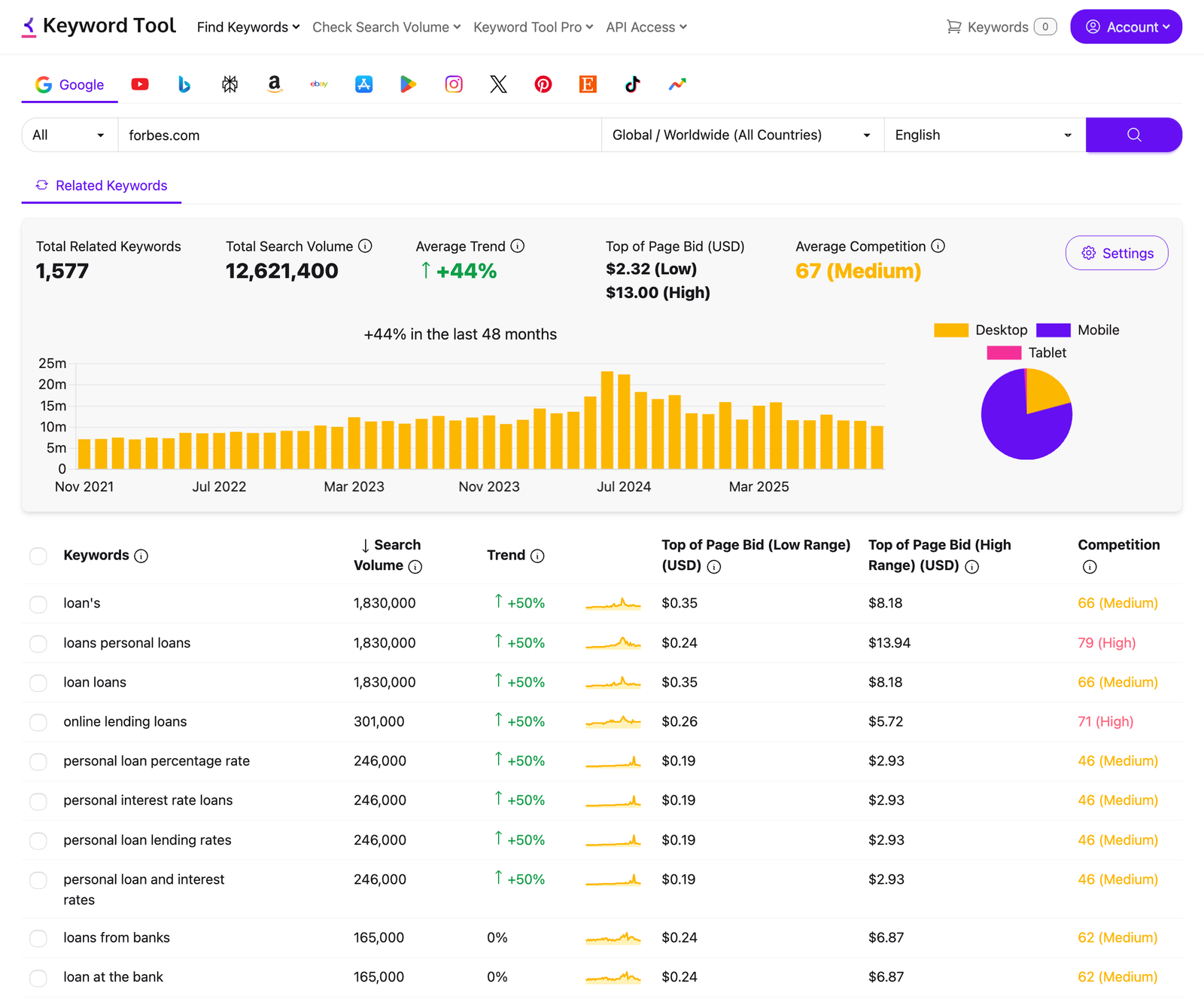
Competitor analysis is the closest it comes, and it works on Google only. Enter a URL and you get up to 2,000+ keywords with monthly volume, CPC, the low and high top-of-page bid, and Google Ads competition. The vendor's own example pulls 1,577 PPC keywords for forbes.com. That makes it a paid-search research tool, not an SEO gap analysis.
16 platforms, but the MCP server sees two
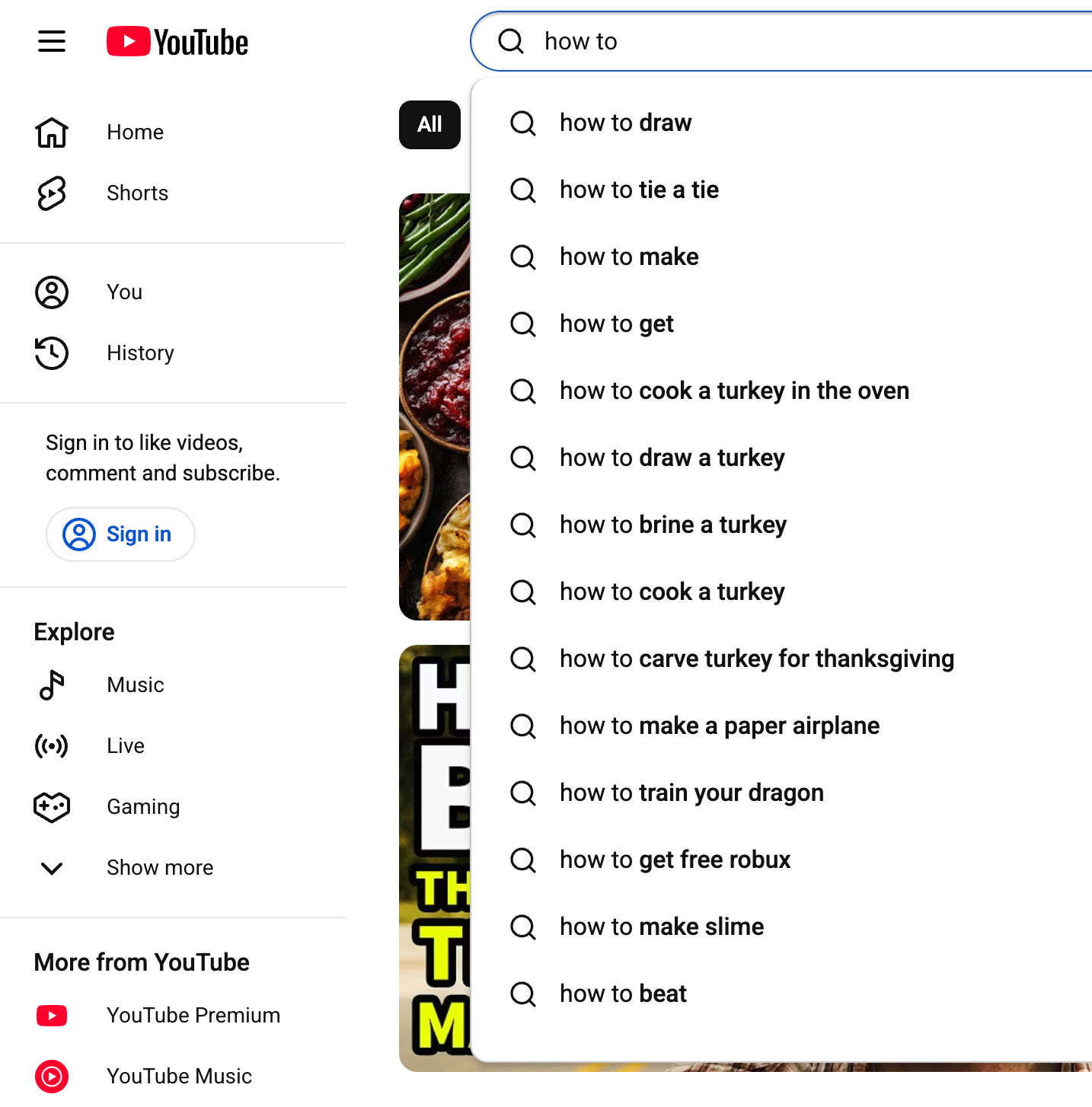
Platform coverage is where Keyword Tool still stands out. It covers Google, YouTube, Bing, Amazon, eBay, the App Store, Play Store, Instagram, X, Reddit, Pinterest, Etsy, TikTok, Naver, Perplexity and Google Trends. Perplexity, Reddit and Naver are the newer additions. An Etsy seller or a YouTube channel gets autocomplete data that the big SEO suites mostly ignore.
The catch sits in the MCP fine print. The web interface and REST API cover all 16 platforms, while "MCP currently covers Google and Bing". The MCP server offers four tools: suggestions, search volume, competitor analysis and a quota check. If you want TikTok or Amazon ideas inside Claude or Cursor, you'll have to write against the REST API yourself. That part is well documented. There is an OpenAPI 3.1 spec and a free sandbox at api.keywordtool.io/v2-sandbox that doesn't use up quota.
Refunds, cancelling and the catches
There is no free trial. The pricing page answers its own "Why no free trial?" question with a 30-day money-back guarantee. To claim it, you write to the contact form with "refund" in the subject line within 30 days of the first purchase. Subscriptions renew automatically "under the exact same conditions unless you cancel", and you pay by card or PayPal.
Cancelling is the part to read twice. According to the help centre, "after your subscription is cancelled, your Keyword Tool account will be deleted together with all your data". The pricing page says only that you can cancel anytime with no fees. If you might come back, pause the subscription instead. If you won't, export the Keyword Basket first. It holds up to 2,000 keywords per platform, and they don't survive the cancel button.
Refunds are also the complaint that keeps coming up. Trustpilot shows 2.7 out of 5, but from only five reviews, and the 1-star ones are about billing: "Even after proving we haven't used the tool, they refuse to process a refund" (January 2025). Topicranker reports the same pattern. The vendor's homepage claims 4.3/5 on Capterra and 4.5/5 on G2. The company behind it is Essential Apps LLC in Sharjah, UAE, alongside Key Tools Limited in Hong Kong. That is who you would be in a billing dispute with.
Verdict: who should pay, and who should skip it
Use the free version, everyone. It is still one of the quickest ways to turn one seed term into hundreds of real autocomplete phrases, and it doesn't ask for an email.
Pay for it if you sell or publish on platforms the SEO suites neglect, like YouTube, Amazon, Etsy or TikTok, and want their autocomplete data in one place with volume attached. It also makes sense if you are building keyword data into an AI agent or internal tool. API and MCP access now come with the $88 Starter plan, and before the repricing that was a separate purchase.
Skip it if you do SEO and need to know whether a keyword can actually be ranked for. Starter's $88 a month is close to the entry tiers of Ahrefs and Semrush, and both include keyword difficulty, SERP analysis and backlinks, which Keyword Tool lacks entirely. If you research keywords a few times a month, Keywords Everywhere credits cost a fraction of the price. If what you need is the questions people ask, AnswerThePublic or AlsoAsked are built for exactly that.
Ready to try Keyword Tool?
Visit the official website to see the latest plans, pricing, and special offers.
Get Started - Keyword Tool* Affiliate link - we may earn a commission at no extra cost to you.