NotebookLM Review 2026: Google's Research Tool Is Now Gemini Notebook
NotebookLM review 2026: now renamed Gemini Notebook. Source-grounded research, Audio Overviews, free-plan limits, and the Plus/Pro/Ultra tiers explained.
Expert Review

It's now Gemini Notebook
If you went looking for NotebookLM in August 2026 and landed on something called Gemini Notebook, you are in the right place. On July 16, 2026, Google renamed the product and folded it deeper into the Gemini brand. Your old notebooks, sources and shared links all still work, and Google set up automatic redirects so nothing breaks. By the time of the rename it had grown to roughly 30 million users and more than 600,000 organizations, so this was not a quiet experiment being shut down.
The rename brought one genuinely new capability: a secure cloud computer that can write and run code inside a notebook, so the assistant can do real analysis on the files you give it rather than just summarise them. At launch that piece was limited to Google AI Ultra subscribers and eligible Workspace customers, with a wider rollout following. Everything else about the tool stayed put, which is why this review still calls it NotebookLM in most places. The name changed; the job did not.
What it actually does
NotebookLM is not a general chatbot, and that is the whole idea. You give it sources: PDFs, Google Docs, web pages, YouTube videos, pasted text, even audio files. It reads only those, and every answer it gives cites the exact passage it came from. Click a citation and it jumps you to the sentence in the original. When it does not know something from your material, it tells you rather than inventing a plausible answer, which is the failure mode that makes general chatbots risky for research.
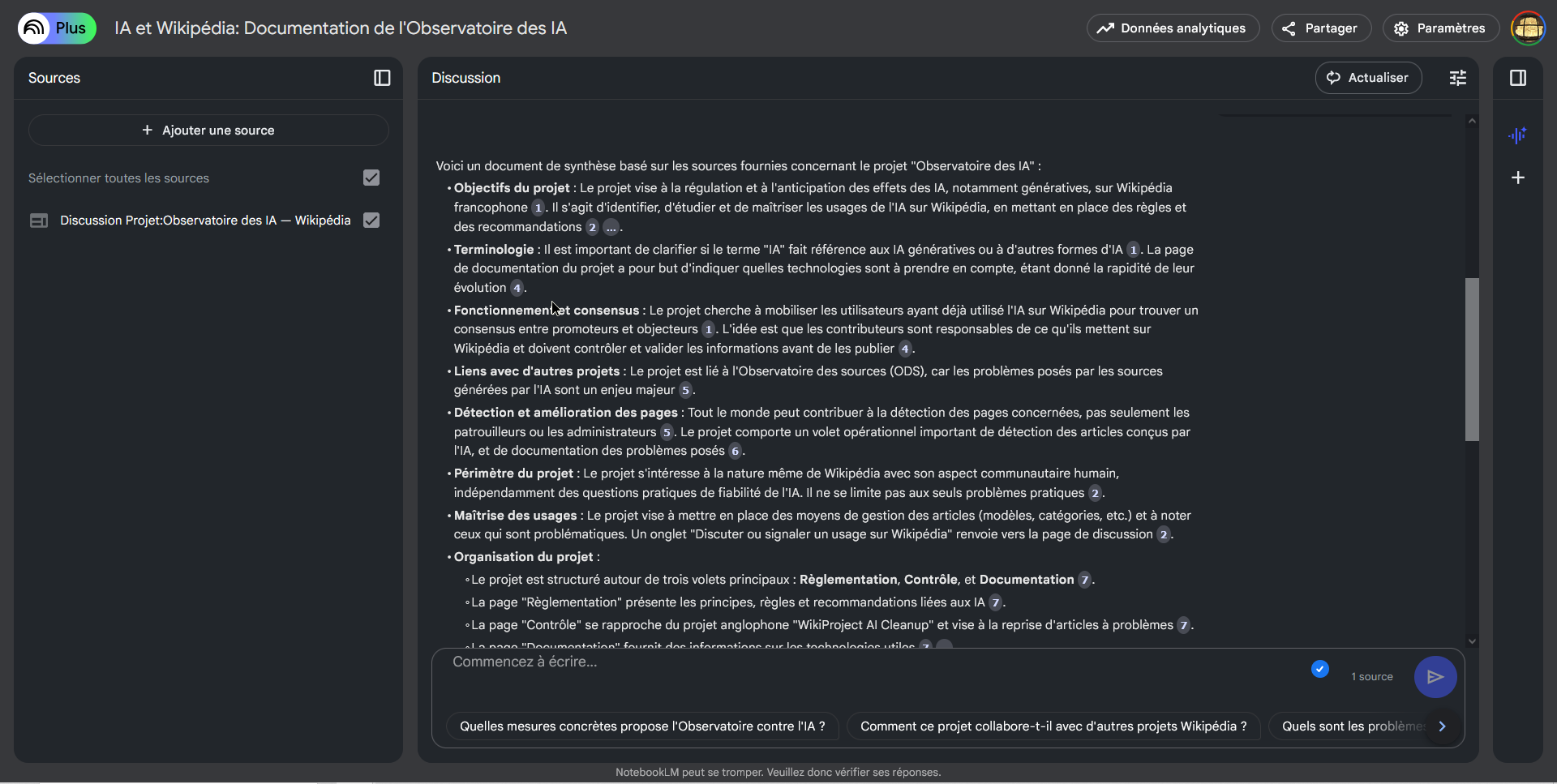
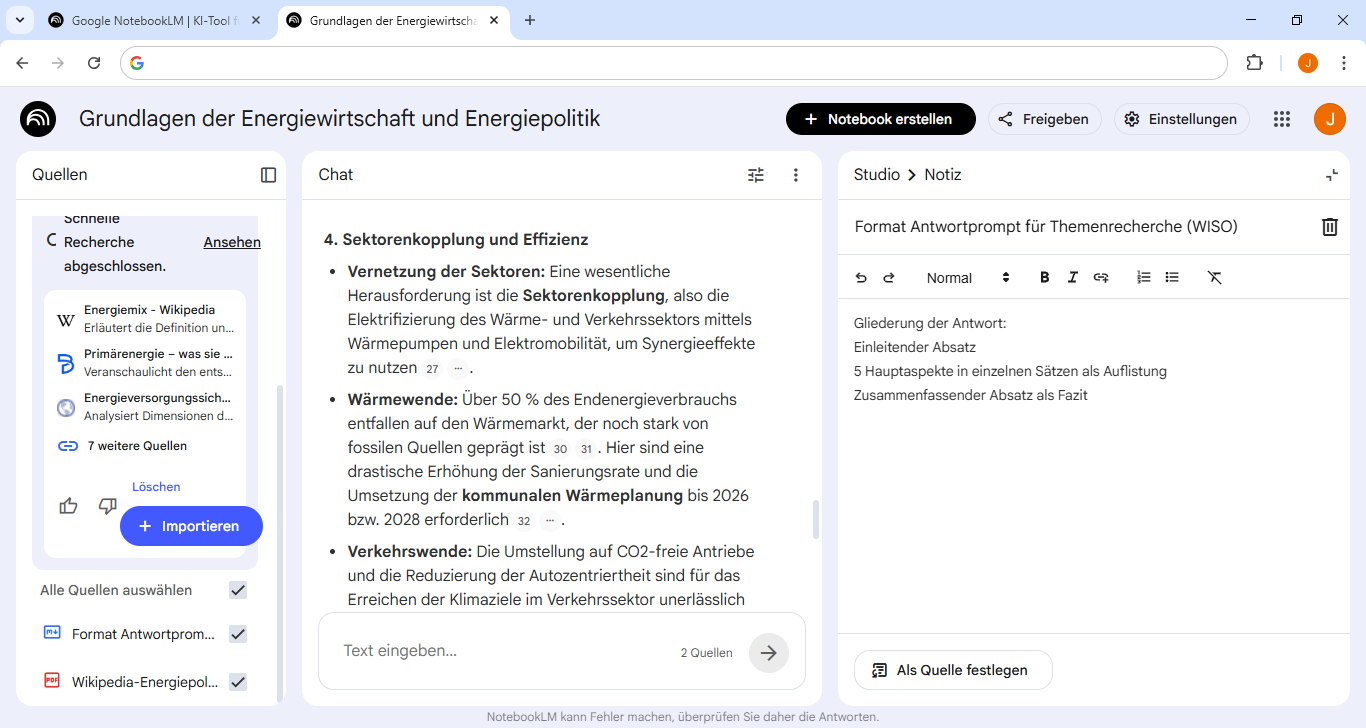
That grounding is what changes the experience. Load a semester of lecture notes, a stack of research papers, or the twelve PDFs behind a contract, and you can interrogate the whole set at once. Ask for the argument in a paper and it points you to the paragraph. Ask how two sources disagree and it lays out both with citations. The three-panel layout keeps your sources on the left, the chat in the middle, and a Studio of generated outputs on the right.
Audio and Video Overviews
The feature that made NotebookLM go viral is the Audio Overview. Point it at your sources and it generates a podcast: two AI hosts who talk through your material in a natural back-and-forth, complete with tangents and "that's a great point" filler. It sounds uncanny the first time. For revising notes on a commute or turning a dense report into something you can listen to while cooking, it genuinely works.
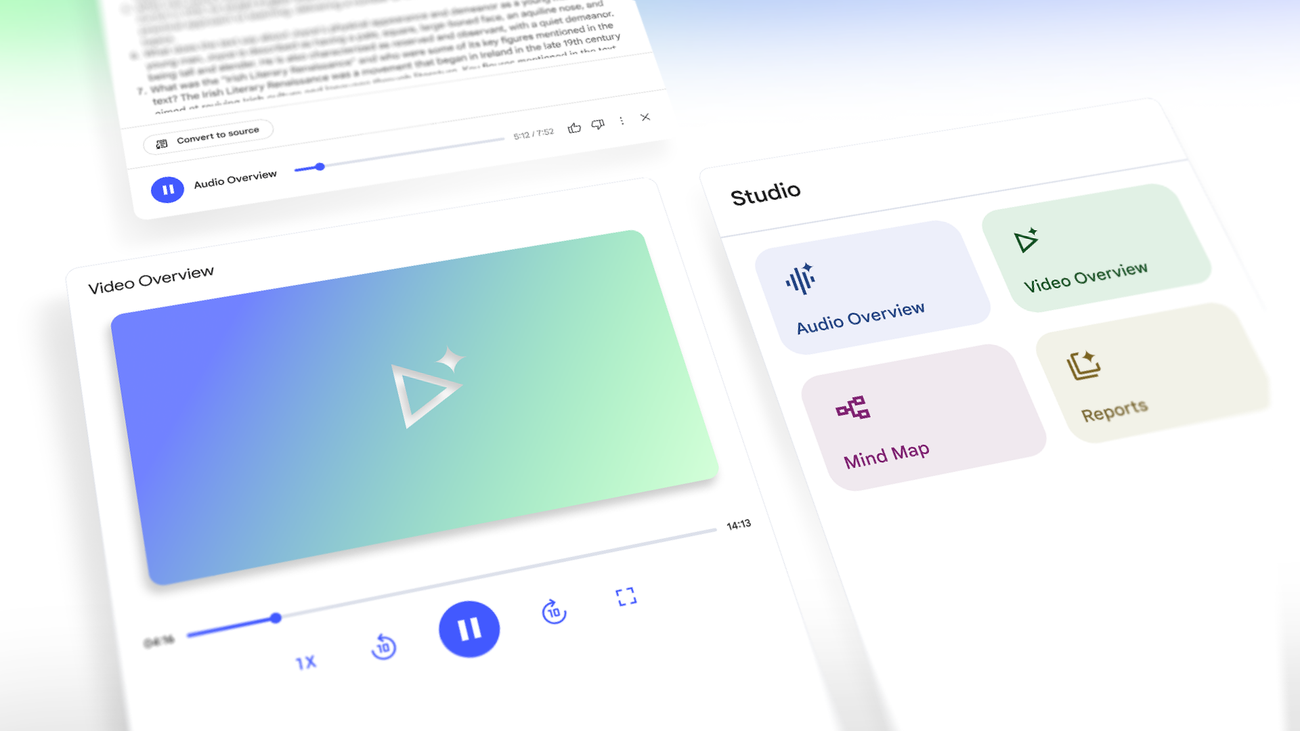
The Studio has grown well past audio since. You now get Video Overviews with a narrated visual summary, Mind Maps that turn a topic into a clickable tree, auto-generated Reports and study guides, and Deep Research runs that go and gather sources for you. The top Ultra tier adds Cinematic Video Overviews built on Google's Veo 3 video model. Most people will use the Audio Overview and the Mind Map far more than the rest, but the range is there.
Free limits and paid tiers
The free plan is unusually generous, and every headline feature is on it. As of August 2026 the free tier gives you 100 notebooks, 50 sources per notebook, 50 chat queries a day, three Audio and three Video Overviews a day, and ten Deep Research sessions a month. Each individual source can run up to 500,000 words or 200 MB. The catch is daily volume, not locked features, so a heavy user churning out Audio Overviews every day is the one who hits the ceiling.
Google does not sell NotebookLM on its own. The higher limits are bundled into its wider AI subscriptions, checked in August 2026:
- Google AI Plus (about $4.99/month) lifts you to roughly 100 sources per notebook.
- Google AI Pro ($19.99/month) pushes the source cap up toward 300 per notebook with far higher daily chat limits.
- Google AI Ultra ($99.99 to $249.99/month) reaches 500 to 600 sources per notebook and adds the Veo-powered Cinematic Video Overviews plus the code-running cloud computer.
Google reshuffles these tiers often, so treat the exact numbers as a snapshot rather than a contract. For most individuals the free plan is the honest answer, and you should exhaust its daily caps before you consider paying for a whole Google AI subscription you may not otherwise use.
Where it falls short
The grounding that makes NotebookLM trustworthy is also its ceiling. By design it will not reason from the open web or its own world knowledge, so it is useless for anything outside the sources you feed it. That is a feature when you want accuracy and a wall when you want a brainstorm. It still slips occasionally, too: the interface carries a permanent "NotebookLM can make mistakes, check its responses" line for a reason, and citations are only as good as the source you uploaded.
Two softer complaints. The constant rebranding and feature churn make it hard to tell a colleague exactly what the product is called this month. And while Google states that consumer uploads are not used to train its models, anyone handling sensitive documents should read the current terms for their specific plan rather than assume, because the guarantees differ between the free consumer tier and Workspace.
Verdict: who it's for
NotebookLM, or Gemini Notebook if you prefer the new sign on the door, is the best tool available for thinking with a defined set of documents. Students, researchers, analysts and writers who work from their own material get grounded, cited answers and an Audio Overview they can actually listen to, and the free plan covers most of them completely. If your work starts from sources you already have, install it today.
Do not reach for it as a general assistant. If you want something that reasons from world knowledge, searches the live web, or drafts from a blank page, use Gemini or ChatGPT directly instead, because NotebookLM will refuse to leave your sources. And if you need a shared team knowledge base with permissions and deep integrations, this is a personal research tool wearing a Google badge, not a replacement for one. Match it to the job and it is hard to beat.
Ready to try NotebookLM?
Visit the official website to see the latest plans, pricing, and special offers.
Get Started - NotebookLM* Affiliate link - we may earn a commission at no extra cost to you.