
A hands-on review of TubeAnalytics, the YouTube creator analytics tool that reads real per-video RPM from the authenticated YouTube Analytics API. Pricing, the AI trend-alert layer, and why its immaturity and card-gated trial matter, checked September 2026.
Most creator analytics tools guess your revenue. TubeBuddy and vidIQ read your public view count, multiply by an assumed CPM, and show you a number that can be off by half. TubeAnalytics does something different: you connect your channel through YouTube's own OAuth flow, and it pulls the authenticated CPM and RPM straight from the YouTube Analytics API. The figure it shows is the figure YouTube paid you, per video, not a model's approximation.
That one design choice is the reason to look at it. If you have ever tried to work out which format actually earns and found the estimated-earnings columns in third-party dashboards useless, this is the fix. The trade is access: you are handing a new, unproven product read access to your revenue data through OAuth. TubeAnalytics says it "never asks for your password" and links only through YouTube's consent screen, which is true of the flow, but the account you connect still sees everything the Analytics API exposes.
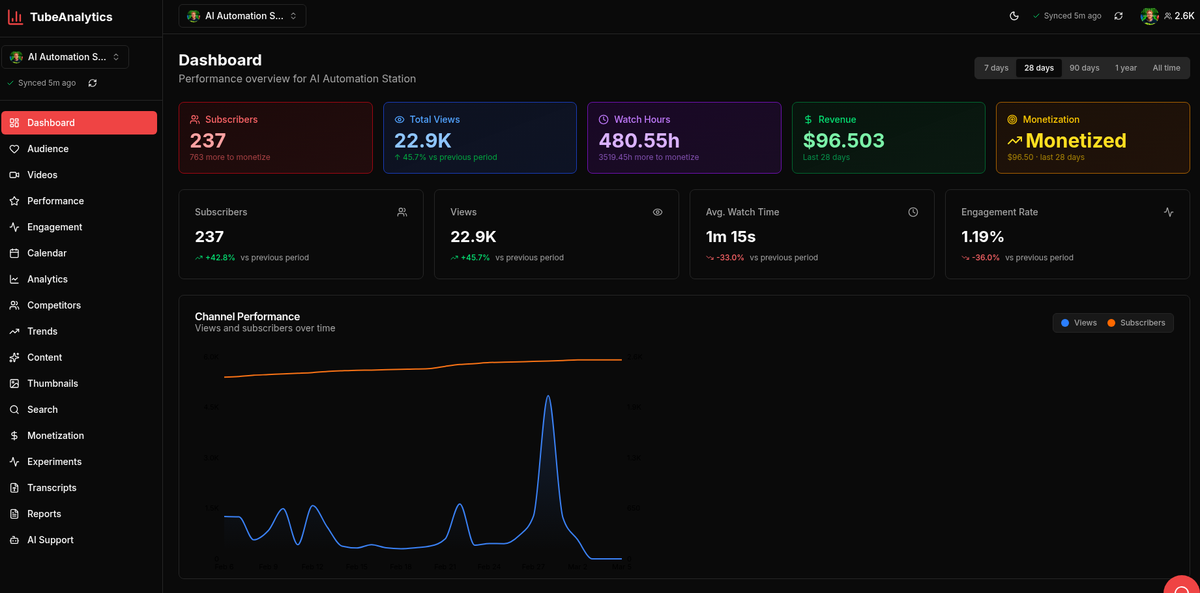
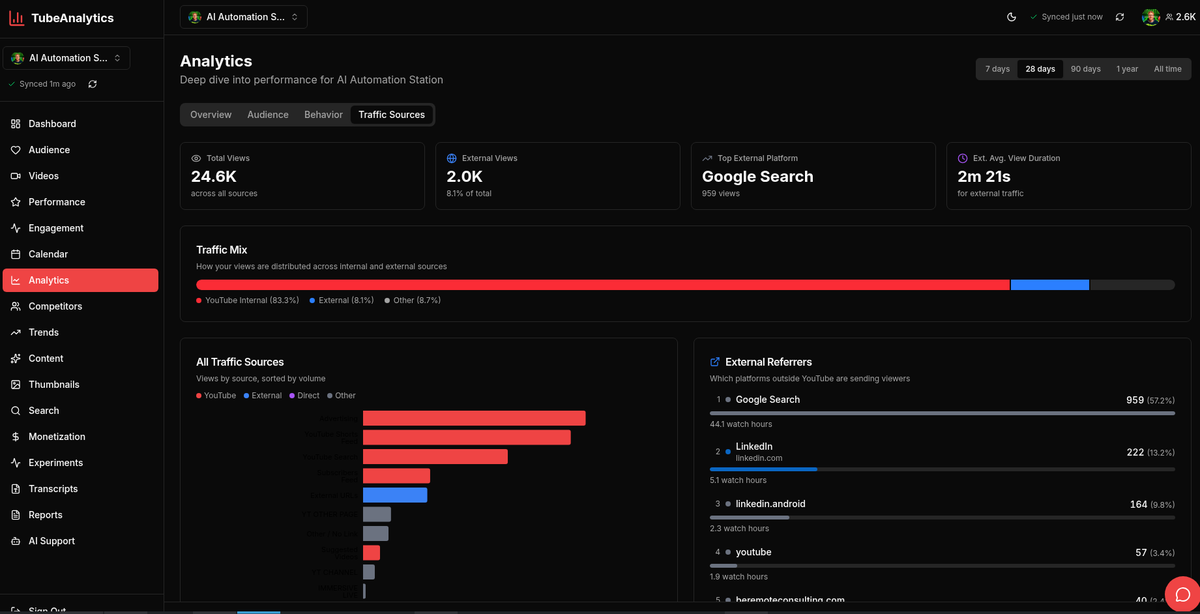
Connect a channel and the core dashboard covers the usual ground done properly: views, watch time, revenue, audience retention curves with the drop-off and rewatch points marked, plus demographics, geography and the timing of when your audience is online. The single-video view is the strongest part. It breaks one upload down into average view duration, subscriber gains and losses, the retention curve, and a traffic-source split across Search, Suggested, channel pages, external, the Shorts feed and other, so you can see whether a video died because the thumbnail lost the click or because people bailed at forty seconds.
Around that sit competitor tracking (5 to 20 rival channels depending on plan), a content calendar, transcript generation, and comment management pooled across all your videos. There are also 20-plus free standalone tools you can use without an account: a Real RPM Checker, revenue-per-video and CPM calculators, a channel health score, a video SEO scorer, an upload-time optimizer and a competitor gap finder among them. They are lead-gen, but the RPM checker alone is worth bookmarking.
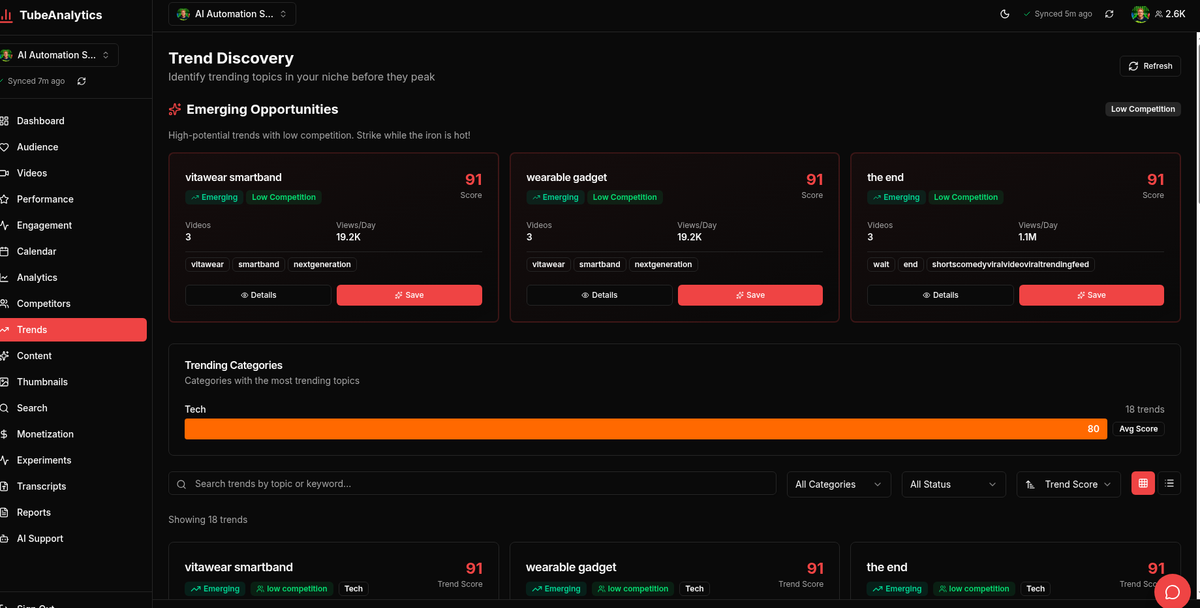
On top of the analytics, TubeAnalytics stacks the features that justify the "AI" label and the higher tiers. Predictive trend alerts claim to surface rising topics two to three weeks early. A "48-hour performance signal" tells you whether a fresh upload is tracking ahead or behind before the algorithm makes its call. Thumbnail A/B testing runs two thumbnails side by side and reports which pulls the higher CTR, and a viral script generator drafts hooks and outlines from your channel's history.
Treat the predictive claims as marketing until your own uploads confirm them. "Spot trends two to three weeks early" is unfalsifiable on a product with no public track record, and the thumbnail test only means something once you have the view volume for the split to be significant. The AI content recommendations and to-do lists are the safer bet, because they are reading your real retention and traffic data rather than forecasting the future.
Three tiers, each with a 7-day free trial, and the annual prices are the ones worth quoting because monthly is dearer.
The AI trend alerts and insights, the reason most people would come here over a free tool, sit on Professional and up. Starter is really the connected-analytics tier without the forecasting. The site advertises "20% savings" on annual billing; the actual discounts vary by plan (Starter works out closer to 21%, the higher tiers nearer 17 to 20 percent), so read the dollar figures rather than the badge.
TubeAnalytics is an early-stage indie launch. Its homepage is a wall of startup-directory badges (Product Hunt, EarlyHunt, FoundrList and roughly fifteen others), which is what a product does in its first months, not what an established analytics platform looks like. There is no long track record, no track record of the trend model being right, and no independent reviews to cross-check against yet. For a tool you are trusting with revenue-level OAuth access, that immaturity is the headline risk.
The free trial makes it worse to test casually. Every plan's 7-day trial requires a card up front, and the first charge lands automatically unless you cancel before day seven. This is not the "poke around free forever" model that vidIQ and TubeBuddy offer through their free tiers. You commit a payment method to see the product at all, and the calendar is doing the work of remembering to cancel.
Buy TubeAnalytics if authenticated per-video RPM is the thing you have been missing and you are comfortable being an early adopter. A creator running two or three monetized channels who wants to know which format earns, not which format an estimator thinks earns, gets real value from Professional at $49/month, and the free RPM checker costs nothing to try first.
Skip it if you want a mature, battle-tested workflow tool. vidIQ and TubeBuddy have years of iteration, browser extensions wired into the YouTube Studio you already use, and genuinely free tiers you can lean on without handing over a card. Their revenue figures are estimates, but their keyword and bulk-editing tooling is deeper and their survival is not in question. For a channel where reliability matters more than a truer RPM number, start there and revisit TubeAnalytics once it has a track record.
Visit the official website to see the latest plans, pricing, and special offers.
Get Started - TubeAnalytics* Affiliate link - we may earn a commission at no extra cost to you.