MagicLight AI Review: Long-Form Story Videos and the Credit Math Behind Them
MagicLight AI review: how story-to-video works, pricing and credits, the 130-minute vs 290-second gap, rights, refunds and who should skip it.
Expert Review

130 minutes or under five: the credit math
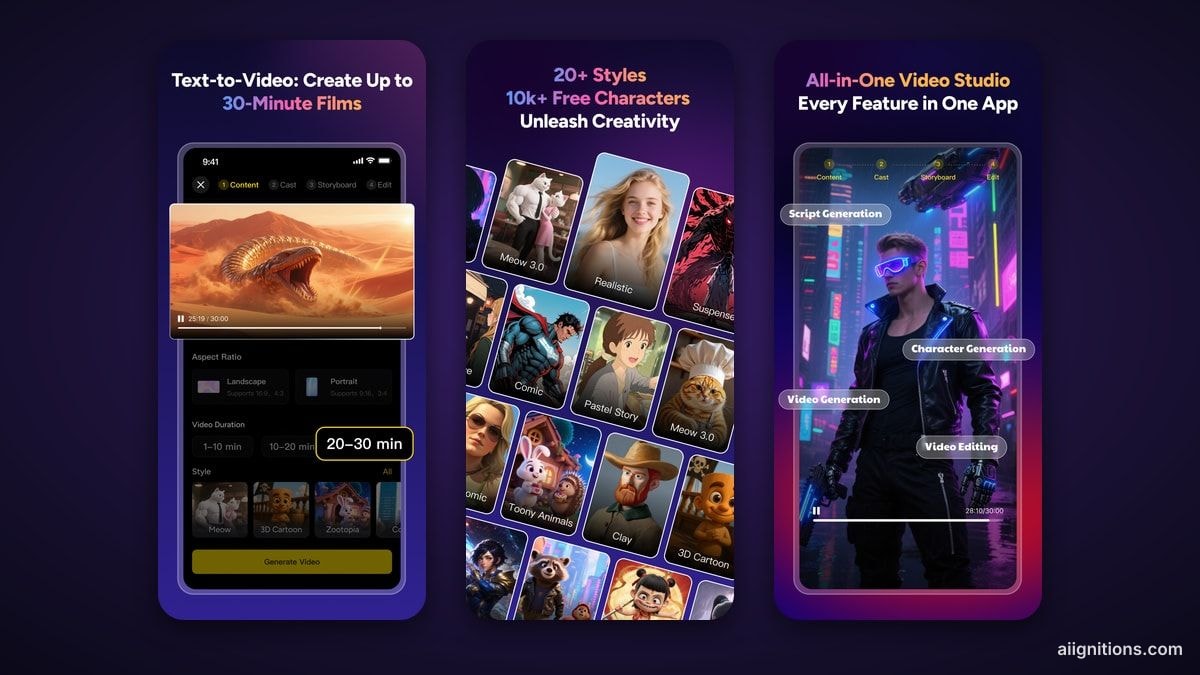
MagicLight sells itself on length. The homepage promises "complete AI videos up to 50 minutes long", and the pricing page repeats "Supports 50 min video generation" under every plan. The number that decides whether it earns its price is on that same pricing page, one row lower, and most people scroll past it.
Take the cheapest plan, Standard. It comes with 8,000 credits a month and is described as "Up to 130 min" of video. The next line gives the same 8,000 credits as 290 seconds of image-to-video. That is under five minutes. Both numbers are true. They describe two different products.
The 130 minutes is the story-video pipeline: illustrated scenes, narration, subtitles and light motion, which works out to roughly 62 credits a minute. The 290 seconds is real generated motion, at about 28 credits per second, or around 1,650 a minute. That second figure is what independent users report. A Traksource review from January 2026 puts a one-minute video at roughly 1,200 credits. A Trustpilot reviewer in August 2026 said a 4-second clip cost about 1,300 credits on a premium model.
So a 50-minute film is possible on the entry plan only if you accept mostly still, narrated scenes. Ask for moving characters throughout and the same credits buy a short. Budget with the seconds column, not the minutes one.
From a pasted story to a storyboard
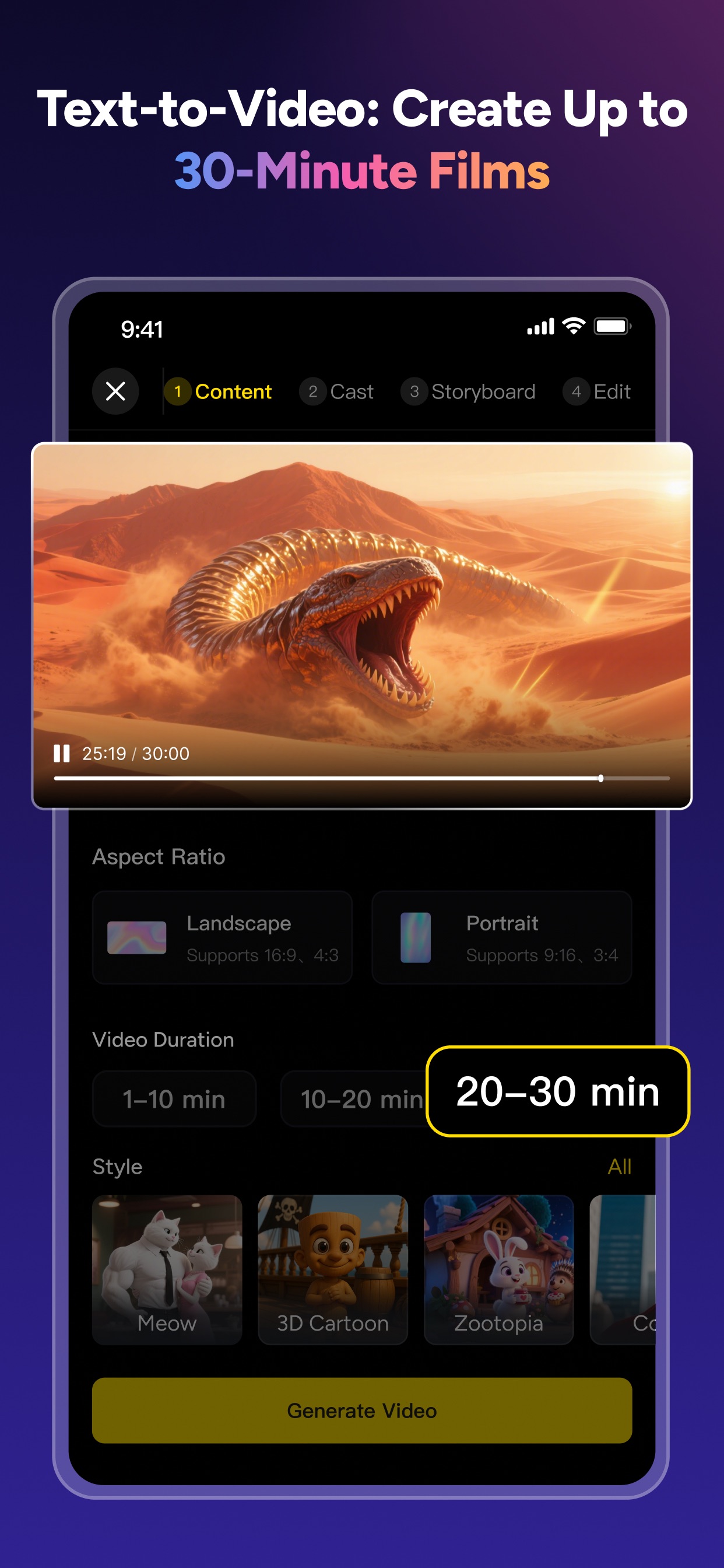
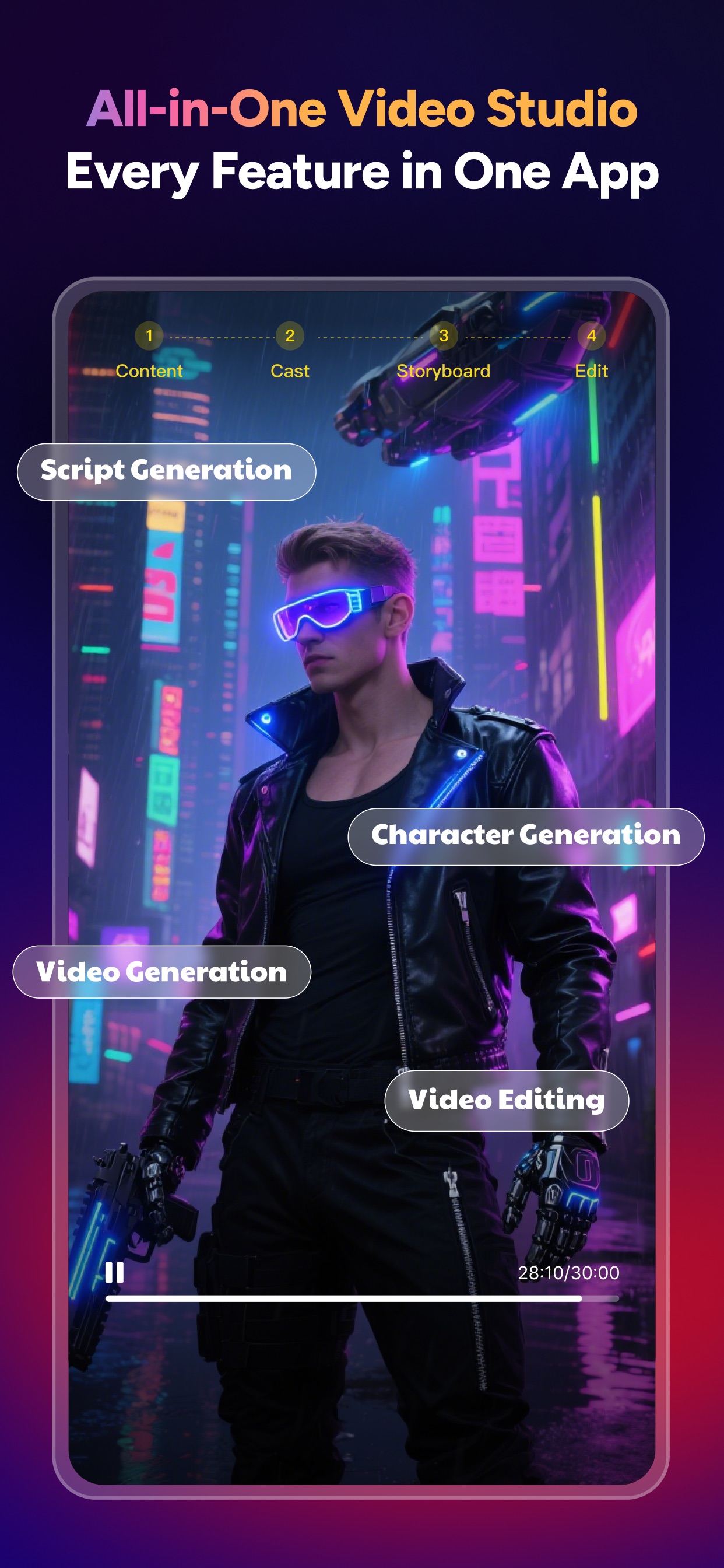
The workflow runs through four tabs - Content, Cast, Storyboard, Edit - on the web and in the iOS app alike. You paste up to 12,000 characters of plain prose, with no scene headers or shot notes needed, or upload a draft. MagicLight splits it into scenes, proposes a cast, and hands you a storyboard you can edit frame by frame before anything is rendered. That order matters. You fix a wrong character or a bad shot while it is still a cheap image, not after it has become an expensive clip.
Characters are the point of the product. You describe one in a long prompt or pick from a library the App Store listing puts at "10k+ Free Characters", and the FAQ says character profiles "lock in facial features, proportions, and clothing" across scenes. The same FAQ also admits that generation "involves a degree of randomness, similar to a 'card drawing' mechanism", and its advice is to regenerate. Every retry is paid for in credits.
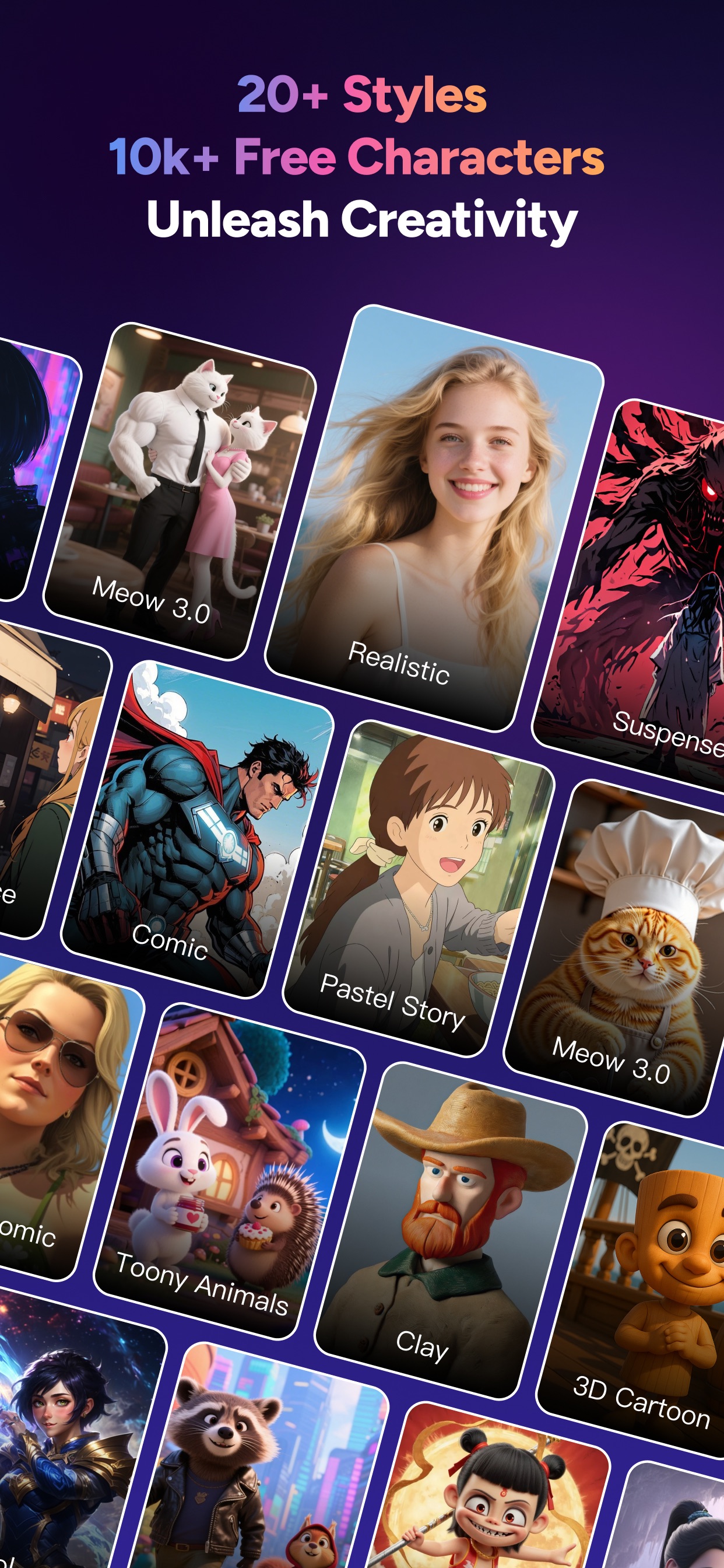
Styles cover the usual spread: realistic, 3D cartoon, anime, a Ghibli-inspired look, kids' story and more than 20 in total. Narration comes in over ten languages with a few dozen stock voices, plus voice cloning and lip-sync as separate tools. Paid plans export at 1080p with no watermark. We found no 4K option.
One inconsistency to know before you plan a long project: the website says 50 minutes, but the iOS app's own screenshots offer duration options that stop at "20-30 min". If length is the reason you are buying, start the project on the web.
Pricing and plans
Checked on the pricing page on September 25, 2026, during a "Limited Time: 50% OFF" sale. The prices shown are per month, billed annually. The struck-through figure next to each is the pre-sale price. The monthly-billing price only appears when the page is rendered in a browser, so we have not listed it.
| Plan | Per month (annual) | Billed yearly | Credits / month | Story video | Image-to-video |
|---|---|---|---|---|---|
| Free | $0 | - | 1-2 videos' worth | - | - |
| Standard | $7.50 (was $15) | $90 | 8,000 | up to 130 min | 290 s |
| Plus | $14 (was $28) | $168 | 27,000 | 450 min | 960 s |
| Pro | $22 (was $44) | $264 | 47,000 | 780 min | 1,680 s |
| Ultra | $45 (was $90) | $540 | 150,000 | 2,500 min | 5,360 s |
| Ultimate | $75 (was $150) | $900 | 280,000 | 4,670 min | 10,000 s |
Pro and above get 20% off the foundational models. Ultra and Ultimate add priority rendering and more concurrent animations (80 and 120, against 60 on the lower tiers). Every paid plan includes the 1080p watermark-free export and a "General commercial license". The free tier needs no card, but the FAQ caps it at credits for "1-2 video generations". Third-party reviews say its output is watermarked and not licensed for commercial use. That matches the FAQ's line that "Commercial usage rights are included with paid plans."
The annual plan is the only price the page leads with, so read the toggle before you pay. We found nothing that says whether unused credits roll over.
Models, refunds and who holds your data
MagicLight does not say which model draws, animates or voices a given scene. The pricing page names Seedance 2.5, Seedance 2.0, Nano Banana 2, GPT 5.5 and MiniMax H3. The site menu adds Kling 3.0, Veo 3, Sora 2, Wan and Hailuo. The About page also claims a "Proprietary AI Model" for long-form continuity. In practice, MagicLight is an orchestration layer over third-party models, and the one you land on changes what a scene costs.
The operator is MAGICLIGHT (HK) LIMITED. The terms are governed by Hong Kong law, and disputes go to binding arbitration in Hong Kong with a class-action waiver. You own the videos you make. In return, you grant a "worldwide, non-exclusive, irrevocable, royalty-free" licence to what you upload, which MagicLight may use "to improve and enhance the Service". That clause never says "training", and it never rules training out. Do not paste an unpublished manuscript you would mind seeing reused.
Refunds are the sharpest edge. The terms say "All fees are non-refundable unless otherwise specifically provided for", and the FAQ adds that credits "cannot be refunded once used". Put that next to the card-drawing randomness above and a failed or off-model render is simply credits gone.
What users complain about
MagicLight's Trustpilot page stood at 2.5 from 115 reviews when we checked on September 25, 2026. Sixty-four percent were one-star, and the company had replied to 38% of the negative ones. The complaints fall into three groups, and all of them are recent. One August 2026 reviewer said duplicate copies of the same character appeared in about a third of scenes. Another, in September, reported a character's voice changing between scenes and poorly mixed audio. The rest are about money: people charged for an annual plan they meant to take monthly, then waiting days for a reply on Telegram or email that never came.

None of that means the product does not work. The sample films on the site are real, and the storyboard-first flow is well designed. It does mean the $90 annual Standard plan is the most you should risk before you have seen your own story come out consistent.
Verdict: who should buy it, who should skip it
Buy it if you make narrated story content - kids' bedtime stories, faith and history channels, faceless YouTube series - where illustrated scenes with light motion are the format, and a recurring cast across a 20-minute episode matters more than cinematic movement. For that, $7.50 a month for 130 minutes is hard to beat, and the storyboard step keeps retries cheap.
Skip it if you need real motion from start to finish, or if you cannot absorb credits lost to bad renders under a no-refund policy. For explainer and social video with stock footage, InVideo is the safer choice. For turning an existing blog post or webinar into video, Pictory fits better than generating original scenes. If you want one short cinematic clip, go to Kling or Veo directly rather than paying MagicLight's markup to reach them.
Whichever you pick, start on the free tier with a story of your own, and check how many credits one minute actually costs before you commit to a year.
Ready to try MagicLight?
Visit the official website to see the latest plans, pricing, and special offers.
Get Started - MagicLight* Affiliate link - we may earn a commission at no extra cost to you.