Apple Shortcuts Review: Describe a Shortcut Builds It for You, Within Apple's Own Apps
Apple Shortcuts review: what Describe a Shortcut builds in iOS 27, where Use Model sends your data, the unpublished daily caps, hardware needed, and who should use Zapier or Keyboard Maestro instead.
Expert Review

What changed in Shortcuts
For a decade, Shortcuts was the app iPhone owners opened once, stared at, and closed. You dragged actions into a list, wired one output into the next input, and hoped the variable you picked was the right one. Apple's own marketing manager admitted as much at WWDC in June 2026: "While super powerful, the process of creating these shortcuts can feel, well, complicated."
iOS 27, iPadOS 27 and macOS 27 shipped on September 14, 2026 and replaced that blank list. Tap New Shortcut now and the first screen is Describe a Shortcut, a text box asking "What do you want your shortcut to do?" Apple Intelligence picks the actions, fills in the parameters and hands back a finished shortcut. You read through the steps, tap play to test it, and type "Describe a change" if something is off. The manual editor is still there, and every existing shortcut now gets an Apple Intelligence summary at the top of the editor, which helps more than it sounds when you open something you built in 2021.
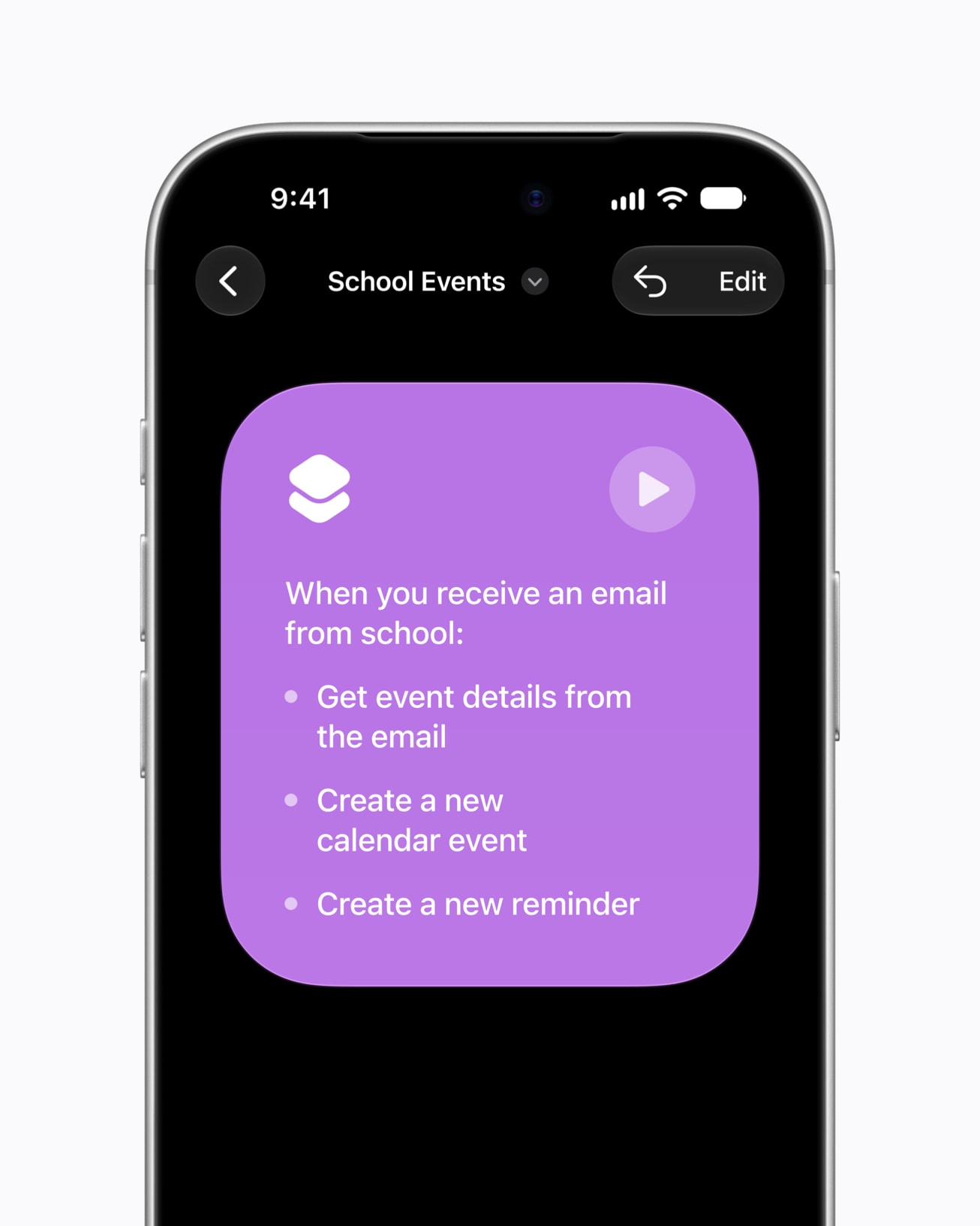
Image: Apple
The app is free and built in. Everything below was checked in November 2026 against iOS and macOS 27.2, released October 26.
How well Describe a Shortcut builds
Apple's examples are telling: set tomorrow's alarm from the first Calendar event, arrange productivity apps in windows when an iPad meets its Magic Keyboard, switch on the porch lights when a food-delivery notification arrives at night. The keynote demo texted a partner an ETA on leaving work, using a saved address, Maps and Messages, then added a podcast by describing the change. iGeeksBlog asked for "a morning routine that shows today's weather, calendar events, and to-dos" and got one.
The most detailed hands-on comes from Federico Viticci's iOS 27 review at MacStories. He found it could one-shot many shortcuts in about 15 seconds, pre-fill parameters, check that a named note actually exists and set toggles correctly. His summary: Apple "has done an excellent job making it fast and reliable at generating simple- to medium-complexity shortcuts."
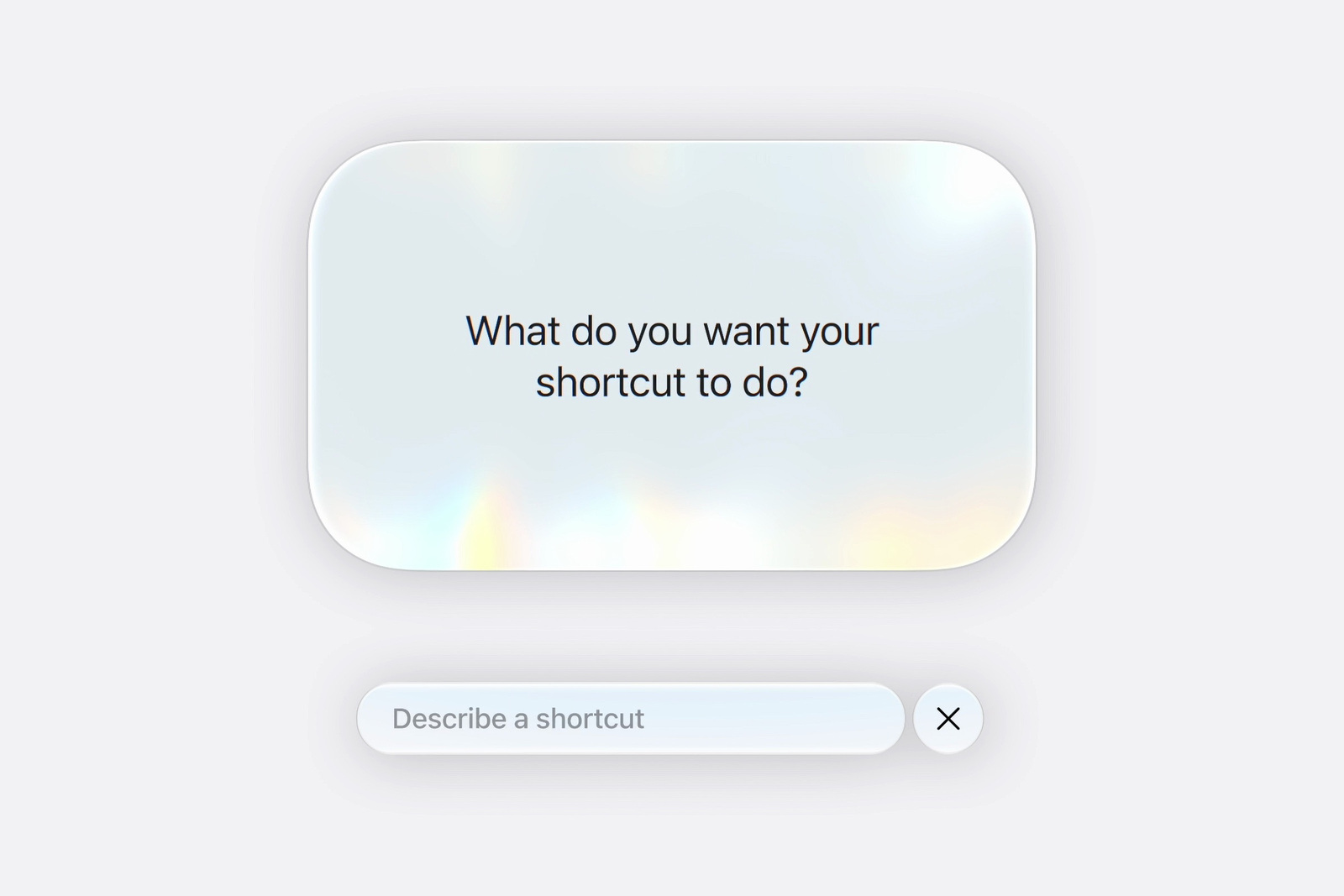
Image: Apple
The edges are just as clear. It will not build anything spanning hundreds of actions. It cannot go and read a web API's documentation first. It stops short of anything that needs more than 30 seconds of reasoning. And it cannot yet build shortcuts for third-party apps or web services outside what it already knows, which is why every Apple example lives inside Apple's own apps and HomeKit. MacRumors adds that the feature is labelled beta and "not always perfect", so expect to fix a step by hand now and then.
That is the trade in one line. If your automation is Calendar, Reminders, Messages, Notes, Focus and HomeKit, you can now skip the editor almost entirely. If it involves Todoist, Notion or a REST endpoint, you are back to building it yourself.
Automations and actions
The less flashy change matters as much. Automations are now special actions at the top of a shortcut, so a shortcut that contains its trigger can finally be shared, and one shortcut can stack several triggers. Shared automations arrive switched off on the other device, and a new Automations page lists, filters and toggles all of them. iOS 27 also brought 35 or more new or improved actions by 9to5Mac's count: Messages gained Send Tapback, Mark as Read and Search in Messages; Reminders can create sections; If finally has Otherwise If; and new Store and Get Stored Content actions keep values between runs. Gaps remain. New Reminder still cannot drop a task into a specific section of a list, and Apple had not stated file-size limits for stored content when MacStories asked.
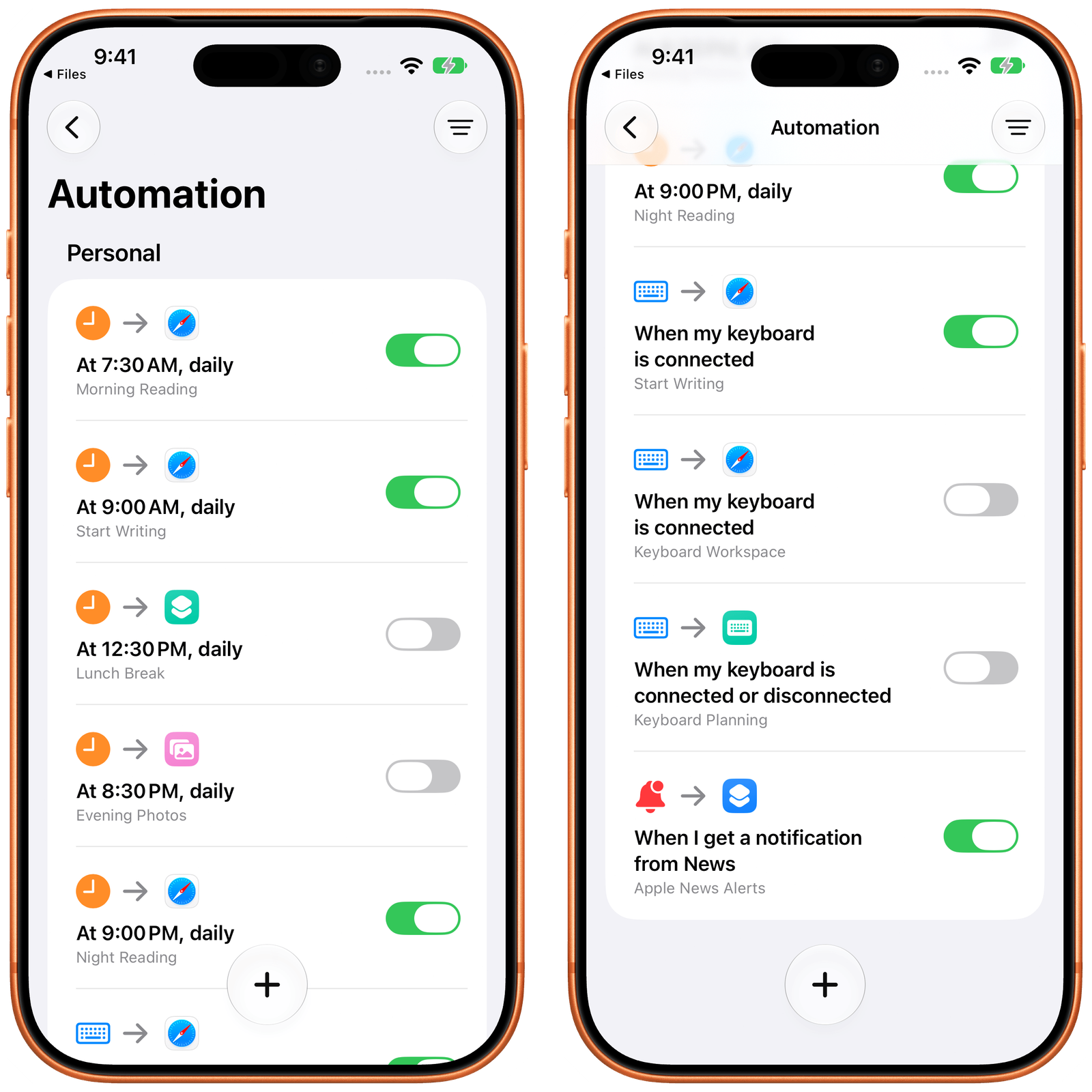
Image: MacStories
Use Model and where your data goes
Use Model, the action that arrived in iOS 26, lets a shortcut hand text to a language model mid-run. In 27 it is far more useful. You choose one of four models: On-Device for simple requests with no network, Cloud on Apple's Private Cloud Compute, Cloud Pro with extended context for longer jobs, and Extension Model, which is ChatGPT. A Use Broad World Knowledge toggle pulls current information from the web, and a Follow Up checkbox shows you the answer before it passes to the next action. MacStories found Cloud Pro with web knowledge gave "pretty good, up-to-date results", though you cannot set a reasoning level.
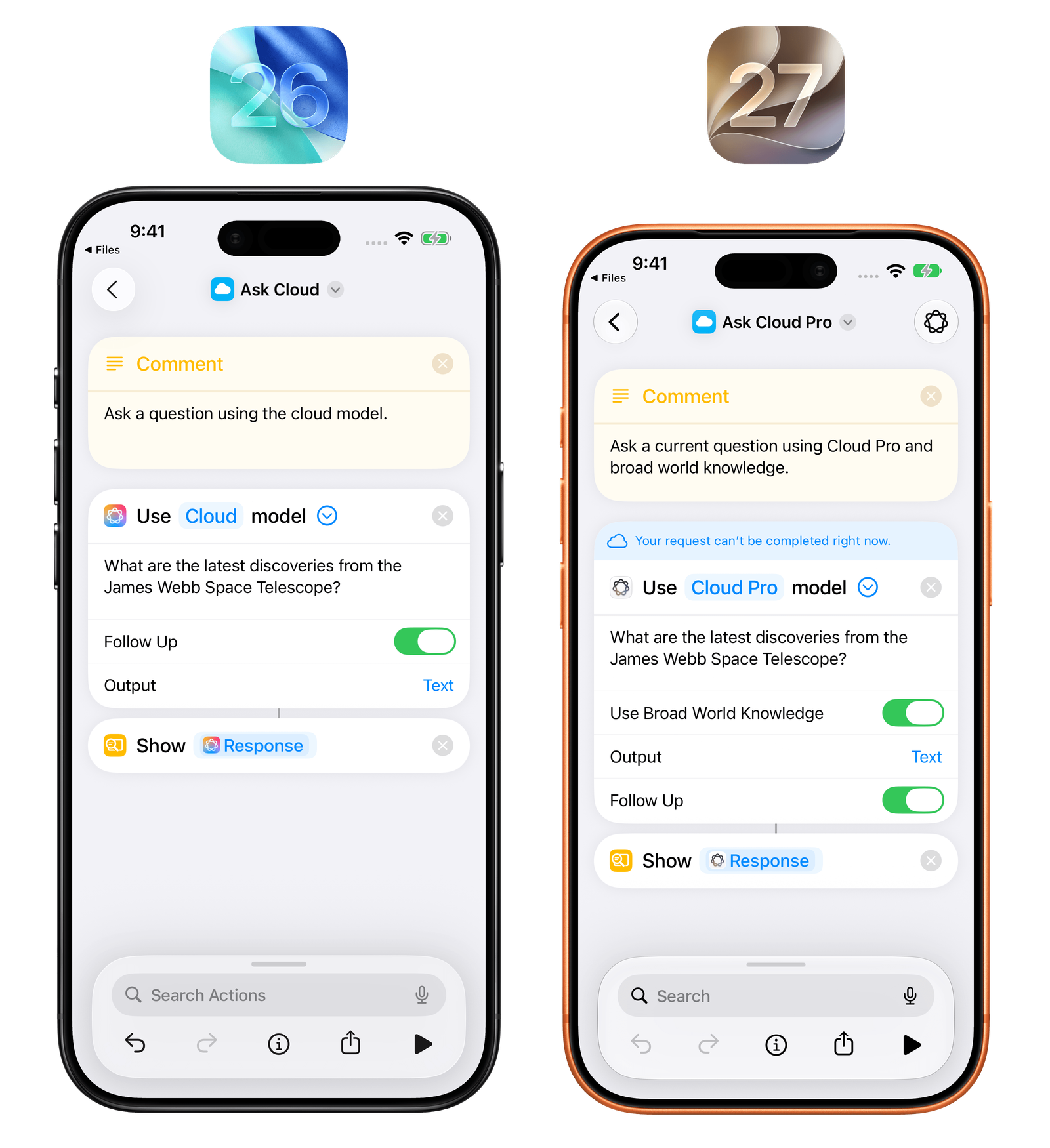
Image: MacStories
The choice of model is a privacy choice, and Shortcuts does not spell that out at the moment you pick it. Apple's guide says the input "can include variables, outputs from previous actions, calendar events, reminders, photos, and more." On-Device keeps all of it on the phone. Cloud and Cloud Pro send it to Private Cloud Compute, where Apple says data is used only for your request, never stored, and open to inspection by security researchers. Extension Model sends your prompt and attachments to OpenAI, with your IP address hidden but your general location passed on. Signed out, OpenAI may not store it or train on it. Signed in to a ChatGPT account, OpenAI may log your requests and train on them, depending on your "Improve the model for everyone" setting.
So a morning shortcut that pipes your calendar into Extension Model while you are signed in to ChatGPT is sending your calendar to OpenAI. Pick Cloud for that one.
Pricing and daily limits
Shortcuts, Describe a Shortcut and Use Model cost nothing today. The catch is a cap with no number on it. Apple's footnote says server-side features, including "AFM 3 Cloud models in Shortcuts", are subject to daily usage limits that "may vary by feature, request complexity, system demand, system policies, and other factors." Describe a Shortcut itself carries "Usage limits may apply." Hit one and the feature returns after a time-out period that Apple does not define. "Expanded access to such features will be available for a fee in the future", with no price announced as of November 2026.
One clause in Apple's usage terms deserves attention from anyone building automations: "Excessive, abusive, automated, fraudulent, illegal or otherwise unreasonable use" may be throttled or suspended. A personal automation that calls Use Model on Cloud Pro every time a notification lands is exactly the pattern that word describes. For that kind of shortcut, On-Device is the only model with no ceiling to hit.
Extension Model works without a ChatGPT account. Connecting ChatGPT Plus, $20 a month billed monthly, brings that plan's higher limits. Neither company says how many signed-out requests you get, or whose limit an Extension Model call counts against.
Who gets the AI parts
iOS 27 installs on more iPhones than Apple Intelligence runs on. Describe a Shortcut and Use Model need an iPhone 15 Pro or Pro Max, any iPhone 16 or later, iPhone Air or iPhone Duo; an iPad with M1 or later, or iPad mini with A17 Pro or A20 Pro; a Mac with M1 or later, or MacBook Neo. Apple Intelligence takes up to 8 GB of storage on most devices and up to 14 GB on the newest ones, and your device and Siri language must match one of 16 supported languages, English included. An iPhone 15 or older gets the new actions and automations, but no AI builder.
EU users get the new features on iOS, iPadOS and macOS 27 even though Siri AI is held back there. Devices bought in mainland China, and China-region accounts used there, get none of it.
Verdict
Use it if you own Apple Intelligence hardware and your routines live in Apple's apps: alarms, Focus, Messages, Notes, Reminders, Maps and HomeKit. Describe a Shortcut turns dragging actions into a list into one sentence and a test run, and it is free.
Skip it if your workflows cross web apps. Zapier, or one of the tools in our workflow automation roundup, connects services that Shortcuts' AI cannot see. On a Mac, Keyboard Maestro 11.1.1 drives any app, has no daily cap and costs $36 once. And if you are on an iPhone 15 or older, nothing in this review applies to you yet beyond a better manual editor. For background on the models underneath, see our Apple Intelligence explainer.
Ready to try Apple Shortcuts?
Visit the official website to see the latest plans, pricing, and special offers.
Get Started - Apple Shortcuts* Affiliate link - we may earn a commission at no extra cost to you.