Pagely Review: Dedicated AWS WordPress Hosting, Priced and Read Closely
Pagely review: dedicated AWS WordPress hosting from $99 to $2,500/month, HA from $1,249. Plan limits, banned plugins, region fees, SLA and contract terms checked.
Expert Review

What Pagely actually sells
Most managed WordPress hosts sell you a slice of a shared container and call it "dedicated resources". Pagely sells something different. Every customer gets its own Amazon EC2 instance, and the database sits apart from it - on standard plans in "a separate highly-available shared cluster RDS database", on larger ones in a private MySQL, MariaDB or Aurora instance. Kinsta and WP Engine run on Google Cloud. Pagely's comparison pages lean hard on that difference, and it is a real one: your neighbours cannot eat your CPU.
The company is Pagely, LLC, based in Tempe, Arizona, and co-founded by Joshua and Sally Strebel. GoDaddy bought it in November 2021 for an undisclosed sum. The brand still runs on its own, but the paperwork shows who owns it: the terms of service send legal notices to [email protected] and pull in GoDaddy's arbitration clause, and the SLA defines the "Host" as "Pagely and/or its Parent Company".
For years Pagely's prices sat behind a sales call. They are now published, from $99 to $2,500 a month. Everything below was checked on Pagely's pricing page, legal pages and help centre in October 2026. A lot of it is not on the pricing page at all.
Pricing, and where the numbers disagree
There are six self-serve plans in two tiers, all billed monthly as listed (checked October 2026):
| Plan | Price | Sites | Resources |
|---|---|---|---|
| StartPress | $99/mo | 5 | 30 GB SSD, no vCPU/RAM listed |
| DevPress | $199/mo | 10 | 50 GB SSD (card), no vCPU/RAM listed |
| LitePress | $299/mo | 15 | 50 GB SSD, no vCPU/RAM listed |
| ProPress | $499/mo | 35 | 2 vCPU, 4 GB RAM, 50 GB SSD |
| PowerPress | $999/mo | 60 | 4 vCPU, 8 GB RAM, 50 GB SSD |
| ScalePress | $2,500/mo | Custom | Custom |
The three cheaper "Pro" plans are shown next to struck-through prices of $199, $299 and $375. Pagely does not say what those figures are - a launch discount, an annual rate, or just an anchor - so budget for the possibility that the lower price does not last. The Pro cards also list no vCPU or RAM at all, which is the single number you would want from a host whose pitch is dedicated hardware.

Read the comparison table and the plans stop agreeing with themselves. StartPress bandwidth is 50 GB on its card and 20 GB in the table. DevPress is 50 GB disk and 100 GB bandwidth on the card, 30 GB and 50 GB in the table. LitePress is 150 GB of bandwidth on one page and 100 GB on another. Get the figure that applies to you written into your order form, because the marketing pages cannot both be right.
Traffic itself is not metered. Pagely's table answers the pageview question with "Who Would Charge For This? - Always Free", and that is a genuine advantage over hosts that bill by visits. The Performance plans add 200 GB (ProPress) or 300 GB (PowerPress) of bandwidth, plus 1 TB or 2 TB of PressCDN.
High availability and regions cost extra
The 99.99% pitch is strongest on the high-availability plans: two load-balanced, synchronised nodes in separate AWS availability zones. Those cost $1,249 a month (ProPress HA), $2,249 (PowerPress HA) and $3,600 (ScalePress HA). Pagely's own help centre puts the recovery time for a non-HA plan at "1 to 4 hours" against "1 to 5 minutes" for HA. That gap is what the extra $750 a month buys.
Location is the other surcharge. US East (Virginia and Ohio) and US West (Oregon) are standard. Ireland, Frankfurt, London, Paris, Singapore, Tokyo, Sydney, São Paulo, Canada Central and Northern California are "available for an additional monthly fee" - $50 to $275 a month depending on plan, per a help centre article that still uses Pagely's older plan names. A European business that needs data in Frankfurt should ask for that number before anything else.
The platform, and the plugins you must remove
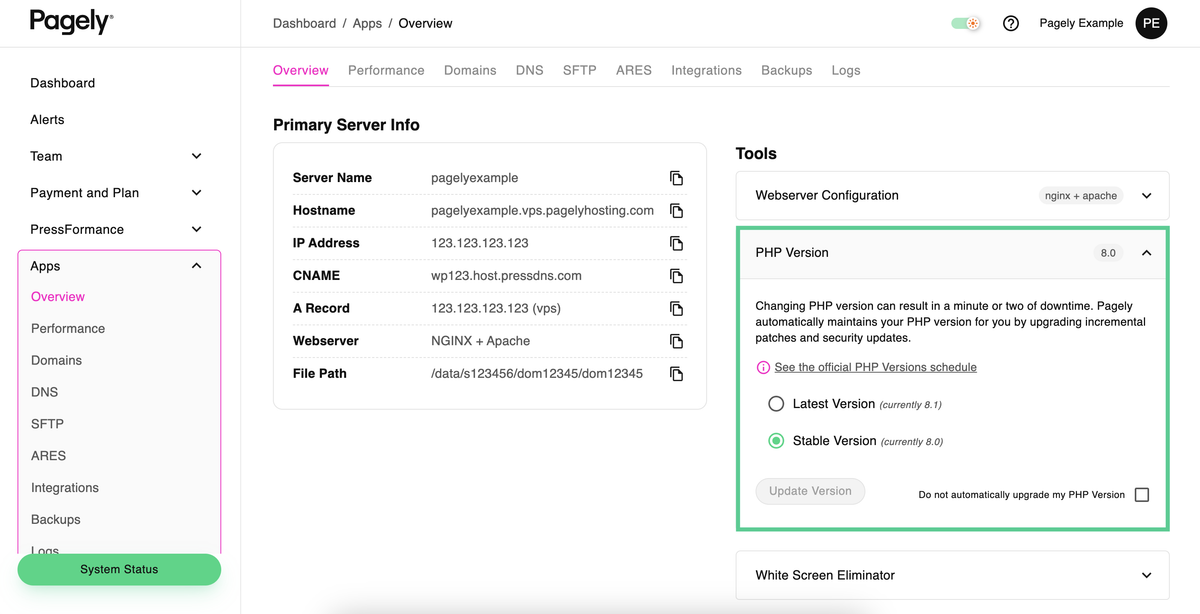
The stack is NGINX/OpenResty in front, Redis object caching, PHP 8.1 to 8.3 and Route 53 behind PressDNS. Caching is done at the NGINX layer (PressCACHE), images are resized on the fly by PressTHUMB, and a WordPress-specific gateway called ARES handles the WAF and SSL. Every plan includes staging with sync, Git and SVN, WP-CLI, SSH and direct database access. PHP 7.4 and 8.0 are still available, but only as a paid "PHP LTS" add-on whose price appears at checkout and nowhere public.
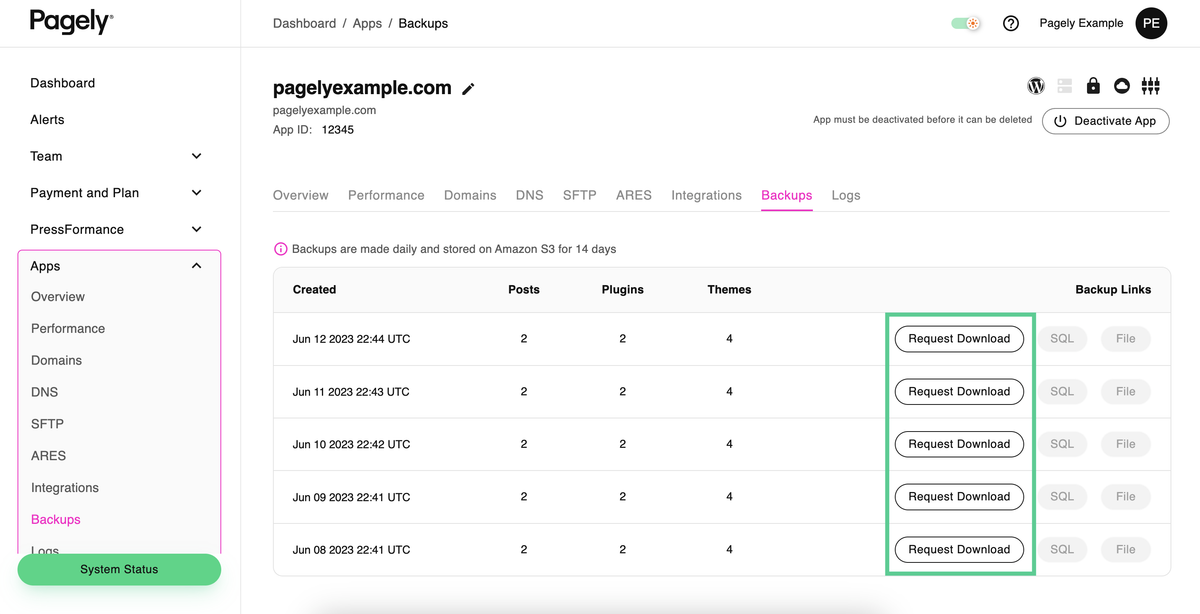
Backups are nightly, cover files and database, are kept for 14 days on Amazon S3, and do not count against your disk. You can also push copies to your own S3 bucket, which is the detail that matters for anyone with a retention policy longer than two weeks.
Now the part a migrating agency trips over. Pagely bans or discourages a list of common plugins: every caching plugin, backup plugins such as UpdraftPlus, BackWPup and BackupBuddy, stats plugins like WP Statistics and Slimstat, database tools such as WP-Optimize and WP-DBManager, and Broken Link Checker. If a client site depends on one of those, plan to replace it before the move, not after. proc_open and shell_exec are also blocked for web requests.
There is no email. The help centre says it plainly: "Unfortunately, we do not host email." Budget for Google Workspace or Microsoft 365 on top. Migration is cheaper than you might expect: three white-glove site migrations come free with a dedicated plan, and each extra site is a one-time $100.
Security, compliance and the SLA
Security patches are applied automatically and are not optional, and Pagely can virtually patch a vulnerable plugin at the WAF before the vendor ships a fix. Malware scanning and 24/7 uptime monitoring are included. Pagely states it is SOC 2 Type 2 compliant. That is the only certification on record. For HIPAA, GDPR, FISMA and similar regimes it says it is "willing to consult with customers", which is not the same as being compliant, and PCI is not mentioned at all. A healthcare client needs more than a sales call here.

The standard SLA promises 99.99% of hours in a month. Credits start at 5% of the monthly fee for 5-60 minutes down, rise to 20% at two to three hours, then add 20% for each further three hours, up to 100%. You must claim in writing within seven days. Two lines take some of the shine off. Credits only arrive if you ask. And the SLA says the host "may modify any aspect of this SLA with or without prior notice". An Enhanced SLA for "select Pagely customers" offers 100% availability and 15-minute first response on urgent tickets - "select" meaning negotiated.
Support
Every plan gets ticket and live chat. Phone support is for "select plans", which Pagely does not list, and a shared Slack room costs extra. The only published hours come from a help centre article last updated in 2019: most active 9am-8pm Mountain time on weekdays, around one hour to respond, monitoring only after hours. Treat that as old. If you need guaranteed weekend response, it lives in the Enhanced SLA, not the self-serve plans.
What reviews exist are warm. Trustpilot shows 4.5 out of 5, with comments like "Wonderful staff. Wonderful support. Solid platform." But that score rests on 15 reviews in total, which is too few to mean much, and Pagely's own "96% of customers" figure is its own survey.
The contract, and how you leave
This is the section to read before you sign. Pagely's terms of service (revised August 8, 2024) say "all payment obligations are non-cancelable", and that terms "automatically renew thereafter for successive periods equal in length to the Initial Term". You may terminate without cause on 30 days' written notice. Invoices are due within 30 days.
Cancelling is not a button. "We do not allow accounts to cancel automatically through the dashboard" - you open a support ticket. Refunds are at Pagely's "sole discretion": on a monthly term you get a full refund only if you cancel before the first monthly billing cycle, and on quarterly or annual terms only within 30 days of signing up. Set a calendar reminder 30 days before each renewal date.
The way out is at least clean. You can download a full copy of any site's files and database from the control panel at any time, without asking support, so leaving costs a notice period rather than a hostage negotiation.
Verdict: who should buy Pagely
Buy it if you run high-revenue WordPress or WooCommerce sites, or an agency portfolio of them, and want a dedicated AWS instance, SOC 2 Type 2, staff who will tune the server for you and a high-availability pair across two zones. At ProPress ($499) and up, the published specs are clear, traffic is unmetered, and the free migrations and nightly S3 backups cover the move.
Skip it if you have a handful of ordinary sites. Kinsta starts around $29 a month, WP Engine around $26, and Pressable runs $75-$129 a month billed annually - all with dashboards that let you cancel yourself. Skip it too if you need email from your host, if your sites rely on UpdraftPlus or WP-Optimize, or if you need servers in Europe or Asia without a surcharge. And if HIPAA or PCI is a legal requirement, Pagely's "willing to consult" is not an answer.
The StartPress, DevPress and LitePress plans are the weak spot: dedicated-hosting prices with no published CPU or RAM, and storage figures that change depending on which Pagely page you read. Pagely makes most sense from ProPress up, where the numbers are written down. Below that, a cheaper host is the better buy.
Ready to try Pagely?
Visit the official website to see the latest plans, pricing, and special offers.
Get Started - Pagely* Affiliate link - we may earn a commission at no extra cost to you.