Sitebulb Review: Prioritised SEO Audits, Now Wired Into Claude and ChatGPT
Sitebulb review: prioritised Hints, the v10 MCP connector for Claude and ChatGPT, pricing checked October 2026, and how it stacks up against Screaming Frog.
Expert Review

What Sitebulb does differently
Most crawlers hand you a spreadsheet and wish you luck. Sitebulb hands you a to-do list. After a crawl finishes, the UK-built auditor runs every URL through what it calls Hints - "over 300 site optimization checks pre-processed for you" - and sorts the failures by priority, critical first, each one with a short explanation of why it matters and which URLs trip it.
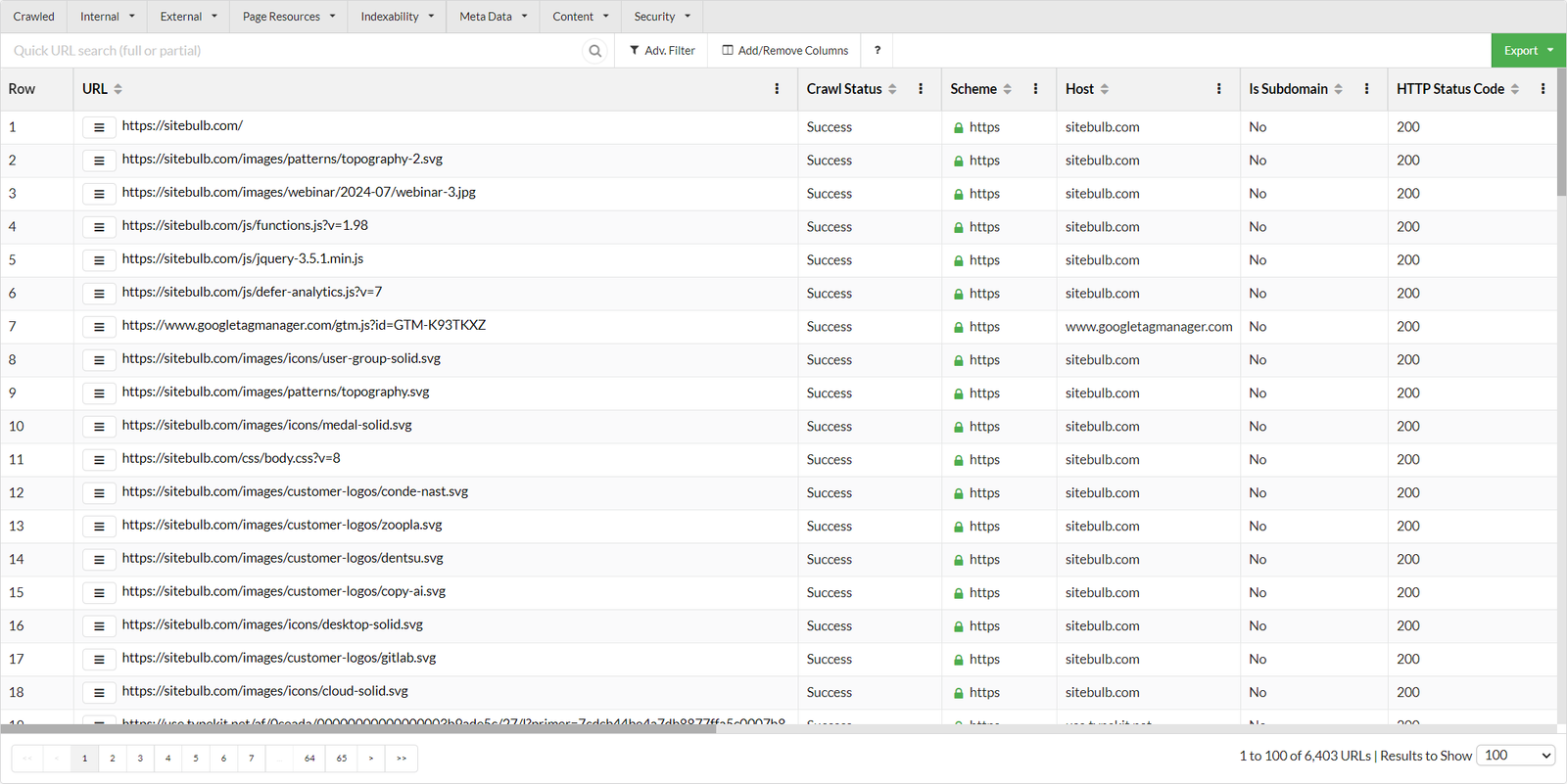
That is the whole pitch, and it has been since Patrick Hathaway and Gareth Brown launched the tool in 2017. You still get the raw data: a URL Explorer table, crawl maps, interactive charts, a structured data validator, an accessibility audit, a hreflang checker and a "Response vs Render" report that compares the HTML your server sent with what the page looks like after JavaScript runs. Rendering uses an evergreen Chromium engine, the same approach Google takes. But the Hints are the reason people pay, because they turn a 40,000-row export into ten things to fix this week.
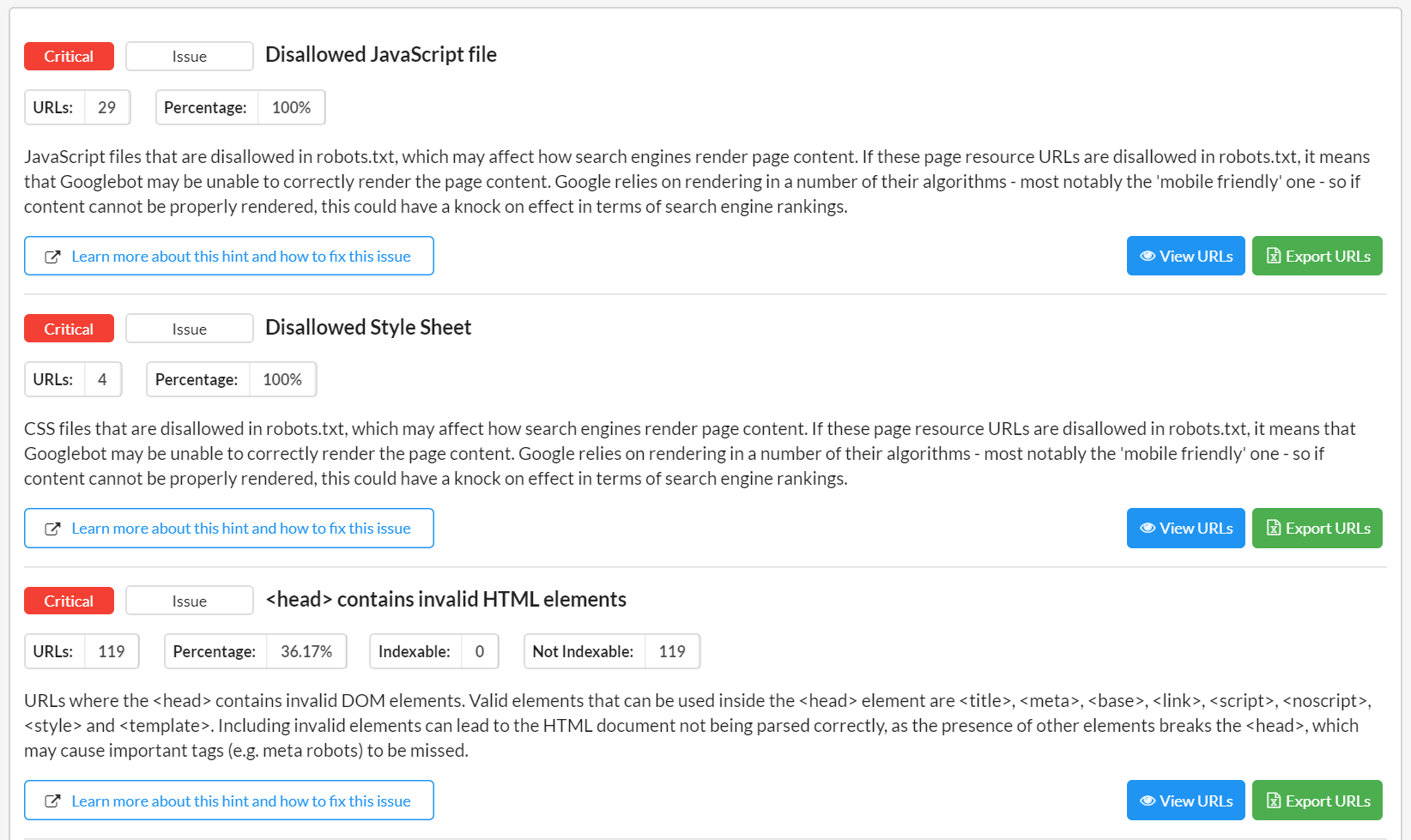
The tier matters here. Lite gets "100+ Hints", Pro and Cloud get "300+". The cheap plan audits the same site with roughly a third of the checks.
The MCP connector: crawl data in Claude and ChatGPT
Version 10.0 landed on 9 September 2026, and it is the biggest change to the product in years. It adds an MCP connector that pulls Sitebulb crawl data into Claude or ChatGPT so you can ask questions of an audit in plain language: which template is responsible for most of the broken canonicals, what got worse since last month's crawl, which fixes a developer should take first.
Setup is the part Sitebulb clearly sweated. Its release notes promise "no terminal, no config file, nothing extra running in the background" - you add Sitebulb as a custom connector inside the AI client, following its getting-started guide for Claude or ChatGPT. It works in the web apps and the desktop or code versions, and with both Sitebulb Desktop and Sitebulb Cloud. Cloud accounts updated automatically; desktop users install the new build.
Five pre-built Skills ship with it: What To Fix First, What Changed, Technical SEO Audit, Release Check and Dev Handoff. Release Check is built for deploys: crawl staging, then ask what the release would break. The release-note screenshots also show findings being pushed straight into Jira.
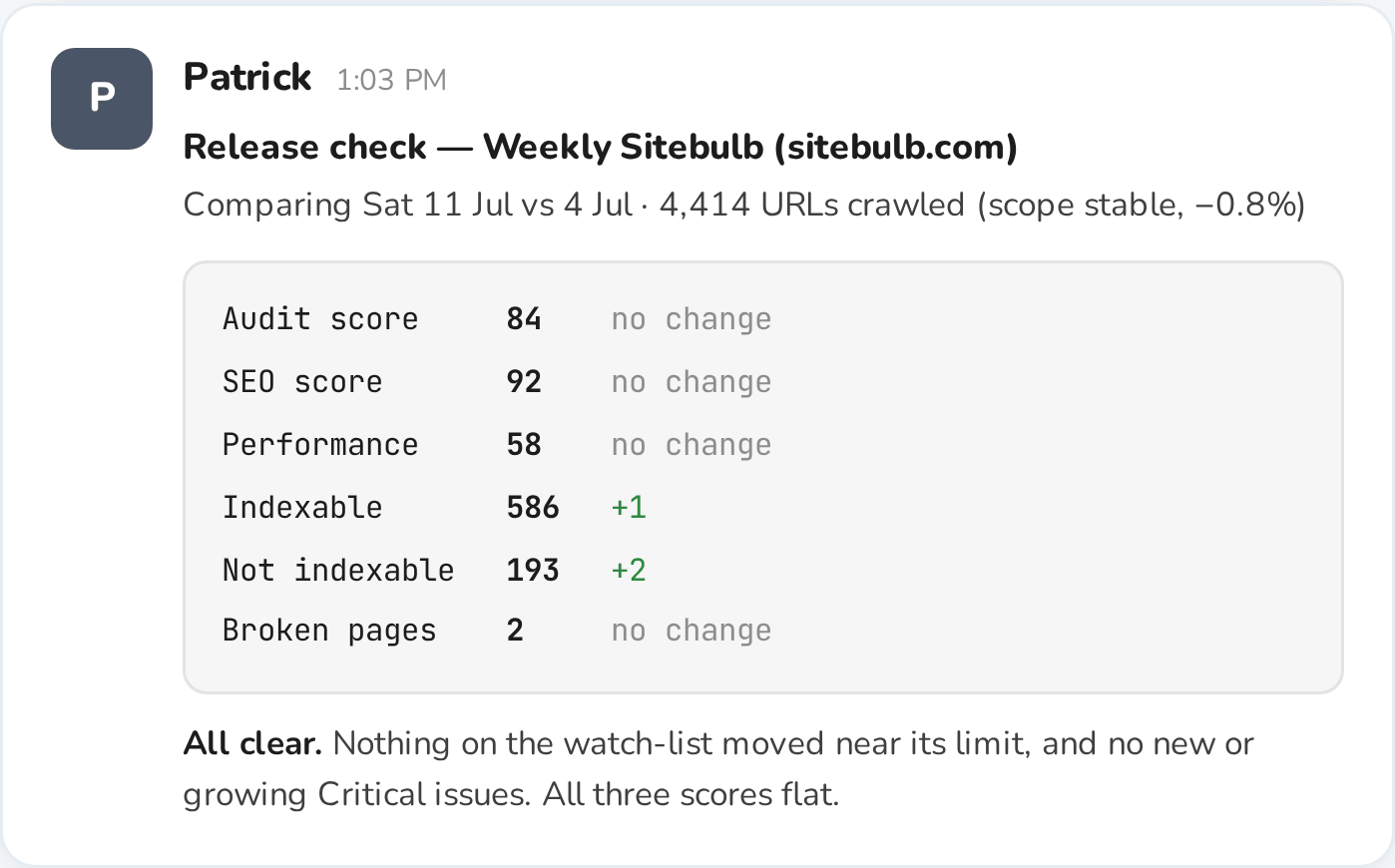
The detail that matters for your budget: MCP access is listed on every plan, including the £12.50 / $18 a month Lite tier. Nobody has to buy Pro to try it.
Pricing, checked 14 October 2026
Sitebulb quotes in pounds, dollars and euros. These are the figures on its pricing pages as checked on 14 October 2026, for one user.
| Plan | Monthly | Yearly | URL limit |
|---|---|---|---|
| Desktop Lite | £12.50 / $18 | £125 / $180 | 10,000 per audit |
| Desktop Pro | £30 / $42 | £305 / $425 | 500,000 per audit |
| Cloud Mini (2 users) | £95 / $125 | £1,140 / $1,500 | 50,000 per month |
| Cloud Small (5 users) | £195 / $245 | £2,340 / $2,940 | 1 million per month, 250,000 per audit |
| Cloud Medium (10 users) | £395 / $495 | £4,740 / $5,940 | 2.5 million per month, 1 million per audit |
| Cloud Enterprise | Custom | 5 million+ per month | |
Desktop yearly plans save 15%. Cloud yearly plans save nothing - the annual price is exactly twelve months. Extra Pro seats work out to about £7.50 / $11 per user per month (two users cost £37.50 / $53), although the page text says "from £7". Card and PayPal are accepted; purchase orders and invoices are for yearly plans only.
The 14-day trial asks for no credit card, and it is equivalent to Desktop Pro, so you see the full 300+ Hints before deciding whether Lite's 100 will do.
Two things the Cloud page leaves out
The Cloud landing page says "No crawl credits - crawl as much as you want". The pricing table then gives every tier a monthly URL allowance. Mini's is 50,000 URLs a month, which is five full crawls of a 10,000-page site and then you wait for the next billing cycle. Mini also includes no desktop licence at all, so $125 a month buys you less local crawling than the $18 Lite plan. Desktop licences start at Cloud Small, $245 a month.
Where it pinches
Lite's cap is the first wall people hit. 10,000 URLs per audit covers a small business site or a mid-sized blog; it does not cover an ecommerce store with faceted navigation, where parameter URLs pass 10,000 before you have crawled the product pages. Once you need more, the next step is Pro at £305 / $425 a year.
Desktop crawling is bounded by your own machine. Sitebulb asks for at least 4 GB of free RAM and recommends 8 GB, sets a default limit of 500,000 URLs, and lets you raise it to 2 million while warning that "you may be stretching your computer beyond its capability". That matches the complaint that recurs in Capterra and G2 reviews: big crawls eat RAM and CPU, and the laptop is not much use for anything else while one runs. The same reviews praise the interface and the support team, and call the price steep for a small business.
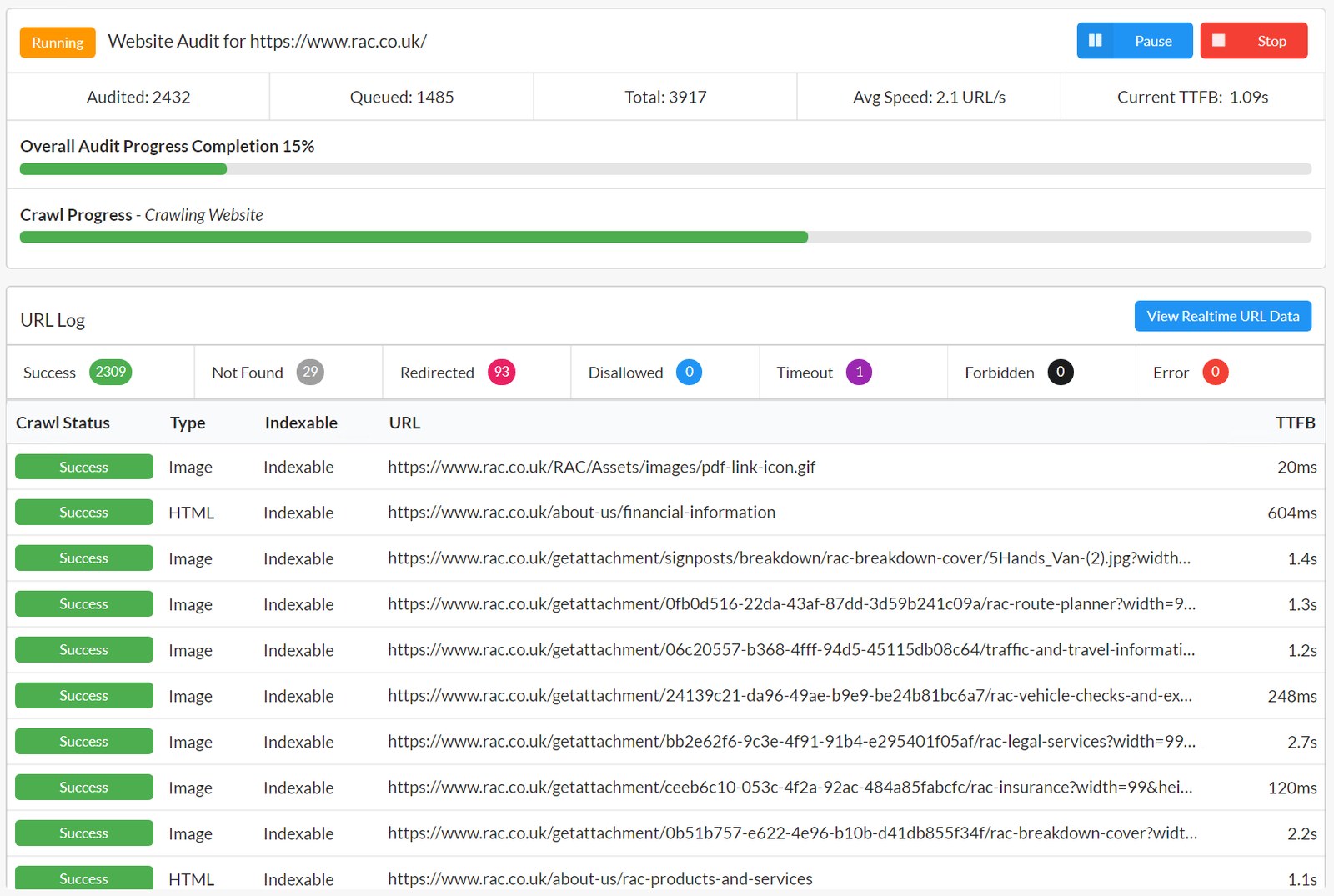
There is no Linux build. Downloads exist for 64-bit Windows 10 and 11, and for macOS Sonoma or later on Apple Silicon and Intel. If your crawling box runs Ubuntu, Cloud is the only option, and Cloud starts at $125 a month.
Scheduled audits and audit comparisons are Pro and Cloud features. On Lite every crawl is a fresh snapshot you start by hand, and the What Changed Skill has less to work with.
Sitebulb vs Screaming Frog
This is the comparison every buyer makes, and the money is close. A Screaming Frog SEO Spider licence is £199 / $279 a year with no URL cap beyond your hardware, and its free version crawls 500 URLs. Sitebulb Lite is £74 / $99 a year cheaper but stops at 10,000 URLs. Sitebulb Pro removes that cap and costs £106 / $146 a year more than Screaming Frog.
What the extra £106 buys is interpretation. Screaming Frog gives you more raw configuration and assumes you know what a canonical chain is worth fixing. Sitebulb tells you, in prose a client or developer can read, and builds customised PDF reports from it on Pro. Both now talk to AI assistants, so MCP alone no longer separates them. Sitebulb's advantage there is the five ready-made Skills and a setup that needs no terminal.
For sites in the millions of URLs, neither desktop tool is the right shape. Botify and OnCrawl handle log-file analysis and enterprise-scale crawling that Sitebulb Cloud's 2.5 million-URL Medium tier only starts to approach.
Verdict: who should buy it, and who should skip it
Buy Sitebulb Pro if you are a consultant or agency that hands audits to clients and developers. The prioritised Hints, the PDF reports and the Dev Handoff Skill do the translation work you would otherwise do by hand, and £305 / $425 a year is easy to recover from one client. Mac users get a native Apple Silicon build.
Buy Lite if your sites stay under 10,000 URLs and you want MCP access for £125 / $180 a year. It is the cheapest way into Claude-driven site audits from any established crawler.
Skip it if you need audits above 10,000 URLs on a tight budget - Screaming Frog at £199 / $279 a year has no URL ceiling beyond your hardware. Skip Cloud Mini outright: 50,000 URLs a month with no desktop licence is poor value next to Pro. And at enterprise scale, with logs to analyse, look at Botify or OnCrawl instead.
Ready to try Sitebulb?
Visit the official website to see the latest plans, pricing, and special offers.
Get Started - Sitebulb* Affiliate link - we may earn a commission at no extra cost to you.