
Windows baseline protection gives apps one pass/fail check of TPM, Secure Boot and memory integrity. What it checks, which PCs fail, and what developers and IT get.
Windows 11 is getting one answer to a question that security-sensitive apps have each been answering for themselves: is this PC set up securely? Microsoft calls it Windows baseline protection. It was announced at Ignite on November 17, 2026, in a post by Dana Huang, corporate vice president of Windows Security, which describes protections "including secure boot, virtualization-based security, and memory integrity" brought together into "a single, versioned security state".
The state is binary. "A device reports true only if it meets every baseline protection requirement; otherwise, it reports false," Brandon Bray, principal group product manager for Windows, writes in the technical write-up on the Windows IT Pro Blog. Apps can read that answer on the PC, and a server can check it through a hardware-backed attestation token. As of November 23, 2026, the feature is in preview for Windows Insiders, with general availability planned for 2027.
Windows does not enforce anything here. It reports. What an app does with a failing PC is the developer's call, and Microsoft spells out the range: allow the app, warn the user, lock a feature, reduce functionality, or block the app entirely. "The platform reports the state; you own the policy," Bray said, as reported by Windows Latest.
Five companies are quoted in Microsoft's post as early adopters: Adobe, Blizzard's Battle.net, 1Password, Raycast and the exam software Schoolyear. Schoolyear is the clearest example of a gate - its lead security engineer, Gergely Homonnai, says the API lets it "verify compliance before the exam starts". The others talk about consistency, not lockouts. Adobe's Michael Draper describes "a shared foundation to build on"; 1Password CISO Mike Blacker calls it "a consistent way to check those protections". None of the five has said it will refuse to run on a PC that fails. Microsoft's partner graphic adds six more names: CrowdStrike, College Board, Dropbox, Epic Games, Fiserv and Foxit.
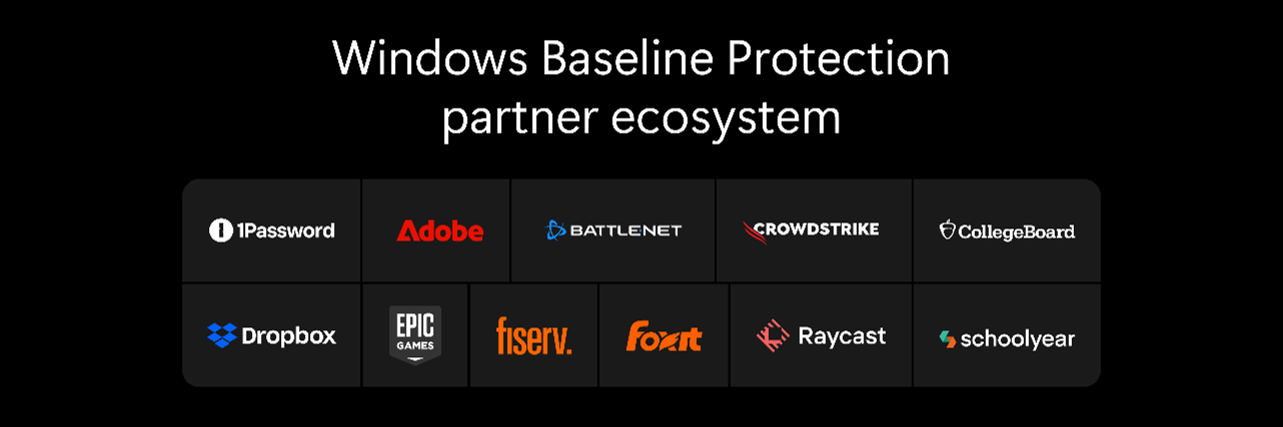
That shift is the real news. Until now an anti-cheat engine, a password manager and a proctoring tool each shipped their own TPM, Secure Boot and VBS checks, with their own bugs and their own error messages. Microsoft wants that code replaced by one signal.
Windows measures the state at boot using the TPM, so a protection cannot be quietly switched off while the PC runs - turning any requirement off takes a reboot. Version 1 checks eight things, a list Microsoft calls "a floor, not the ceiling".
| Requirement | What it covers |
|---|---|
| Security processor | TPM 2.0, the hardware that holds the boot measurements |
| Secure boot | Only trusted, signed code starts the PC |
| Virtualization-based security | An isolated memory region the rest of Windows cannot touch |
| Memory integrity | Kernel code is checked before it runs |
| Signed drivers only | No unsigned or test-signed drivers |
| Windows-certified drivers | Drivers must carry Windows certification |
| Kernel debugger protection | The kernel debugger stays off |
| Vulnerable driver protection | Known-vulnerable drivers are blocked |
Microsoft's support page lists seven items, not eight. It folds the two driver-signing rules into one entry, "Test signing protection", which keeps test-signing mode off so development or untrusted drivers cannot run. Same bar, counted differently.
Results come back in three forms: a plain yes or no, a detailed report naming whichever criteria are missing, and the attestation token for apps that need proof rather than the PC's word for it.
Microsoft has published no failure rates, so this part is inference from the list. The likeliest failures are machines where the owner switched something off on purpose. Secure Boot gets disabled for some Linux dual-boot setups and for older graphics cards. Memory integrity gets turned off to make an old driver or a game's anti-cheat work. Windows is enabling memory integrity automatically on more PCs, but according to Windows Latest, if a user turned it off, Windows leaves it off - and that PC fails.
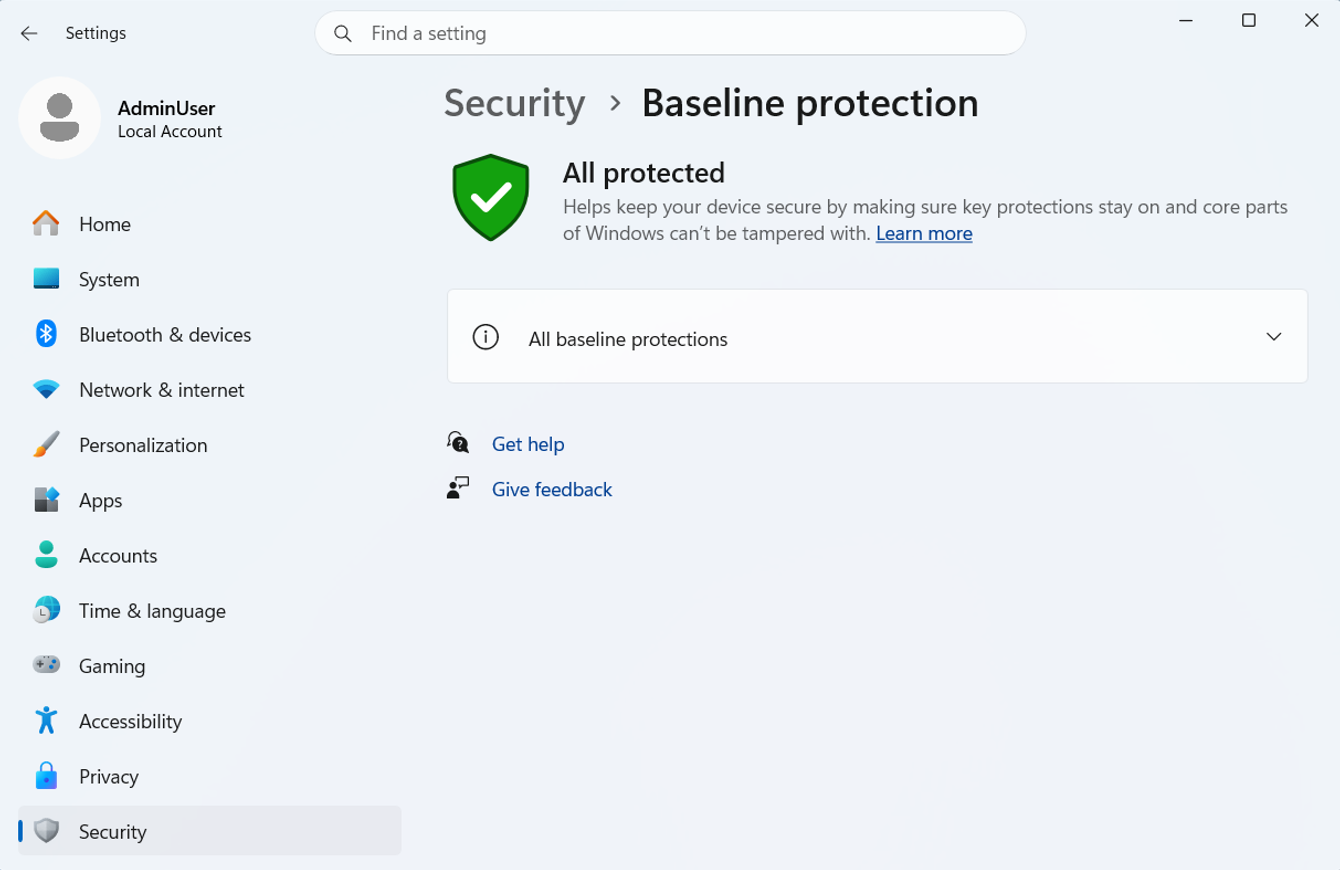
The check lives in Settings > Security > Baseline protection, with Security now a page of its own, split from Privacy. A passing PC shows a green shield and "All protected". A failing one shows a yellow shield, "Attention needed", and flags items such as Secure Boot and Memory integrity as "Needs attention". A "Turn on protections" button enables what Windows can reach, then asks for a restart.
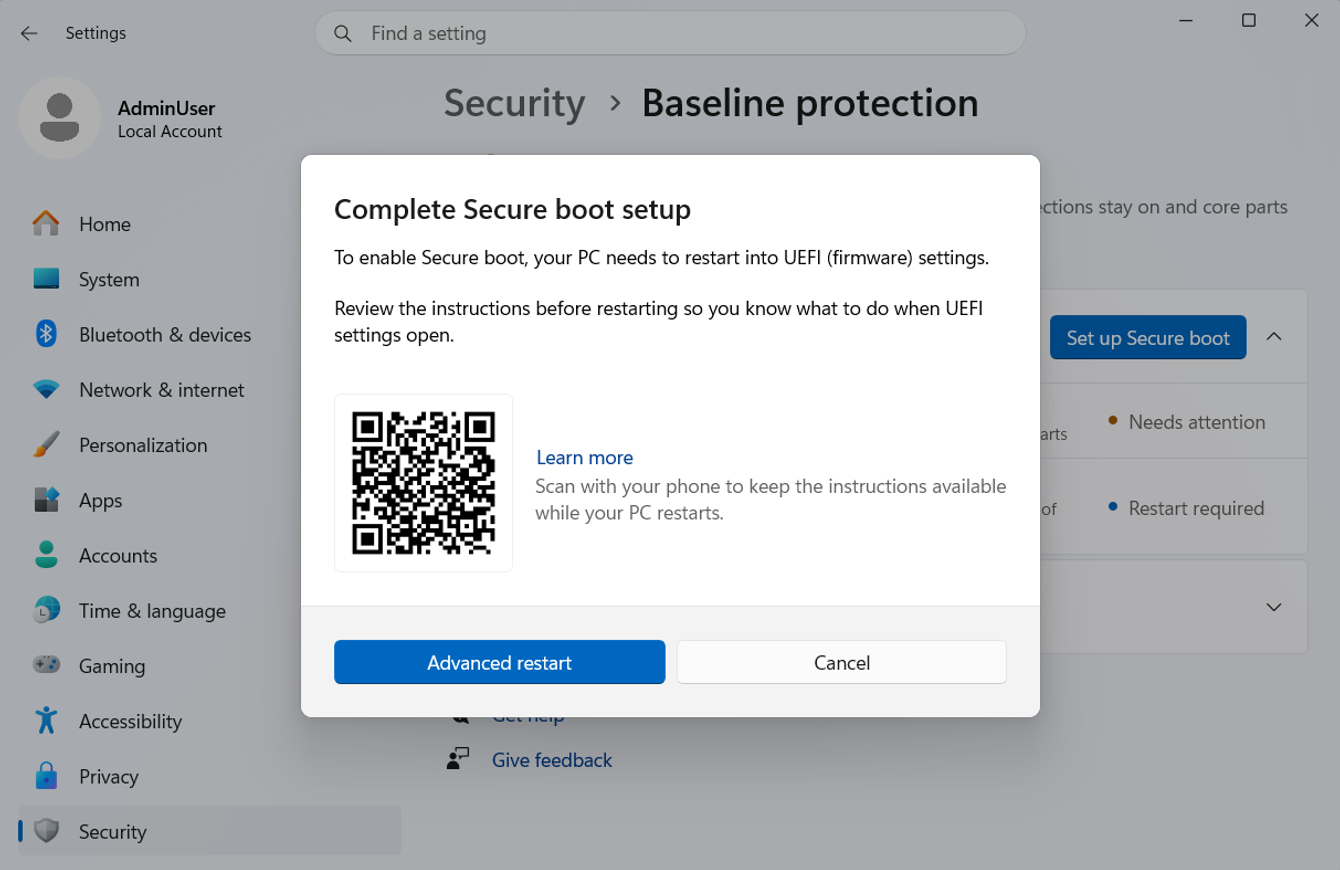
Secure Boot is the awkward one. It lives in UEFI firmware, out of Windows' reach, so Windows shows a "Complete Secure boot setup" dialog with an Advanced restart button and a QR code linking to instructions. Steps vary by manufacturer and model, the support page warns. On a work PC the organization may manage these settings through policy, leaving the user nothing to change.
Passing is not immunity: baseline protection judges the PC, Smart App Control judges apps, and a compliant PC can still run malware.
Before, each app wrote its own device checks and decided alone what "secure enough" meant. After, there is one OS-level answer, versioned so an app can state which bar it requires, plus a token its own server can validate for high-trust moments like an exam, a payment or a ranked match. Microsoft's guidance comes down to three steps: use the baseline signal instead of hand-written TPM, Secure Boot or VBS checks; verify attestation tokens server-side when the stakes are high; and test on baseline-compliant devices.
The API itself is missing. Neither post names a function, a namespace or an attestation service, and Microsoft has given no Insider channel or build number. A team planning for 2027 can design its policy now - which features to lock, what the warning says - but it cannot write the integration yet.
"IT gets a clear yes-or-no answer for every device in the fleet," Pavan Davuluri, executive vice president of Windows + Devices, wrote in his Ignite keynote post. On managed devices the feature is controlled from Baseline Security Mode in the Microsoft 365 admin center. Intune adds tenant-wide compliance reporting, drill-down to the failing criteria, compliance policies that can gate access to company resources, and tracking of configuration drift. Third-party management tools are supported as well.
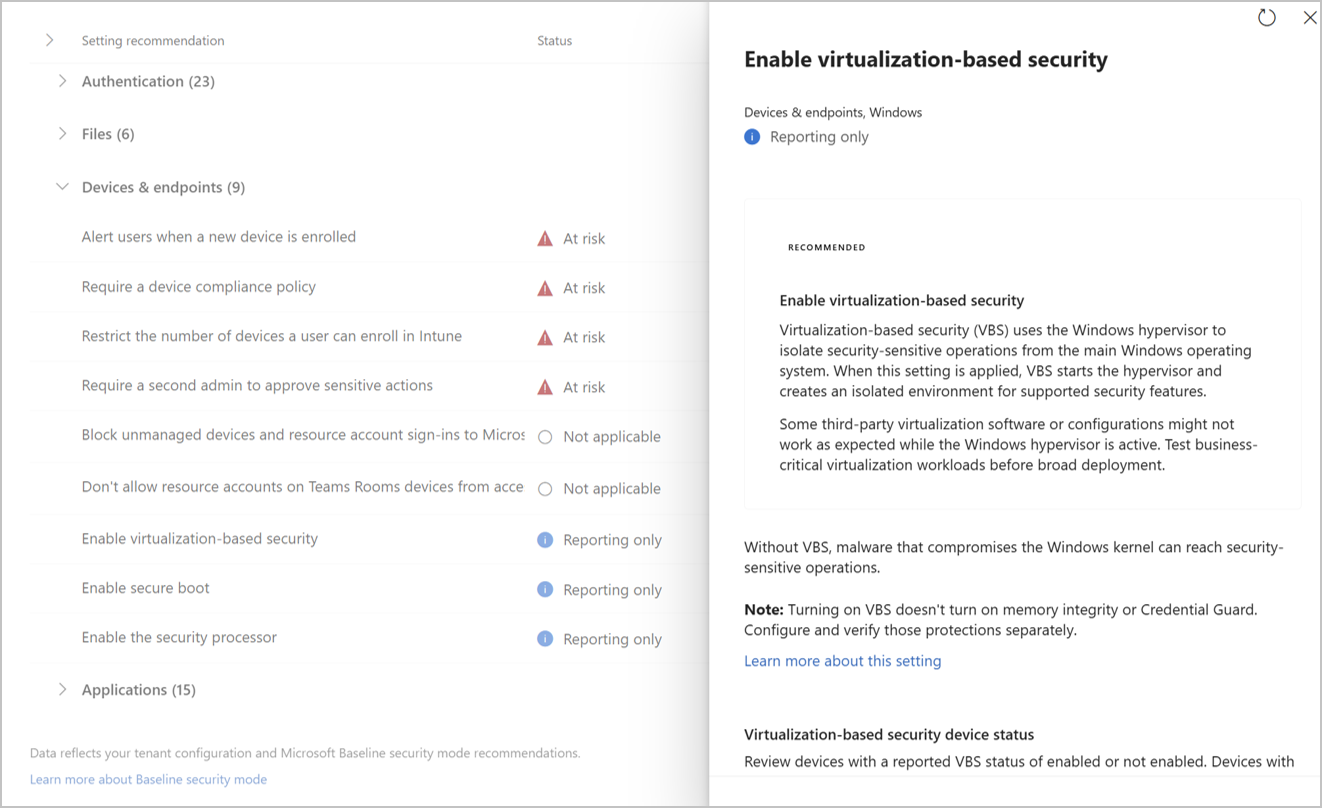
In Baseline Security Mode, VBS, Secure Boot and the security processor are marked "Reporting only". Two of the three are firmware settings, so an admin can see a PC with Secure Boot off, but fixing it may still take a trip to the UEFI screen.
The preview runs through the Windows Insider Program now. General availability is planned for 2027, with no date and no named Windows 11 version. The bar will also move: "The baseline will continue to evolve as we raise the bar in security," Davuluri wrote, and Microsoft has promised a separate post on how new criteria get added and versioned. Passing version 1 says nothing about version 2.
Some questions remain open. Microsoft has not said whether a virtual machine without a virtual TPM and Secure Boot can pass, how older hardware is treated, or whether any of it reaches Windows 10. For Windows 11 users the practical step is small: when the page reaches your PC, open Settings > Security > Baseline protection and see which side of the line you are on.