Airtable Review: The No-Code Database & App Platform
Airtable review: the no-code database and app platform with bases, tables, multiple views, Interfaces, Automations, Sync, and Airtable AI — features, pricing, pros and cons.
Expert Review
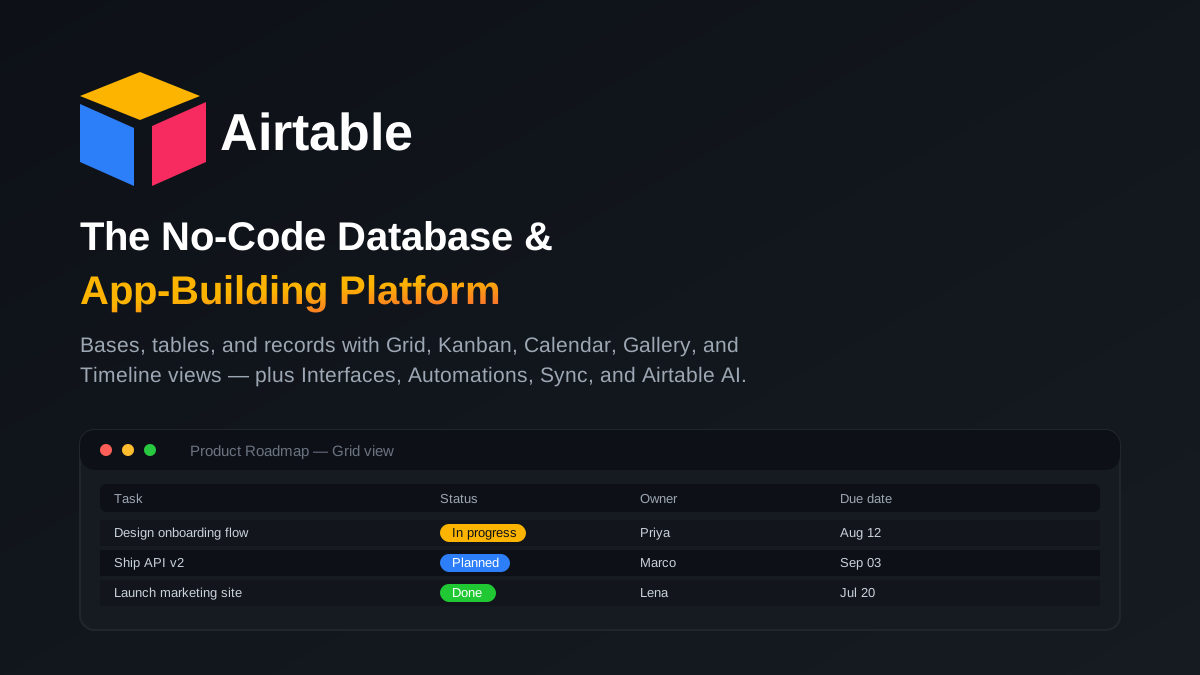
What is Airtable?
Airtable is a no-code platform that looks like a spreadsheet but works like a relational database. You organize information into bases (think of a base as a workspace or an app), each containing one or more tables. Every table holds records (rows) made of fields (columns), and unlike a plain spreadsheet those fields have real types — text, number, single or multiple select, date, attachment, checkbox, link to another record, formula, rollup, lookup, and more. That structure lets you connect related data across tables the way a database does, without writing any SQL.
Founded in 2012 by Howie Liu, Andrew Ofstad, and Emmett Nicholas, Airtable set out to give non-developers the power of a database with the familiarity of a spreadsheet. Today it is used by everyone from a solo creator tracking a content calendar to large enterprises running product roadmaps, marketing campaigns, and operations. Over the years it has grown well beyond a smart spreadsheet into a full app-building platform: multiple views of the same data, custom app interfaces, no-code automations, data sync, an extensions marketplace, and a layer of built-in AI that can generate fields, summarize records, and even build apps from a prompt.
Benefits of Using Airtable
- Spreadsheet ease, database power: anyone comfortable with a spreadsheet can start immediately, yet get relational links, typed fields, and referential lookups that a spreadsheet can never provide.
- One source of truth: data, attachments, comments, and context live together in a base, so teams stop juggling scattered spreadsheets and out-of-date copies.
- See the same data many ways: a single table can be viewed as a Grid, Kanban board, Calendar, Gallery, or Timeline — each person works in the layout that fits their job, from one underlying dataset.
- Turn data into apps: Interfaces let you build tailored, no-code app screens and dashboards on top of your base, so stakeholders get a clean view instead of raw tables.
- Less busywork through automation: trigger-and-action automations handle repetitive steps — notifications, status changes, record updates, and integrations — with no code.
- Scales and connects: Sync, an extensions marketplace, a robust API, and hundreds of integrations mean Airtable fits into an existing stack and grows from a personal tracker to an enterprise system.
Key Features of Airtable
-
Bases, tables, and multiple views
At Airtable's core, data lives in bases made of tables, with records and typed fields. The real power is that the same table can be shown through many views: Grid is the familiar spreadsheet layout; Kanban moves cards between stages; Calendar plots records by date; Gallery shows them as visual cards; and Timeline and Gantt lay out schedules and dependencies. There is also a Form view for collecting structured input straight into a table. Each view keeps its own filters, sorts, grouping, and hidden fields, so a planner and an executor can share one dataset without stepping on each other.
-
Interfaces — build custom app UIs
With Interface Designer, Airtable becomes more than a database — it becomes an app builder. You drag and drop elements like charts, record lists, buttons, filters, and forms onto a page to create a purpose-built interface on top of your data. A team lead can hand stakeholders a clean dashboard or a guided workflow instead of the raw tables, controlling exactly what each person sees and edits. It is a genuinely no-code way to ship internal tools, portals, and dashboards.
-
Automations and Sync
Airtable's Automations use a simple trigger-and-action model: when a record enters a view, when a field changes, or on a schedule, run actions like updating records, sending emails or Slack messages, or calling an external service. No code required. Sync keeps data consistent by pulling records from another base or an external source — Google Sheets, Salesforce, Jira, and more — into a table that stays automatically up to date, so multiple teams can work from the same live information without manual copy-paste.
-
Airtable AI and Cobuilder
Airtable has woven AI through the platform. Airtable AI can run inside a field to summarize long text, categorize records, extract key details, translate, or draft content across every row automatically — turning raw data into structured insight without manual effort. Cobuilder, its AI app-building assistant, takes a plain-English prompt and generates a working app — tables, fields, and interfaces — so you can stand up a custom tool in minutes and refine it from there. It is Airtable's answer to the shift toward AI-native, prompt-to-app software.
-
Extensions, API, and integrations
Beyond the built-in views, Airtable's extensions (formerly "apps") add charts, pivot tables, maps, page designers, and scripting blocks directly inside a base, and the marketplace offers many more. A well-documented REST API, plus native integrations with tools like Slack, Google Workspace, Microsoft Teams, Salesforce, Jira, and automation hubs such as Zapier and Make, let Airtable exchange data with the rest of your stack — so records flow in and out without manual re-entry.
Pricing of Airtable
Airtable is priced per user (called "seats"), and annual billing is cheaper than paying monthly. Plans step up from a free tier for individuals and small projects to paid tiers that raise record limits and add automations, sync, AI, and enterprise controls. The headline differences between tiers are records per base, automation runs, and how much of Interfaces, Sync, and AI you get.
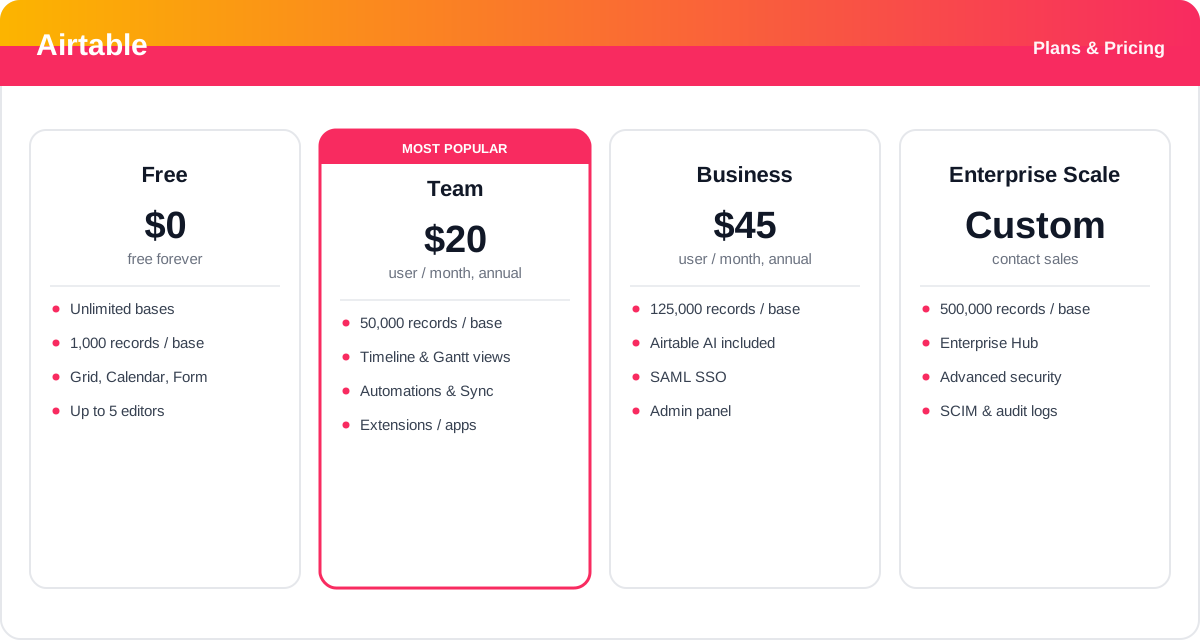
- Free: $0 — for individuals and small teams. Includes unlimited bases, up to 1,000 records per base, up to 5 editors, and the Grid, Calendar, Form, Kanban, and Gallery views, plus basic Interfaces. A generous way to learn the tool and run light projects.
- Team: from about $20/user/month (billed annually) — raises the limit to 50,000 records per base, adds the Timeline and Gantt views, standard Automations, Sync integrations, extensions, and more attachment space. The standard plan for most working teams.
- Business: from about $45/user/month (billed annually) — lifts records to 125,000 per base, includes Airtable AI, adds SAML-based single sign-on, an admin panel, advanced Interface and Sync capabilities, and higher automation limits for teams running critical workflows.
- Enterprise Scale: custom pricing — for large organizations, with up to 500,000 records per base, the Enterprise Hub for centralized administration, advanced security and data governance, SCIM user provisioning, audit logs, and enhanced support.
Prices, record limits, and plan details change over time and vary by region and seat count — check the official Airtable pricing page for current rates and exactly what each plan includes.
Real-World Use Case Analysis
Marketing and Content Teams
Editorial calendars and campaign tracking: teams keep every article, asset, and campaign as records in a base, view the pipeline as a Calendar or Kanban, collect briefs through a Form view, and use an Interface to give leadership a clean status dashboard. Automations notify owners when a piece moves to review, and Airtable AI can draft summaries or categorize incoming requests.
Product and Operations
Roadmaps and process management: product teams manage feature backlogs and roadmaps on a Timeline, link features to the teams and sprints that own them, and roll status up through Interfaces. Operations teams model inventory, orders, or vendor data as linked tables, then use Sync to keep those records aligned with external systems so nothing drifts out of date.
Startups and Internal Tools
Building lightweight apps fast: smaller companies use Airtable as a flexible backend and app builder — a CRM, an applicant tracker, an asset library, or an event planner — spun up in a base and dressed up with Interfaces. With Cobuilder, a founder can describe the tool they need and get a working app to refine, avoiding weeks of custom development.
Pros and Cons of Airtable
Advantages
- Combines a spreadsheet's approachability with real relational-database structure — linked records, typed fields, lookups, and rollups.
- Multiple views (Grid, Kanban, Calendar, Gallery, Timeline, Gantt, Form) present one dataset in whatever layout each person needs.
- Interfaces turn raw bases into polished, no-code apps and dashboards for stakeholders.
- No-code Automations and Sync remove manual busywork and keep data consistent across tools.
- Airtable AI and Cobuilder generate fields, summaries, and even whole apps from plain-English prompts.
- Extensions marketplace, a solid REST API, and broad integrations fit almost any stack.
Disadvantages
- Per-seat pricing adds up quickly for larger teams, and higher record limits sit behind pricier tiers.
- The Free plan's 1,000-records-per-base cap is easy to outgrow once a base becomes serious.
- Airtable AI is only included from the Business plan up, so lower tiers pay extra or miss out.
- Very large or highly complex datasets can hit performance and record limits compared with a dedicated database.
- The breadth of fields, views, Interfaces, and automations means a real learning curve for advanced setups.
Final Thoughts on Airtable
Airtable remains the standard-bearer for the "spreadsheet-database hybrid," and it earns that position by making relational data feel as approachable as a spreadsheet while giving teams the structure to build real applications. Its combination of flexible views, no-code Interfaces, Automations, and Sync lets a single base grow from a simple tracker into a shared operational system — and the addition of Airtable AI and Cobuilder pushes it firmly into the prompt-to-app era. The main trade-offs are cost and limits: per-seat pricing scales with headcount, record caps and AI live on higher tiers, and truly massive datasets are better served by a purpose-built database. But for the vast range of work that sits awkwardly between a spreadsheet and custom software, Airtable is one of the most capable and flexible tools available — and the free plan is a low-risk way to see if it fits before you commit.