Looker Studio Review: Now Data Studio, Still Free - What $9 Pro Adds
Looker Studio, now Data Studio, reviewed: what the free tier covers, the 5-source blend and 12-hour refresh limits, what $9 Pro adds, and when to pick Power BI or Metabase.
Expert Review

Looker Studio is called Data Studio again
If you searched for Looker Studio, you found the right product under a name Google has stopped using. In April 2026 Google announced it was "reintroducing a beloved and familiar name, Data Studio (formerly Looker Studio)", and the April 16 release note made it official: "We've rebranded Looker Studio as Data Studio." The old cloud.google.com/looker-studio pages now redirect to the Data Studio ones. The editor itself still lives at lookerstudio.google.com, and the mobile app is still called Looker.
Nothing moved on your side. Google's line was that "all existing reports, data sources, assets and users will be transitioned to the new experience with no action on your part", and that matches what the release notes show. The rename is positioning: Looker, with LookML, stays the enterprise BI platform, and Data Studio is meant to "complement the Looker platform, independently". The new home page reflects that: its Create menu now offers Report, Data source, Conversation and Agent, which tells you where Google is pushing the product.
Prices and limits below were checked on Google's pricing page and docs on October 21, 2026.
What the free tier gets you
Data Studio "is available at no charge for creators and report viewers", and that is not a trial. Unlimited reports, unlimited viewers, no card. For anyone whose data lives in Google Analytics 4, Google Ads, Search Console, Sheets or BigQuery, the free tier is still the cheapest serious dashboard tool there is, because Google's own connectors cost nothing and need no setup beyond signing in.
The catch is everything that is not Google. The product page advertises more than 1,300 community connectors, but many of those are third-party builds that their vendors charge for. Pulling Facebook Ads or LinkedIn Ads into a free Data Studio report usually means paying a connector company: Supermetrics starts at $39 for two sources, Porter Metrics at $15 per account. A "free" marketing dashboard across five ad platforms can cost more per month than Power BI.
BigQuery has its own catch. The report is free, the queries are not. Every chart that hits a BigQuery table runs a query against your billing project, and Google's own performance guide exists largely to help you keep "BigQuery costs" down. A popular dashboard with a dozen charts on a large table is a real line on the Cloud bill.
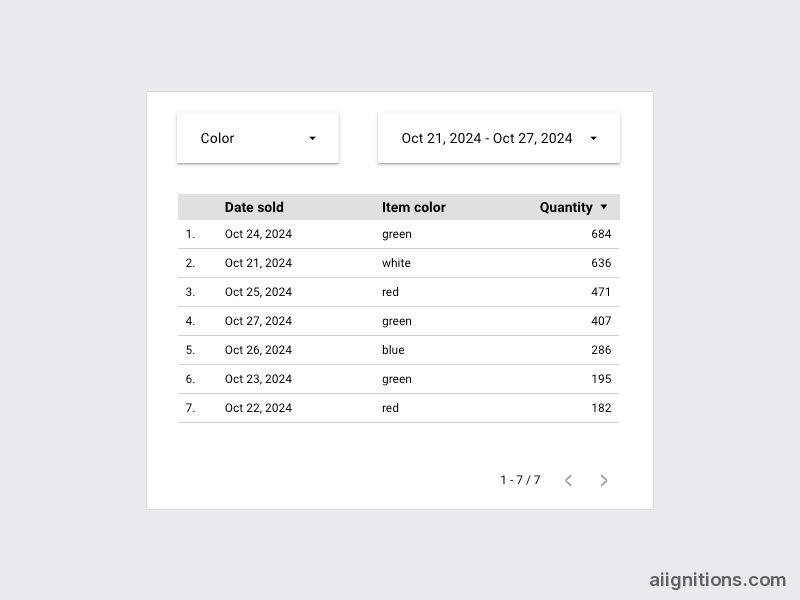
Then there is freshness. Google's docs say its marketing sources (Ads, Analytics, Campaign Manager 360, Search Console, YouTube Analytics) "refresh every 12 hours. That rate can't be changed." Sheets defaults to 15 minutes and BigQuery can go down to one minute, but the ad data most marketers open Data Studio for is half a day old by design. Since June 2026 editors can let viewers refresh manually, which helps a Monday meeting and not an alert.
The limits the product page leaves out
Most recurring complaints in user reviews come back to a few hard ceilings. They are documented, just not on the page that sells the product.
| Limit | What Google's docs say | What it means in practice |
|---|---|---|
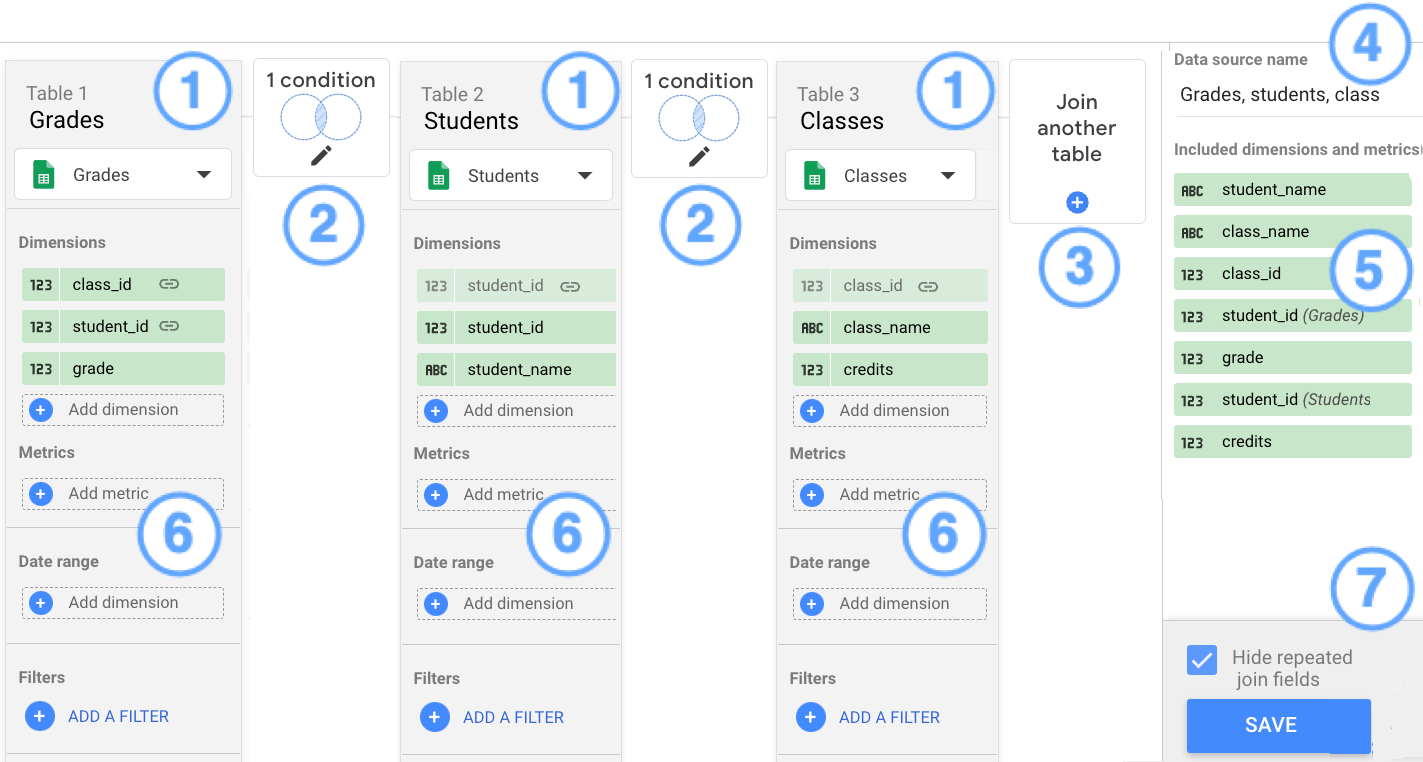
| Blends | Up to five data sources per blend | A cross-channel report over Ads, Meta, LinkedIn, TikTok, GA4 and a CRM sheet does not fit in one blend |
| Extracts | 100 MB, and 750,000 rows | Past 100 MB the extract fails; past 750,000 rows it is truncated, which is worse because nothing errors |
| Free scheduling | No custom subject or message, no "send now" for reports in Owned by me | Client emails arrive with Google's default wording |
| Embedding | Any iframe or oEmbed site; bookmark links do not work embedded | Embedded viewers cannot share a filtered view by link |
The truncation point deserves emphasis. Extracts are the standard fix for a slow report on a big Google Sheet, which is the other recurring complaint, and the fix silently drops rows once you pass 750,000. Check the row count before you trust a total.
The limit that hurts most is not in that table. On the free tier "you are the owner of all reports, data sources, and explorations you create", and "you" means a personal Google account. When the analyst who built every client dashboard leaves, the reports and their data source credentials go with that account unless someone transferred ownership first. For a solo marketer that is irrelevant. For an agency it is the strongest argument for Pro.
Pricing: what $9 Pro actually buys
Data Studio Pro costs "$9 per user per project per month" for the project subscription, checked on the pricing page on October 21, 2026. Read the "per project" part carefully. Pro content is tied to a Google Cloud project, so one person working across two projects needs two licenses. Licenses are billed monthly "regardless of whether or not those licenses are used", and Google notes the per-user price varies with subscription length. People who only view Pro reports need no license at all.
There is a 30-day trial with no cap on users. Billing starts automatically when it ends, so put a reminder in the calendar on the day you start it. Existing Looker customers get at least 1,000 Pro licenses free.
What the $9 buys, in order of how much it matters:
- Organisation ownership. Reports and data sources "belong to your organization, rather than to individual users", so they keep working after their creator leaves.
- Team workspaces with Manager, Content Manager and Contributor roles, instead of sharing files one by one.
- Delivery. Up to 200 schedules per report, hourly schedules (since December 2025), alerts, and delivery to Slack and Google Chat.
- Compliance. Customer-managed encryption keys, customer-managed storage and data residency, added in June 2026.
What it does not buy is support. Google's docs are explicit: to get technical help with Pro "you'll need both a Google Cloud support plan and a Data Studio Pro subscription." No SLA is stated anywhere. A team paying $9 a seat and expecting a ticket queue will find there is none until it pays Google Cloud separately.
Conversational Analytics and Gemini
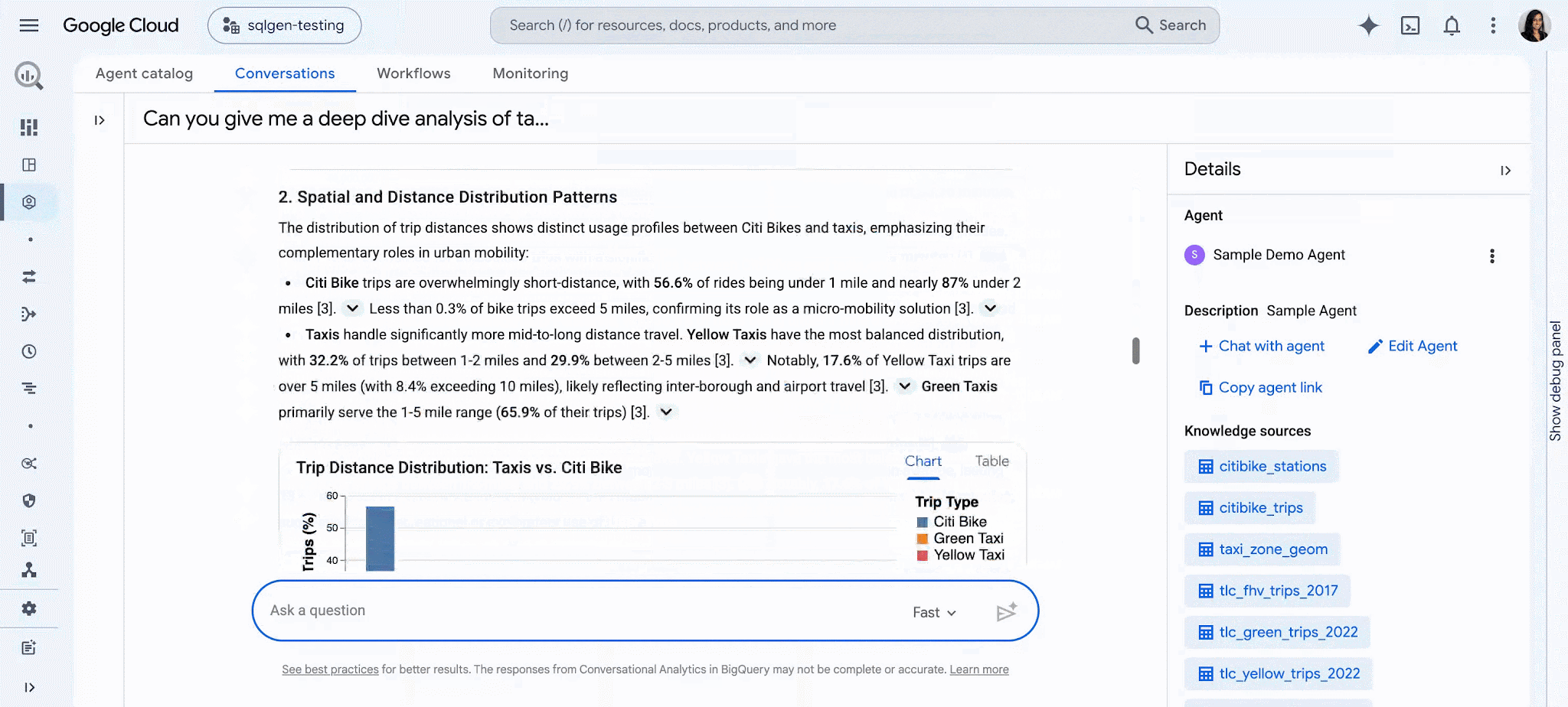
The biggest change of 2026 is that you can ask a report questions in plain English. Conversational Analytics opened to every Data Studio user in April, free tier included, and went generally available on July 30, 2026. It is the "Chat with my data" tile on the new home page.
There is one step backwards hidden in the April note. You "can consume data agents that were created in BigQuery, but can no longer create data agents directly in Data Studio." Building a tuned agent, with its instructions and grounding, now belongs to whoever has BigQuery access. A marketer on the free tier gets the chat; the data team gets the controls.
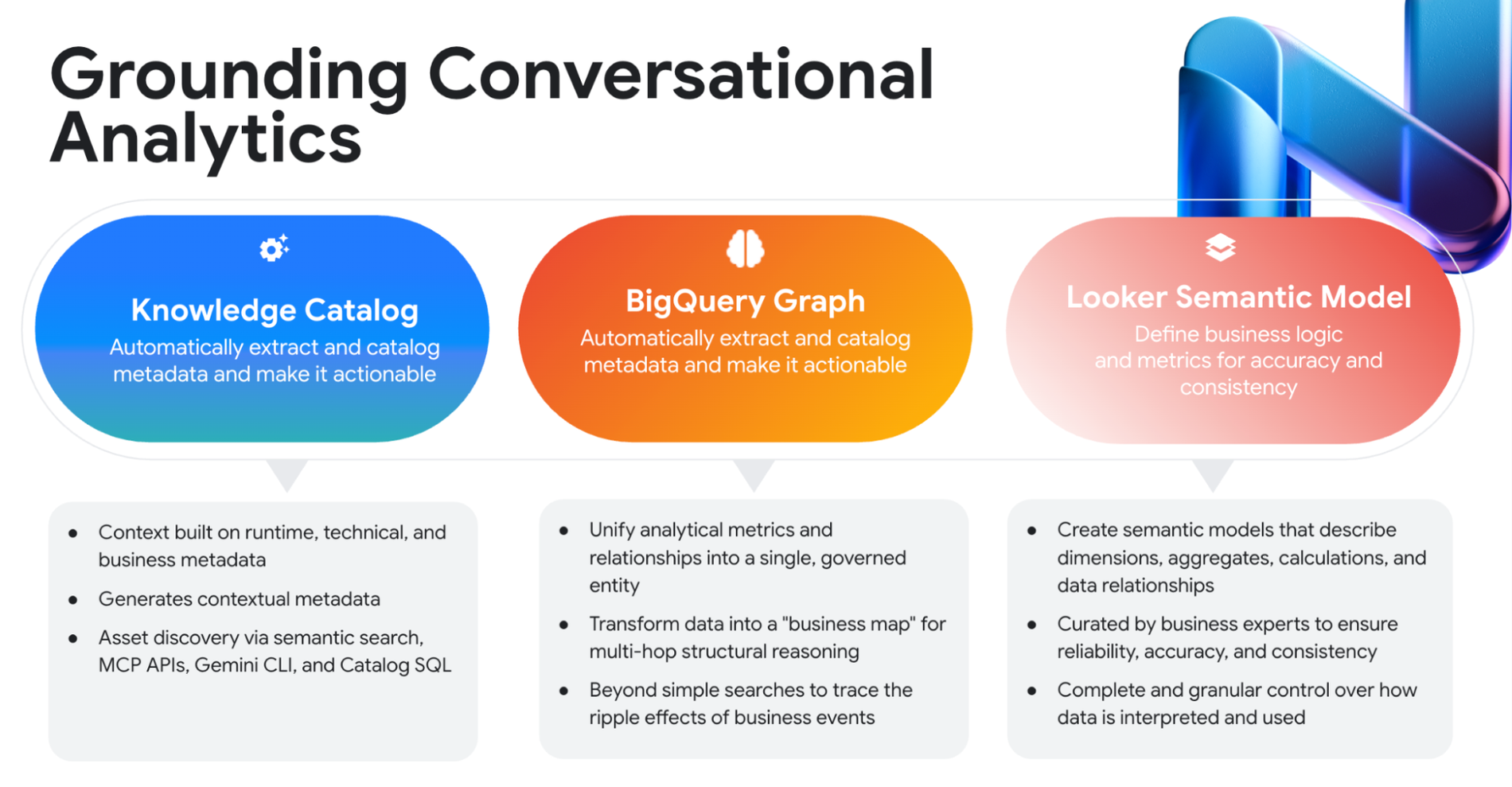
Gemini in Data Studio is a separate thing, and it is Pro-only: natural-language calculated fields, questions about your data, and pushing charts into a Slides deck. Google's own wording on price is the part to remember. The Preview features are "available at no additional cost for a limited time only", after which "you may be required to purchase Gemini in Data Studio features for an additional fee." Do not build a workflow on it and assume $9 covers it next year.
Data Studio vs Power BI, Metabase and Tableau
| Tool | Entry price for a creator | Where it beats Data Studio | Where it loses |
|---|---|---|---|
| Data Studio | Free; Pro $9 per user per project per month | Native, free Google connectors; unlimited free viewers | - |
| Power BI Pro | $14 per user per month, paid yearly | A real data model and DAX; fits an Excel and Microsoft 365 shop | Power BI Desktop, the main authoring tool, is Windows-only |
| Metabase | Free self-hosted; Starter $90/month billed yearly with 5 users, then $6 per user | SQL-first, self-hostable, no Google account involved | Connects to databases, not ad platforms - you bring the warehouse |
| Tableau Cloud | Around $75 per Creator per month, billed annually (third-party figure) | Deeper visual analysis and governance | Roughly eight times the Pro price per builder |
Power BI and Metabase prices were checked on their pricing pages on October 21, 2026. Tableau's site blocked our checks, so its figure comes from third-party pricing guides and should be treated as approximate. For agencies, the more honest comparison is often not BI at all but a reporting tool with its own connectors, such as Databox or DashThis, where Meta and LinkedIn data does not mean a second subscription.
Verdict: who should use it and who should skip it
Use the free tier if your reporting sits on Google sources: GA4, Ads, Search Console, Sheets, BigQuery. You can live with 12-hour refreshes on ad data and five sources per blend. Nothing else at $0 comes close.
Pay for Pro once reports are business-critical and shared across a team. The $9 is mostly insurance against the day a report owner leaves, plus Slack delivery and hourly schedules. Budget for a Cloud support plan if you need anyone to answer a ticket, and treat Gemini as a preview that may cost extra later.
Skip it for Power BI if you are a Microsoft shop that needs a proper data model; the $5 extra per user buys DAX and relationships Data Studio does not have. Skip it for Metabase if your data is in Postgres or a warehouse and you want SQL-first BI you can host yourself. And if you are an agency reporting mostly on Meta, LinkedIn and TikTok, price Data Studio together with its paid connector before you call it free. Databox may cost less in total.
Ready to try Data Studio?
Visit the official website to see the latest plans, pricing, and special offers.
Get Started - Data Studio* Affiliate link - we may earn a commission at no extra cost to you.