ReportGarden Review: $12.50 a Client, If You Stop at Ten
ReportGarden review: $75 for 5 clients, $125 for 10, budget pacing, white-label portal, AI summaries and MCP connector - plus the cancellation and billing fine print.
Expert Review

Table of Contents
- The cheapest per-client price, with a ceiling
- Pricing, and what it actually counts
- Budget pacing is the real differentiator
- Reports, scheduling and the client portal
- Ask AI, Budsy and the MCP connector
- The fine print a trial will not show you
- ReportGarden vs AgencyAnalytics, DashThis and Whatagraph
- Verdict: who should buy ReportGarden
The cheapest per-client price, with a ceiling
ReportGarden's pricing page makes an argument most agency reporting tools avoid: a flat monthly fee for a small, fixed roster. $125 a month covers 10 clients on the Professional plan, which is $12.50 a client. AgencyAnalytics, the tool most agencies compare it with, charges $20 a client on annual billing. On a ten-client book that is a $75 monthly gap, or $900 a year.
The ceiling is the part the plan cards do not dwell on. Professional stops at 10 clients, and client eleven means emailing sales for a quote, because no price above that is published anywhere. So the real question is not whether ReportGarden is cheap. It is whether your agency will stay small enough for it to stay cheap.
This review is built on the vendor's pricing page, terms of service and help centre, plus the themes that recur in G2 and Capterra reviews. We did not run a trial account.
Pricing, and what it actually counts
Prices below were checked on the pricing page on October 20, 2026. Both paid plans are shown against a struck-through higher price, so ReportGarden presents them as discounts.
| Plan | Monthly price | Clients | Per client | What it adds |
|---|---|---|---|---|
| Standard | $75 (was $89) | Up to 5 | $15 | Unlimited reports and dashboards, custom metrics, all integrations |
| Professional | $125 (was $149) | Up to 10 | $12.50 | Unlimited premium templates, a dedicated onboarding contact |
| Custom | Quote only | Negotiated | - | White-glove services, custom integrations |
There is a 14-day free trial with no card required, and no free plan. Contracts run monthly or yearly. Annual discounts exist, but the page sends you to sales rather than printing them. Upgrades apply straight away; downgrades wait for the next billing cycle.
Two details deserve a sales email before you pay. Every plan carries an asterisk - "Fair usage limits apply" - and the terms add that services are subject to "the quantities specified in selected plans" without naming any quantity beyond clients. More important, the pricing FAQ describes billing by data sources, not clients: one client with a Google Ads account, a Facebook Ads account and a Facebook Page "are counted as 3 different data sources", and only sources used in reports count. The plan cards say "for 5 clients" and "for 10 clients". The page never reconciles the two, so ask which one your invoice follows, especially if each client brings four or five platforms.
One lever in your favour: archived accounts do not count towards the total, according to the billing help article. Agencies with seasonal clients can park them instead of paying for them.
Budget pacing is the real differentiator
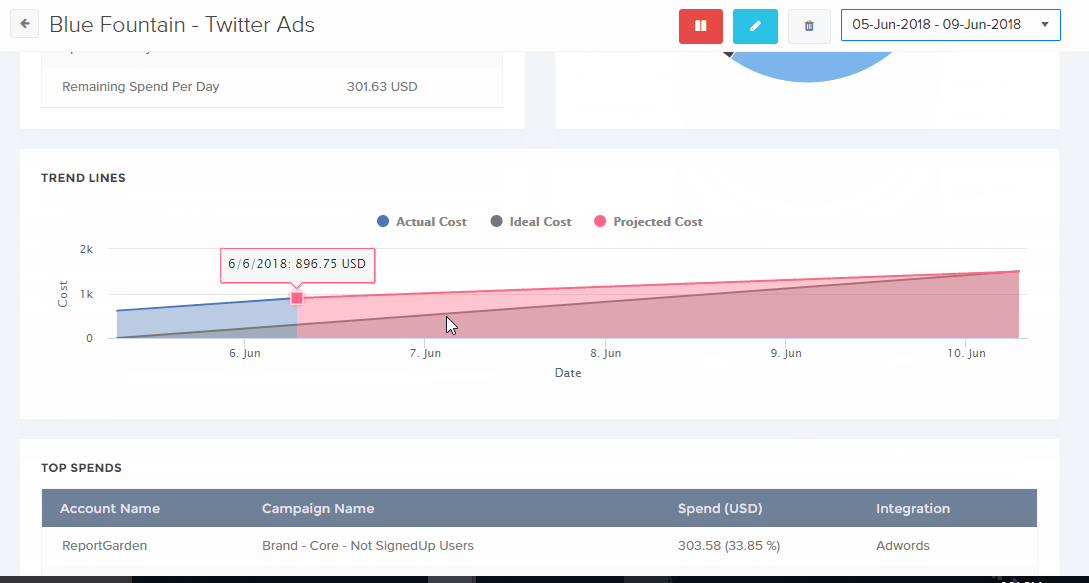
Most reporting tools tell a client what happened last month. ReportGarden also has a budgeting module for the account manager who has to stop a campaign overspending this month. Its budget overview plots time against cost with three lines - ideal, actual and projected spend - so an account heading past its monthly budget shows up as the projected line pulling away from the ideal one, weeks before the invoice does.
Threshold alerts go to whoever you add: account managers, analysts or the client. The help docs list the supported ad platforms under their old names - AdWords, Facebook Ads, Bing Ads, Twitter Ads and LinkedIn Ads - in an article from 2019 that has not been refreshed. Confirm current coverage for your platforms during the trial.
Next to that sits an invoicing module that bills clients on ad-spend slabs. You set tiers of total spend, and when a client crosses one, the fee for that client drops. For a PPC shop that charges a percentage of spend, having pacing, reporting and invoicing read from the same ad accounts retires a spreadsheet. That combination, more than the reports, is the reason to pick ReportGarden over a cheaper-looking dashboard tool.
Reports, scheduling and the client portal
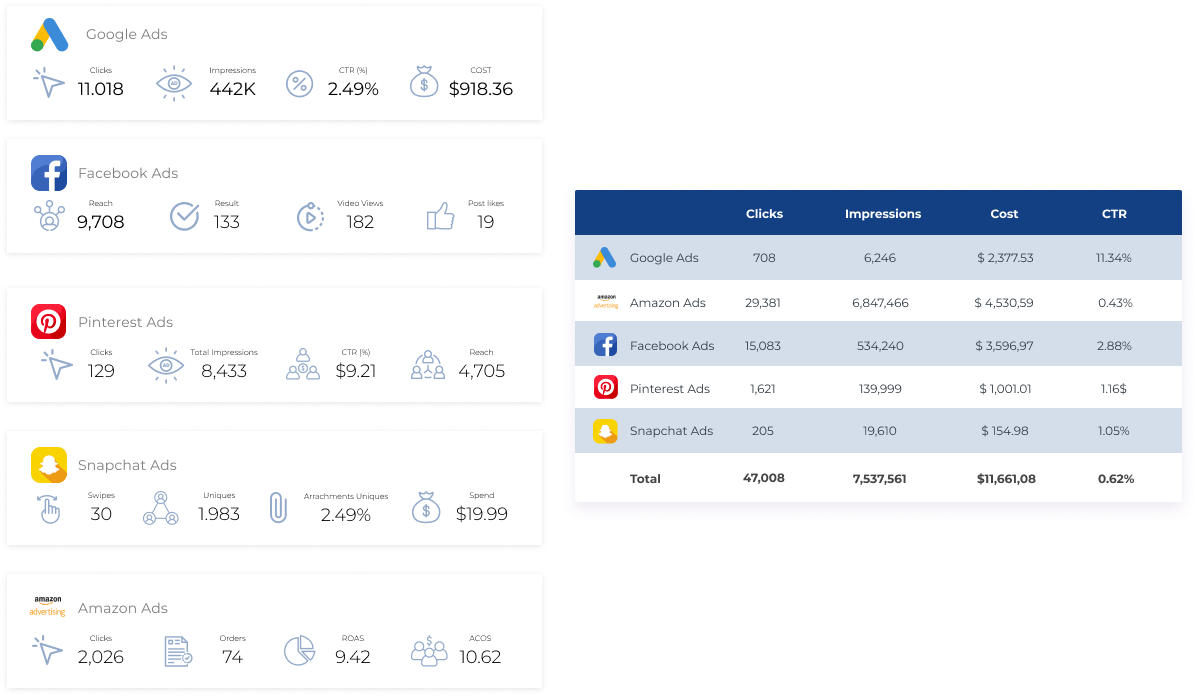
The integrations page names 71 sources; the pricing page rounds that up to "100+". The list covers what a typical agency client brings - Google Ads, GA4, Search Console, Google Business Profile, Facebook, Instagram, LinkedIn, TikTok, Reddit Ads, Pinterest, Microsoft Ads and Amazon Ads - plus call tracking through CallRail, CallTrackingMetrics and WhatConverts, and Shopify, Klaviyo, Mailchimp, HubSpot and Pipedrive. Programmatic buyers get The Trade Desk, DV360, SA360, StackAdapt and Simpli.fi.
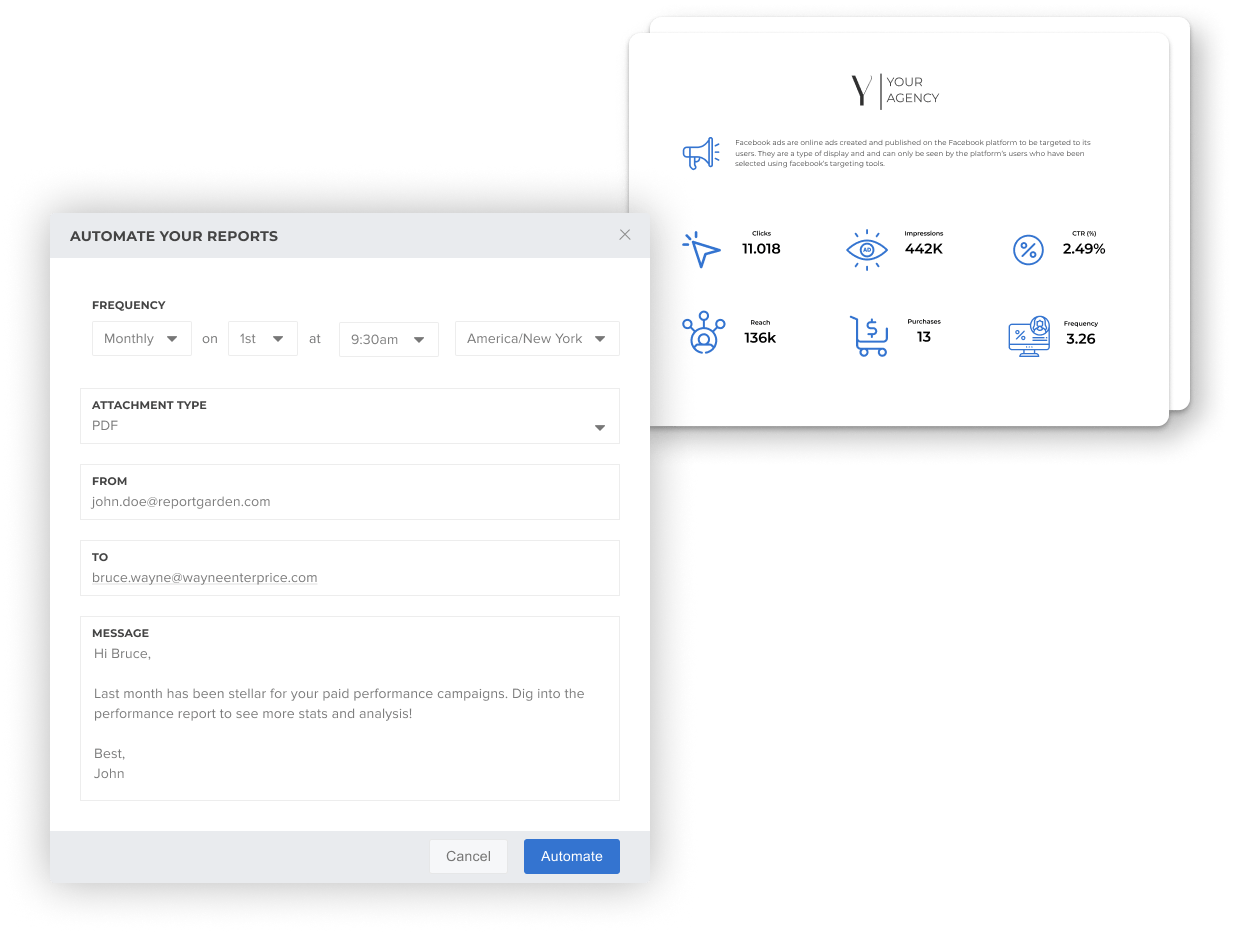
Reports can be scheduled on any cadence and sent as PDF attachments. By default a scheduled report generates at midnight, which you can move. Sharing works three ways: a public link that needs no login, a client login, or a PDF export for a meeting.
White-label runs through a client portal where clients see their own reports and dashboards. Out of the box it lives on a ReportGarden subdomain such as myreports.reportgarden.com. Host mapping moves it to your own address, like myreports.youragency.com. The pricing page does not say whether that custom domain comes with Standard or only Professional - another question for sales.
An older SEO suite is still documented, with a rank tracker covering Google, Bing, Yahoo, Yandex, Baidu and Google Maps and PDF or Excel exports. Its help articles date from 2018, so treat it as a side feature.
Ask AI, Budsy and the MCP connector
Three AI additions arrived between July and September 2026. Ask AI writes a short summary of a report's main insights and trends - the paragraph account managers otherwise type by hand every month. Budsy is a chat assistant inside the app. Both help articles, dated July 27, 2026, say the feature is "rolling out gradually and is not yet enabled for all accounts". Do not buy on the strength of either. Check that your trial account has them first.
The MCP connector, announced on September 16, 2026, is the more useful of the three. It links ReportGarden to AI assistants that support the Model Context Protocol - the help article names Claude, ChatGPT and Codex - through a server URL, with no API keys to manage. In practice someone can ask an assistant how a client's campaigns did last week without opening a dashboard.
The fine print a trial will not show you
Cancelling is not a button. The help article says to message chat or send an email, and "You will get a reply from us in 2 working days." Send the request well before renewal, not on the last day. We found no refund policy in the terms or the help centre, where AgencyAnalytics offers a 30-day money-back guarantee.
Trial data is deleted. The terms say so in capitals: anything entered during the free trial "WILL BE PERMANENTLY LOST" unless you subscribe or export it before the trial ends. Spend 14 days building client templates and then hesitate, and the templates are gone.
Payment is taken in advance, and a card payment 10 or more days overdue lets ReportGarden suspend the service until it is paid. When clients log in to your portal, a declined card becomes a client-facing outage.
User reviews are positive overall, around 4.5/5 on both G2 and Capterra. The praise is consistent: hours saved by scheduled white-label reports, and friendly support. So are the complaints. Reviewers describe slow loading, occasional bugs, Facebook Ads or Google data that sometimes fails to pull, little control over report layout, and setup that turns tedious at hundreds of clients. Several say support is pleasant but fixes are slow to follow.
ReportGarden vs AgencyAnalytics, DashThis and Whatagraph
Monthly cost at each vendor's published list price, checked on October 20, 2026.
| Tool | 5 clients | 10 clients | 15 clients | Priced by |
|---|---|---|---|---|
| ReportGarden | $75 | $125 | Quote only | Client (FAQ says data sources) |
| AgencyAnalytics | $100 (annual) | $200 (annual) | $300 (annual) | Client |
| DashThis | $139-$164 (Professional) | $139-$164 (Professional) | $279-$324 (Business) | Dashboard |
| Whatagraph | From EUR 999 (annual) | From EUR 999 (annual) | From EUR 999 (annual) | Plan |
At ten clients ReportGarden is the cheapest of the four: $14 to $39 a month under DashThis and $75 under AgencyAnalytics. Past ten, AgencyAnalytics is the only one whose published price keeps scaling client by client, and it adds unlimited staff accounts - our AgencyAnalytics review covers where its add-ons raise the bill. DashThis fits teams that think in dashboards rather than clients, though its source caps bite. Whatagraph starts at EUR 999 a month, a price that only makes sense for a much larger agency.
Verdict: who should buy ReportGarden
Buy it if you run a PPC-heavy agency with five to ten clients and want spend pacing, budget alerts and white-label reports in one subscription. At $125 a month for ten clients it undercuts AgencyAnalytics by $900 a year, and the pacing module is something a plain reporting dashboard does not give you.
Skip it if you have 15 or more clients, or expect to within a year. You would be negotiating a quote with no published price to anchor it, and AgencyAnalytics at $20 a client is the safer bet. Skip it too if your reporting is dashboard-first and pacing does not matter to you. DashThis is built for that.
Before paying, get two answers from sales in writing: whether you are billed by client or by data source, and whether the custom-domain portal is on your plan. Then export anything you built during the trial before it expires.
Ready to try ReportGarden?
Visit the official website to see the latest plans, pricing, and special offers.
Get Started - ReportGarden* Affiliate link - we may earn a commission at no extra cost to you.