Bigin by Zoho Review: The $7 Pipeline CRM and Where Its Caps Bite
Bigin by Zoho review: Free, Express ($7), Premier ($12) and Bigin 360 ($18) compared, the record and automation caps, Zia AI, and the Zoho CRM upgrade catch.
Expert Review

The $7 seat, six years later
When Zoho unveiled Bigin on May 19, 2020, the pitch was a pipeline-first CRM for small businesses that found Zoho CRM too much, and the price was $7 per user per month billed annually. Checked on the pricing page on November 13, 2026, the Express plan costs exactly that: $7 billed yearly, $9 billed monthly.
The number held. The product around it did not stay small. Bigin now has four tiers, an AI layer that only the upper two get, a marketplace of paid add-ons Zoho calls "toppings", and a one-click upgrade path into Zoho CRM that leaves a few things behind. Zoho, which is headquartered in Chennai, says Bigin runs more than 50,000 small businesses across 150+ countries.
So the $7 seat is real. The question this review answers is what it still buys, and which cap you hit first.
Pricing and the caps behind each plan
All prices are USD per user per month, read from bigin.com/pricing in November 2026. Local VAT or GST is added on top.
| Plan | Billed yearly | Billed monthly | Records per org | Workflow rules | Team pipelines | AI credits / month |
|---|---|---|---|---|---|---|
| Free | $0 (1 user) | $0 | 500 | 3 | 1 | None |
| Express | $7 | $9 | 50,000 | 30 | 3 | None |
| Premier | $12 | $15 | 100,000 | 50 | 5 | 1,000 |
| Bigin 360 | $18 | $21 | 1 million | 100 | 15 | 3,000 |
The pricing page promises you can "SAVE up to 35%" by going yearly. The USD figures do not get there: annual billing takes 22% off Express, 20% off Premier and 14% off Bigin 360. Worth having, but not the number on the banner.
There is no seat minimum, and the FAQ says Express and Premier have no user limit either - you pay per licence and that is it. A five-person team pays $420 a year on Express or $720 on Premier, which is cheap enough that the plan decision is really about caps, not money.
Two caps deserve attention before you sign. Custom fields stop at 10 per module on Express, 25 on Premier and 50 on Bigin 360, and lookup and formula fields only exist from Premier up. File storage is 1 GB per organisation on every plan, plus 512 MB per paid user, so that five-person team gets 3.5 GB in total - fine for contact notes, tight if you attach signed contracts and proposals to every deal. Mass email is capped per organisation, not per user: 150 a day on Express, 300 on Premier, 1,000 on Bigin 360.
There is a 15-day trial with no credit card, and when it ends you are moved to the Free plan instead of being charged. Refunds are full within 30 days on monthly billing and 45 days on annual.
What the Free plan really allows
Bigin's Free plan is often described as a free CRM for small teams. It is a free CRM for one person. The FAQ is plain about it: "The Free plan allows only 1 user."
That one user gets 500 records for the whole organisation, one pipeline, three workflow rules, one web form and 50 individual emails a day. Imports run 250 records per batch, against 10,000 on Express. A freelancer with a few dozen live clients fits comfortably. Anyone moving an existing spreadsheet of 2,000 leads does not, because the records cap stops them long before the import tool does.
What Free does include is more generous than the caps suggest: the iOS, iPadOS, Android and macOS apps, the built-in phone, the 100+ telephony integrations and API access, with 5,000 API credits per rolling 24 hours. It works as a long, honest trial, and as a permanent home for a solo operator.
Pipelines, phone and mobile
Bigin's core idea is that the pipeline is the interface. You open it and see deals as cards in stages, not a contacts table with a deals tab bolted on. Team pipelines let one account run separate processes side by side - sales, onboarding, renewals - and each can have its own sub-pipelines: 15 on Express, 25 on Premier, 75 on Bigin 360.
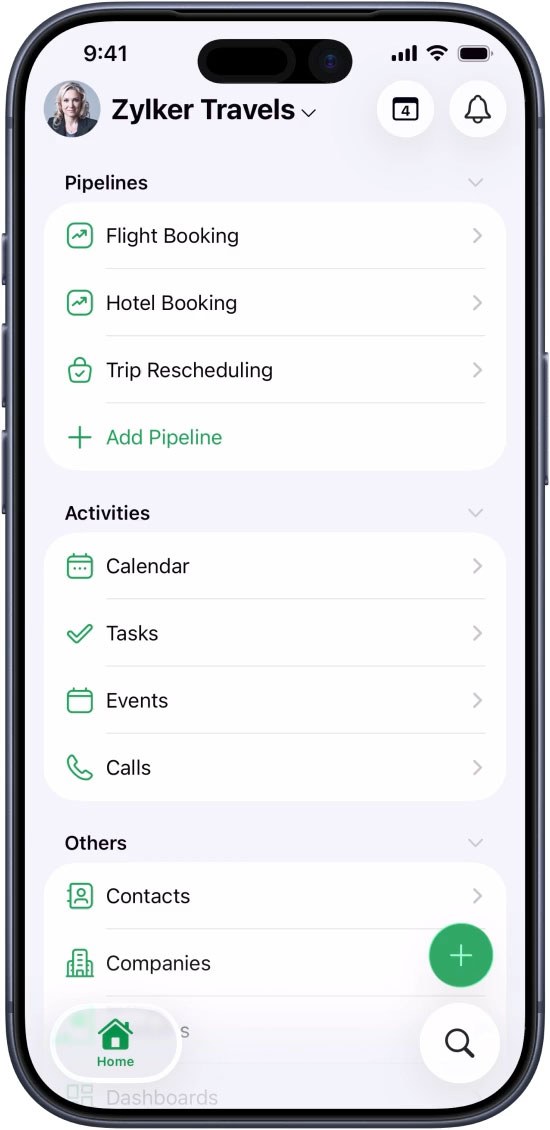
The built-in phone is the feature small teams tend to undervalue until they use it. Calls are made, received and recorded inside Bigin, with automated voice responses and call routing, and they land on the deal they belong to without a separate dialler subscription. Zoho brought it to Android in its Q1 2026 update. The 2025 releases added booking pages, external record sharing, WhatsApp workflows and a QuickBooks Online integration, and a September 2025 announcement promised an Apple Watch app alongside a refreshed iOS app.
One catch on booking pages: Free, Express and Premier each get exactly one. Bigin 360 gets 100. If several salespeople each need their own booking link, that single line in the feature table pushes you up two tiers.
Zia AI and MCP: Premier and up
Most of what Zoho shipped for Bigin in 2026 is AI, and none of it is on Express. AI credits are zero on Free and Express, 1,000 a month on Premier and 3,000 on Bigin 360.
The Q1 2026 update, published April 15, added MCP (Model Context Protocol) support, so an external AI assistant can read and act on Bigin data. On May 28 Zoho introduced three Zia Agents - Reply Assistant, Churn Analyzer and CrossSell Genie - and Zia Agent Studio, which lets you build your own agents and deploy them in Bigin through Zoho Flow.
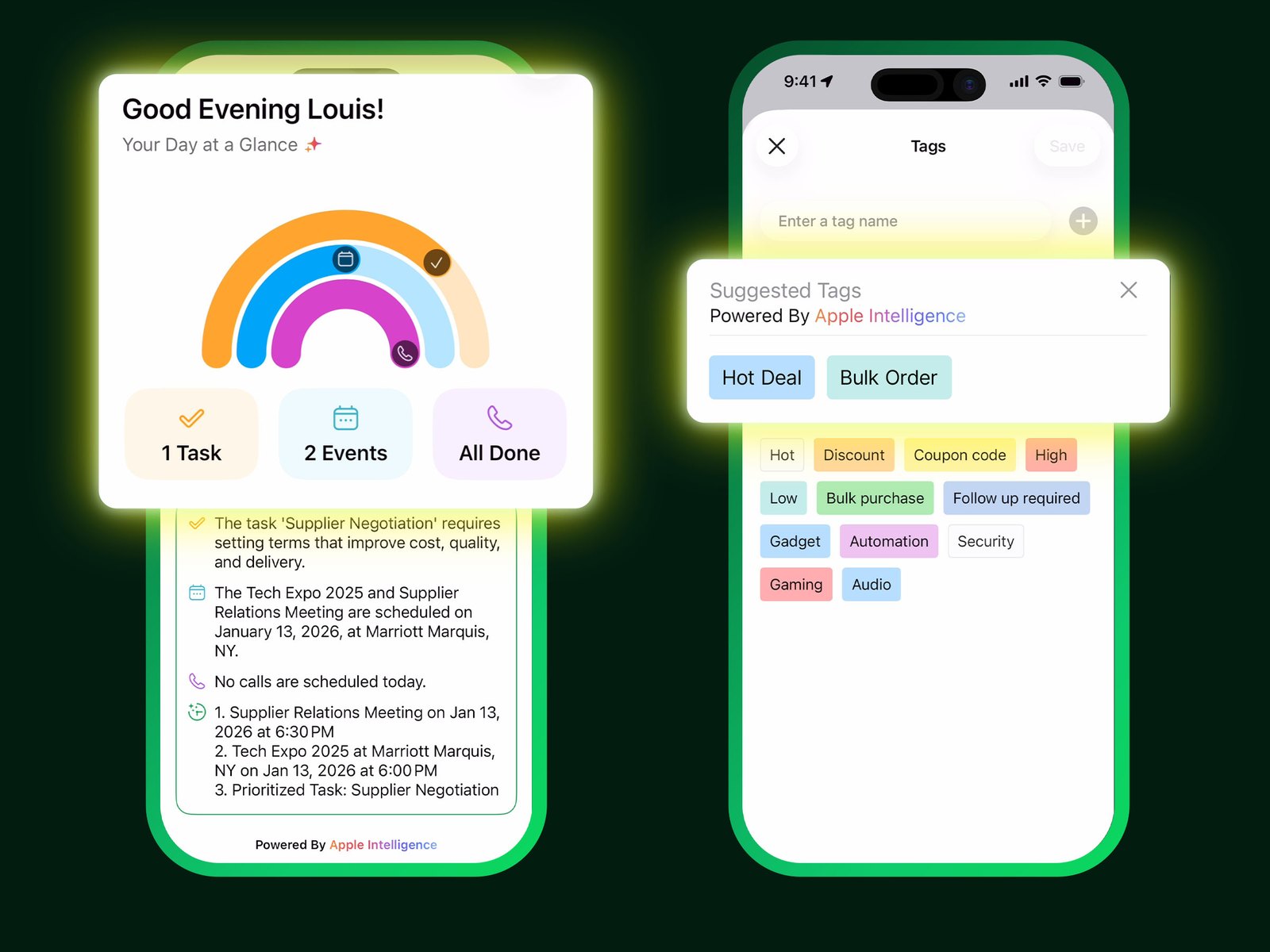
Whether 1,000 credits a month is enough depends on how heavily the agents are used, and Zoho does not publish a per-action cost on the pricing page. Treat Premier as the price of having the AI at all, and Bigin 360 as the plan for a team that leans on it daily.
Toppings: the add-on bill
Toppings are Bigin's marketplace extensions, and Zoho's own description is that they add CRM functions "while retaining what's at the core of Bigin: simplicity". Some are free and some are paid, priced in USD only, and each topping decides which editions it works on.
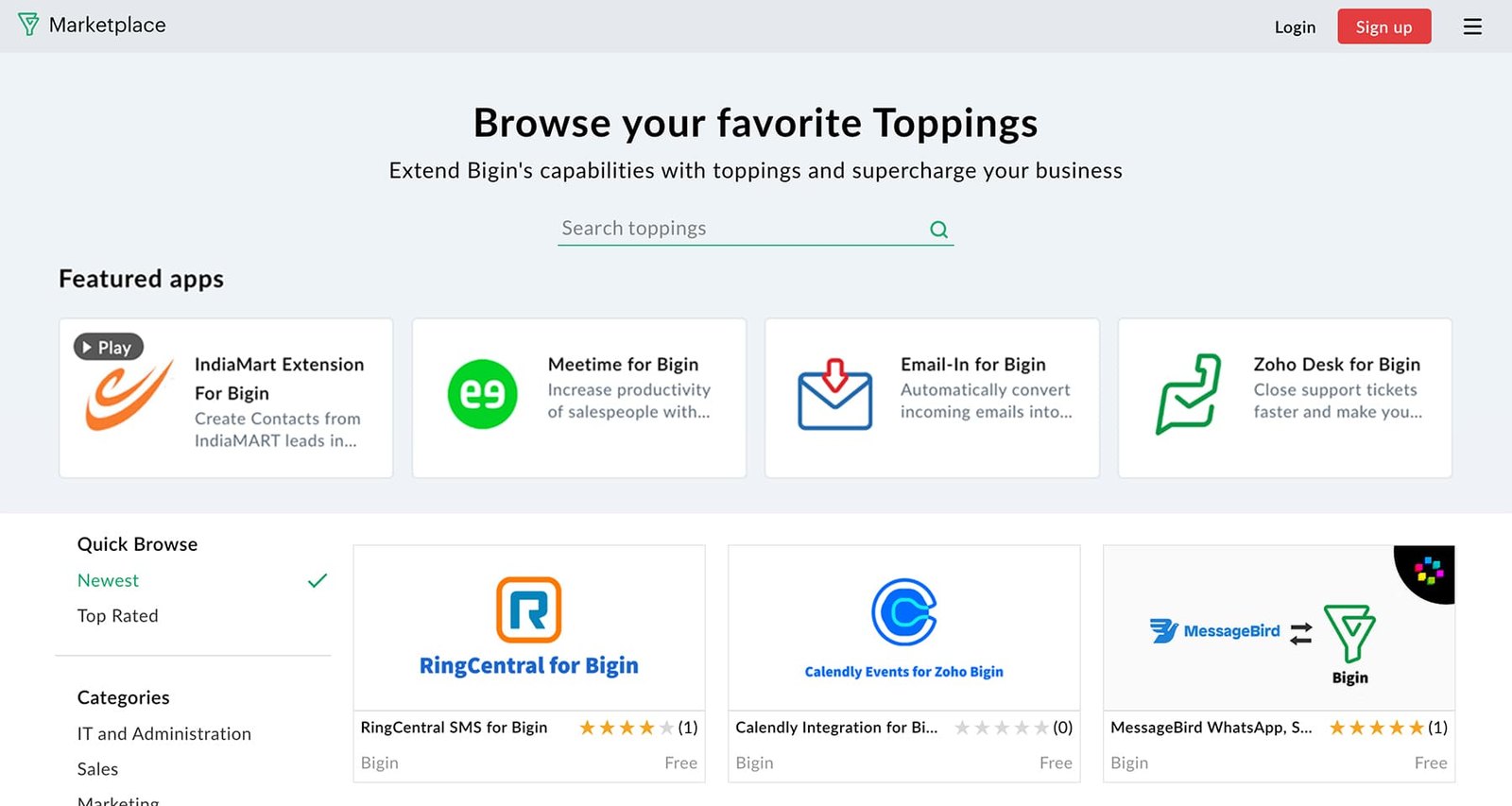
This is where Bigin 360 earns part of its $6 premium over Premier. Two toppings come pre-installed on it at no extra cost: Email-In with 5 aliases and File Cabinet with 5 GB. On Express and Premier, Zoho lists both "at an extra cost". If you need either, price them before you assume Premier is the cheaper plan.
Outgrowing it: the move to Zoho CRM
The pricing FAQ says you can "easily upgrade to Zoho CRM with one-click data migration", and for the data that is fair. The help article confirms that records, workflows, web forms and dashboards all migrate.
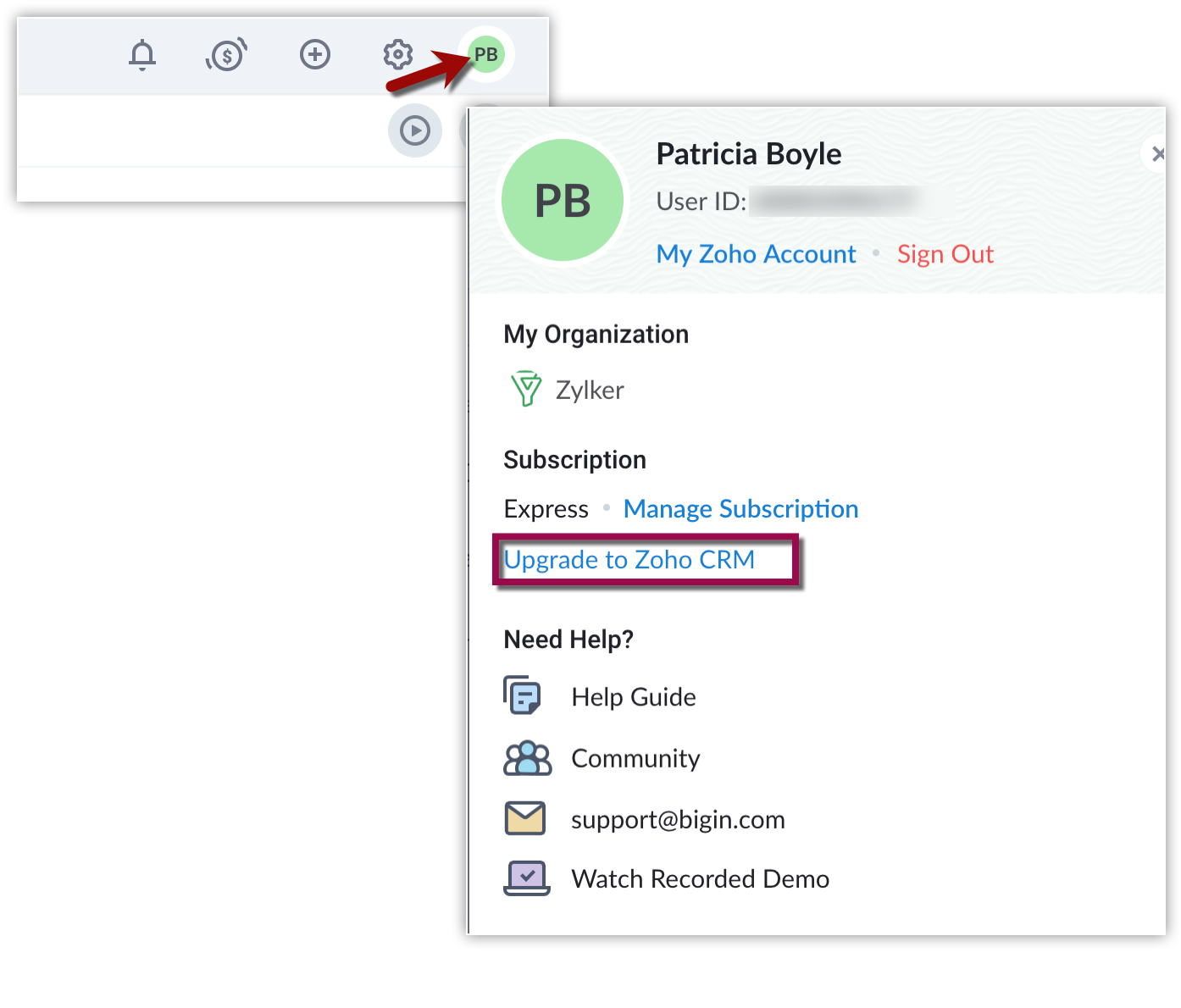
The same article lists what does not come with you, and it is the part to read before clicking. Phone numbers bought through Bigin's built-in telephony, and their configuration, are not carried forward. Data backup and file storage add-ons are not carried over. And every integration you set up in that Bigin organisation is disconnected during the upgrade. A team that built its week around the Bigin phone line and a WhatsApp integration should plan for a day of rewiring and a new number, not a click.
Leaving Zoho entirely is plainer. Export is per module to CSV, up to 200,000 records per file and 100 exports a day on paid plans. Paid plans also get two free data backups a month; Free gets none. If you want to compare the bigger product first, our Zoho CRM review covers what the upgrade buys.
What users complain about
Review scores are high: around 4.6 out of 5 on G2 from roughly 870 reviews, about 4.7 on Capterra from more than 700, and 8.7 out of 10 on TrustRadius from about 180 ratings. The complaints underneath them repeat.
The first is depth. TrustRadius sums up the cons as a "lack of advanced analytical reporting features" and "restricted custom module creation", and the Capterra reviews echo it - one calls Bigin "very restricted when it comes to migration". That is the product working as designed: Bigin is meant to be Zoho CRM with the hard parts removed, and growing teams feel the removal.
The second is WhatsApp. A Capterra reviewer calls the WhatsApp modules "a pain", and a March 2026 TrustRadius review says the team "lost lots of leads due to Whatsapp issue not being resolved". One G2 review adds that the telephony "needs improvements". If WhatsApp is your main sales channel, test it hard during the 15-day trial before you commit a year.
Verdict
Buy Bigin Express if you are a team of two to ten selling through a pipeline, you want calls, email and deals in one place, and you do not need AI. At $7 a seat billed yearly it is one of the cheapest real CRMs available, and the 50,000-record cap is far away for most small businesses. Pick Premier only if you want Zia and the MCP connection, or need lookup and formula fields. Bigin 360 makes sense once you need more than one booking page, room for files beyond the shared 1 GB, or the bundled Email-In and 5 GB File Cabinet toppings.
Skip it if your reporting needs go beyond the built-in dashboards, or if you already know you will need custom modules - go straight to Zoho CRM and avoid a migration that drops your phone numbers and integrations. If you want one flat plan with no tier maths, Less Annoying CRM is the simpler buy. And if you are a solo user, Free is genuinely usable, as long as 500 records is enough.
Ready to try Bigin?
Visit the official website to see the latest plans, pricing, and special offers.
Get Started - Bigin* Affiliate link - we may earn a commission at no extra cost to you.