Less Annoying CRM Review: One $15 Plan, Every Feature, No AI
Less Annoying CRM review, checked November 2026: one $15/user/month plan, monthly billing only, 30-day free trial, free phone support, and no AI, email sequences or built-in calling.
Expert Review

One plan, one price, and no AI on purpose
Most CRM pricing pages in late 2026 read like a menu: three or four tiers, an AI add-on per seat, and the feature you actually wanted sitting one tier above the one you can afford. Less Annoying CRM (LACRM) sells one thing. It costs $15 per user per month plus applicable tax, it includes every feature the company makes, and there is no contract. The pricing page puts it plainly: "No tiers. No contracts. No features locked behind upgrades."
A help article says something just as plain: "LACRM doesn't currently have any built-in AI, or any direct integrations with AI tools." That sentence is the review in miniature. You get contacts, pipelines, tasks, a calendar and email logging that a two-person firm can learn in an afternoon. You do not get the things that make other CRMs expensive - email sequences, built-in calling, an assistant that drafts your follow-ups.
It is not standing still. 2025 brought automations, web forms, automatic email logging and task templates. April 2026 added a board view for pipelines, and in June 2026 it won Best Small Business CRM and Best CRM for Startups at the CRMmys. Brothers Tyler and Bracken King started it in 2009, moved it to St. Louis in 2014 and funded it themselves. That last fact explains a lot about the pricing.
Pricing: $15, monthly, no discounts
Checked on the pricing page in November 2026: $15 per user per month, or £14 in GBP (no other currency is accepted), plus sales tax where it applies. The price has gone up exactly once. In July 2020 it rose from $10 to $15, the company's first increase ever, and customers who had signed up before then kept paying $10. Nothing has moved since.
| Item | What you get |
|---|---|
| Contacts and companies | Unlimited, but the vendor's "rule of thumb is to stay below 50,000 total" |
| File storage | 25GB per user |
| Pipelines and custom fields | Unlimited |
| Users | $15 each; admin or normal user, with separate permissions for export, deleting and sharing |
| HIPAA | Included, and you can sign a BAA |
| Trial | 30 days, full product, no credit card |
| Billing | Monthly only - there is no annual plan |
| Discounts | None, for volume or prepayment |
The last two rows are where the simplicity costs you. With no annual plan there is no discount to buy with a longer commitment, and the help page on discounts opens with "The short answer here is 'no.'" A five-person team pays $75 a month and $900 a year, every year. That is cheap for a CRM. It is also the floor.
The trial is the good kind. It runs a month, it is the whole product, and if you never add a card it simply closes. One line on the pricing help page is worth watching: future features "will come with additional costs," though the company promises they will sit outside the core CRM and stay optional.
What daily use looks like
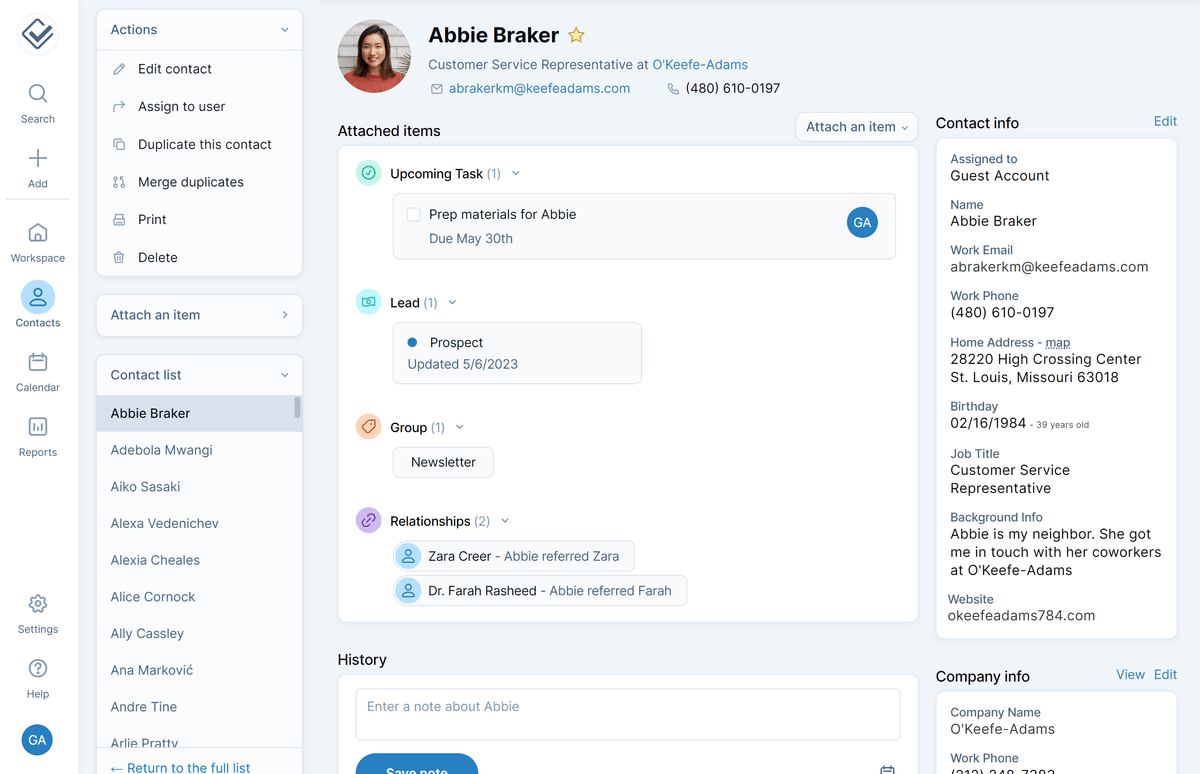
Everything hangs off the contact record. A contact or company page shows its fields, the notes and logged emails underneath, and a column of attached items: upcoming tasks, the pipelines it sits in, the groups it belongs to and its links to other records. Deals are not a separate module to keep in sync. A deal is a pipeline item attached to a person or a company.
Pipelines are unlimited and track anything with stages: sales leads, but also client onboarding, job applicants or policy renewals. Until April 2026 they were only a list. The new board view adds the drag-between-columns layout Pipedrive users take for granted, and the list view stays for sorting and bulk edits.
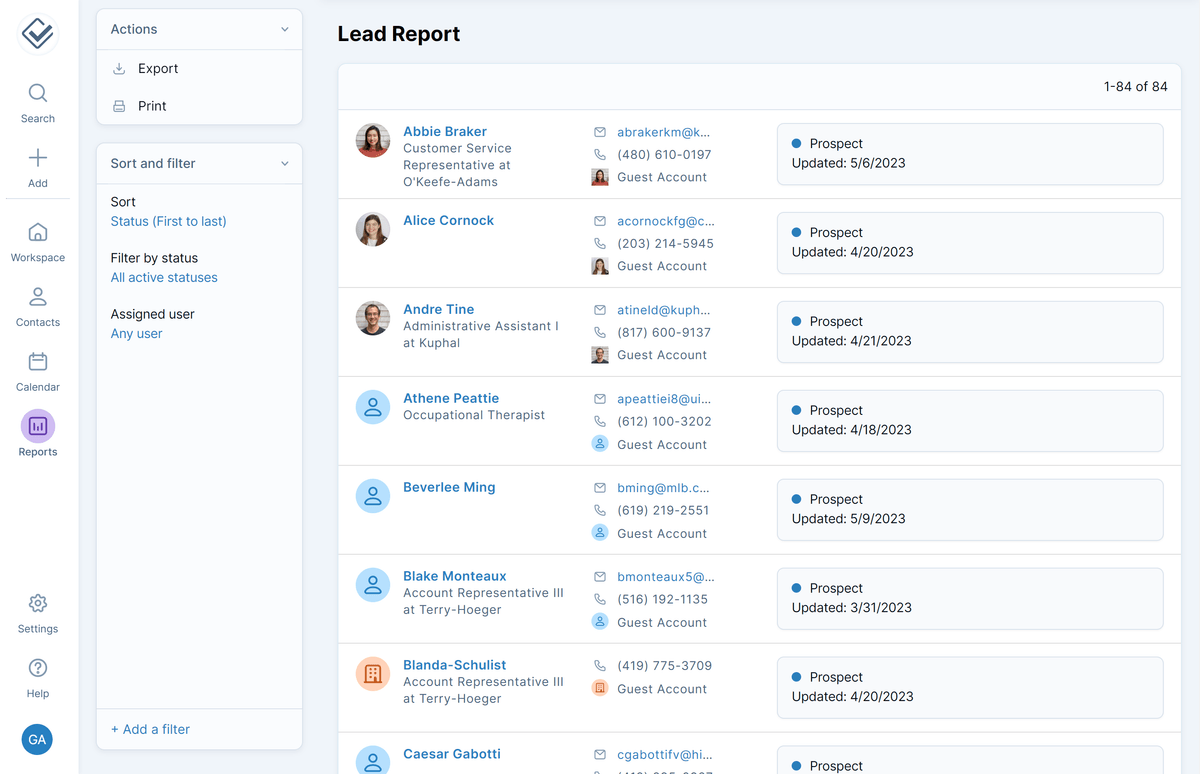
Reporting is thin on purpose. There are two built-in reports, the Activity Report and the Lead Report, which the vendor describes as a way to "view and track the sales funnel by rep." Win rates, forecasts or a chart for the quarterly meeting mean an export to a spreadsheet.
The 2025 automations need a precise description, because the word oversells them. They fire on events such as a pipeline status change and can assign a record to a user or attach a note, task, group or pipeline. That saves clicks inside the CRM. It never sends anything to a customer.
Email logging and integrations
Automatic email logging connects Gmail, Microsoft (Outlook, Hotmail, Office 365) or any IMAP mailbox and files each message under the matching contacts. Three limits sit in the help docs rather than on the feature page. You can connect three mailboxes in total. Logging starts the moment you connect, so last year's correspondence stays in your inbox. And a message sent to more than five people is logged against the first five only - fine for client mail, a gap if you send group updates. The older BCC-and-forward address still catches what automatic logging misses.
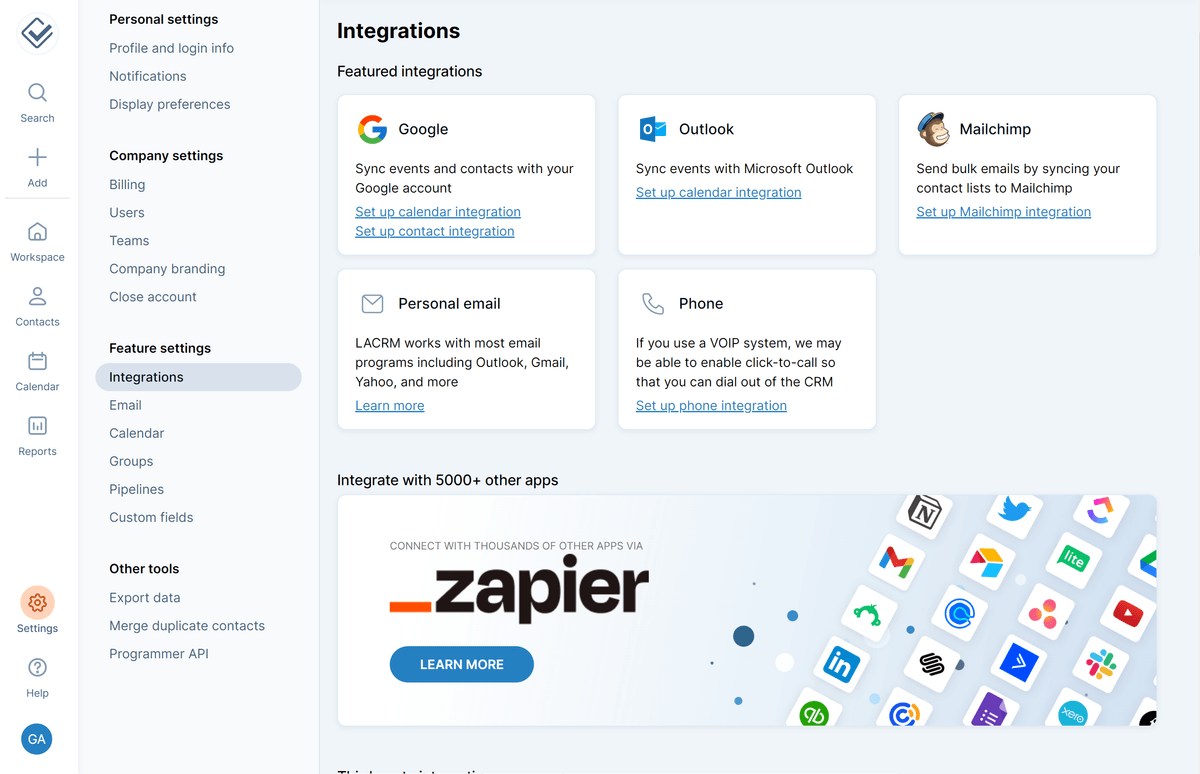
The Integrations screen covers Google calendar and contact sync, Outlook calendar sync, Mailchimp list sync, VoIP click-to-call and Zapier with its 5,000-plus apps. A public API handles your website forms and anything custom.
What it does not do
This is where the $15 gets explained. In the vendor's words, "LACRM doesn't handle email directly." There is no bulk sending and there are no sequences; newsletters go out through Mailchimp, Tarvent or Zapier. Calling works the same way. There is no dialer, the CRM offers no direct VoIP integration of its own, and CallHippo, JustCall, KrispCall, Intulse, Simplii and Invoco (UK only) built their own connectors instead.
AI is absent too. The suggested workarounds are a third-party app called AppConnect, Zapier, or an MCP server written by someone else, which the help page flags with "we have not vetted this tool's code." If your team wants call summaries or AI-drafted follow-ups inside the CRM, look elsewhere.
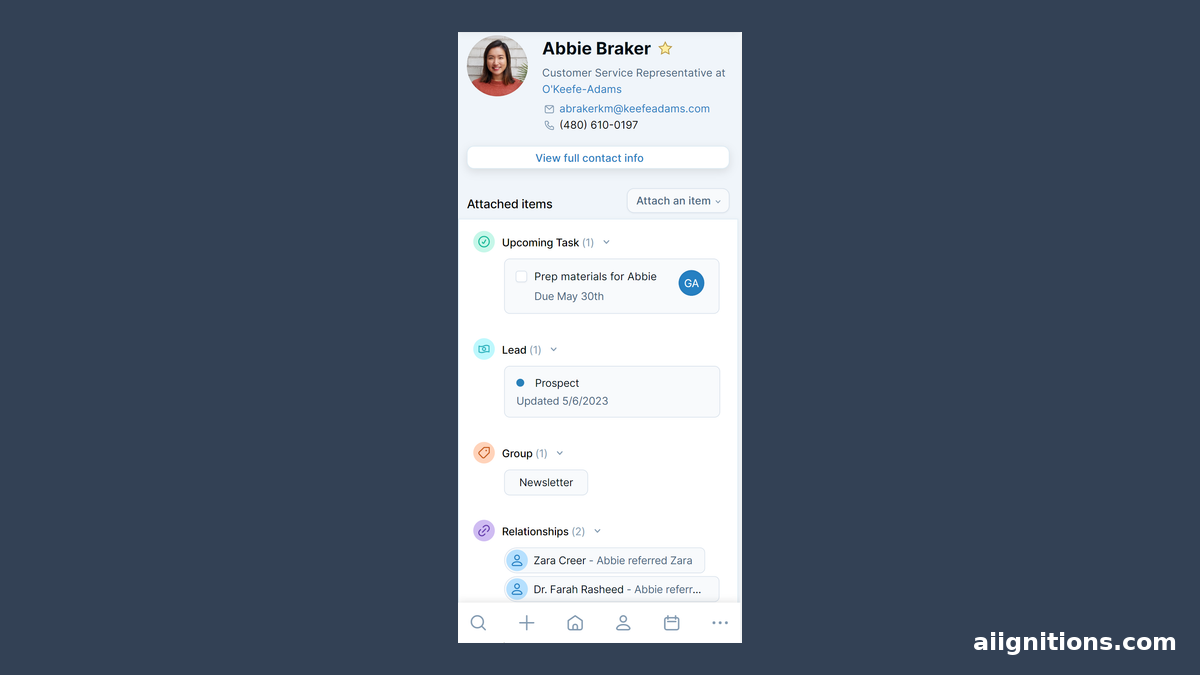
The iOS and Android apps are the weakest part. There is no offline mode, and the vendor calls the app "a work in progress," with push notifications and biometric login still to come and a larger mobile release promised for 2026. A field rep who works in basements and car parks will feel that every day.
Scale is the last limit. Contacts are unlimited in name, but the help page warns that "if you have over 50,000 you may experience performance issues." Most small businesses never get near it. One that imports a bought lead list will.
Support, and how you leave
Support is where LACRM spends what other vendors spend on features. Phone, email and screen-share help are free "even if you're not a paying customer," so trial users get it too, and so does training. Its staff, called CRM Coaches, sent 23,646 emails, answered 5,808 calls and ran 2,372 screen-share sessions in 2025. The catches: the phone line is open weekdays from 9am to 4:30pm Central only, email carries on at weekends, and everything is in English.
Leaving is clean. An admin can export the data "as often as you'd like," the account owner closes the account either at once or at the end of the paid month, and the data stays archived for a year before it is deleted automatically - sooner if you ask. Since nobody prepays a year, there is no unused term to lose.
User ratings sit at about 4.8-4.9 out of 5 on G2, Capterra and Software Advice, per the vendor's own site. We could not open the review pages to confirm the counts.
Verdict
Buy Less Annoying CRM if you run a small team whose sales happen in conversations rather than campaigns, and the CRM's job is to remember who you spoke to, what they said and what you promised to do next. Consultants, insurance agents, contractors, small agencies and healthcare practices that need a BAA without an enterprise contract all fit. At $15 a seat with free phone support, it is the easiest CRM to recommend to someone who has never used one.
Skip it if outbound is the job. A team that lives on sequences and calls should look at Close, which builds both in, or Pipedrive for deeper deal reporting. If marketing email and the CRM must be one system, HubSpot does that, and Zoho CRM or Freshsales are the routes to built-in AI. Each of them costs you the simplicity that is the reason to choose LACRM in the first place. Teams that need an annual discount, offline mobile access or more than 50,000 contacts should also look elsewhere.
For everyone else, the 30-day trial needs no card and closes itself if you walk away. That makes it a cheap way to find out whether "less annoying" describes your sales process too.
Ready to try Less Annoying CRM?
Visit the official website to see the latest plans, pricing, and special offers.
Get Started - Less Annoying CRM* Affiliate link - we may earn a commission at no extra cost to you.