Calendly Review: End the Back-and-Forth of Booking Meetings
Calendly review: the scheduling tool that replaces email back-and-forth with a booking link, team routing, reminders, and integrations — features, pricing, pros and cons.
Expert Review

What is Calendly?
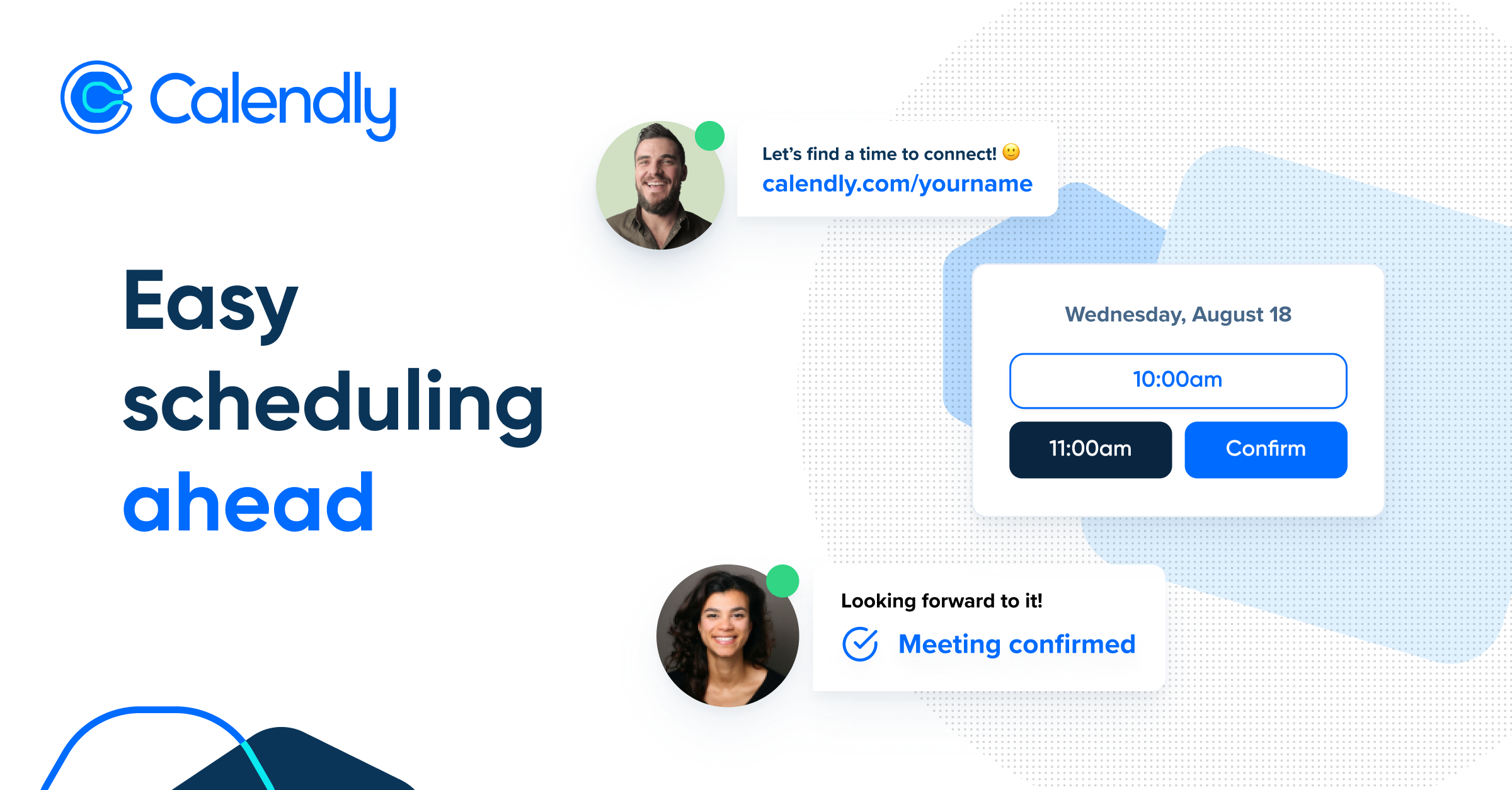
Calendly is a scheduling tool that removes the endless "does Tuesday at 3 work for you?" email chain. You connect your calendar, set your availability, and share a link. The person on the other end sees only your open slots, picks one, and the meeting is instantly booked on both calendars — complete with a video link and confirmation. What used to take a dozen messages now takes a single click.
It is used by salespeople booking demos, recruiters scheduling interviews, consultants and coaches taking client appointments, customer success teams running check-ins, and just about anyone who books meetings regularly. Beyond the simple personal booking link, Calendly scales into team scheduling with routing and round-robin assignment, plus reminders, workflows, and hundreds of integrations that plug it into the rest of a company's stack.
Benefits of Using Calendly
- No more back-and-forth: a single link lets people self-book an open slot, eliminating the email tennis of finding a time.
- No double-booking: Calendly checks your connected calendars in real time and only offers slots you are actually free, then writes the event to both sides.
- Saves time daily: reminders, confirmations, and automatic video links remove the manual admin around every meeting you book.
- Scales to teams: round-robin and collective scheduling distribute meetings fairly across a team or pool everyone's availability for group calls.
- Fewer no-shows: automated email and text reminders and easy rescheduling keep more booked meetings from being missed.
- Connects your stack: integrations with Zoom, Google, Salesforce, Stripe, and hundreds of other tools slot it into existing workflows.
Key Features of Calendly
-
Scheduling links and event types
The core of Calendly is the event type — a bookable meeting (a 30-minute intro call, a demo, an interview) with its own duration, questions, and rules. You share its link, and invitees pick a time from your live availability. You can create multiple event types for different kinds of meetings, each with its own settings.
-
Calendar sync and availability
Calendly connects to Google Calendar, Outlook, Office 365, and iCloud, checking them in real time so it never offers a slot you are already busy. You control availability with working hours, buffers between meetings, minimum notice, and daily limits, so bookings always fit how you actually want to work.
-
Team scheduling and routing
For teams, Calendly adds round-robin scheduling that distributes bookings evenly across reps, collective events that require several people's availability at once, and routing forms that send prospects to the right person based on their answers. This is what turns Calendly from a personal tool into a sales and support engine.
-
Workflows and integrations
Workflows automate the messages around a meeting — reminder emails and texts, follow-ups, and thank-you notes — sent automatically before or after each booking. Hundreds of integrations connect Calendly to Zoom and Google Meet for video, to Salesforce and HubSpot for CRM, to Stripe and PayPal for paid bookings, and to Zapier for everything else.
-
Embeds, branding, and analytics
You can embed the booking widget directly on a website, add a "book a meeting" button to email signatures, and (on paid plans) customize the booking page with your brand. Analytics show how many meetings are booked, by whom, and where drop-off happens — useful for optimizing sales and support scheduling.
Pricing of Calendly
Calendly uses a per-seat subscription with a free plan for basic personal use. Paid tiers add unlimited event types, team scheduling, workflows, and integrations, and annual billing is cheaper than paying monthly.
- Free: $0 — one event type, one connected calendar, unlimited meetings, and basic integrations. Enough for simple personal scheduling.
- Standard: around $10/seat/month billed annually — unlimited event types, multiple calendar connections, reminders and workflows, and integrations like Zoom and Stripe.
- Teams: around $16/seat/month billed annually — round-robin and collective scheduling, routing, admin controls, and Salesforce integration. The most popular tier for sales teams.
- Enterprise: custom pricing (typically starting around $15k/year) — SSO, SCIM provisioning, advanced security and admin, and dedicated support for large organizations.
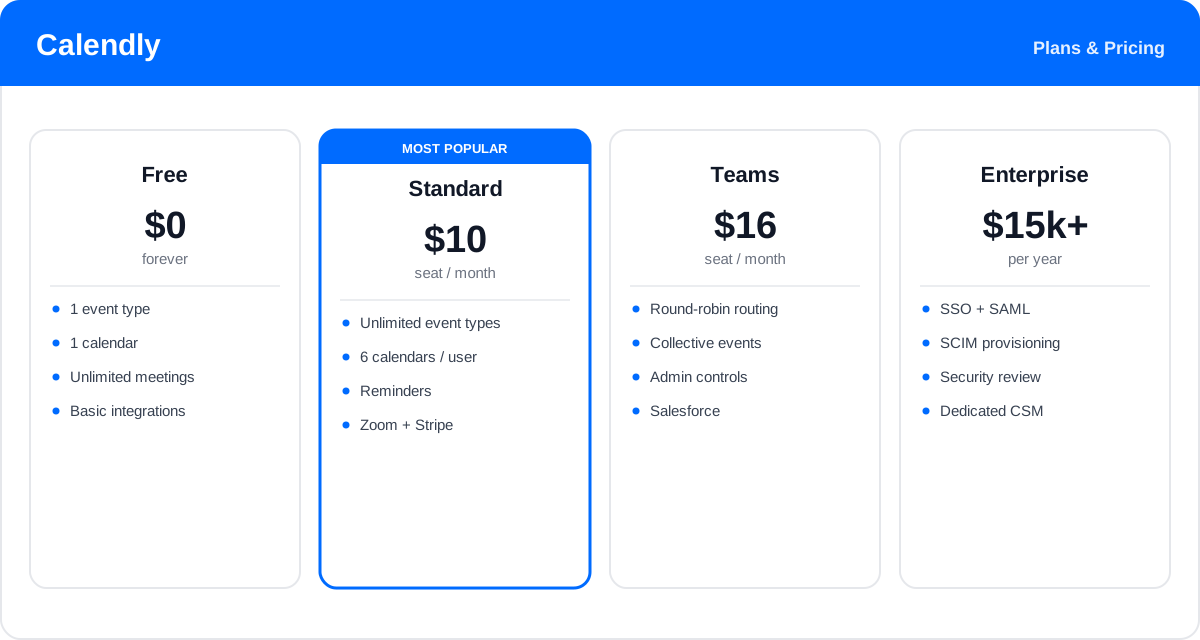
Prices and plan features change over time — check the official Calendly pricing page for the latest rates and exactly what each plan includes.
Real-World Use Case Analysis
Sales Teams
Booking demos instantly: reps add a Calendly link to emails and the website so prospects book while interest is hot. Routing sends each lead to the right rep, round-robin shares inbound fairly, and the Salesforce integration logs every meeting automatically — shortening the path from lead to conversation.
Recruiting and HR
Interview scheduling: recruiters let candidates self-select interview times against the whole panel's availability, with collective events coordinating multiple interviewers at once. Automated reminders cut no-shows and free recruiters from coordinating dozens of calendars by hand.
Consultants, Coaches, and Support
Client appointments: solo professionals and support teams take bookings around the clock without manual coordination, collecting payment up front through Stripe for paid sessions and sending automatic reminders so clients actually show up.
Pros and Cons of Calendly
Advantages
- Dead simple for both the host and the person booking — almost no learning curve.
- Reliable real-time calendar sync that prevents double-booking across multiple calendars.
- Strong team features: round-robin, collective events, and lead routing.
- Automated reminders and workflows that reduce no-shows and manual admin.
- Hundreds of integrations, plus embeds and a usable free plan.
Disadvantages
- The free plan is limited to a single event type, pushing most real users to paid tiers.
- Per-seat pricing adds up for larger teams, and the best routing sits on higher plans.
- Customization and branding of the booking page are fairly limited compared with some rivals.
- Sending someone a scheduling link can feel impersonal in certain relationship-driven contexts.
Final Thoughts on Calendly
Calendly is the best-known scheduling tool because it nails the basics: sharing your availability and letting people book in one click, with no double-booking and no email tennis. For anyone who books meetings regularly — salespeople, recruiters, consultants, and support teams — it saves real time every day, and its team routing, workflows, and integrations let it scale from a personal link into a serious sales and operations tool. The limits are a restrictive free plan and per-seat costs that grow with team size, plus modest booking-page customization. But the time it saves is immediate and obvious; try the free plan, and most people quickly find the paid tiers easy to justify.