ChatBot Review: Does the No-Code AI Agent Builder Earn Its Price?
A hands-on ChatBot.com review: how the no-code AI agent builder works, its per-user resolution pricing checked in August 2026, and who should pick Tidio or Intercom Fin instead.
Expert Review

What ChatBot actually is
ChatBot is the automation product from Text, the Polish company that also makes LiveChat and HelpDesk. That lineage is the whole story. This is not a startup guessing at what a support tool should do; it is a bolt-on AI agent from a vendor that has sold live chat since 2002, and it is built to slot into that same stack. If you already run LiveChat, ChatBot is the piece that answers the easy questions before a human ever sees them.
The pitch is simple. You point it at your website, it reads your pages, and within a few minutes it can hold a conversation about your product, qualify a lead, or push a Shopify order status back to a customer. No training data to label, no model to fine-tune, no engineer required. That "in minutes" claim is doing real work in the marketing, and for once it is close to true.
Building an agent
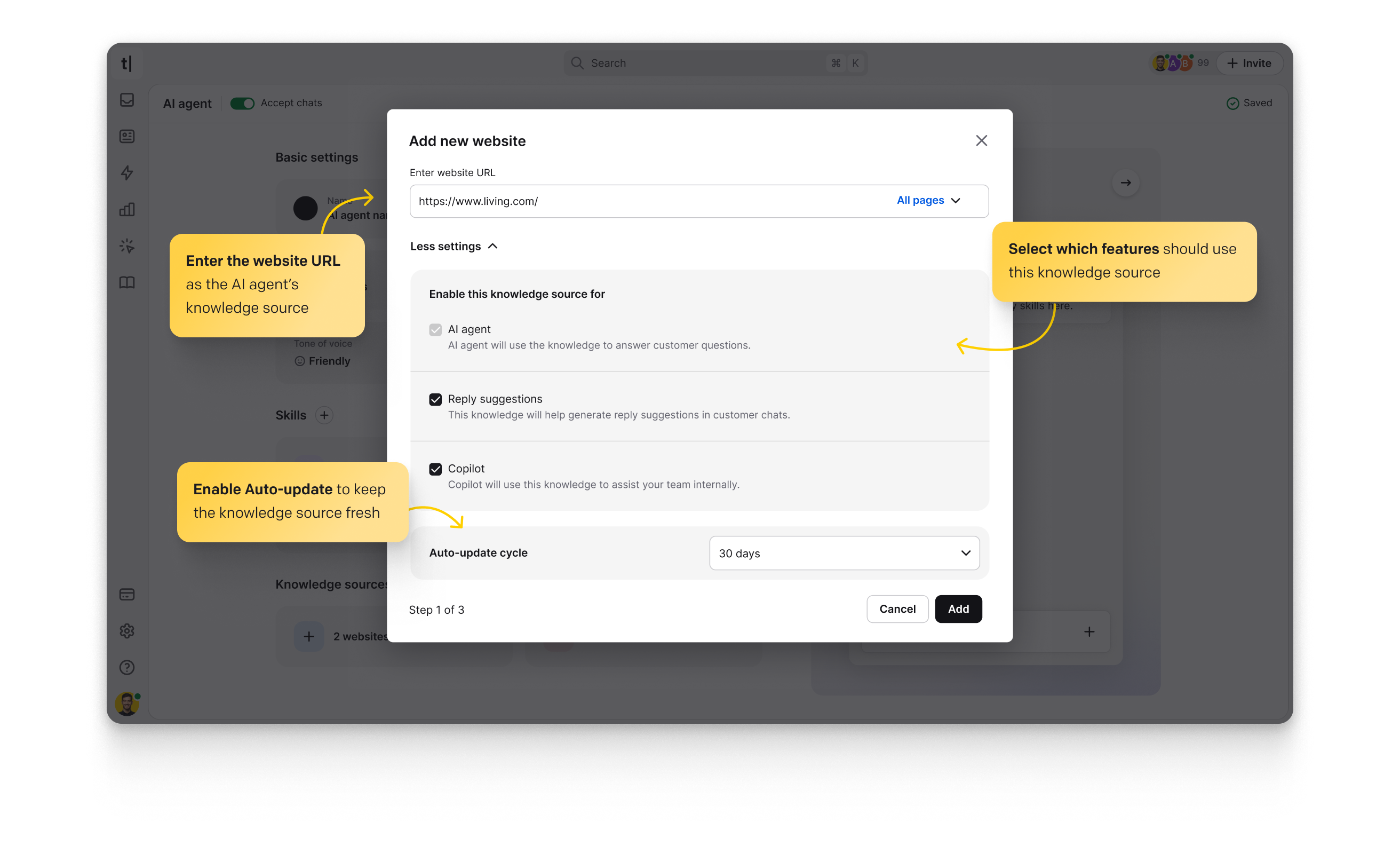
There are two ways in, and most people will use both. The first is the scan: paste a URL, a help-center address, or upload a PDF, and ChatBot ingests it into a knowledge base the AI answers from. Feed it your FAQ page and your returns policy and you have a bot that can field the bulk of a small store's tickets without you writing a single reply.
The second is the Visual Builder, a drag-and-drop canvas of blocks and branches for the paths you want to control exactly. This is where ChatBot's age shows, in a good way. The builder is genuinely mature: conditions, fallbacks, data collection, and API calls all sit on the same canvas, and you can watch a conversation walk the tree as you test it. Teams that outgrew a pure-LLM tool because they could not force it to follow a script will find the deterministic flows a relief.
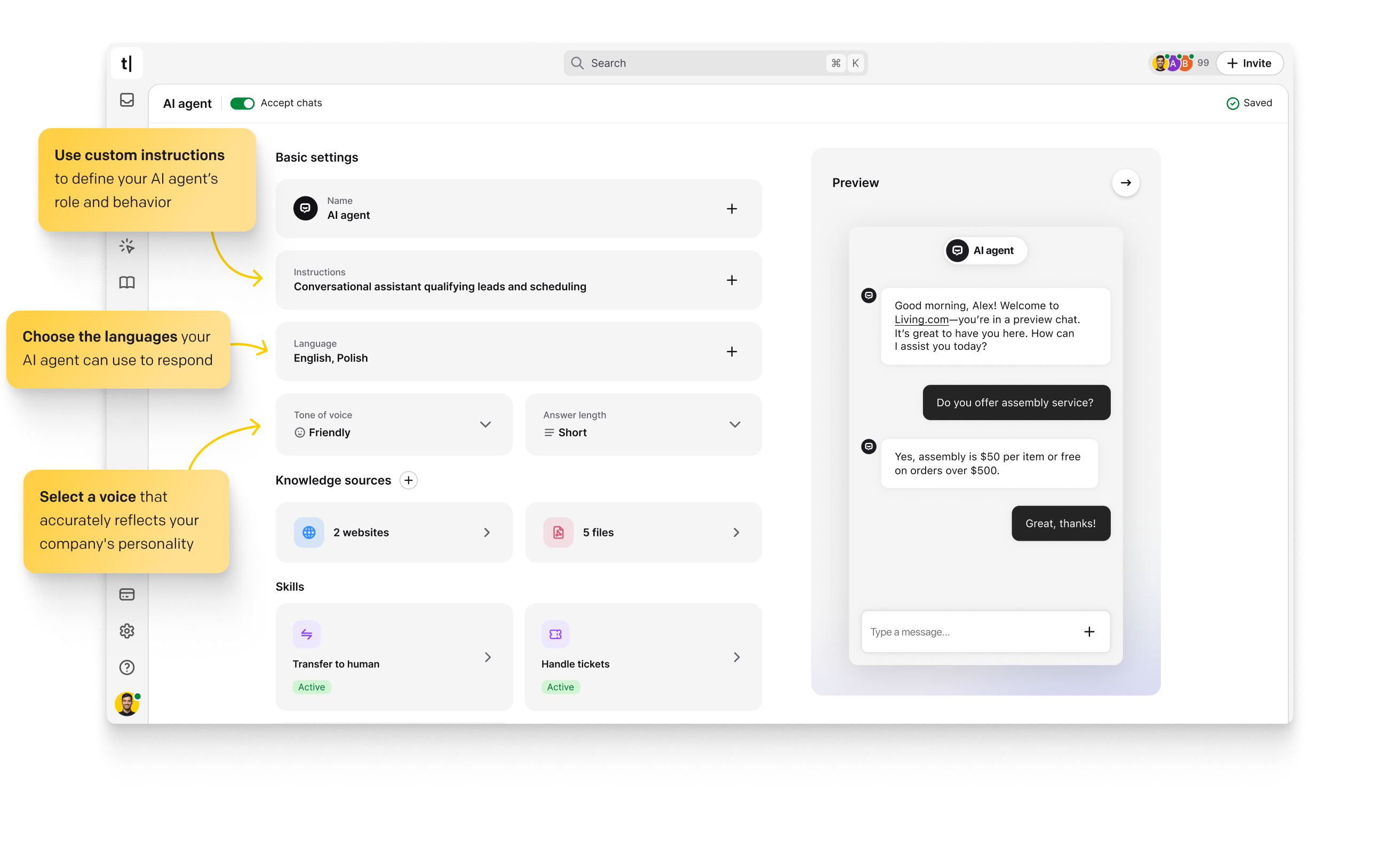
The catch is that the AI layer and the flow layer are still stitched together rather than fused. You decide where the trained AI answers freely and where a scripted block takes over. Get the handoff wrong and a customer bounces between a rigid menu and a chatty model in the same conversation. It rewards a bit of planning before you publish.
Where it runs
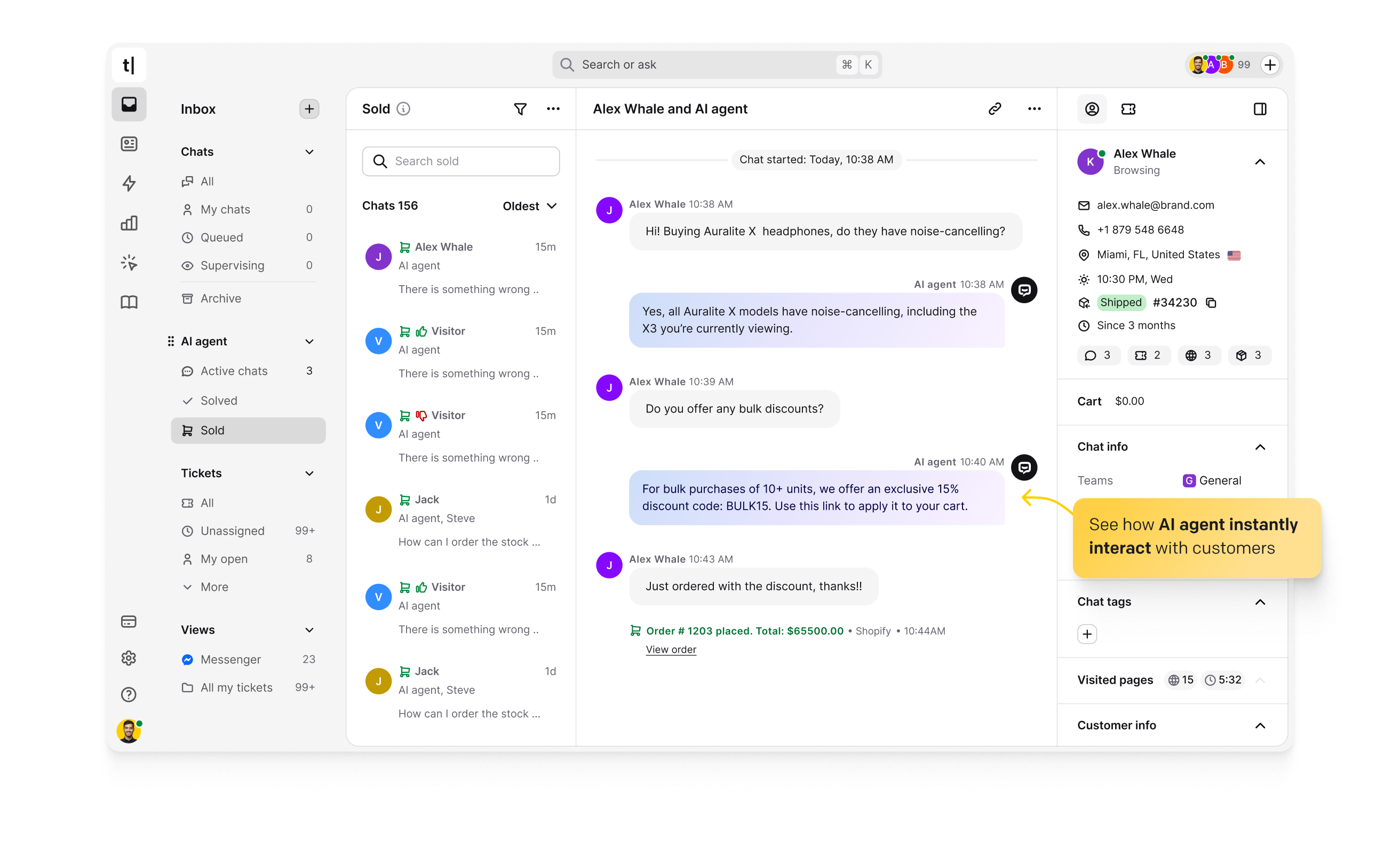
ChatBot is not tied to its own widget. The same agent deploys to a website chat bubble, Facebook Messenger, WhatsApp, Slack, email, and SMS, and the integration list covers the platforms a small business actually uses: Shopify, WordPress, Webflow, Klaviyo for email, and of course LiveChat for a shared human-agent inbox.
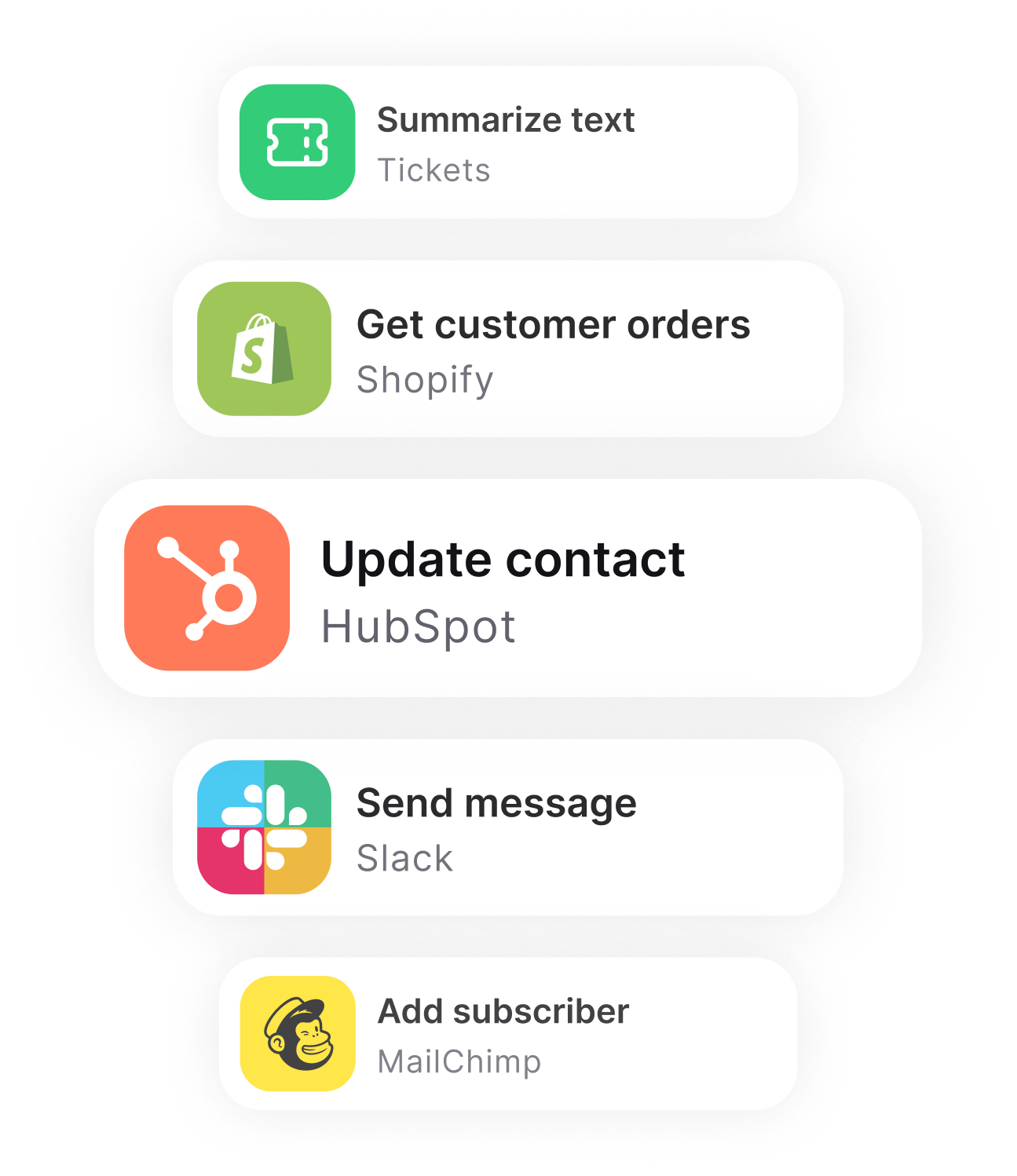
The Shopify tie-in is the standout. An agent can look up an order, report a shipping status, and recommend a product from your catalog inside one chat, which is the exact loop that turns a support bot into a sales one. If you sell on Shopify, that integration alone is a reason to shortlist ChatBot over a generic builder.
Pricing and the resolution meter
This is where you have to read carefully, because the model changed and most older reviews still quote the previous one. Checked on the ChatBot pricing page in August 2026, the plans are billed per user, per month, and metered by AI resolutions on top:
- Essential: $19 per user/month billed annually, or $25 month-to-month. One AI agent, and just 10 AI resolutions a month.
- Growth: $79 per user/month annually, or $99 monthly. Ten AI agents and 200 resolutions a month. This is the "most popular" tier.
- Enterprise: custom pricing, with white-labeling, SLAs, and a dedicated team.
A "resolution" is a conversation the AI handles to a close. Ten of them on the entry plan is not a support desk's monthly allowance; it is barely a demo. A shop that gets thirty questions a day exhausts Essential before lunch on day one, then buys the AI Resolutions Package at $49.50 for 50 extra, which works out to roughly $0.99 per resolution once you are over the line. Extra API calls are their own add-on at $29.50 per 100,000.
Compare that to what older articles say, which is a $52 Starter tier with 1,000 chats and one bot, rising through $142 and $424 plans. That was the old chats-based pricing; the current Text-brand model is per-seat and per-resolution instead. If a review you are reading still lists a "chats" limit, it is out of date. There is a 14-day free trial with no card required, but no permanent free plan at all, which matters for the verdict below.
Where it falls short
The double meter is the real weakness. You pay for seats and for resolutions, so the cost scales with both your team size and your ticket volume, and neither number is one you control tightly. Intercom's Fin charges a flat $0.99 per resolution with no seat tax on the automation itself, and Tidio's Lyro bundles a block of AI conversations into a single monthly plan. Against those, ChatBot's headline $19 is the number you will least often actually pay.
The free trial without a free tier is the second friction point. Tidio lets a tiny store run a real bot forever on its free plan; ChatBot gives you two weeks and then a bill. For a solo founder testing whether automation is worth it at all, that is a harder ask.
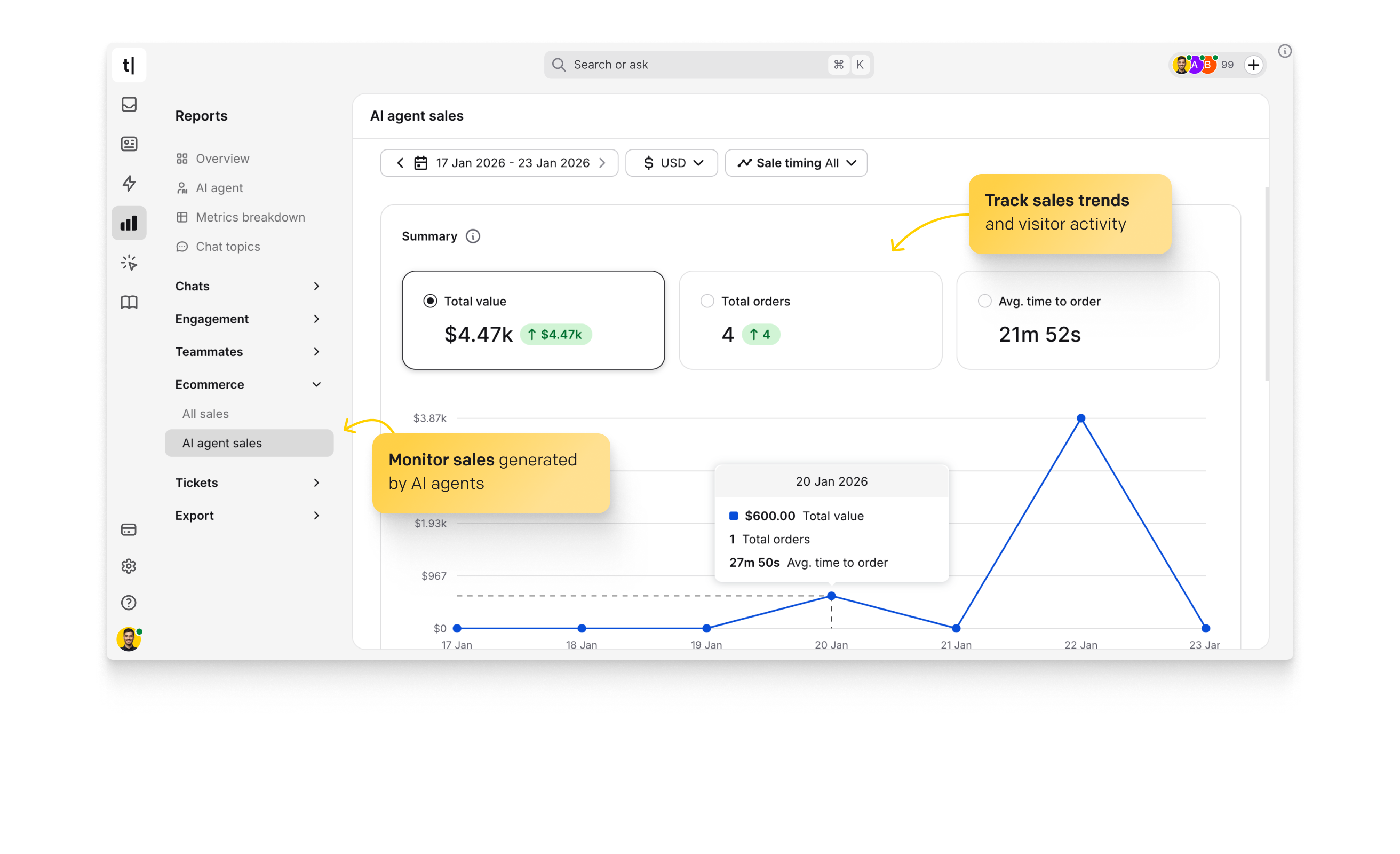
Finally, the analytics are competent but not deep. You get chat volume, visitor trends, and resolution counts, which is enough to see whether the bot is pulling its weight. If you want to know exactly which trained article answered which question, or to A/B two flows against conversion, you will be exporting data and doing that work elsewhere.
Verdict
ChatBot is a strong tool wearing confusing pricing. The builder is one of the most capable in the category, the site-scan training genuinely does the job in minutes, and the Shopify and LiveChat integrations make it a natural fit for an e-commerce team already living in the Text ecosystem. Buy it if you run LiveChat and want a deterministic AI agent you can actually steer, or if you sell on Shopify and want support and upsell in the same chat.
Skip it if your support volume is high and spiky, where the $49.50 resolution packs will out-run a predictable competitor: look at Intercom Fin for flat per-resolution billing, or Tidio if you want a genuine free tier and a simpler monthly cap. ChatBot earns its price for the team it was built for. Just make sure that team is you before the trial clock runs out.
Ready to try ChatBot?
Visit the official website to see the latest plans, pricing, and special offers.
Get Started - ChatBot* Affiliate link - we may earn a commission at no extra cost to you.