EngageBay Review: Free for 15 Users, but Read the Fine Print
EngageBay review: All-in-One pricing from $12.74 (biennial) to $119.99 per user, the 250-contact free plan, branded email costs, the MCP server and how to cancel safely.
Expert Review

Table of Contents
- What EngageBay is really selling
- Pricing: read the plan cards, not the headline
- What the free plan actually blocks
- The email catch: every included email is branded
- CRM, automation and the Growth wall
- The MCP server: AI agents on your CRM data
- Cancelling and refunds: where the 1-star reviews come from
- Getting in and getting out
- Verdict
What EngageBay is really selling
EngageBay's pitch fits on a sticky note: CRM, email marketing, live chat and a helpdesk for up to 15 users, free, with no credit card. The company claims more than 46,000 businesses as users. It comes from the same founders as Agile CRM, and the family resemblance shows.
The product is sold as three "Bays": Marketing, CRM & Sales, and Service (helpdesk and live chat). You can buy them one at a time or together as the All-in-One Suite. The question is whether "the cheap HubSpot alternative" survives its own fine print. Mostly it does. But three real costs hide there: a 250-contact free tier, EngageBay branding on every included email, and a cancellation process the company describes two different ways.
Prices, limits and terms below were checked on 11 November 2026 against EngageBay's pricing pages, help centre and Terms of Service.
Pricing: read the plan cards, not the headline
All prices are per user per month. The headline "All-in-One starts at $12.74" is the Basic plan on a 24-month prepayment. Pay monthly and Basic is $14.99. EngageBay's pages do not agree with each other here: the Service pricing page header says the suite starts at $10.79 and Marketing at $9.35, figures no plan card shows, and the monthly $14.99 card carries a "paid yearly" label. The numbers below are read off the All-in-One plan cards.
| Plan | Monthly | Yearly (8% off) | Biennial (15% off) | Contacts | Branded emails |
|---|---|---|---|---|---|
| Free | $0 | $0 | $0 | 250 | 1,000 |
| Basic | $14.99 | $13.79 | $12.74 | 500 | 3,000 |
| Growth | $64.99 | $59.79 | $55.24 | 5,000 | 25,000 |
| Pro | $119.99 | $110.39 | $101.99 | 10,000 | 50,000 |
No seat minimum is published, which is a genuine advantage over CRMs sold in packs of three or five. The jump that matters is Basic to Growth. A four-person team on monthly billing goes from about $60 to about $260 a month, and what that extra $200 buys is automation.
If you only need one part, the single Bays cost less. Marketing Bay and CRM & Sales Bay each run $12.99, $49.99 and $79.99 per user per month for Basic, Growth and Pro on monthly billing. Their Pro card says 5,000 contacts while the text under it says 10,000, so get that figure in writing.
What the free plan actually blocks
Fifteen users is generous. 250 contacts is not. Split across a full team that is about 17 contacts each, and a single working inbound form fills it within weeks. Basic, the first paid step, only doubles it to 500. The free plan also stops at 2 lists, 1 landing page, 2 email sequences, 5 custom fields, 500 API calls a month and 20 AI chatbot conversations a month.
Read that way, the free tier is a well-built trial with no clock on it. It is properly useful for one job, though: the helpdesk and live chat, which the Service Bay page sells as "Free Forever" with no paid Service tier shown at all. A small support desk that never needs marketing email can live on it indefinitely.
The email catch: every included email is branded
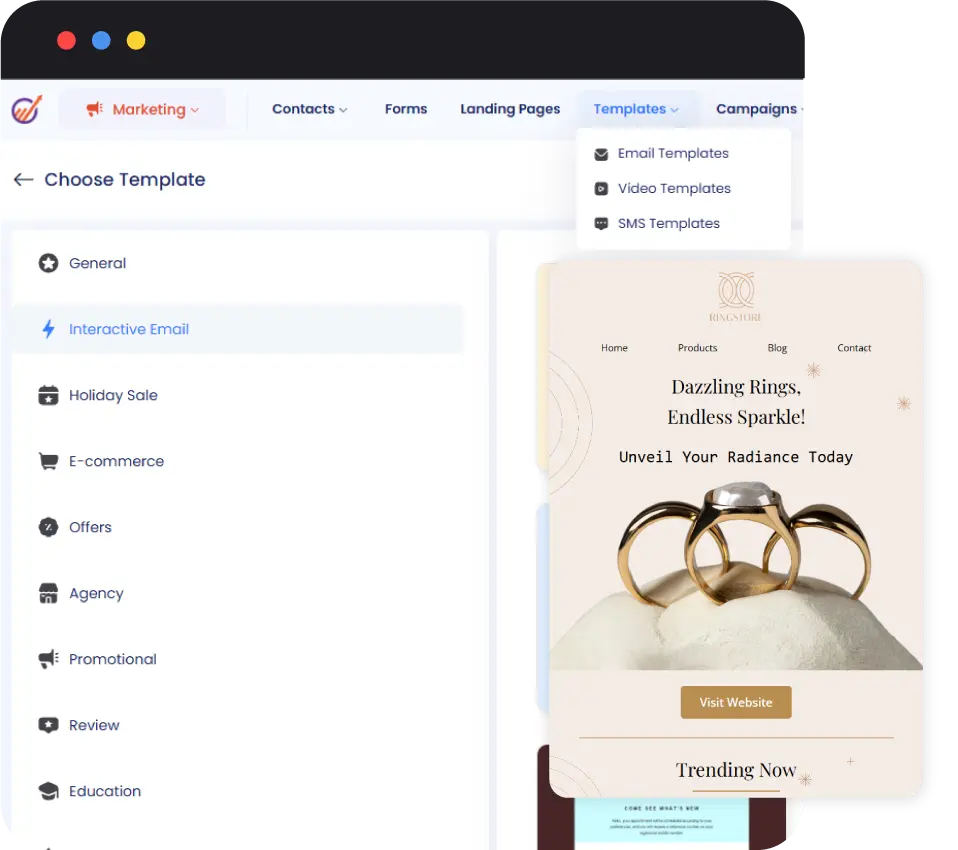
This is the limit the plan table does not spell out. EngageBay's help centre says the emails that come with your subscription "will have EngageBay branding on them" and that the branding "cannot be removed". That holds on Pro too. The 50,000 emails on a $119.99 seat are 50,000 emails with a vendor footer.
Unbranded sending is extra: $4 per 1,000 emails through EngageBay's own credits, or roughly $1 per 1,000 if you connect SendGrid, Mandrill or Amazon SES. A weekly newsletter to 5,000 contacts is about 20,000 emails a month, so $80 a month in EngageBay credits or about $20 through SES, on top of the seats. Branding on forms and landing pages is a separate matter. It comes off only on Growth and Pro, and only if you ask support.
New accounts start throttled, too. The daily sending cap climbs in steps of 200, 500, 1,000, 2,000, 3,500 and 5,000 before it is lifted, and bounces must stay under 2% to keep it climbing. Importing an old list and blasting it on day one will not happen. If email is the main job, Brevo is built around sending and deserves the first look.
CRM, automation and the Growth wall
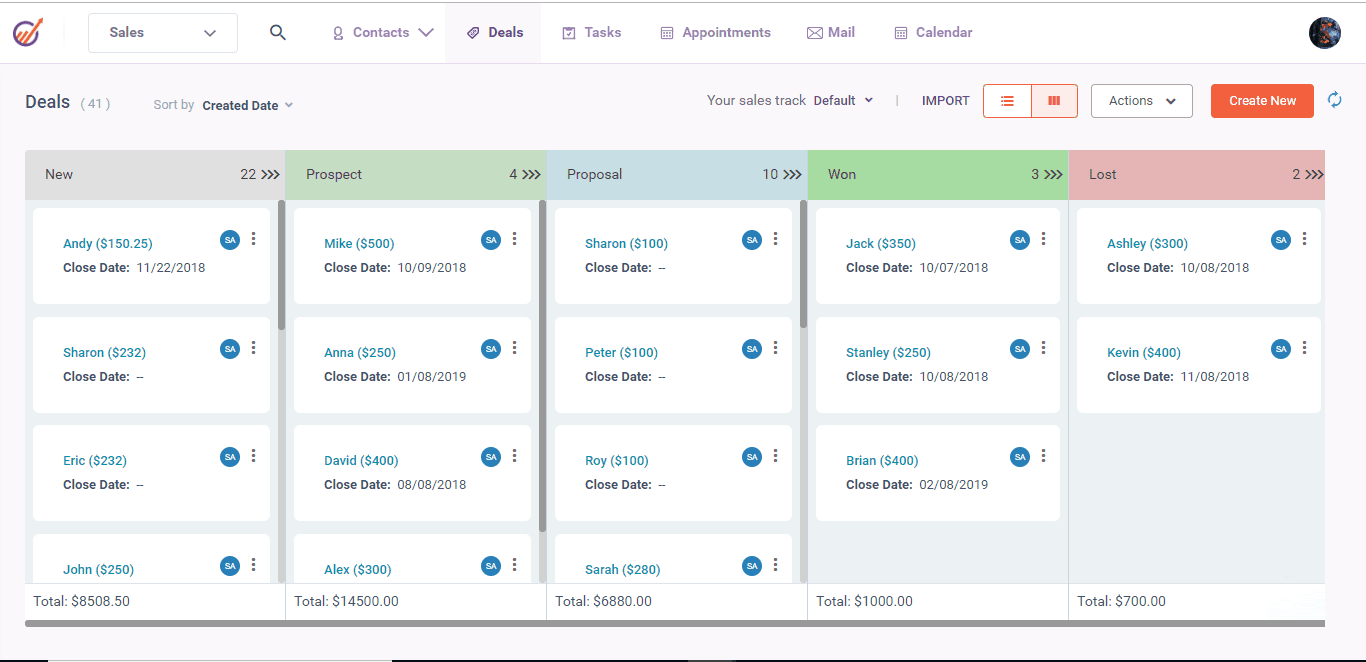
The CRM is conventional and quick to learn: contact records with a full activity timeline, deals on a drag-and-drop pipeline, tasks and lead scoring. Reviewers on Capterra rate it around 4.6. The recurring complaint is that on Basic "the features are very limited".
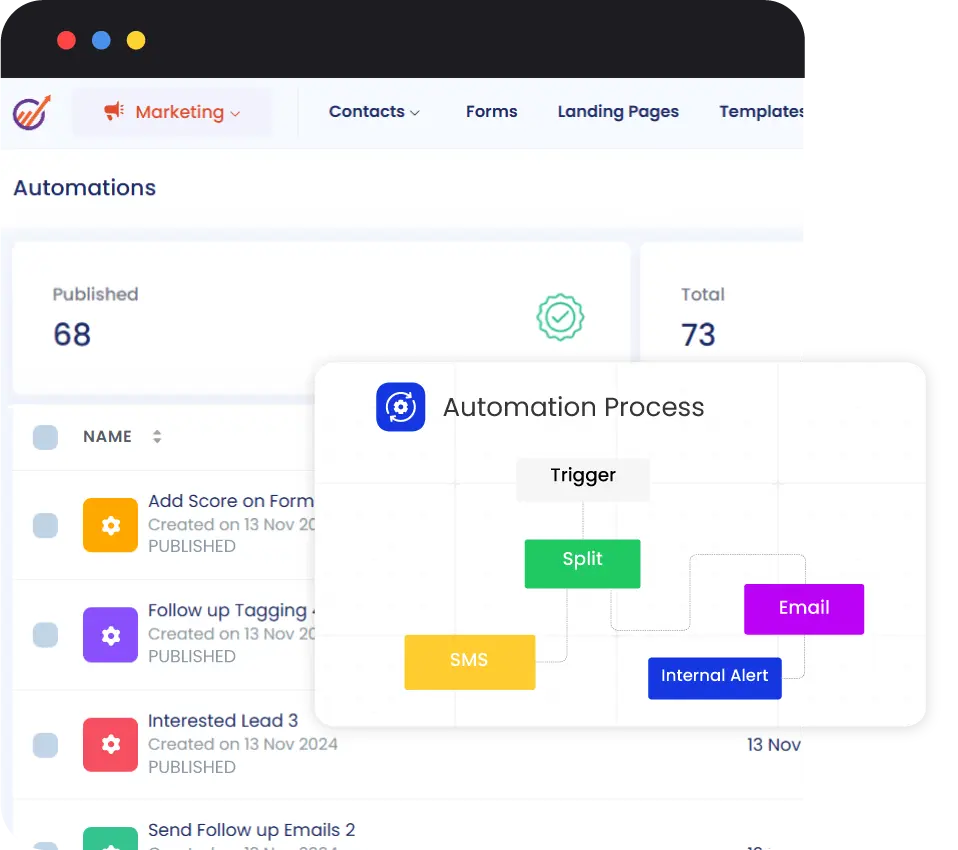
Automation is where the plans split. Basic lists no workflows at all. Growth adds marketing automation, service automation and a custom domain, but caps you at 10 workflows of 15 nodes each, which is enough for a welcome series and a lead-routing rule and not much more. Pro raises that to 100 workflows of 50 nodes and adds SSO, role management, custom reporting, an uptime SLA and phone support. So "all-in-one from $12.74" is a CRM with email attached. The automation most buyers picture starts at $55.24 per user, and only on a two-year prepay.
Calling is not native either. Every plan shows "15 credits" of calling minutes, but placing calls means connecting Twilio, RingCentral, Plivo, JustCall or another listed provider and paying them separately.
The MCP server: AI agents on your CRM data
The newest thing in EngageBay is a hosted MCP server. It lets Claude, ChatGPT, Cursor, Gemini, GitHub Copilot, Perplexity or n8n read and write contacts, companies, deals, tasks and appointments. There is nothing to install. You sign in, grant scopes such as crm.contacts.read, and the agent inherits the permissions of whoever authorised it.
It exposes 19 tools covering search, counts, bulk create and update of up to 50 records per call, tags, associations, owners and notes. Two details matter. Search returns 50 records a page with no total, so an agent asked how many leads came from last week's webinar has to call the separate count tool or page through everything. And there is no delete: in EngageBay's words, "Records can be created and updated, but never deleted." A sensible guard, but duplicates an agent creates are yours to clean up by hand. EngageBay does not say which plans include the MCP server, only that availability "depends on your plan", so confirm before you build on it.
Cancelling and refunds: where the 1-star reviews come from
Trustpilot showed a 4.7 TrustScore from 1,016 reviews when checked on 11 November 2026, and the praise is mostly for price and responsive chat support. The 1-star reviews tell one story, about leaving. From August 2026: "they claimed I had not cancelled and offered only a 50% refund". From June: "Their cancellation process is atrocious."
The cause is on EngageBay's own site. Its Terms of Service say "An email or phone request to cancel your account shall not be considered cancellation", and that you cancel by clicking your account name, then Plans, then the cancel button. Its help centre article on cancelling tells you to send an email or start a chat. Follow the help centre and, by the Terms, you have not cancelled. Do both: cancel in the app, screenshot the confirmation, and keep the email thread.
Annual refunds are strict. The Terms (last updated 10/03/2023) give a full refund of unused months only within three days of payment, 50% plus account credit within the first month, and nothing once an annual plan has run two months. They also exclude "special pricing plans or discounts". That matters this month. EngageBay's Black Friday page advertises 40% off all plans, 50,000 free email credits and free HubSpot migration help from 9 November to 1 December 2026, while saying terms are "to be confirmed at launch" and naming no renewal price. A discounted two-year prepay may be non-refundable from the first day. Run a month on monthly billing before you lock it in.
Getting in and getting out
EngageBay offers free migration from any platform and lists more than 500 integrations, among them Zapier, Shopify, Stripe, Xero and QuickBooks. Moving out is clunkier. Contacts and deals export through Bulk Action, then Export to CSV, but the file is emailed to the account owner rather than downloaded. If that owner has left, so has your export. Keep the account under a mailbox the business controls.
Verdict
Buy EngageBay if you are a team of two to ten that wants CRM, email, live chat and a helpdesk on one bill, with fewer than about 5,000 contacts, and you can live with branded email or wire up SES at about $1 per 1,000. On Growth it is a complete marketing-and-sales stack at a per-seat price well below what HubSpot charges once marketing automation is involved.
Skip it if email volume is the business. The branding rule and the $4 per 1,000 credits make Brevo the cheaper sender. Skip it too if you need serious automation on a budget: Basic has none and Growth stops at 10 workflows, so Zoho CRM, or HubSpot's free CRM paired with a dedicated email tool, will stretch further. A sales team that only wants a clean pipeline will be happier in Pipedrive. More options are in our best CRM software roundup.
Whichever way you go, start on the free plan or on monthly billing, and cancel from inside the app.
Ready to try EngageBay?
Visit the official website to see the latest plans, pricing, and special offers.
Get Started - EngageBay* Affiliate link - we may earn a commission at no extra cost to you.