Pipedrive Review 2026: The Pipeline-First CRM for Sales Teams
A hands-on Pipedrive review for 2026: current per-user pricing, the LeadBooster add-on costs, the AI sales assistant, and who should buy it versus HubSpot or Zoho.
Expert Review

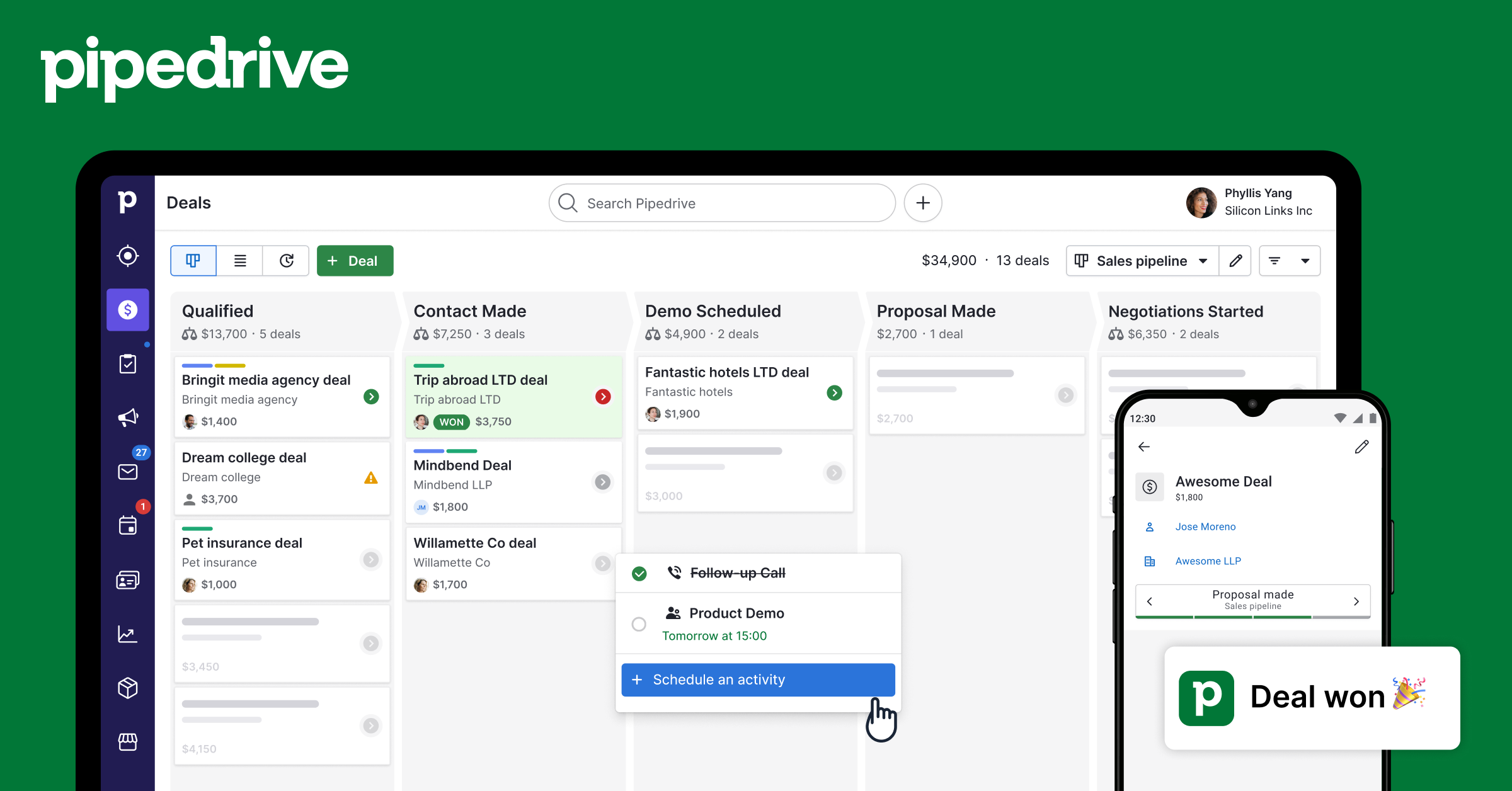
The pipeline is the whole product
Most CRMs bury the deal pipeline three clicks deep, under contacts, reports, and a dashboard nobody asked for. Pipedrive does the opposite. You log in and land on a board of columns, each a stage of your sales process, each deal a card you drag from left to right until it closes. That single design decision is why the tool exists. Two founders in Tallinn built it in 2010 because the CRMs they were forced to use as salespeople treated selling as an afterthought to reporting.
Fifteen years later the company is owned by Vista Equity Partners and serves more than 100,000 businesses, but the pipeline is still the first and last thing you see. If your team sells in stages and someone needs to know at a glance which deals are stalling, this is the clearest view of that in the category.
Getting started: the 14-day trial
There is no free plan. What you get instead is a 14-day trial that, checked in August 2026, does not ask for a card. The first screen drops you straight into a pipeline with default stages you rename in place, which is a better onboarding than the multi-step wizards most rivals open with. Importing contacts from a spreadsheet is a column-mapping step, and it maps most fields on the first pass.
The catch worth knowing before the clock starts: email sync, two-way calendar, and any automation are switched off on the entry plan, so a 14-day trial spent on the default settings does not show you the features you would actually pay for. Turn them on during the trial or you are evaluating a contact list, not a CRM.

Pricing, and where the add-ons bite
Prices below are per user, per month, billed annually, read off the pricing page in August 2026. Monthly billing costs noticeably more, so the headline numbers assume a year's commitment.
- Essential ($14): pipelines, contacts, and basic activity tracking. No email sync, no automation.
- Advanced ($29): the real starting point. Adds email sync with templates, group emailing, and workflow automation.
- Professional ($59): revenue forecasting, custom fields, e-signatures on documents, and tighter team permissions. This is the plan most growing teams land on.
- Power ($69): project management, stronger permission controls, and phone support.
- Enterprise ($99): unlimited customization, security rules, and a dedicated account contact.
The sticker price is not the real price. Several things you might assume are core features are paid add-ons layered on top. LeadBooster, the lead-capture and chatbot bundle, runs roughly $32 per company per month billed annually. Web Visitors, Campaigns email marketing, and extra Projects capacity are each their own line item. A three-person team on Professional with LeadBooster is closer to $210 a month than the $177 the per-seat math suggests. Budget for the add-ons or the quote will surprise you.
Automation and the AI sales assistant
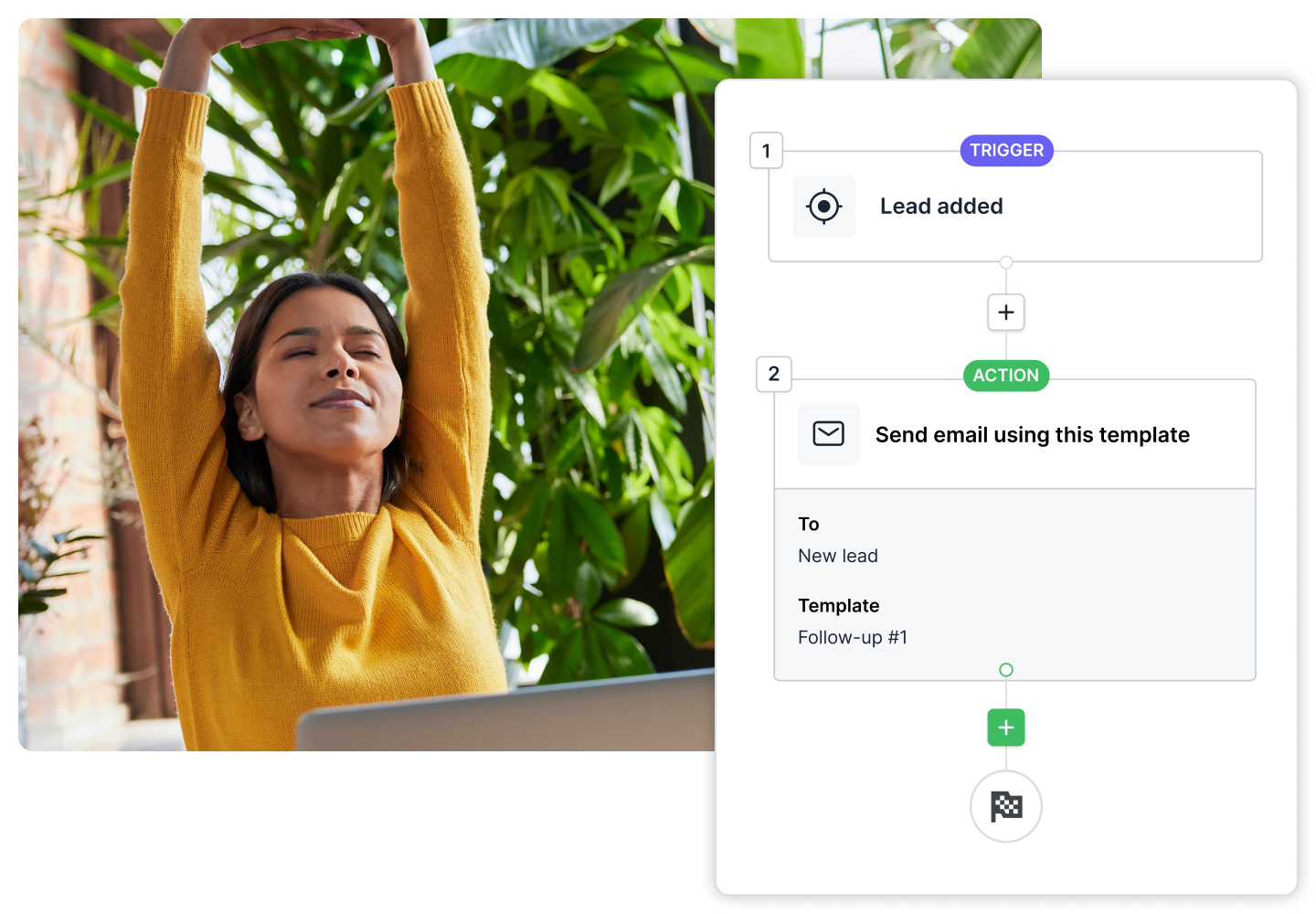
Workflow automation starts on Advanced and is genuinely useful: trigger an email when a deal moves stage, create a follow-up activity when one goes quiet, hand a new lead to the right rep by territory. You build these from templates without touching code, and the number of active automations you can run scales with your plan tier rather than being unlimited, which is easy to hit on a busy team.
The built-in AI Sales Assistant is included across plans. It watches your pipeline and surfaces which deals deserve attention, flags activity that has gone cold, and nudges next steps. It is a helpful prompt rather than a strategist, and it will not write your discovery notes for you, but for a rep juggling forty open deals the "look at these three" summary earns its place.
Where Pipedrive runs out of road
The same focus that makes Pipedrive clean also makes it narrow. It is a sales pipeline tool first, and marketing, customer support, and service functions are either bolt-on add-ons or absent. If you want lead nurturing sequences, a help desk, and a CRM in one login, you are assembling several Pipedrive products or looking at HubSpot.
Reporting is capable but not deep. You get pipeline conversion, deal duration, and forecasting, yet teams that live in custom cross-object dashboards will feel the ceiling. And because so much sits behind add-ons, the "cheap CRM" reputation only holds if your needs stay inside the core. The moment you want lead capture, email campaigns, and web tracking, the monthly total climbs into HubSpot and Zoho territory without matching their breadth.

Who should use Pipedrive
Pipedrive is the right call for a small-to-mid sales team whose job is moving deals through stages and who want that visible without training or a CRM admin. On Advanced or Professional it is fast, the pipeline view is the best in the category, and reps actually update it because updating it is one drag. If closing deals is the whole job, buy it.
Skip it if you need marketing automation, support ticketing, and sales in one platform, because you will end up paying add-on after add-on for a stack that HubSpot bundles more coherently. And if you are a solo founder or a three-person team that wants a permanently free tier, Pipedrive has none: look at Zoho CRM, which is free for up to three users and covers more ground for less. Choose Pipedrive when the pipeline is the point, not the sideshow.
Start a free Pipedrive trial and turn on email sync and automation on day one so you are testing the real thing.
Ready to try Pipedrive?
Visit the official website to see the latest plans, pricing, and special offers.
Get Started - Pipedrive* Affiliate link - we may earn a commission at no extra cost to you.