HubSpot Review 2026: Is the Free CRM Worth It Once You Start Paying?
A 2026 HubSpot review covering the free CRM, the marketing, sales and service hubs, Breeze AI, real pricing with hidden onboarding fees, and who should choose a cheaper CRM instead.
Expert Review

The free CRM is the real product
Most CRMs give you a crippled trial and a countdown. HubSpot does the opposite: its core CRM is free for unlimited users, with no card required, and it stays free. You get contact and deal records, email tracking, meeting scheduling, live chat and basic reporting without paying a cent. For a small team that is currently running its pipeline out of a spreadsheet, that alone is a reason to sign up.
The free tier is not a demo. It is a working system that HubSpot hopes you will grow inside until paying becomes the obvious next step. Understanding that is the key to reviewing HubSpot honestly, because the software is excellent and the pricing is where the decisions get hard.
The hubs and Breeze AI
HubSpot is sold as a set of hubs that share one contact database. Marketing Hub runs campaigns, email and landing pages. Sales Hub handles pipelines, sequences and quotes. Service Hub covers tickets and a help desk. Content Hub builds the site and blog, and Data and Commerce hubs sit underneath. Because they run on the same records, a marketing email, a sales call and a support ticket all attach to the same contact, which is the thing point tools struggle to do.
The sales workspace is where a rep lives day to day: tasks, a prioritized outreach queue, the calendar and guided next actions in one view.
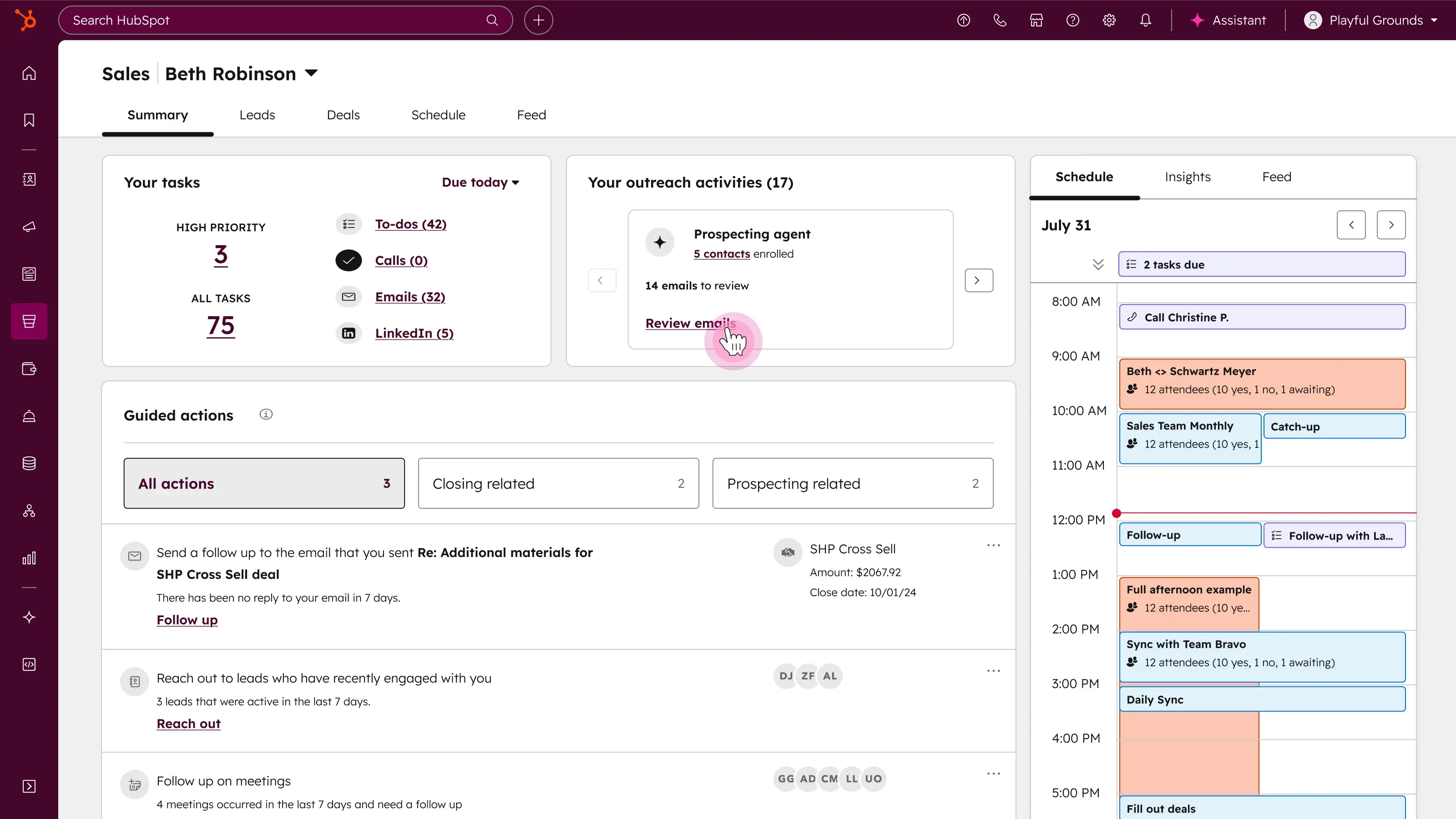
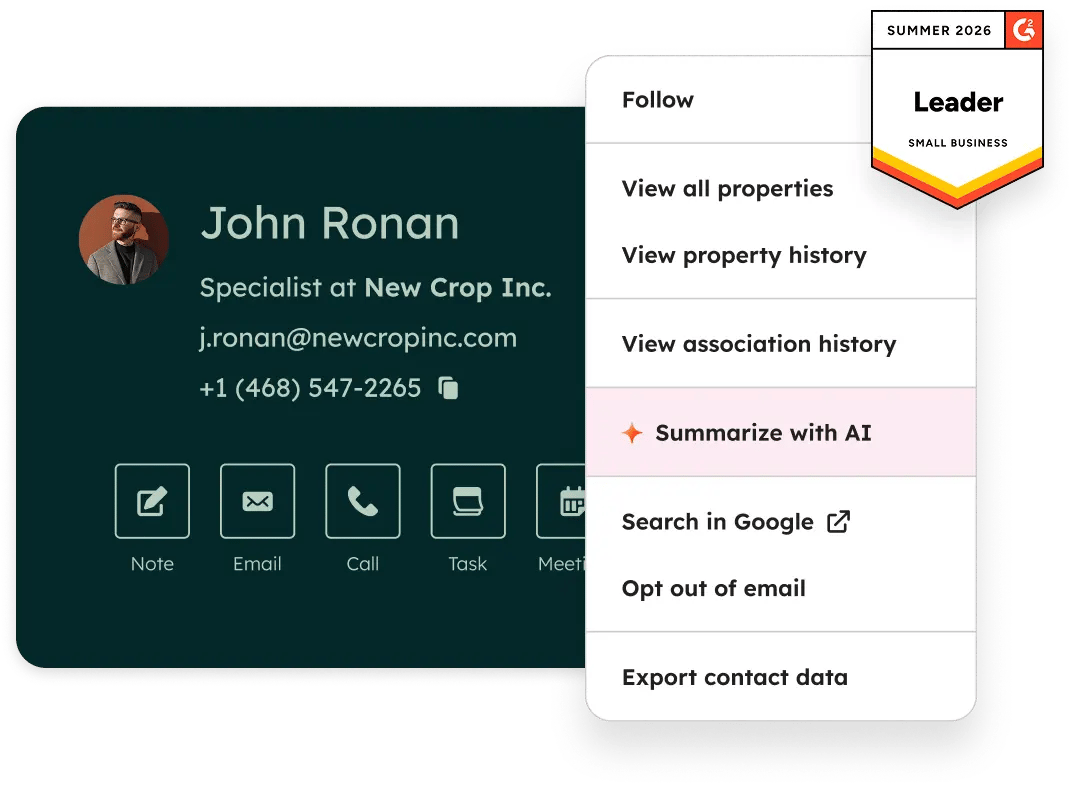
Across all of this sits Breeze, HubSpot's AI layer. It drafts emails, summarizes a contact's history in a click, scores leads and runs a prospecting agent that enrolls contacts and queues outreach for review. The Marketing Hub campaign builder now generates website pages, emails and social posts from a single brief, with the AI tag on each asset.

Service Hub follows the same pattern: a shared inbox, ticketing and a help desk with AI summaries and suggested replies.

What HubSpot actually costs
Pricing, checked on hubspot.com in 2026:
- Free: $0, unlimited users, the core CRM and starter versions of every tool.
- Starter: around $20 per seat per month, or roughly $15 per seat when billed annually. New customers often see a limited-time discount that drops the first term well below that. This is the right home for a small business.
- Professional: the price jumps hard. Sales and Service Hub Professional run about $90 per seat per month, and Marketing Hub Professional starts near $890 per month and includes three seats. Professional plans also carry a mandatory one-time onboarding fee, roughly $1,500 for Sales and Service and higher for Marketing.
- Enterprise: quoted by sales, and it climbs into the thousands per month per hub.
Two costs hide behind the seat price. Marketing Hub bills by marketing contacts, so your bill grows with your list, not just your team. And onboarding fees on Professional and Enterprise are not optional, which pushes the real first-year cost of a Professional setup into five figures once you add seats and implementation.
The Starter-to-Professional cliff
The single most important thing to know about HubSpot pricing is the gap between Starter and Professional. Starter is affordable and generous. The moment you need a feature that lives only in Professional, and workflow automation, custom reporting and advanced sequences all do, your bill can move from tens of dollars a month to hundreds or thousands, plus an onboarding invoice.
This is not a reason to avoid HubSpot. It is a reason to map which features you actually need before you commit, because teams routinely land on Starter, hit a wall at automation, and get quoted a Professional number they did not budget for. If your must-have list sits entirely inside Starter, HubSpot is one of the best deals in the category. If half of it lives in Professional, price that in from day one.
Where HubSpot loses
HubSpot is not always the answer. A few honest trade-offs:
- Against a lean sales CRM: if you only need a pipeline and email, Pipedrive or a Zoho CRM plan cost far less per seat and skip the hub sprawl. HubSpot's breadth is wasted on a two-person sales team.
- Against a marketing-first stack: heavy email senders often find dedicated platforms cheaper at scale, since HubSpot's contact-based billing punishes a large list.
- On lock-in: the shared database that makes HubSpot powerful also makes it sticky. Exporting years of associated records, sequences and reports into another system is real work, so choose it knowing you are likely to stay.
Who should buy it (and who should not)
HubSpot is the right pick for a growing small or mid-sized business that wants marketing, sales and support on one contact record and expects to graduate from free to Starter over the first year. Start on the free CRM, prove the workflow, and upgrade only when a specific missing feature is costing you deals. Used that way, it is hard to beat.
Look elsewhere if you are a small sales team that only needs a pipeline: Pipedrive or Zoho will do the job for less. And go in with eyes open if Professional features are on your list, because that is where HubSpot stops being cheap. Budget for the seat price, the contact tiers and the onboarding fee together, or the upgrade will surprise you.
Ready to try HubSpot?
Visit the official website to see the latest plans, pricing, and special offers.
Get Started - HubSpot* Affiliate link - we may earn a commission at no extra cost to you.