Compass Review: An AI Digital Adoption Platform for Employees & Customers
Compass (iCompass) review: an AI digital adoption platform with in-app walkthroughs, a knowledge base, document library and AI chat. Features, pricing, pros and cons.
Expert Review
What is Compass?
Compass (found at iCompass.io) is a digital adoption platform, or DAP — software whose job is to help people actually use other software. Its tagline, "guide your employees and customers with AI-powered wisdom," captures the idea: rather than leaving new users to sink or swim inside a complex app, Compass overlays interactive guidance, self-help content, and an AI assistant that answers questions on the spot.
The problem it targets is expensive and universal. Companies invest in tools their staff underuse, and customers churn when a product feels confusing. Compass sets out to close that gap by combining step-by-step walkthroughs, a searchable knowledge base, a document library, and an AI chatbot into one layer that sits on top of your application — serving both internal teams and external customers from the same platform.
Key Features
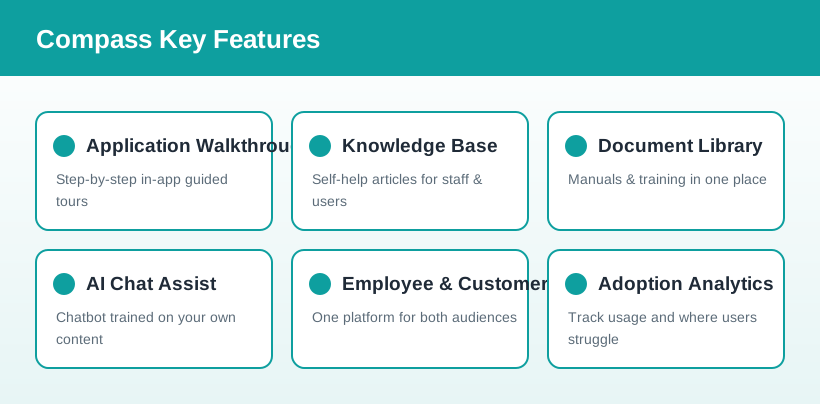
- Application walkthroughs: build interactive, step-by-step guides that lead users through complex tasks and processes, ensuring consistency and reducing errors.
- Knowledge base: create an extensive library of self-help articles for both internal staff and external customers, so answers are always within reach.
- Document library: host user manuals, technical docs, and training material as polished, on-demand content for onboarding and reference.
- AI chat assist: an intelligent chatbot, powered by your own walkthroughs, articles, and documents, delivers instant, accurate answers to user questions.
- Employee & customer experience: one platform serves two audiences — smoothing internal onboarding and improving customer self-service alike.
- Adoption analytics: track user behavior to see where people get stuck, which guides help, and how software adoption is trending.
How Compass Works
Compass works by turning your existing knowledge into guided, in-context help. First you build interactive walkthroughs that mirror the real tasks users perform, and publish supporting knowledge articles and documents. That content then does double duty: it guides users directly inside the app, and it trains the AI chatbot.
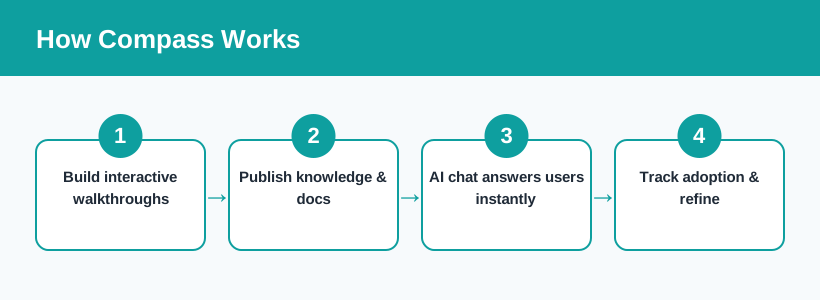
When a user gets stuck, the AI chat draws on your walkthroughs, articles, and documents to answer instantly and accurately, rather than sending them off to a generic help desk. Meanwhile, analytics track adoption and friction points so you can keep refining the guidance. Curious how it fits your product? You can explore Compass and book a demo here.
Pricing & Plans
Like most digital adoption platforms aimed at businesses, Compass uses quote-based pricing rather than a single public price list — the right plan depends on your number of users, audiences, and features. The best approach is to start with a trial or a demo and get a tailored quote for your use case.
- Free trial / get started: try the core capabilities — build walkthroughs and a knowledge base — to see the platform in action before committing.
- Business (custom): the full DAP suite, including AI chat assist, analytics, and integrations, priced to your team size and needs.
- Enterprise (contact sales): advanced security, SSO and role-based access, priority support, and hands-on onboarding for larger rollouts.
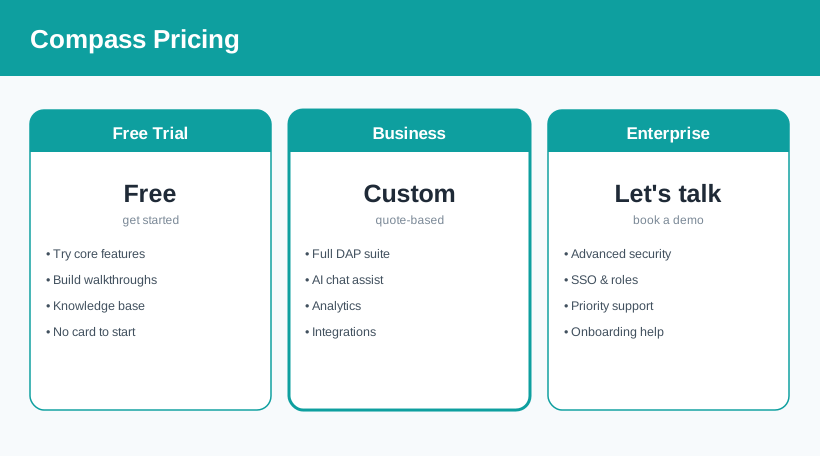
Compass pricing is quote-based and changes over time — request current Compass pricing or a demo here for numbers specific to your team.
Who It's For
Compass suits two overlapping audiences. On the employee side, HR, IT, and operations teams use it to onboard new hires and drive adoption of internal tools that would otherwise be underused — cutting training time and support tickets. On the customer side, product and customer-success teams use it to guide users through a SaaS product, reduce confusion, and lower churn with self-service help and an AI assistant. Any organization rolling out complex software — internally or to customers — is a natural fit; very small teams with simple tools may not need a dedicated DAP.
Pros & Cons
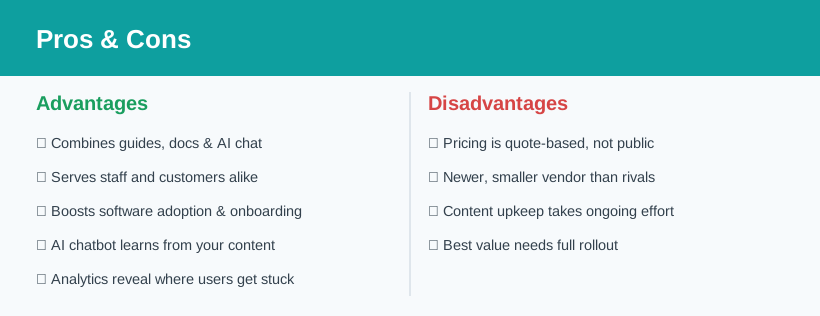
Advantages
- Combines walkthroughs, docs, and an AI chatbot in one platform.
- Serves both employees and customers from the same content.
- AI chat is trained on your own material, not generic answers.
- Directly targets onboarding, adoption, and support costs.
- Analytics reveal exactly where users struggle.
Disadvantages
- Pricing is quote-based, so costs are not public upfront.
- A newer, smaller vendor than established DAP rivals.
- Guidance content needs ongoing upkeep to stay accurate.
- You see the most value only after a full rollout.
Verdict: Is Compass Worth It?
Compass tackles a problem that quietly drains money from almost every company: software that people buy but never fully use. By bundling interactive walkthroughs, a knowledge base, a document library, and an AI chatbot trained on your own content, it gives both employees and customers a single, intelligent layer of help exactly where they need it. Serving both audiences from one platform is a genuine advantage over point tools that only do onboarding or only do support.
The trade-offs are typical of the category: pricing is quote-based rather than transparent, it is a younger player than the biggest DAP names, and the guidance content needs maintaining to stay useful. But if you are rolling out complex software internally or to customers and adoption is a real pain point, Compass is a compelling, AI-forward option well worth a demo. See Compass in action and judge it against your own onboarding challenges.
Ready to try Compass?
Visit the official website to see the latest plans, pricing, and special offers.
Get Started - Compass* Affiliate link - we may earn a commission at no extra cost to you.