Create Carousel Review: AI Carousels from a Topic, URL, or YouTube Video
A hands-on review of Create Carousel, the AI carousel-post generator for LinkedIn, Instagram, X and TikTok: real pricing ($7.99/month), what the free plan blocks, the Brevo signup catch, and who should skip it.
Expert Review

Three ways to start a carousel
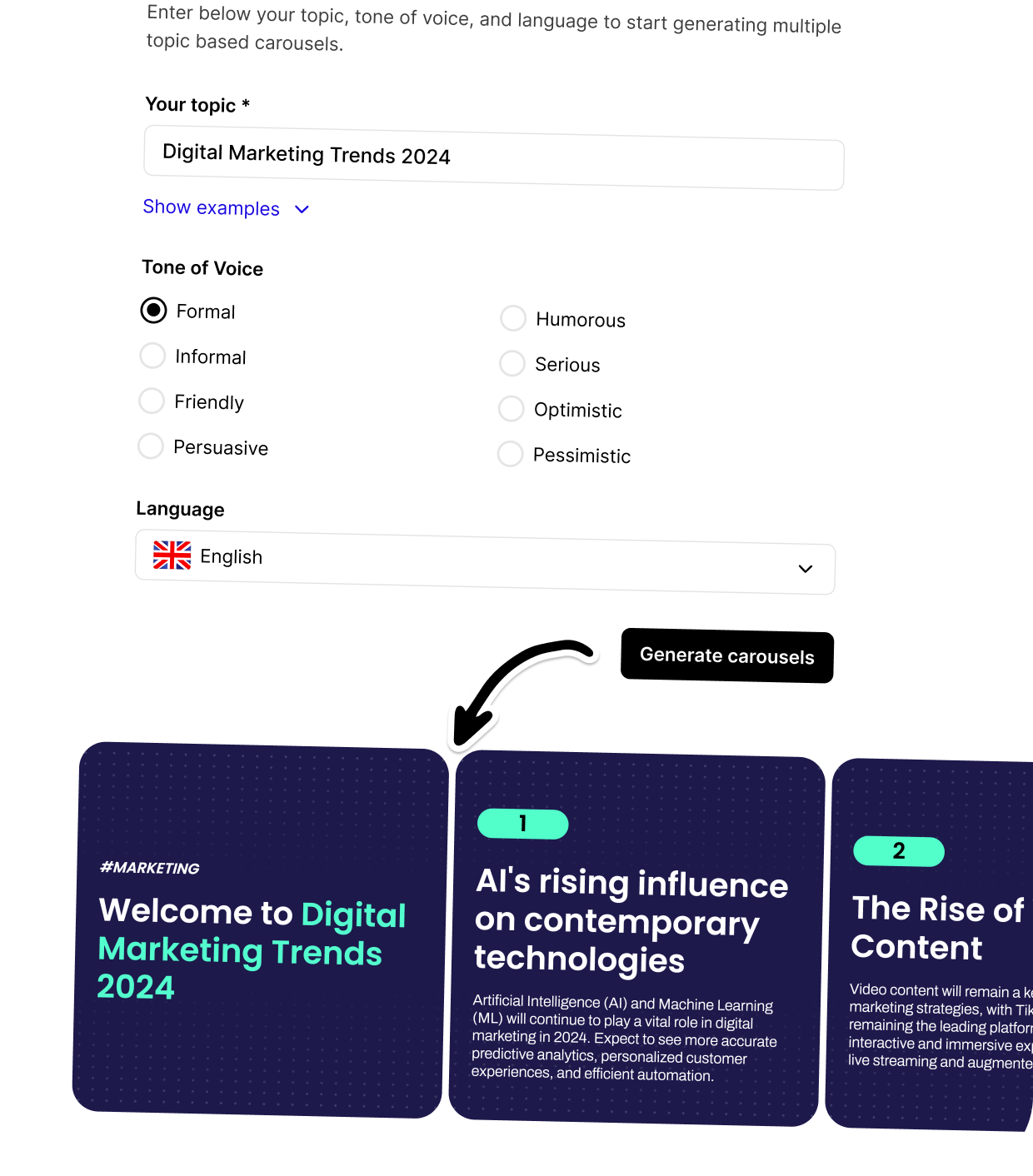
Most carousel makers hand you a blank template and a font picker. Create Carousel starts a step earlier: you give it a subject and it drafts the slides for you. Type a topic with a chosen tone and language, paste the URL of an article you want repackaged, or drop in a YouTube link, and the tool writes a multi-slide post you then edit. That third option is the one rivals mostly lack. It turns a video you already published into a LinkedIn or Instagram carousel without you rewriting a word of it.
Once a draft exists, the rest happens in the browser. You can rewrite any slide's copy inside the editor, swap the design from a library of 25-plus templates, and size the result for Twitter/X, LinkedIn, Instagram, TikTok, Facebook or Pinterest. The company is young. Its About page dates the launch to 2024, so treat this as a one-product startup rather than an established suite.
Pricing: $7.99, not the $15 you may have read
There are two tiers. The free plan, which the site labels Freemium, costs nothing. Premium is $7.99 per month, checked directly on the pricing page in September 2026, with annual billing advertised as "2 months free". If you have seen $15 per month quoted, a third-party listing on SaasWorthy and several search summaries still carry that number, it is stale. The live pricing page shows $7.99, and that is what you pay.
At $7.99, Premium undercuts most dedicated carousel tools. For the money you get the AI generation, access to all templates, unlimited exports, no watermark, up to 20 slides per carousel, and priority email support. For a solo creator posting a few carousels a week, that is a small line item. The "2 months free" annual deal works out to roughly $6.66 a month if you pay for the year up front, so the monthly plan is the one to take until you know the tool sticks.

What the free plan actually blocks
The free tier is more limited than the signup page lets on. You get 25 templates, 10 exports a month, and email support. But every export carries a watermark, carousels are capped at 7 slides, and there are no AI integrations at all. Read that last point twice: the topic-to-carousel, URL-to-carousel and YouTube-to-carousel generation, the whole reason most people arrive here, sits behind the paywall. On the free plan you are editing templates by hand, not having the AI write them.
The 7-slide ceiling bites sooner than it sounds. A how-to carousel with a cover, five steps and a call-to-action is already eight slides, so the free plan forces you to cut or to upgrade. The watermark rules the free tier out for anything client-facing. It is a trial, effectively, not a free product you can live on.

The fine print the pricing page skips
Two things are worth knowing before you register. First, signing up enrolls you in an automatic marketing email sequence run through Brevo, a third-party tool. That is disclosed in the Terms of Service, not on the signup form or the pricing page, so you consent to it without being shown it at the moment you agree. Second, the refund policy is narrow: you have 14 days from purchase to request a refund by emailing support, it is processed within 5 business days to your original payment method, and the policy lists no exceptions beyond that window.

One point goes the user's way. The Terms of Service state that you keep all rights to the content you create, so the carousels are yours to reuse anywhere. Set against that is a quieter caveat: there are no independent user reviews to lean on. As of September 2026 the product has no presence on Trustpilot or G2, which is consistent with a tool founded in 2024 and not yet widely adopted. There is no body of complaints to cite, and equally no verified track record on reliability or support speed.
Who should buy it, who should skip
Buy Premium if you are a solo creator or a small marketing team that regularly turns blog posts or videos into carousels and wants the AI to do the first draft cheaply. At $7.99 a month with unlimited exports and no watermark, it is hard to overspend on, and the URL and YouTube inputs genuinely save time over starting from a blank canvas.
Skip it if you only need to lay out a few slides by hand, or if team features and a proven support record matter to you. For pure manual design, Canva's free tier builds carousels with no 7-slide cap and no watermark, so paying here buys you nothing unless you want the AI drafting. And because there is no independent review base yet, anyone who needs vendor stability before committing a workflow should wait for one, or test it only on the free tier first.
Ready to try Create Carousel?
Visit the official website to see the latest plans, pricing, and special offers.
Get Started - Create Carousel* Affiliate link - we may earn a commission at no extra cost to you.