Figma Review: The Collaborative Design Tool That Runs in Your Browser
Figma review: the browser-based collaborative interface design tool with real-time editing, components, prototyping, FigJam, Dev Mode, and AI — features, pricing, pros and cons.
Expert Review

What is Figma?
Figma is a collaborative interface design tool that runs entirely in the browser. Where older design apps live on a single machine and pass files back and forth, Figma keeps everything in the cloud so a whole team can open the same file and work in it together — drawing screens, refining components, and leaving comments in real time. That "multiplayer" model, closer to Google Docs than to traditional design software, is what turned Figma into the default tool for product design.
Beyond drawing screens, Figma has grown into a full design platform. It covers vector and pen tools, reusable components and design systems, clickable prototypes, and a Dev Mode that hands finished work off to engineers. Alongside the core editor sit FigJam (an online whiteboard for brainstorming), Figma Slides for presentations, and newer AI-assisted products like Figma Sites and Figma Make for building websites and apps. Figma's profile only grew after Adobe's attempted $20 billion acquisition was abandoned in 2023 over regulatory pushback, and the company went public in 2025.
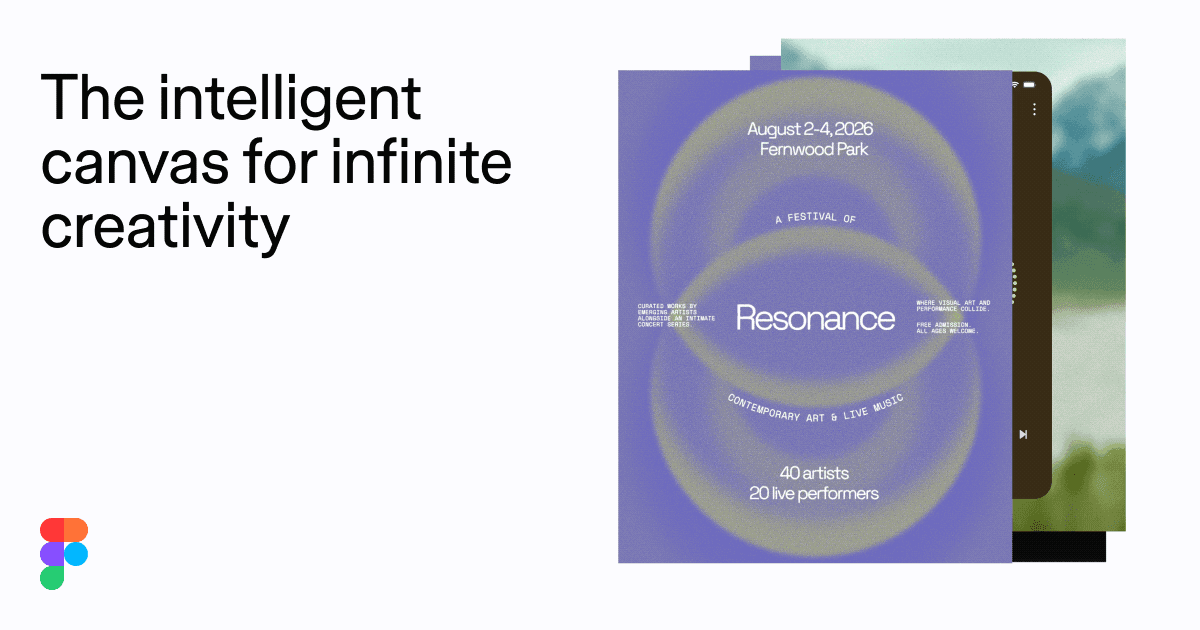
Benefits of Using Figma
- Real-time collaboration: everyone works in the same file at once, so there are no conflicting versions, no exporting, and no emailing files around.
- Nothing to install: it runs in any modern browser (with optional desktop apps), so designs open on any operating system and are always up to date.
- One tool, end to end: ideation, UI design, prototyping, and developer handoff live in a single place instead of a chain of disconnected apps.
- Design systems at scale: shared components, styles, and variables keep large products visually consistent and fast to update across many files.
- Tight designer-developer loop: Dev Mode lets engineers inspect specs and pull code directly from the same file the designers used.
- Huge ecosystem: thousands of community plugins, widgets, and templates extend Figma far beyond what ships in the box.
Key Features of Figma
-
Real-time multiplayer collaboration
Figma's defining feature is that multiple people can edit the same file simultaneously. You see teammates' live cursors, selections, and edits as they happen, and anyone can drop a comment pinned to an exact spot on the canvas. It makes design reviews, pair-designing, and stakeholder feedback happen in the file itself rather than in scattered screenshots and threads.
-
Components, variants, and Auto Layout
Reusable components let you define a button, card, or icon once and reuse it everywhere; variants group related states together, and shared styles and variables (design tokens) centralize colors, type, and spacing. Auto Layout makes frames responsive — elements resize and reflow as content changes — so a design system stays consistent and quick to update across an entire product.
-
Prototyping and interactions
Without leaving the canvas, you can wire frames together into a clickable prototype. Add transitions, overlays, smart-animate motion, and interactive component states to simulate real navigation and micro-interactions. It is enough to run usability tests or demo a flow to stakeholders long before a single line of production code is written.
-
Dev Mode and developer handoff
Dev Mode gives engineers a dedicated view of a design: they can inspect measurements, spacing, colors, and assets, compare changes between versions, and copy ready-to-use CSS, iOS, or Android snippets. It closes the gap between design and build, so developers work from the same source of truth the designers used instead of a static spec document.
-
FigJam, Slides, and AI tools
Figma is more than the design editor. FigJam is an online whiteboard for brainstorming, diagramming, and workshops; Figma Slides turns designs into presentations; and newer products like Figma Sites and Figma Make use AI to help build websites and working prototypes. AI features also speed up everyday work — renaming layers, generating placeholder content, and searching assets.
Pricing of Figma
Figma prices per editor seat, billed annually for the best rate, and the exact seat types differ across its products (design, Dev Mode, FigJam). People who only view or comment are generally free; you pay for those who create.
- Starter (Free): $0 — a limited number of Figma and FigJam files with unlimited collaborators. Ideal for trying the tool or running a small personal project.
- Professional: about $16 per full seat/month (billed annually) — unlimited files, shared libraries, and advanced prototyping. A Dev Mode seat runs roughly $25/month for developers who only need to inspect and build.
- Organization: around $45 per seat/month — org-wide design systems, analytics, branching and merging, single sign-on, and admin controls for companies standardizing on Figma.
- Enterprise: about $75 per seat/month — advanced security, dedicated workspaces, granular guest controls, and priority support for the largest teams.
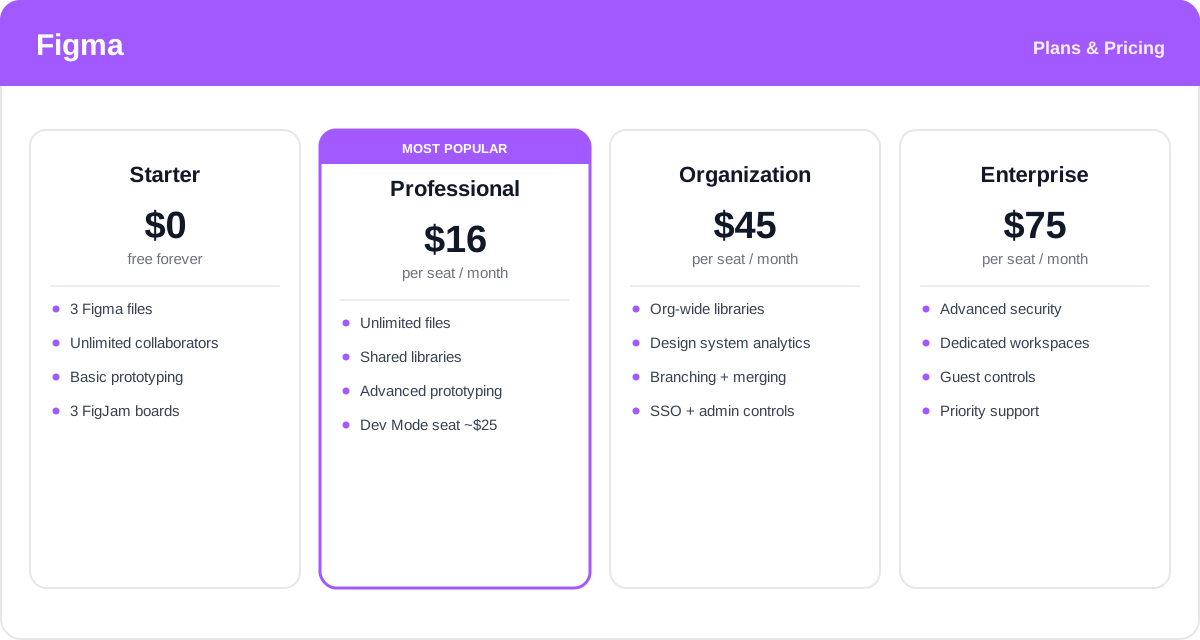
Seat types, allowances, and prices change over time, and FigJam has its own cheaper tiers — check the official Figma pricing page for current rates and exactly what each plan includes.
Real-World Use Case Analysis
Product Design Teams
End-to-end product work: designers, PMs, and engineers share one file from first sketch to handoff. A design system built with components and variables keeps every screen on-brand, while Dev Mode lets developers build from the exact same source, cutting the back-and-forth that usually eats a release cycle.
Startups and Freelancers
Fast, cheap, and shareable: with a free tier and nothing to install, a solo designer or small startup can prototype an idea, share a live link with clients or investors, and gather feedback as comments — no exporting PDFs or juggling file versions.
Cross-Functional Teams and Workshops
Beyond designers: FigJam brings marketers, researchers, and leadership into the process for brainstorming, journey mapping, and planning. Because everyone already has browser access, running a remote workshop or a design review is a matter of sharing one link.
Pros and Cons of Figma
Advantages
- Best-in-class real-time collaboration that whole teams, not just designers, can join.
- Browser-based and cross-platform, so there is nothing to install and files are always current.
- Powerful design-system tooling — components, variants, and variables — for consistency at scale.
- Design, prototyping, and developer handoff live in one connected tool.
- A massive plugin and template community, plus FigJam, Slides, and AI features, extend its reach.
Disadvantages
- Per-seat pricing across multiple seat types can get expensive for larger teams.
- Being cloud-based, it depends on a solid internet connection and offline work is limited.
- The sheer breadth of features and newer AI products can feel overwhelming to newcomers.
- Very large, complex files can strain browser performance on lower-end machines.
Final Thoughts on Figma
Figma reshaped how interface design gets done by making it collaborative, browser-based, and connected from first idea to developer handoff. For product teams it is hard to beat: the multiplayer model removes the friction of versioning and exports, the design-system tooling keeps large products consistent, and Dev Mode brings engineers into the same file. The trade-offs are real — per-seat costs add up and it leans on the cloud — but the free tier makes it easy to start, and for most teams designing digital products today, Figma is not just an option, it is the industry standard.