FlowSavvy Review: The Cheap Auto-Scheduler That Rebuilds Your Day
A hands-on FlowSavvy review: how the auto-scheduler time-blocks your tasks, what the free plan really limits, August 2026 pricing, and who should pick Motion or Reclaim instead.
Expert Review

What FlowSavvy actually does
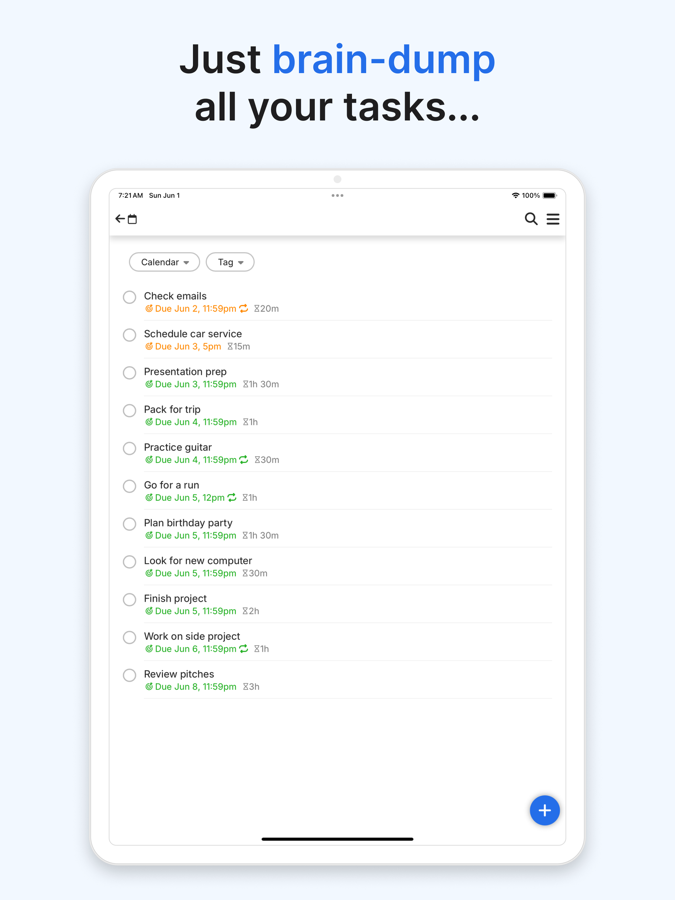
Most calendar apps are filing cabinets. You decide when a task happens, you drag it onto a slot, and the app just remembers. FlowSavvy inverts that. You tell it what needs doing, how long it will take and when it is due, and it decides when, packing your tasks into the gaps between your fixed meetings and honoring the hours you actually want to work.
The app is made by Schezzy, LLC, and it markets itself as an "AI schedule planner." In practice it is an automatic time-blocker: give it a to-do list and it lays those items across your week as real calendar events. If a task is too big for one open block, it splits the task in two and spreads it. If you have five things due Friday, it balances them backward across the days you have free instead of stacking them all on Thursday night.
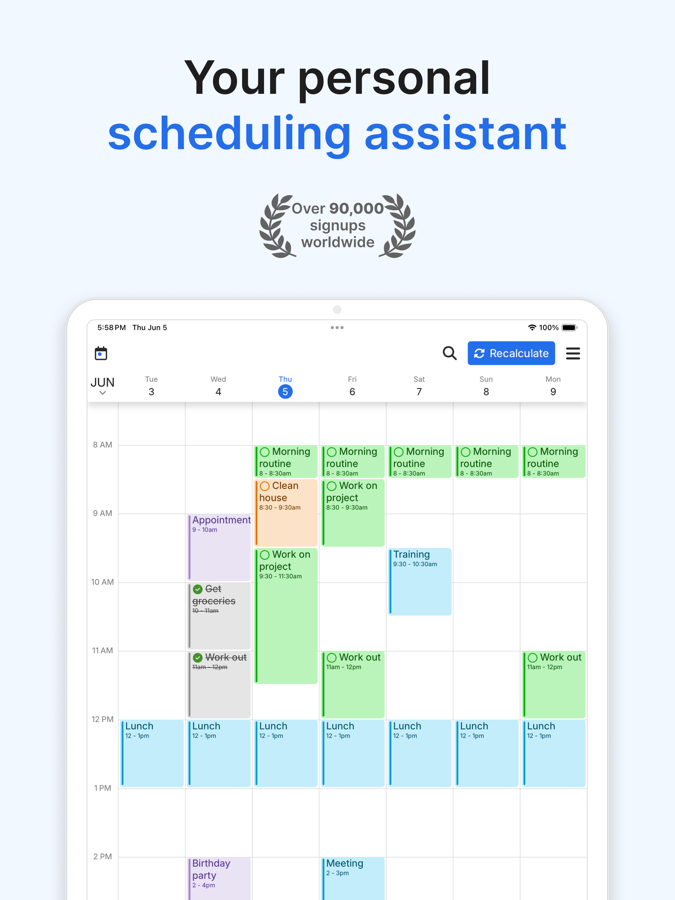
It syncs both ways with Google Calendar, Outlook.com and iCloud, so the meetings you already have show up as immovable walls, and the blocks FlowSavvy generates land back in those calendars. There are full apps for web, iOS and Android rather than a browser tab pretending to be an app.
The feature that matters: falling behind
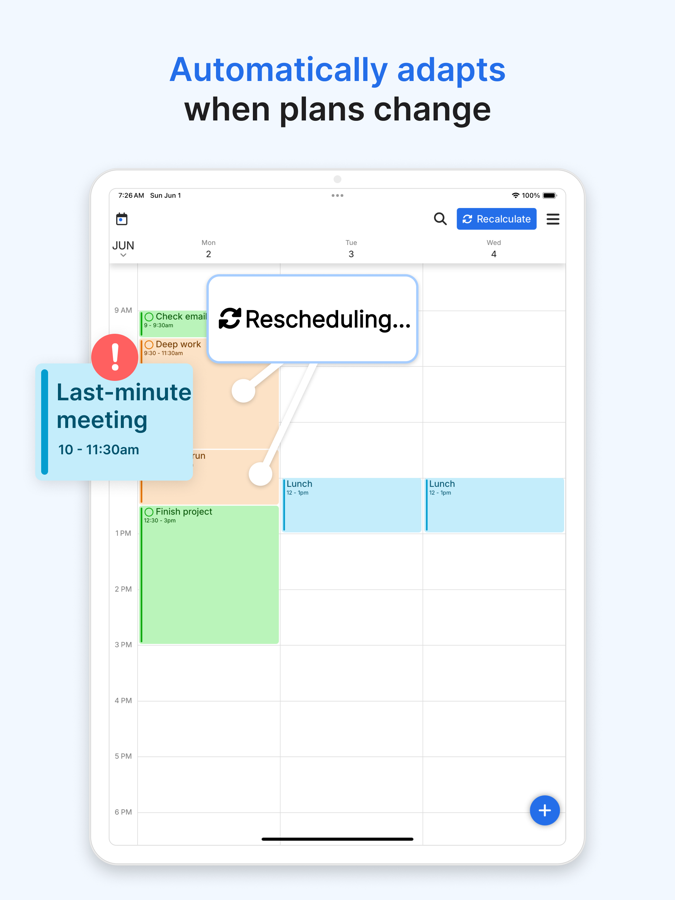
Every auto-scheduler looks good in the demo, when the week is empty and the tasks are tidy. The real test is Wednesday afternoon, when you have blown past two blocks and the plan is already fiction. This is where FlowSavvy earns its keep.
Hit recalculate and it rebuilds the schedule from where you actually are. The task you did not finish gets pushed forward into the next honest opening, everything downstream shifts to accommodate it, and anything that no longer fits before its deadline gets flagged rather than silently dropped. You are not left dragging a dozen orphaned blocks around by hand. That single loop is the difference between a planning tool you keep using in March and one you abandon in February.
You keep manual control where it counts. Drag a block to a specific time and you can lock it, and the solver treats it as fixed on the next rebuild. So the automation handles the tedious 80% and you overrule it on the few things that genuinely have to happen at 9 a.m.
What the free plan really gives you
FlowSavvy is genuinely free to start, no card required, and the free tier is usable rather than a crippled trial. But the ceilings are specific and worth knowing before you build your life on it. Checked on the pricing page in August 2026, the free plan gives you:
- Auto-scheduling two weeks out. The solver only plans your next 14 days. Pro extends the horizon to eight weeks, which matters if you plan a semester or a launch rather than a fortnight.
- One set of scheduling hours. You get a single profile for when tasks may land. No separate "deep work mornings" versus "admin afternoons"; that is a Pro feature.
- Three repeating auto-scheduled tasks. Recurring habits (gym, reading, a standing review) are capped at three on free. This is the limit most people hit first.
- Five task lists and 30 days of task history. Enough to separate work from personal; not enough to run a dozen projects.
- Unlimited auto-reschedules, and one synced Google calendar. The core rebuild loop is not paywalled, which is the right call. Syncing Outlook or iCloud, or more than one calendar, needs Pro.
Nothing here expires into a nag screen. If your workload is one calendar and a handful of recurring habits, you can live on free indefinitely.
Pricing, and a price jump worth noticing
Pro is where the limits come off. As listed on flowsavvy.app in August 2026:
- Pro monthly: $14 per month, billed monthly.
- Pro annual: $10 per month, billed yearly ($120 up front, about a 28% saving over monthly).
- Free trial: 7 days on Pro before you are charged.
- Student discount: 50% off the first year of the annual plan, which you have to request from an institutional email address rather than click a button.
Pro adds the eight-week horizon, unlimited scheduling-hours profiles, unlimited repeating tasks, unlimited task lists, priority levels, task dependencies, full task history, priority support, and syncing to unlimited calendars across Google, Outlook and iCloud.
One thing to flag before you commit. The price has moved, and upward. SaaSworthy's listing still showed FlowSavvy Pro at roughly $5 to $7 a month as of February 2026; the official page now shows $10 to $14. If you saw an older "under $5" figure quoted somewhere, that number is stale. It is still cheap for the category, but it is not the bargain it was six months ago.
How much "AI" is really here
The name says AI, so it is fair to ask what kind. FlowSavvy is not a chatbot. There is no large language model reading your tasks, no natural-language box where you type "plan my week" and wait for a model to answer. The "AI" is a constraint solver: an algorithm that fits blocks into open time under rules you set, from task durations and deadlines to priorities, allowed hours and dependencies.
For a scheduling tool that is arguably the right architecture, and it has a quiet privacy upside. Because your to-do list is not being shipped to a third-party model to generate text, there is no "does my data train someone's LLM" question to answer here. If you were hoping to chat your way to a plan or have it summarize your week in prose, though, adjust your expectations. This is automation, not conversation.
Where it falls short
The honest gaps are about scope, not polish. FlowSavvy is built for one person's calendar, and it shows.
There is no team layer. It will not schedule meetings across colleagues, it has no booking-link feature for clients to grab a slot, and it will not balance a shared workload across a group. If what you actually need is "find a time that works for four people," this is the wrong tool. Motion and Reclaim both do team scheduling and meeting coordination, and FlowSavvy simply does not play in that space.
It also assumes you will feed it honest task durations. The solver is only as good as your estimates, and if you routinely say a task is 30 minutes when it is 90, the plan drifts and you are back on recalculate several times a day. That is true of every auto-scheduler, but say it plainly: the tool schedules the week you describe, not the week you have.
Verdict: who should use it
FlowSavvy is the right pick for one person who wants Motion-style automatic time-blocking without Motion's bill. Motion runs around $34 a month billed monthly for an individual; FlowSavvy does the core job (pack the tasks, rebuild when you slip, respect your working hours) for $10 to $14, and it syncs Google, Outlook and iCloud rather than leaning on one ecosystem. Students who can get 50% off the annual plan are looking at the cheapest serious auto-scheduler on the market. Start on the free tier; you will know within a week whether the rebuild loop fits how your brain works.
Skip it if you need people, not just tasks. Anyone coordinating meetings, handing out booking links, or scheduling a team's workload should look at Motion or Reclaim instead. Reclaim in particular keeps a free tier if you live entirely inside Google Calendar. And if you wanted a conversational AI assistant, this is not that; it is a very good scheduling engine with a plain settings screen, and no amount of the word "AI" on the homepage changes what it is underneath.
Ready to try FlowSavvy?
Visit the official website to see the latest plans, pricing, and special offers.
Get Started - FlowSavvy* Affiliate link - we may earn a commission at no extra cost to you.