Grammarly Review: The AI Writing Assistant That Works Everywhere
Grammarly review: the AI writing assistant with real-time grammar, tone, and clarity fixes, generative AI drafting, and a plagiarism checker — features, pricing, pros and cons.
Expert Review

What is Grammarly?
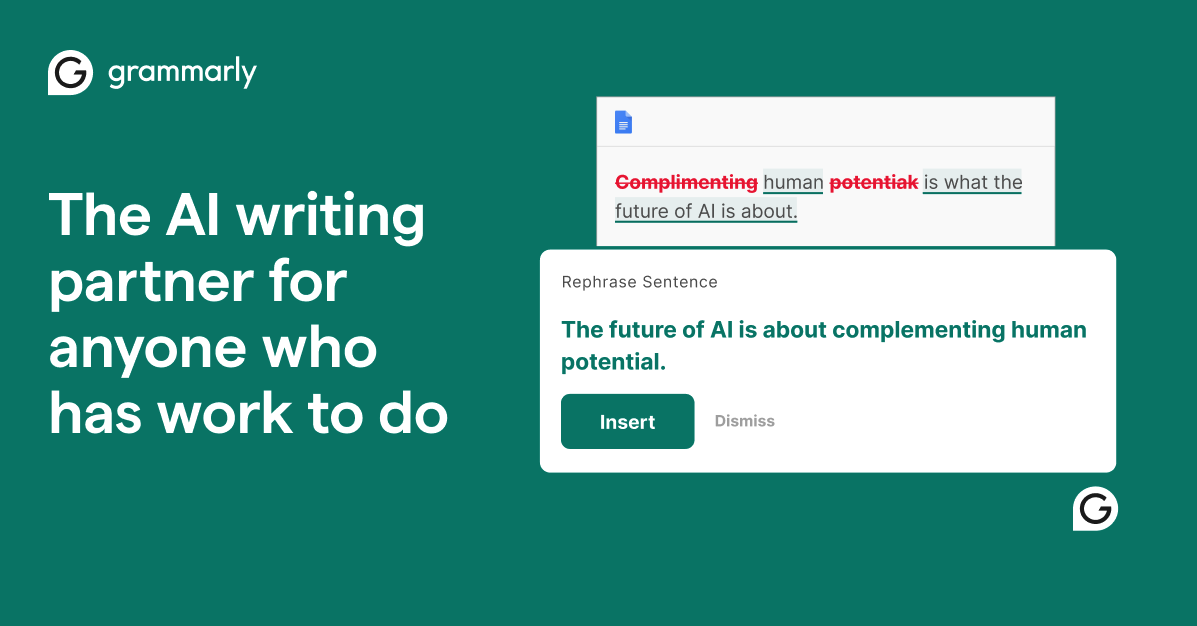
Grammarly is an AI-powered writing assistant that checks and improves your writing wherever you type. At its core it catches grammar, spelling, and punctuation mistakes in real time, but it has grown well beyond a spell-checker: it evaluates clarity, conciseness, and tone, offers full-sentence rewrites, and now uses generative AI to draft, reply, and brainstorm on demand. It supports the major English variants — US, UK, Canadian, and Australian — and adapts its suggestions to the style you set.
What makes Grammarly stand out is its reach. Instead of living in a single app, it follows you across the web and your device through a browser extension, desktop apps, native support in Microsoft Word and Google Docs, and a mobile keyboard. That means the same assistant reviews your emails, documents, social posts, and chat messages without you copying text into a separate tool. Grammarly serves students polishing essays, professionals writing emails and reports, and teams that want consistent, on-brand communication. The company has also been expanding into a wider productivity platform — acquiring Coda in 2024 and the email client Superhuman in 2025 — as it builds toward an AI workspace that goes beyond writing corrections.
Benefits of Using Grammarly
- Fewer mistakes, instantly: real-time checks catch typos, grammar slips, and punctuation errors as you write, so cleaner copy takes no extra effort.
- Clearer, more confident writing: clarity and conciseness suggestions trim wordiness and untangle awkward sentences, helping your message land the first time.
- Tone that fits the moment: Grammarly reads the tone of your text and flags when it sounds off, so an email does not come across as blunt or unsure.
- Writes with you, not just after you: generative AI can draft, rewrite, shorten, or reply, turning a rough idea or a prompt into finished text in seconds.
- Works everywhere you do: one assistant covers the browser, desktop, Office, Google Docs, and mobile, so you are not switching tools to check your writing.
- Consistency for teams: style guides, snippets, and brand tones keep an entire organization writing in the same voice.
AI Features of Grammarly
-
Real-Time Grammar & Spelling Correction
The foundation of Grammarly is its real-time proofreading engine. As you type, it underlines grammar, spelling, and punctuation issues and offers one-click corrections with a short explanation of the rule. It handles everything from subject-verb agreement and misplaced commas to commonly confused words, so your writing stays clean without a separate editing pass.
-
Clarity, Tone & Conciseness Suggestions
Beyond correctness, Grammarly evaluates how your writing reads. It rewrites wordy or convoluted sentences for clarity, trims filler for conciseness, and detects the tone of your message — friendly, formal, confident, or otherwise — flagging when it might come across the wrong way. You can even set goals for audience and formality so the suggestions match your intent.
-
Generative AI Drafting & Rewrites
Grammarly's generative AI (the assistant formerly branded as GrammarlyGO) does the writing with you. Give it a prompt and it drafts emails, outlines, and paragraphs; highlight existing text and it can rewrite, shorten, expand, or change the tone; in your inbox it can generate on-topic replies. Because it lives inside the apps you already use, you can go from a blank page or a rough idea to finished text without switching context.
-
Plagiarism Checker, AI Detection & Works Everywhere
On paid plans, Grammarly's plagiarism checker compares your text against billions of web pages and academic sources, while newer AI-detection and citation features help you flag AI-generated passages and source your work responsibly. All of it travels with you through the browser extension, desktop apps, Microsoft Word and Google Docs integrations, and the mobile keyboard — so the same assistant is available in virtually every place you write.
Pricing of Grammarly
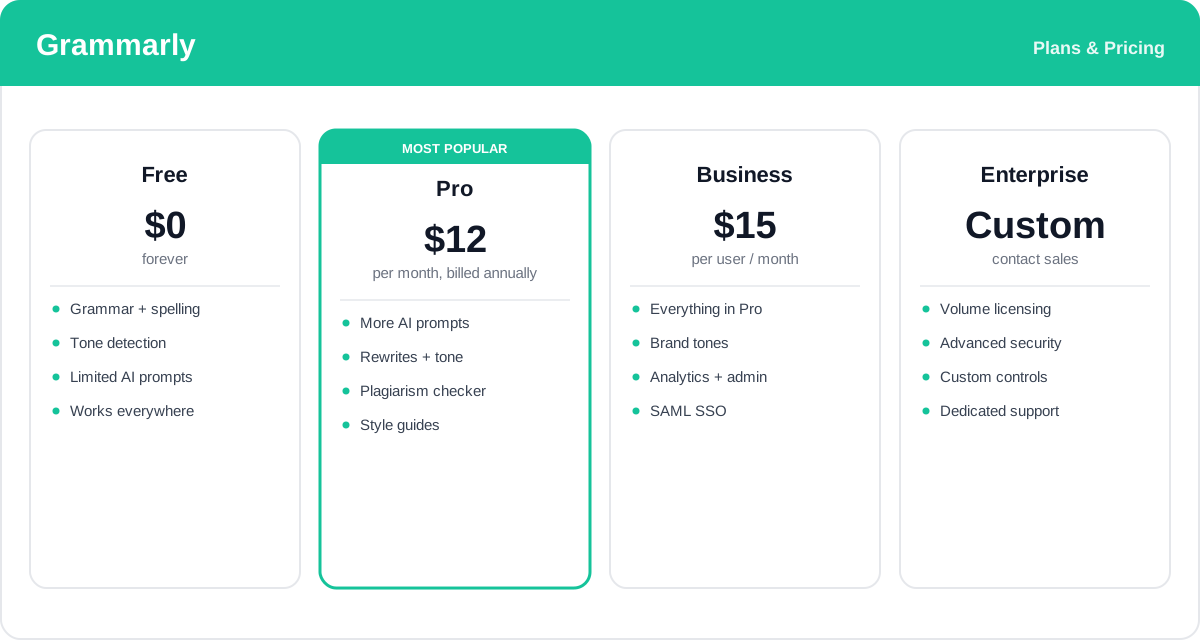
Grammarly offers a genuinely useful free tier and paid plans that add generative AI capacity, advanced writing feedback, and team controls. The prices below reflect annual billing — paying month to month costs more — and rates change over time.
- Free: $0 — core grammar, spelling, and punctuation corrections, tone detection, and a limited number of AI prompts. Enough for many everyday writers.
- Pro: about $12/month (billed annually) — more generative AI prompts, full-sentence rewrites, advanced tone and clarity suggestions, the plagiarism checker, and personal style guides. The standard plan for individuals who write a lot.
- Business: about $15 per user/month — everything in Pro plus brand tones, an admin console, usage analytics, centralized style guides, and SSO for teams that need consistency and control.
- Enterprise: custom pricing — volume licensing, advanced security and admin controls, and dedicated support for large organizations.
Prices and AI prompt limits change over time and vary by billing period — check the official Grammarly plans page for current rates and exactly what each plan includes.
Real-World Use Case Analysis
-
Students and Academics
Essays and papers: Grammarly helps students tighten grammar and clarity, adjust tone to a formal register, and run the plagiarism checker before submitting. The AI-detection and citation features are increasingly useful as schools scrutinize AI-assisted work, helping students keep their writing original and properly sourced.
-
Professionals and Knowledge Workers
Email and reports: for people who live in their inbox, tone detection prevents messages from reading as curt, while generative AI drafts and replies cut the time spent staring at a blank message. Native support in Word, Google Docs, and the browser means proposals, documents, and Slack messages all get the same polish.
-
Teams and Businesses
On-brand communication at scale: Business plans add brand tones, shared style guides, and snippets so an entire team writes consistently, with analytics and an admin console for oversight. Combined with Grammarly's move into a broader productivity suite via Coda and Superhuman, it becomes less a spell-checker and more a company-wide writing layer.
Pros and Cons of Grammarly
-
Advantages of Using Grammarly
Grammarly offers significant benefits including:
- Accurate real-time corrections with clear explanations that help you learn, not just fix.
- Works nearly everywhere — browser, desktop, Office, Google Docs, and mobile — so it fits any workflow.
- Generative AI, tone detection, and clarity feedback go well beyond a basic grammar checker.
- A free tier that is genuinely useful, plus team features for brand consistency.
-
Disadvantages of Using Grammarly
Some potential drawbacks include:
- Only supports English, so it is not an option for multilingual writers who need other languages.
- The most valuable features — plagiarism, advanced rewrites, and higher AI limits — sit behind the paid plans.
- Suggestions can occasionally over-correct or push a generic style, so they still need a human eye.
Final Thoughts on Grammarly
Grammarly remains the most complete AI writing assistant for English, and its reach is what sets it apart: the same real-time corrections, tone feedback, and generative AI follow you across virtually every app you write in. The free plan alone cleans up everyday writing, while Pro and Business add the rewrites, plagiarism checks, and brand controls that serious writers and teams rely on. It is English-only and its best tools are paid, but for anyone who writes regularly — students, professionals, or whole organizations — Grammarly is an easy, low-friction upgrade that usually pays for itself in clearer, faster, more confident communication.
Related comparison: See how Grammarly compares in Best AI Writing Tools: Rytr vs Grammarly vs QuillBot vs Jenni AI vs TextCortex — or browse all comparisons & best-of guides.