ProWritingAid review: Premium at $120/year, Plan/Write/Edit modes, Sparks limits, $25-$50 Story Credits, the 3-day refund window and who should pick Grammarly instead.
Table of Contents
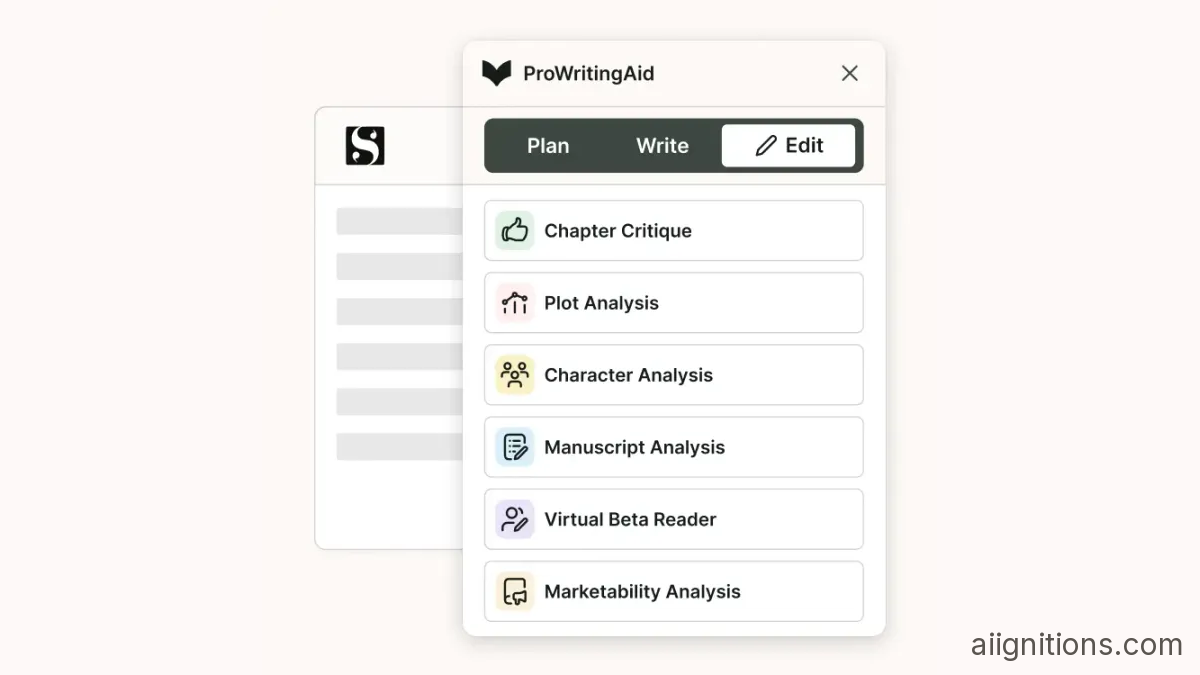
For most of its life ProWritingAid opened every document the same way: your text on one side, a rail of 25-plus reports on the other, and no hint of which ones mattered. Reviewers called it dated next to Grammarly for years. In July 2026 that changed. The interface now splits into three modes - Plan, Write and Edit - and you see only the tools that belong to the stage you are in.
ProWritingAid's help centre dates the change to July 2026 and ties it to its own "ProWritingMethod" framework. A ProWritingAid-sponsored writing newsletter describes the split this way: Plan holds Story Canvas for outlining, Write is a cleaner drafting space with session timers and progress tracking, and Edit keeps everything the product was known for - the grammar checker, the style reports and the newer manuscript-level analyses. Its line that "instead of landing in a wall of 60+ features, you now choose a mode" is marketing. It is also fair.
What the rebuild does not change is the audience. This is still an editor for novelists and long-form writers, built in London by Orpheus Technology since founder Chris Banks started it in 2013, and it still has no venture money behind it. It is not trying to fix typos in your Slack messages, and it shows.

Grammarly tells you a sentence is wrong. ProWritingAid tells you why a chapter feels slow: overused words, repeated sentence openings, sentence-length monotony, sticky sentences full of glue words, pacing, dialogue tags. Paid plans get all 25-plus of these reports, plus author comparison (your style measured against published writers), a custom style guide, and comment and share for working with an editor.
The free plan is a demo, not a tool. Style checking on Free is "only grammar, spelling, punctuation, and thesaurus checking", according to the help centre, and each line-editing report runs at most twice a day on 500 words of text. Five hundred words is about two manuscript pages. You can see what the reports do; you cannot edit a book with them.

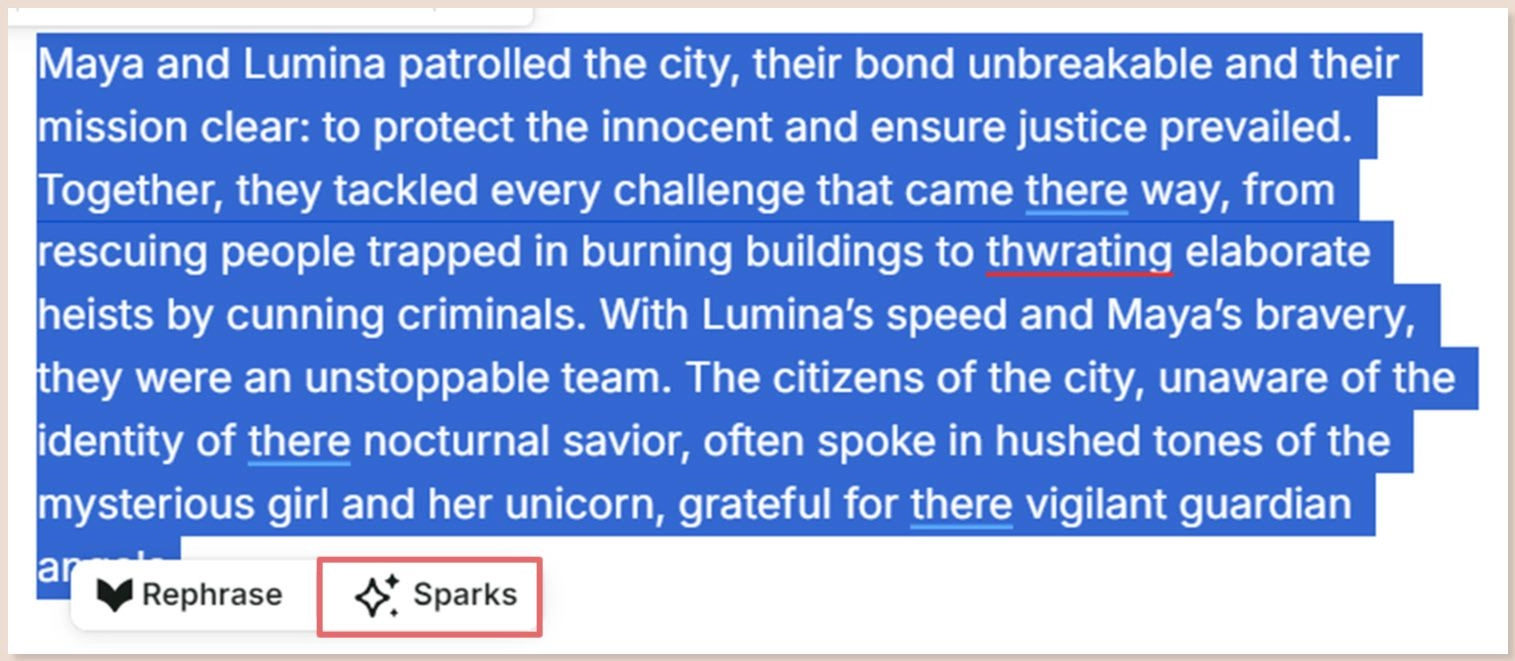
Generative AI sits in two places, Sparks and Rephrase. Sparks rewrites a selection of up to 2,500 characters - roughly 400 words - for readability, fluency, transitions or sensory detail, or switches it to first person, third person, past or present tense. The story reports, Chapter Critique among them, also run on large language models. Which ones, ProWritingAid does not say anywhere: its Responsible AI page mentions only "leading providers in the field of generative AI", so a silent model swap would not be visible to you.
The daily limits on the plan you would actually buy are the part the feature page buries. These are from the pricing page, checked in October 2026:
| Per day | Free | Premium | Premium Pro |
|---|---|---|---|
| Sparks | 3 | 5 | 50 |
| Rephrase | 10 | Unlimited | Unlimited |
| Chapter Critique | None | 1 | 30 |
| Creative Nudges | 3 | 9 | 15 |
Five Sparks on Premium goes fast, because clicking "Try again" counts as another one. Limits reset at 00:00 UTC, which for a writer in California is late afternoon. One Chapter Critique a day is enough to check a chapter as you finish it, and not enough to run a revised draft through.
On data, the policy is clear. ProWritingAid "never uses your work or your writing to train our AI models or algorithms"; its own grammar engine is trained on texts hand-corrected by professional copyeditors. Analysed text is not kept after processing, but documents you save in the Web Editor are, encrypted with AES-256. The company is SOC 2 audited, and its business tier runs on Microsoft Azure servers in the EU and US with a DPA and SSO available.
The newest and most-promoted features are not in any subscription. Manuscript Analysis, Plot Analysis, Virtual Beta Reader and Marketability Analysis each cost one Story Credit per run, and Character Analysis is credit-based too. The help centre is blunt: "We do not include credits with any of our subscriptions."
| Pack | Free | Premium | Premium Pro |
|---|---|---|---|
| 1 credit | $50 | $35 | $25 |
| 3 credits | $145 | $100 | $70 |
| 10 credits | $450 | $300 | $175 |
Run all four manuscript reports once on a single draft as a Premium user and you spend $135 - more than the $120 the subscription costs for a year. Credits do not expire, which softens it, but they are nonrefundable. New accounts get one credit (a partial analysis on Free) and two plagiarism checks of up to 2,000 words each, enough to see what you would be paying for.
One Trustpilot reviewer put the objection in a sentence in September 2026: "Premium should unlock the product. It should not unlock the opportunity to keep paying for it". If you expect to buy credits in volume, the maths points at Premium Pro: a 10-pack is $125 cheaper there, and Pro costs only $24 a year more than Premium.

List prices, checked on the pricing page in October 2026:
| Plan | Monthly | Yearly | Lifetime |
|---|---|---|---|
| Free | $0 | $0 | - |
| Premium | $30 | $120 ($10/month) | $399 |
| Premium Pro | $36 | $144 ($12/month) | $699 |
Several price-tracking sites claim ProWritingAid raised the yearly plan from $79 to $120 in 2026. Archived copies of the pricing page say otherwise: the same $120, $144, $399 and $699 were listed in March 2024 and every snapshot since. The yearly plans have been discounted, though - $90 and $108 in September 2024 - so there is no reason to pay list in a hurry. The company also notes that prices shown can differ depending on whether you are logged in.
The real change was to refunds. In March 2024 the yearly and lifetime plans carried a 14-day money-back guarantee; by September 2024 it was three days, and it still is. Monthly plans get no refund at all, and cancelling or deleting your account does not trigger one. Three days is the window to decide, and it applies to auto-renewals as well, which is where most refund complaints come from.
The $399 lifetime deal has its own fine print. ProWritingAid reserves the right to discontinue integrations, remove features "that are no longer popular", and create new plans with features your lifetime plan does not include. Given that Story Credits already sit outside every plan, that clause is not theoretical. Students get 25% off through Student Beans; teams of 2 to 100 are sold through a demo, with no public per-seat price.
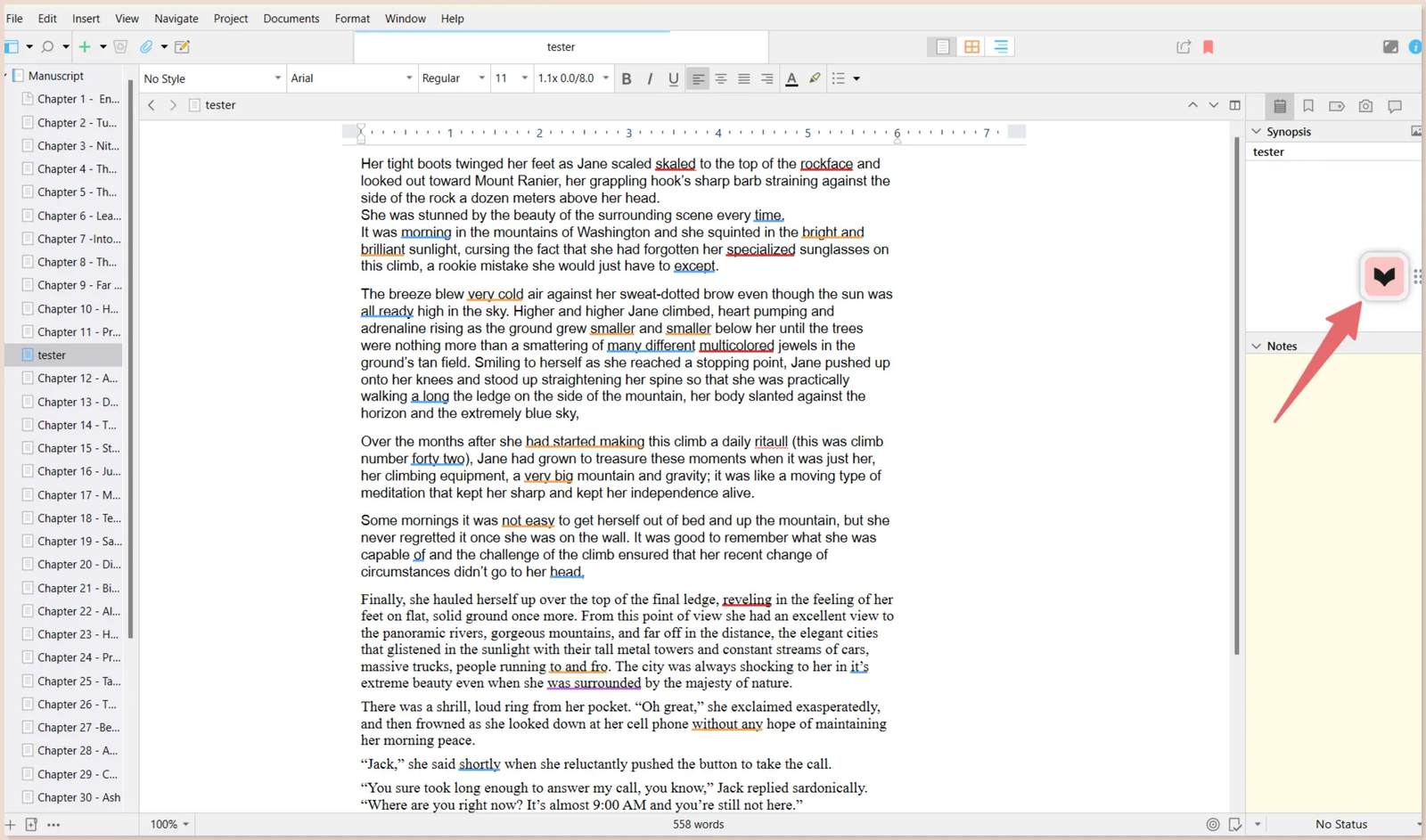
Browser extensions for Chrome, Firefox and Edge cover Google Docs, Gmail, Notion, WordPress and Wattpad. Desktop Everywhere, the app that floats over other programs, reaches Word 2016 and Microsoft 365, Scrivener, LibreOffice, Vellum, Plottr, yWriter and Dabble on Windows, with partial support for Obsidian and Notion. On a Mac it covers Word, Scrivener, Pages, iA Writer, Storyist and Vellum.
Three gaps matter. There is nothing for Linux, Android or iOS - you get the Web Editor in a browser and no mobile keyboard, where Grammarly has one on both phone platforms. The Microsoft Office add-in for Mac and the old Desktop Editor are no longer updated; they still work, but they are frozen. And Final Draft support lives only in that frozen Desktop Editor, so screenwriters are relying on an integration with no future. The Windows Outlook add-in is already gone, replaced by Desktop Everywhere.
ProWritingAid holds 4.2 out of 5 on Trustpilot from 742 reviews, checked in October 2026: 58% five-star, 9% one-star, and replies to just 7% of the negative ones. The recent complaints repeat. A customer charged by auto-renewal found the three-day window already closed. Another wrote in late September 2026 that "it stopped working on google chrome...It's been over a month".
Third-party reviews add two more. Long documents slow it down, with one reporting lag past 8,000 words - so paste a novel in by the chapter, not whole. And support is slow, around 40 hours to a first reply in one test.
Buy Premium yearly at $120 if you write fiction or long-form non-fiction on Windows or Mac, in Word or Scrivener, and want reports that explain why a chapter drags rather than just where the commas go. Nothing else at this price gives you 25-plus style reports with no word cap. Use the three-day refund window as your trial, and set a reminder before renewal.
Skip Premium Pro unless you will run more than one Chapter Critique a day, want the workshops, cowriting sprints and group critiques, or plan to buy Story Credits by the ten. For the big manuscript reports, budget $25 to $50 a run on top of whatever you pay.
Skip ProWritingAid entirely if most of your writing is email, chat and documents on a phone, or if you work on Linux. Grammarly covers more surfaces and has a mobile keyboard. If what you want is rewording rather than editing, QuillBot does paraphrasing for less. For the wider field, see our roundup of AI writing tools.
Visit the official website to see the latest plans, pricing, and special offers.
Get Started - ProWritingAid* Affiliate link - we may earn a commission at no extra cost to you.