Guideflow Review: Build Interactive Product Demos Without Code
Guideflow review: the no-code demo automation platform for interactive product demos and guided tours. Features, real pricing, use cases, pros and cons, and verdict.
Expert Review

What is Guideflow?
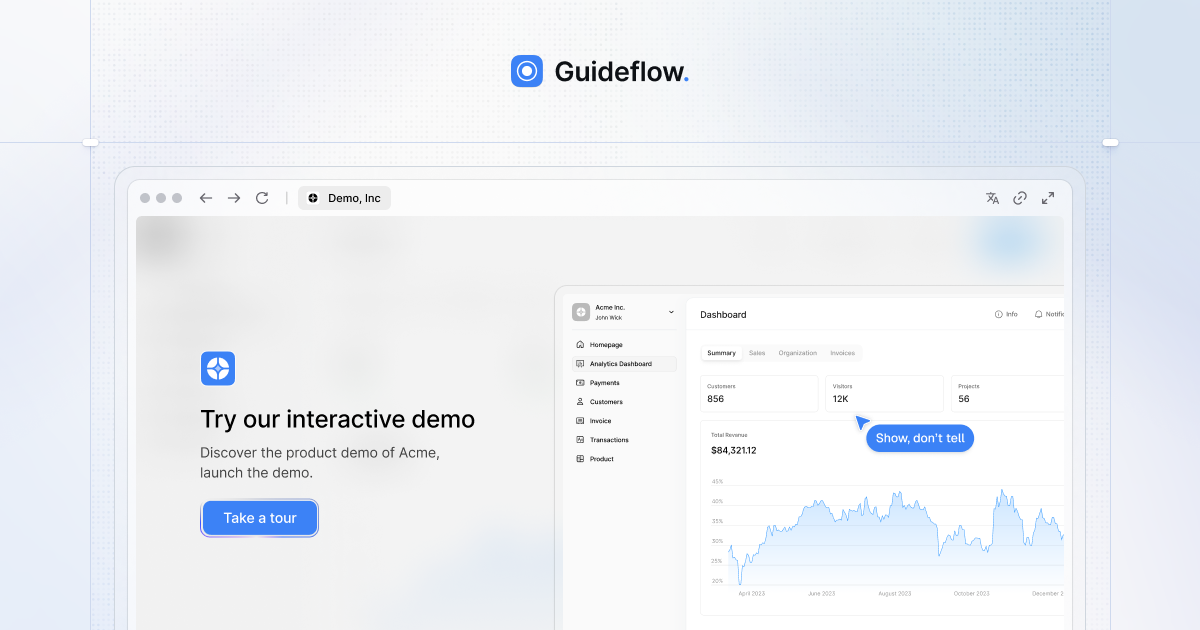
Guideflow is a no-code demo automation platform that lets you turn your product into an interactive experience anyone can click through. Instead of recording a static video or scheduling a live call, you capture your website or app directly in the browser and Guideflow generates a guided, clickable walkthrough that prospects and users can explore at their own pace. The philosophy is "show, don't tell" — let people experience the product rather than read about it.
It is used by teams at companies like HubSpot, DocuSign, Zendesk, and Amplitude to power sales demos, marketing pages, onboarding flows, and support guides. Because everything runs from a browser extension and a visual editor, a marketer or customer success manager can build a polished, branded demo without pulling in engineering — and then measure exactly how viewers engage with it.
Key Features
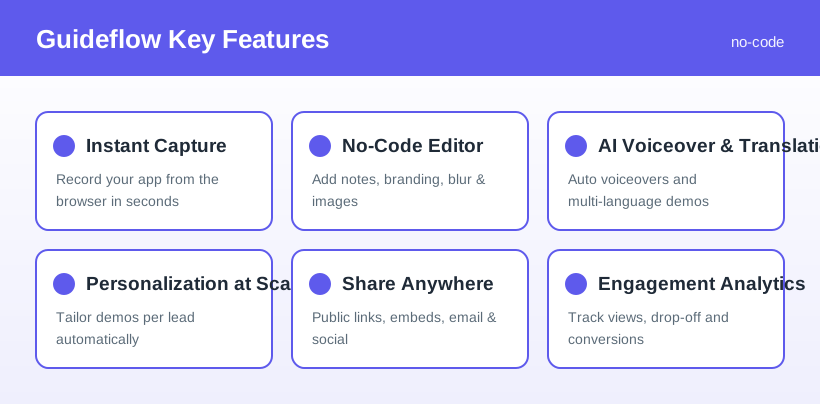
- Instant browser capture: record your website or app in seconds with a browser extension — follow the flow as you normally would, hit finish, and your demo is generated.
- No-code editor: customize captured demos with notes, branding, images, text, and blurred sensitive elements, all without touching code.
- AI voiceover and translation: auto-generate narration and translate demos into multiple languages to reach a wider audience.
- Personalization at scale: tailor demos to individual leads — names, logos, and content — so each prospect sees a version that feels made for them.
- Share anywhere: distribute via public links, website embeds, email, and social media, or gate demos behind lead forms.
- Engagement analytics: track views, completion, drop-off points, and conversions to see which demos actually move deals forward.
- Multiple demo types: from lightweight screenshot walkthroughs to full HTML captures and clickable sandbox environments on higher tiers.
How Guideflow Works
The workflow is deliberately simple. You capture your product by clicking through it in the browser as if performing the action for a customer. Guideflow records each step and stitches them into an interactive flow. You then edit it in the no-code builder — adding tooltips, hiding sensitive data, and applying your brand — before optionally using AI to add a voiceover or translate it.
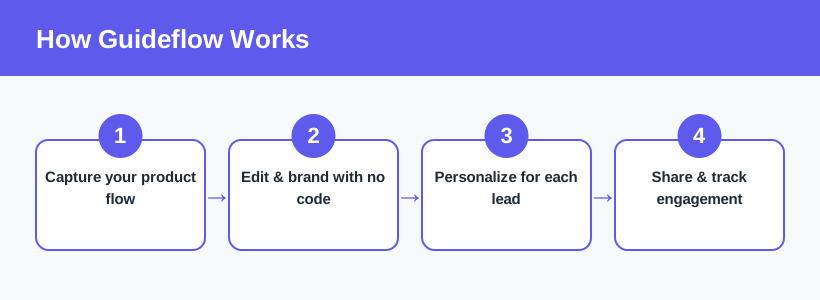
From there you can personalize the demo for specific leads and share it wherever your audience is — an email, a landing page embed, or a public link — while analytics quietly track engagement in the background. Want to see it in action? You can try Guideflow and build your first interactive demo here in a few minutes.
Pricing & Plans
Guideflow offers a free plan plus paid tiers that scale from solo creators to large go-to-market teams. Prices below reflect monthly billing; always confirm current figures on the pricing page, as features move between tiers over time.
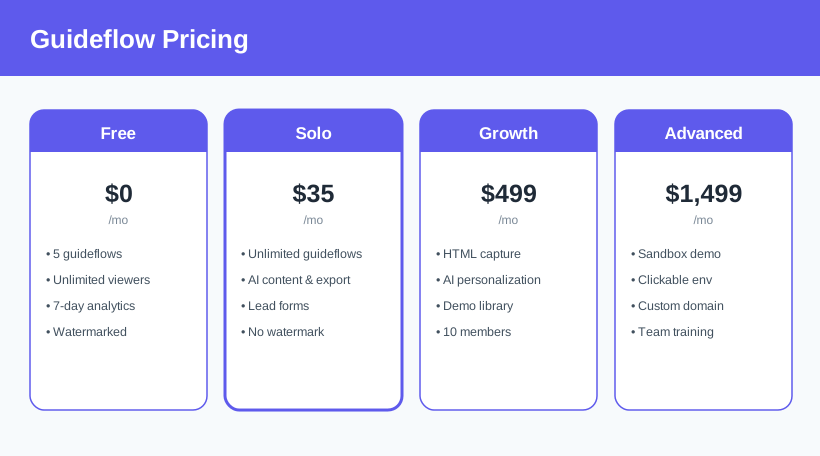
- Free ($0/month): up to 5 guideflows, unlimited viewers, and 7-day analytics — but demos carry a Guideflow watermark and are limited to one member.
- Solo ($35/month): unlimited guideflows, no watermark, AI demo content, video/GIF export, AI translation, and lead forms. Additional users are billed per seat.
- Growth ($499/month): HTML-based capture, AI personalization, a demo library with advanced branching, Slack/Teams integration, and 10 members included.
- Advanced ($1,499/month): sandbox and clickable-environment demos, auto-linking, offline demos, custom domain, and team training for larger operations.
Plans, limits, and pricing change over time and vary with billing period — see the latest Guideflow pricing before choosing a tier.
Who It's For
Guideflow spreads across several teams. Sales and pre-sales use it to send personalized, self-serve demos that qualify leads before a call. Marketing embeds interactive tours on landing pages to boost engagement and capture leads. Customer support and success build step-by-step guides that deflect tickets and speed up onboarding, while product teams use it to communicate feature updates and validate designs. In short, anyone who repeatedly explains how software works can replace that effort with a reusable interactive demo.
Pros & Cons
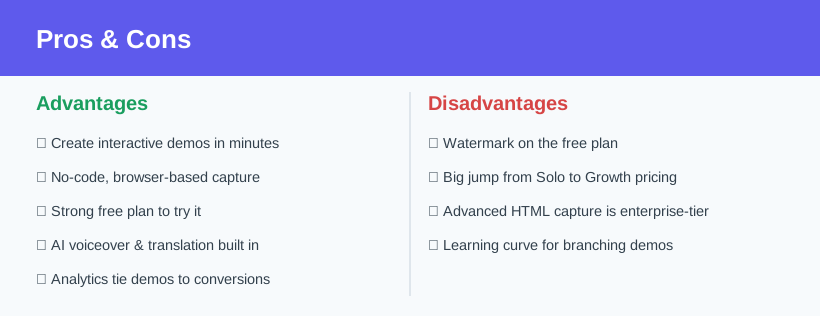
Advantages
- Build interactive, clickable demos in minutes with no code.
- Browser capture is fast and genuinely easy to use.
- Free plan is enough to test the concept end to end.
- AI voiceover and translation are built in.
- Analytics tie demo engagement to real conversions.
Disadvantages
- The free plan applies a Guideflow watermark.
- There is a big price jump from Solo to Growth.
- Advanced HTML and sandbox capture are reserved for higher tiers.
- Branching, personalized demos take time to design well.
Verdict: Is Guideflow Worth It?
Guideflow is a strong choice for any team that lives or dies by showing off a product. The browser capture is fast, the no-code editor is approachable, and the payoff — self-serve interactive demos that prospects can explore anytime — is exactly what modern buyers want. Layer in AI voiceovers, personalization, and analytics, and you have a tool that can meaningfully shorten sales cycles and reduce onboarding friction. The free plan makes it low-risk to try.
The main considerations are pricing and scope: the watermark on free demos pushes serious users to at least the Solo plan, and the leap to Growth for HTML capture and personalization is steep for small teams. But if interactive demos are central to how you sell, onboard, or support customers, Guideflow delivers real value for the money. For a fast, no-code way to turn your product into a demo people can actually click through, it is well worth a look. Start building interactive demos with Guideflow.
Ready to try Guideflow?
Visit the official website to see the latest plans, pricing, and special offers.
Get Started - Guideflow* Affiliate link - we may earn a commission at no extra cost to you.