Jotform Review 2026: Powerful Forms, If You Watch the Submission Cap
A 2026 Jotform review: how the submission-based pricing really works, the free Starter limits, payments with no extra fee, and when Google Forms or Fillout is the smarter buy.
Expert Review

Everything is metered by submissions
Before you compare Jotform to anything else, understand how it charges. You are not billed per user or per form. You are billed by how many submissions your forms collect each month, and that single number governs whether the free plan is enough or you are paying $99.
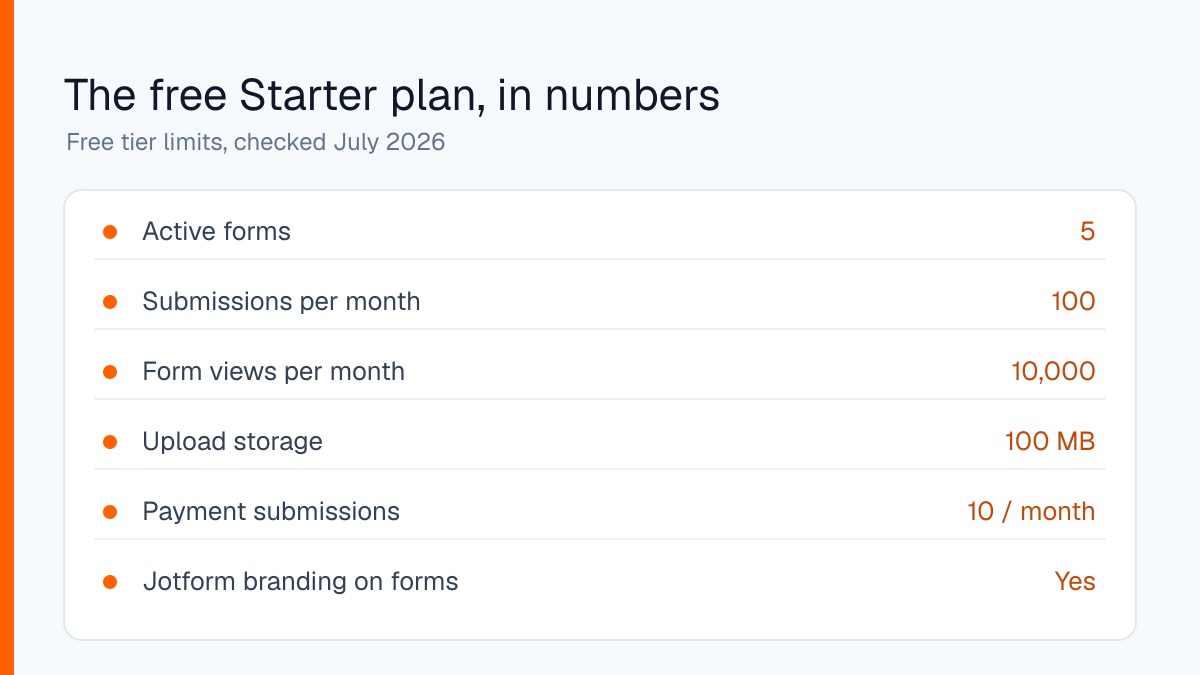
The free Starter plan gives you 5 active forms, 100 submissions a month and 10,000 form views, with 100 MB of upload space. There is a second, quieter ceiling that trips people up: a total storage cap of 500 submissions across the whole account, and 10 payment submissions a month. Checked on the pricing page in July 2026. Hit any cap and your forms stop accepting responses until the next cycle or an upgrade, so the counter matters more than the feature list.
Building a form
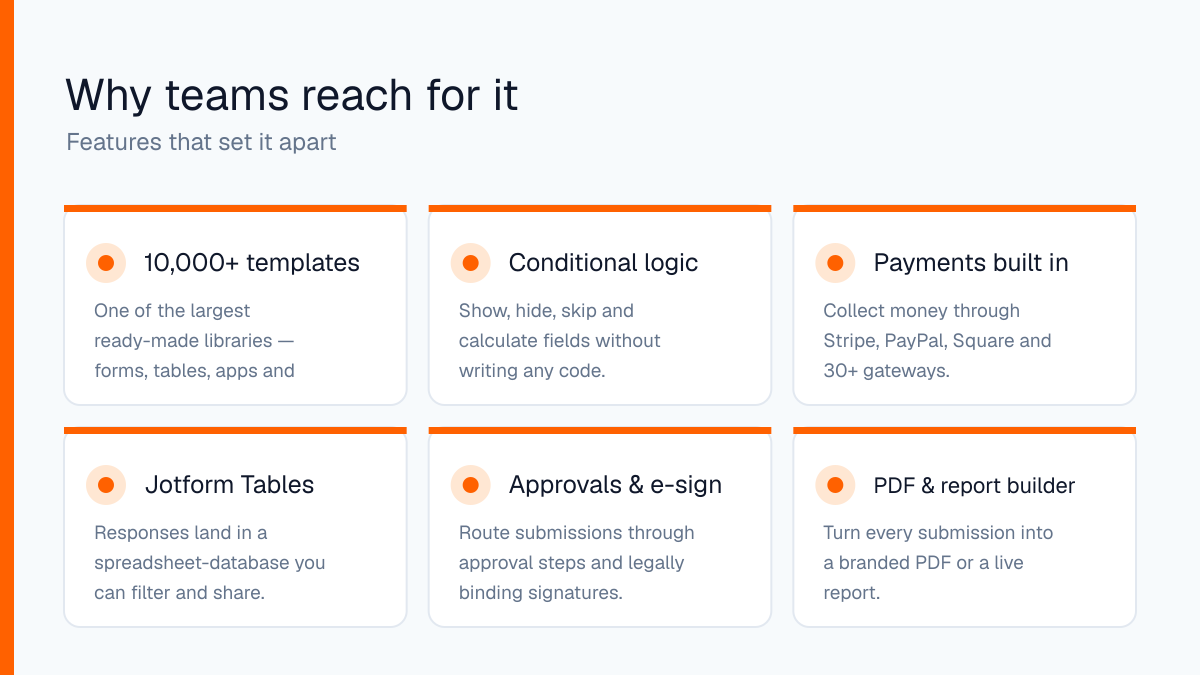
The builder is drag-and-drop and genuinely fast. You start from a blank form or one of the ready-made templates, of which Jotform claims more than 10,000 across forms, tables, apps and PDFs. Even allowing for marketing rounding, it is the deepest template library in the category, and it saves real time on things like event registrations or job applications.
Conditional logic is the feature that pulls people over from Google Forms. You can show, hide, skip or calculate fields based on earlier answers without touching code, so one form can branch into a dozen paths. Payments are the other draw. Jotform connects to Stripe, PayPal, Square and around 30 other gateways, and it does not take a cut of what you collect. Typeform and several rivals add a platform fee on top of the processor; Jotform does not, which adds up fast once you are taking real money.
More than a form builder
Jotform has quietly grown into a small data platform. Every submission lands in Jotform Tables, a spreadsheet-database hybrid you can filter, share and use as a lightweight CRM instead of exporting a CSV to Excel. On top of that sit Approvals for routing submissions through review steps, a legally binding e-sign tool, and a PDF and report builder that turns each response into a branded document automatically.
The newer AI Agents feature can front a form as a chat-style assistant that asks questions conversationally, which suits an audience that bounces off long forms. None of this is essential, but it is the reason a team picks Jotform over a simpler tool: the data does not have to leave the moment it arrives.
Pricing by plan
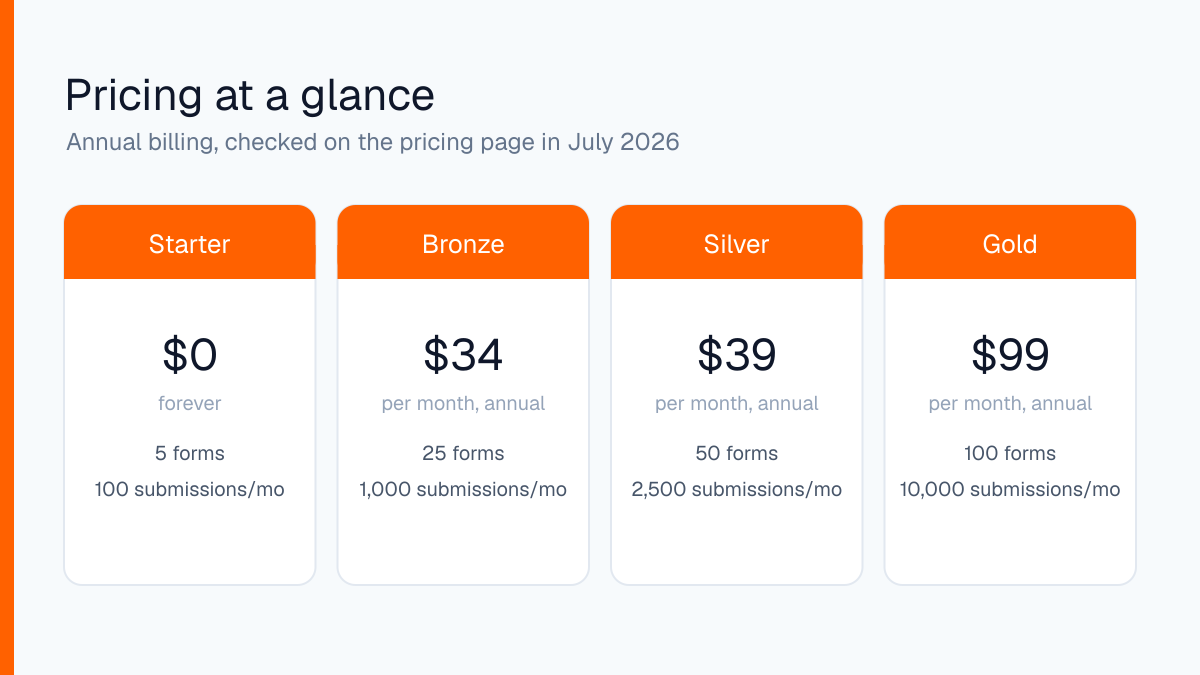
Every paid tier lifts the same set of limits together: more forms, more submissions, more views and more storage. All prices below are the annual rate checked on the pricing page in July 2026; paying monthly costs a few dollars more per tier.
- Starter ($0): 5 forms, 100 submissions/month, 10,000 views, 100 MB, Jotform branding on forms.
- Bronze ($34/month): 25 forms, 1,000 submissions/month, 100,000 views, 1 GB storage.
- Silver ($39/month): 50 forms, 2,500 submissions/month, 1,000,000 views, 10 GB, 250 payment submissions.
- Gold ($129/month, $99 annual): 100 forms, 10,000 submissions/month, 100 GB, HIPAA compliance features.
- Enterprise (custom): multi-user, single sign-on and effectively unlimited everything.
Silver is the plan most small businesses land on, because Bronze's 1,000 submissions runs out faster than people expect on an active form.
Where it falls short
The submission cap is the recurring complaint, and it is a fair one. A form that goes even mildly viral can burn a month's allowance in an afternoon, and it simply stops collecting until you pay or wait. Budget for the tier above the one you think you need if the form matters.
The free plan also stamps Jotform branding on every form, and removing it requires a paid plan rather than a small add-on. The interface, dense with options, is more than a quick poll needs. And while HIPAA features exist, they only start on the Gold tier, so regulated use is not a cheap entry.
Who should use it
Jotform is the right tool for teams that need real forms: payments without a platform fee, branching logic, e-signatures and approvals, all built by someone who does not write code, with the responses landing in a usable database. For a clinic intake form, an order form or a multi-step application, nothing in this price range does more.
Skip it in two cases. If you just need a quick poll or an RSVP, Google Forms is free, simpler and has no submission ceiling. And if you expect high volume on a tight budget, the per-submission model works against you: Fillout and Tally offer far more generous submission limits for less, and you should start there. Choose Jotform for depth, not for cheap volume.
Try Jotform's free Starter plan and watch the submission counter before you commit to a tier.
Ready to try Jotform?
Visit the official website to see the latest plans, pricing, and special offers.
Get Started - Jotform* Affiliate link - we may earn a commission at no extra cost to you.