Latenode Review: Automation Billed by the CPU Second
Latenode review: CPU-second pricing checked September 2026, free tier limits, add-ons, PnP AI tokens, JavaScript and NPM nodes, US hosting, lock-in, and a cost comparison with Zapier, Make and n8n.
Expert Review

It bills CPU seconds, not steps
Every mainstream automation tool charges you for counting something. Zapier counts tasks, one per action step. Make counts credits, one per module. n8n counts executions, one per workflow run however long it is. Since 17 June 2026, Latenode counts none of those. It dropped its old Micro, Start, Grow and Prime plans and now bills the compute time a scenario actually uses, in CPU seconds.
Latenode's own wording on the pricing page is blunt: "Pay for runtime (runs × seconds)" and "Step or task count does not multiply the bill by itself." A ten-step scenario that finishes in one second costs the same as a two-step scenario that finishes in one second. Testing a single node in the editor costs nothing at all.
That one decision shapes everything else in this review. It makes Latenode absurdly cheap for short, many-step flows. It also moves the bill onto things other tools do not charge for in the same way: long runs, AI calls and a set of monthly add-ons.
The rest of the product is a visual builder aimed at people who can write a little code: a JavaScript node that imports NPM packages, a Puppeteer-based headless browser, a built-in document database, webhook triggers and bundled access to hundreds of LLMs without your own API keys. Latenode is a small, bootstrapped company with no venture funding, run remote-first from Paphos, Cyprus.
Pricing and what the free tier blocks
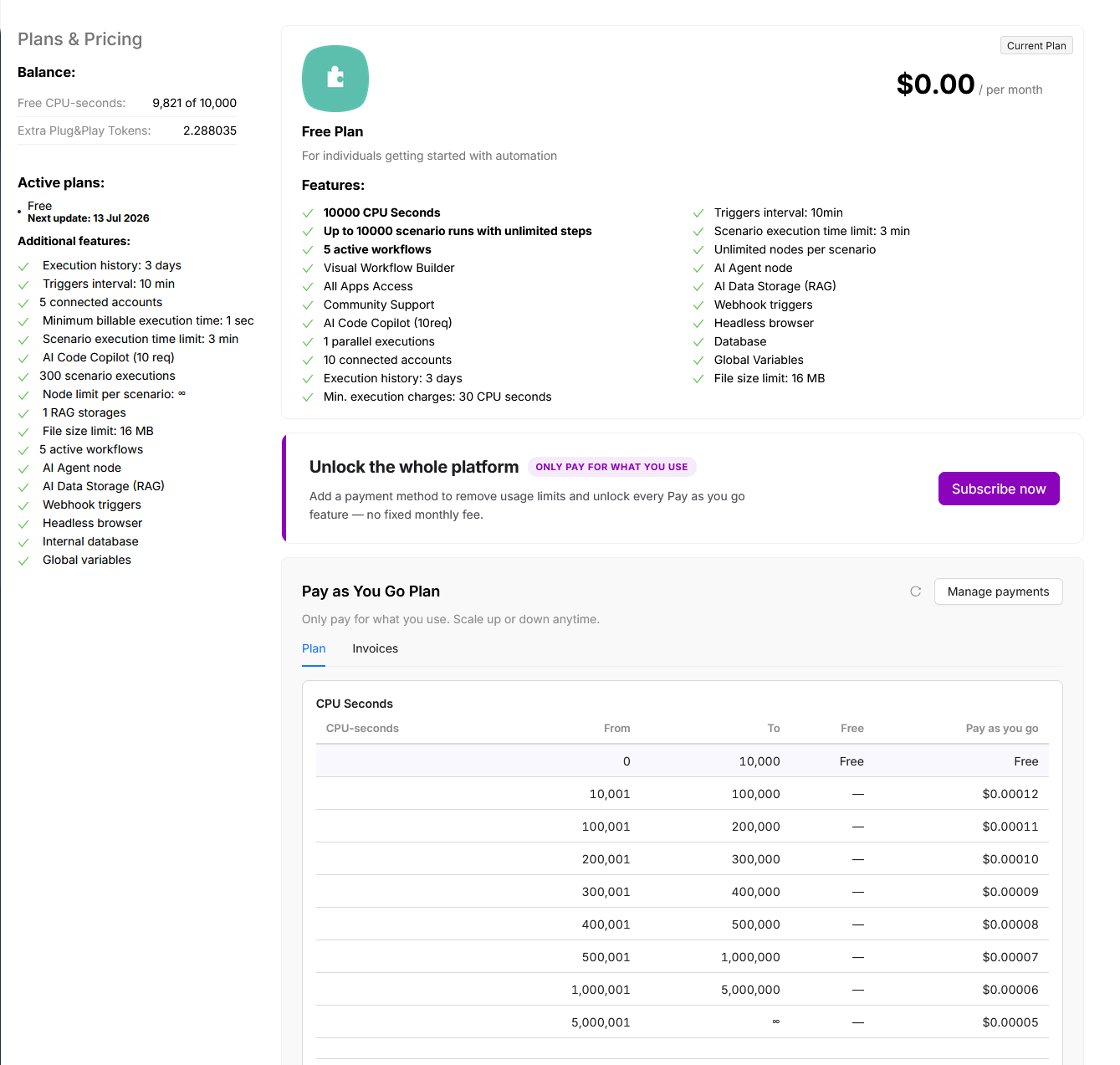
There are two options, checked on Latenode's pricing page on 26 September 2026. Free costs $0 a month and includes 10,000 CPU seconds. Pay as you go has no base fee, includes the same 10,000 CPU seconds, and bills anything above that on a sliding scale. There is no annual plan and no fixed-price tier. The free 10,000 seconds reset monthly and do not roll over.
| CPU seconds per month | Price per CPU second |
|---|---|
| 0 - 10,000 | Free |
| 10,001 - 100,000 | $0.00012 |
| 100,001 - 200,000 | $0.00011 |
| 200,001 - 300,000 | $0.00010 |
| 300,001 - 400,000 | $0.00009 |
| 400,001 - 500,000 | $0.00008 |
| 500,001 - 1,000,000 | $0.00007 |
| 1,000,001 - 5,000,000 | $0.00006 |
| 5,000,001+ | $0.00005 |
Each bracket bills only the time inside it. Latenode's own examples: 100,000 one-second runs come to $10.80 a month, and 100,000 ten-second runs (1,000,000 CPU seconds) to $83.80. Our arithmetic on the table agrees with both.
The free plan is not a trial. No card is needed, and it includes every app, AI agents, RAG, the browser and the database. What it limits is scale: 5 active scenarios, 1 execution worker (so runs queue one at a time), a 3-minute cap per run, 3 days of execution history and a 10-minute minimum trigger interval. Pay as you go lifts that to unlimited scenarios, 5 parallel workers, 10-minute runs and 30 days of history.
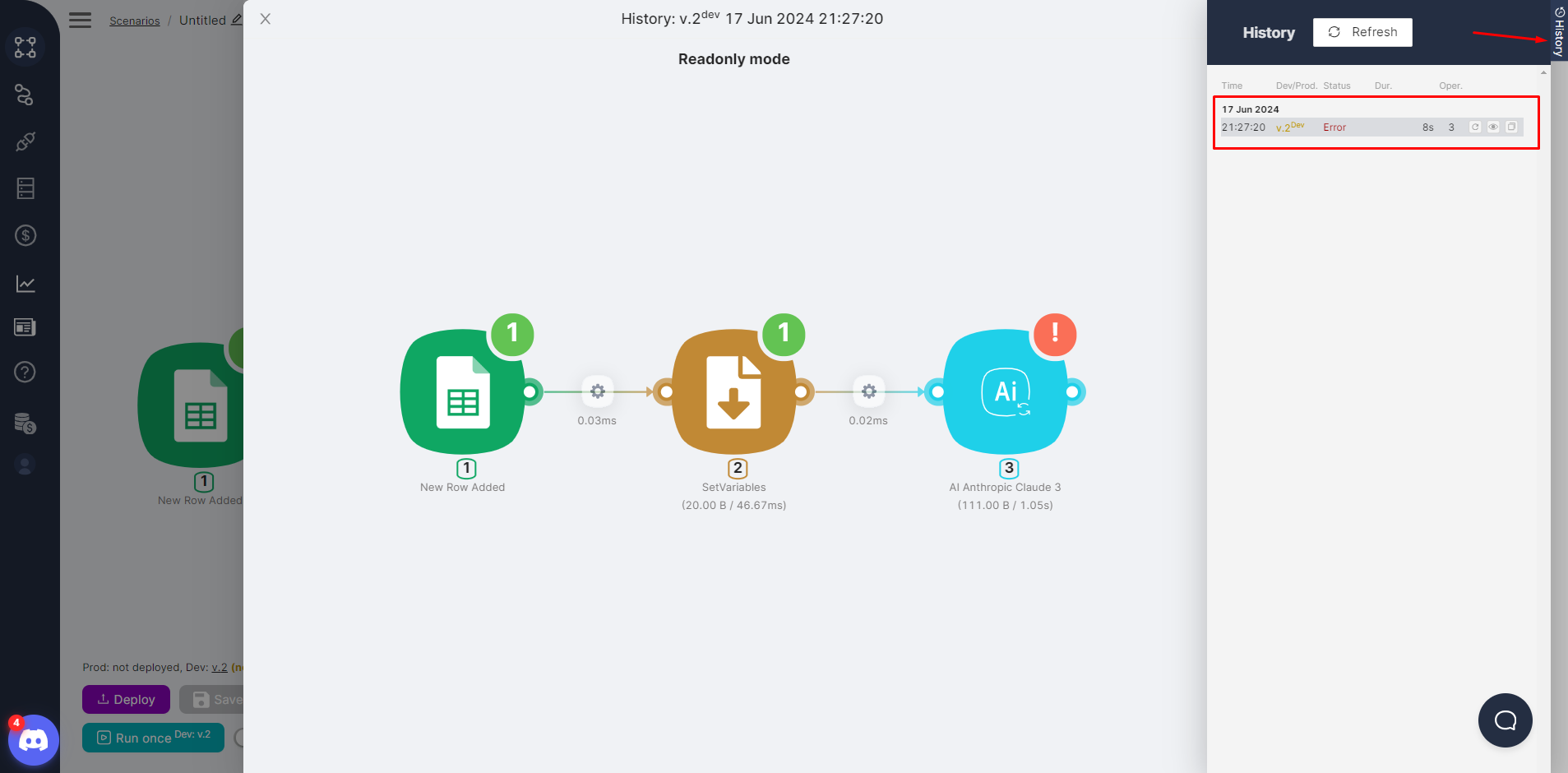
The trigger interval stays at 10 minutes on the paid plan too. Getting it down to 1 minute is a $10 monthly add-on. Runs longer than 10 minutes cost $10 (20 min), $20 (40 min) or $30 (60 min) a month. Extra workers are $10 each, bigger files $5 to $70, and an extra RAG store $10. So a paid user who wants 1-minute polling and 20-minute runs pays $20 a month before using a single CPU second past the free allowance. That is more than Make's $9 Core plan and about the same as n8n's Starter.
A spending limit is available, and it is hard: when you hit it, "new scenario runs fail before they start".
Where Latenode's own docs disagree
Three numbers do not match across Latenode's pages, and one of them changes the maths. The billing FAQ says the minimum charge is 1 CPU second per run, but the in-app Plans & Pricing screen shown in the docs lists "Min. execution charges: 30 CPU seconds" on the Free card. The pricing page promises 10-minute runs extendable to 60, while the platform-limits page caps any scenario at 30 minutes and a JavaScript node at 2. The Free card says 10 connected accounts; the sidebar beside it says 5. Check the billing screen in your own account before you model costs.
What one workflow costs on Latenode, Zapier, Make and n8n
Take a common shape: a trigger plus four actions, running 2,000 times a month. Prices were checked on each vendor's pricing page on 26 September 2026. The Latenode run time is our assumption, because Latenode only says it bills "total compute time for the run" and nobody can know yours in advance.
| Tool | How it counts | Usage | Monthly cost |
|---|---|---|---|
| Zapier | Tasks (actions) | 8,000 tasks | $129 (10,000-task Professional, billed annually) |
| Make | Credits (modules) | ~10,000 credits | $9 (Core) |
| n8n | Executions | 2,000 executions | 20 EUR (Starter, billed annually) |
| Latenode, ~2 s per run | CPU seconds | 4,000 | $0 |
| Latenode, 30 s browser scrape | CPU seconds | 60,000 | $6.00 |
Latenode wins that comparison outright, with one catch. If the 30-second minimum on the in-app screen is the real rule rather than the 1-second one in the FAQ, the "2-second" flow is billed as 60,000 CPU seconds too, and $6.00 becomes the floor. Still the cheapest here, but worth confirming first.
The model turns against you when runs are long rather than numerous. A scenario that waits on a slow API or loops through a big file keeps the meter running, and past 10 minutes you are buying add-ons as well.
JavaScript, NPM and 450+ models
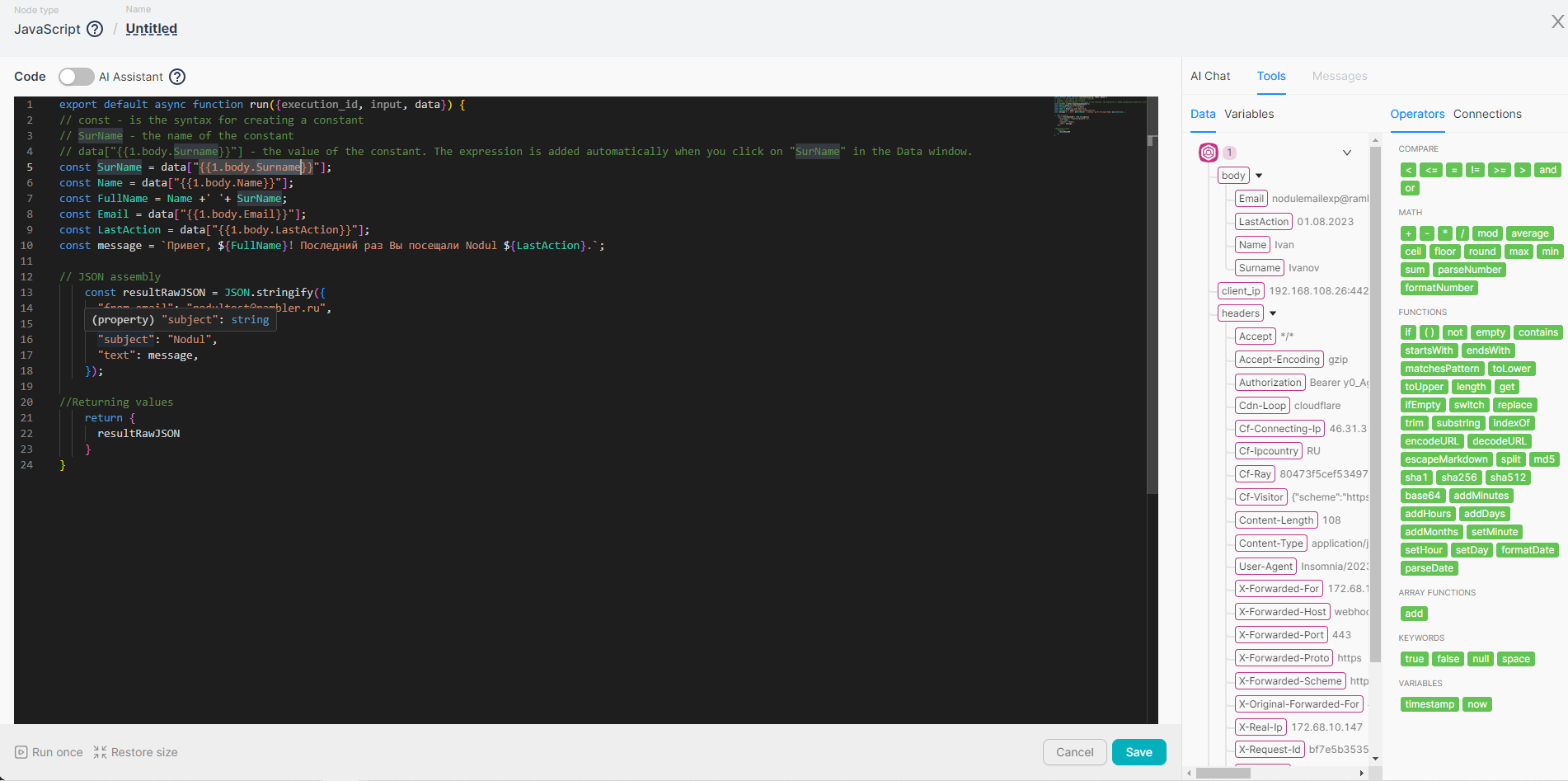
This is the part Latenode is built around. The JavaScript node imports npm libraries with a normal import statement, which is the difference between writing a date-parsing helper by hand and pulling in a package. An AI Code Copilot inside the node writes, explains and debugs the code; the free plan includes 10 requests. The 2-minute limit per JavaScript node is the constraint to plan around.
The headless browser node gives Chromium with Puppeteer-style control and optional proxy settings, so scraping a page that has no API does not need a separate service. A built-in document database, global variables, RAG storage, webhook endpoints and nested scenarios round it out. There is also a hosted MCP server, so an AI assistant can call your Latenode scenarios as tools.
AI is where the "one bill" story gets a second line. Latenode lists 452+ models, including GPT-5.6, Claude Opus 5 and Sonnet 5, Gemini 3.8 Flash and DeepSeek V4, all usable without your own API keys. Those calls are not paid in CPU seconds. They cost PnP tokens at $1 each, "charged in addition to workflow execution time", priced at "provider rate + a small markup". Connections to personal accounts on Telegram, WhatsApp or LinkedIn cost 10 PnP tokens, which is $10 a month each.
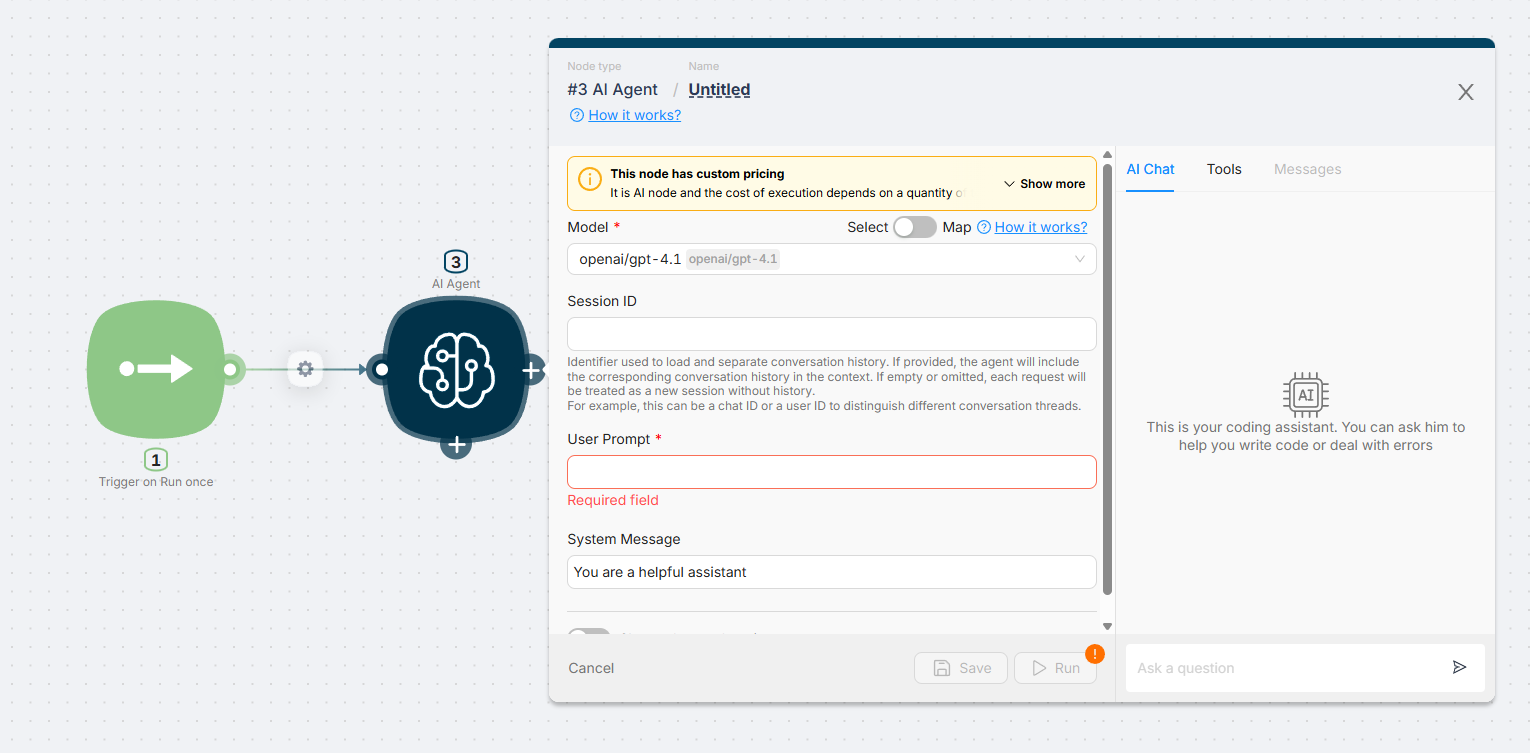
The router node sends requests through OpenRouter, a third party, so your prompts pass through two companies before they reach the model. Whether Latenode uses customer data for training is not documented anywhere we could read; its privacy policy did not load outside a browser. You can bring your own key through a custom LLM connection if that matters to you.
Hosting, compliance and getting out
Latenode runs on Microsoft Azure, and its subprocessor list names Azure and AWS as hosting providers, both in the US. EU teams should note that the Cyprus base does not mean EU data residency. Data is encrypted with AES-256 and penetration-tested at least once a year, according to the security page dated 6 February 2026. The pricing footer says "SOC2 Ready" and "GDPR Ready". Ready is not certified, and we found no SOC 2 report.
There is no self-hosted edition. If your data has to stay on your own servers, n8n's free Community Edition or Activepieces are the tools to look at.
Leaving is possible but manual. A scenario exports as a JSON file in Latenode's own format, and nothing in the docs suggests n8n, Make or Zapier can import it. Even moving between two Latenode accounts means reconnecting every authorization by hand.
What users say
Ratings are high but the samples are small: 4.6 on Trustpilot from 48 reviews, 4.9 on Capterra from 68 and 4.9 on Product Hunt from 30, checked on 26 September 2026. The complaint that repeats is documentation. One Capterra reviewer wrote that "the documentation and training videos are not on the same level as the competition"; another found setup docs for some connections "very sparse". A Product Hunt reviewer called the expression system "rigid" and "block-style". Fewer niche integrations than Zapier comes up too, which fits: Latenode claims 5,500+ integrations across 800+ apps, a fraction of Zapier's catalogue. One Trustpilot user reported being re-billed after cancelling; it is a single report, not a pattern.
Verdict: who should use Latenode, and who should skip it
Use it if you are a developer or a technical solo operator running many short, multi-step flows, especially ones that need real JavaScript, a headless browser or LLM calls without juggling API keys. For that workload the CPU-second model costs a fraction of Zapier and often less than Make, and the free tier is enough to run five real scenarios in production.
Skip it if you need self-hosting or data kept in the EU (n8n), if a non-technical team needs a huge integration catalogue and polished documentation (Zapier), or if your scenarios run for tens of minutes, where add-ons and metered time erase the advantage. Our workflow automation comparison covers the wider field.
Start on the free plan, build your heaviest scenario, and read the CPU seconds it actually used before you trust any estimate, including ours.
Ready to try Latenode?
Visit the official website to see the latest plans, pricing, and special offers.
Get Started - Latenode* Affiliate link - we may earn a commission at no extra cost to you.