Mixmax Review: Gmail Follow-Ups, Now Billed by the Recipient
Mixmax review: recipient-based pricing from $29, Gmail send caps, Outlook limits, add-on costs, the MCP beta, refunds and better-value alternatives.
Expert Review

Pricing: you pay per person, not per feature
Mixmax has changed what it is and how it charges more often than most customers renew. In November 2025 it relaunched as an "AI Sales Execution platform" sold as three Copilots and an $89/user Bundle. In April 2026 the Bundle became the Suite. By October 2026 all of that was gone: there is one Pro plan with every feature switched on, and the only thing that moves the price is how many people you put into sequences each month.
These are the steps as checked on the pricing page on October 31, 2026, per user per month, billed yearly.
| Sequence recipients a month | Price | Cost per recipient |
|---|---|---|
| 50 | $0 (Free, limited features) | - |
| 100 | $29 | 29 cents |
| 1,500 | $89 | about 6 cents |
| 3,000 | $129 | about 4 cents |
The help center lists more steps - 500, 5,000 and 15,000 - but the pricing page shows no price for them, and above 15,000 you talk to sales. Paying monthly costs more: the toggle quotes a 15% saving for annual, the FAQ says "15 - 25%" depending on tier.
How a recipient is counted
This decides your bill, and it lives in the FAQ rather than on the plan cards. A five-step sequence to one person counts once. The same person in two sequences counts twice. The count resets at the start of each calendar month, unused recipients do not roll over, and they belong to the user who bought them, so a team cannot pool them.
In practice the $29 tier means 100 new people a month, about five per working day. That is a founder chasing investor intros or a recruiter working one role at a time. An SDR doing real outbound lands on the 1,500 step: $89 a month, or $1,068 per seat per year on the annual bill.
What it does inside Gmail
Mixmax runs as a Chrome extension for Gmail or an Outlook add-in, plus a web dashboard at app.mixmax.com for sequences, reports and rules. Strip away the AI rebrand and the core is the tool it has been for years: open and click tracking, follow-up reminders, send-later, templates, and one-click scheduling where the recipient picks a slot from a time grid inside the email instead of clicking out to a booking page. Polls and Yes/No/Maybe buttons embed the same way.
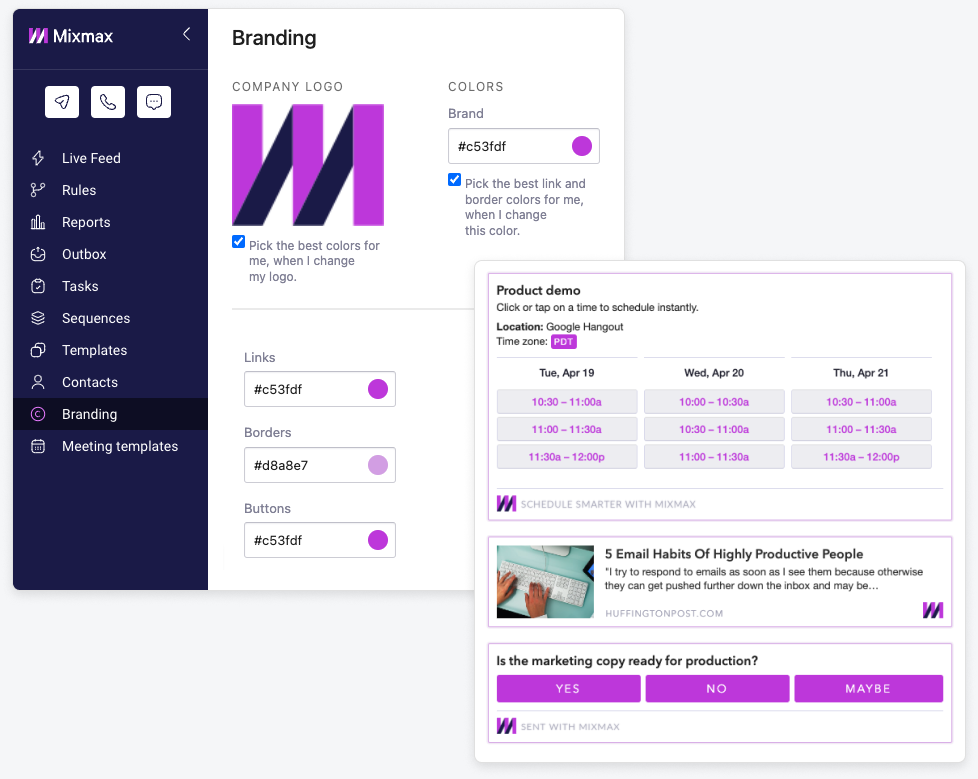
Sequences are where the paid seat earns its money. One sequence can mix automated emails, manual emails, calls, SMS, to-dos and LinkedIn connect or InMail steps, spaced over days, and every send and reply is logged to Salesforce or HubSpot automatically. CRM sync used to sit on the top tier only; now it comes with every paid seat, and you do not need a CRM to use the product at all.
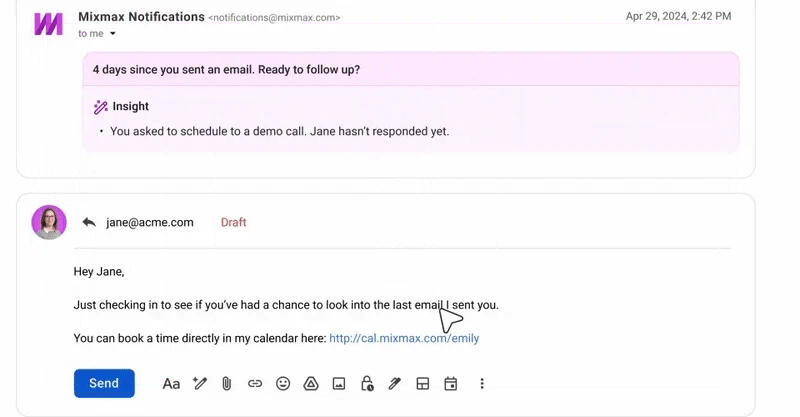
The free plan never expires, but it is sharply capped: unlimited calendars, templates, reminders and send-later, sequences to 50 people a month, and tracking on just 20 emails a month. Twenty tracked emails is about a day of follow-ups for anyone who sends them. The 14-day trial needs no card, runs at the 1,500-recipient level, and drops you back to Free afterwards with your workspace and data intact.
Limits the plan cards leave out
"All features included" is true of the software, not of the bill. The Dialer is $9 per member a month plus per-minute usage on a separate invoice, every call is rounded up to the next minute, and Mixmax publishes no per-minute rates. SMS requires the Dialer. LinkedIn steps need a paid Sales Navigator seat on top of Mixmax and are not available on Free. Custom branding domains, advanced workspace rules and the Salesforce Insights package are $9 each per member a month billed annually, or $12 monthly.
Volume is capped twice. Mixmax enforces a daily send limit per workspace - 500 by default, 1,000 at most - and you cannot turn it off. Underneath sits Google's own ceiling of 2,000 emails a day on a paid Workspace account, 500 on a Workspace trial, and spam reports shrink that quota further. Hit it and Mixmax retries sequence emails for up to 12 hours. One seat on the 1,500 step running a five-step sequence can generate 7,500 emails a month. That is around 350 a working day, most of the default cap already. Mixmax is for follow-up from your own mailbox, not for blasting cold lists across rotating domains.
Outlook support is narrower than "Outlook add-in" suggests. It works in Outlook on the web in current Chrome and in the new Outlook for Windows and Mac. It does not work in Classic Outlook for Windows, classic Outlook for Mac, free Outlook.com accounts or on-premises Exchange, and the sidebar only appears in the web app. A team still on Classic Outlook can stop reading here.
History has a shelf life as well. The Live Feed keeps 365 days and sequence analytics two years, and we found no data-export policy in the terms, the privacy policy or the help center. On G2, where Mixmax shows roughly 4.6/5 from about 1,400 reviews, the complaints that keep coming back are a price that feels high if you mostly use the email features, a learning curve, and occasional Gmail sync glitches.
AI Compose and the MCP server
Every paid seat gets AI Compose, Smart Send (which picks a send time per recipient from their past engagement), reply Signals, inbox categorization, and AI meeting briefs, notes and recaps. No AI usage limit is published. Nor is the model: the AI Compose FAQ says it "has gpt-4 which points to another model", so what writes your drafts can change without notice. The privacy policy, updated October 14, 2026, says data sent to AI providers "is not used to train or finetune their models", and only your first name, your domain and the draft itself are passed along.
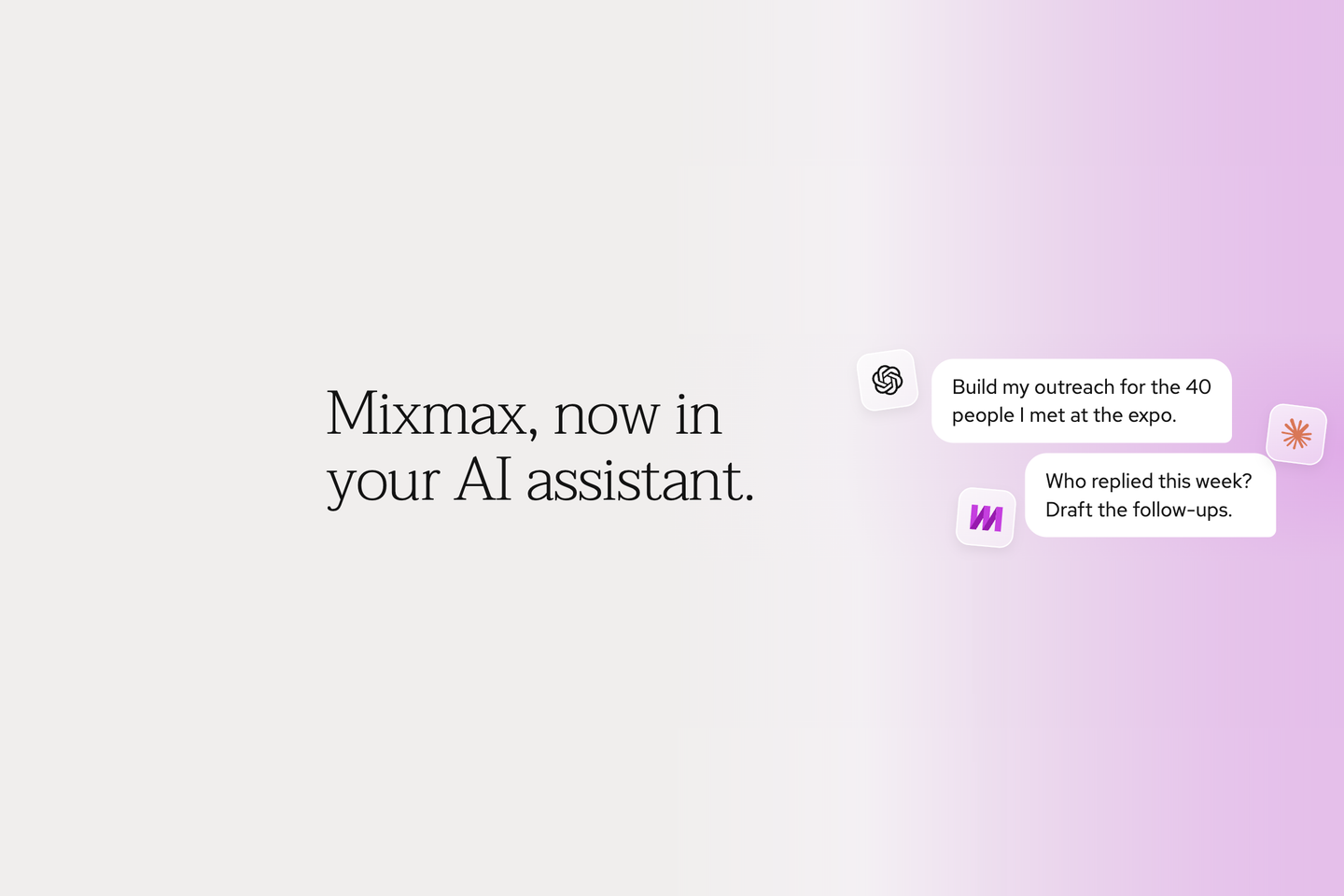
The MCP server, announced on April 13, 2026, is the more interesting part. It connects Claude, ChatGPT, Cursor and Windsurf to your Mixmax data, so you can ask an assistant who replied this week and get follow-up drafts back. Reads are on by default. Every write - sending email, editing sequences, managing tasks and reminders - has to be switched on separately, and Claude drafts for review rather than sending on its own. It is a free beta in Mixmax Labs, and Mixmax says some capabilities "may move into specific Mixmax plans" as it matures. Treat it as a preview, not a reason to buy.
Annual billing and refunds
Pick your tier carefully, because money does not come back easily. The terms say "All fees are non-refundable", and cancelling an annual contract takes effect at the end of the term with the full amount still owed. The help center is a little softer: no partial refunds on annual plans, but you can transfer the remaining term to another account, and you can ask for a refund within 14 business days of a renewal if you have not used the account since. Price changes come with at least 30 days' email notice, which matters at a company that re-prices this often.
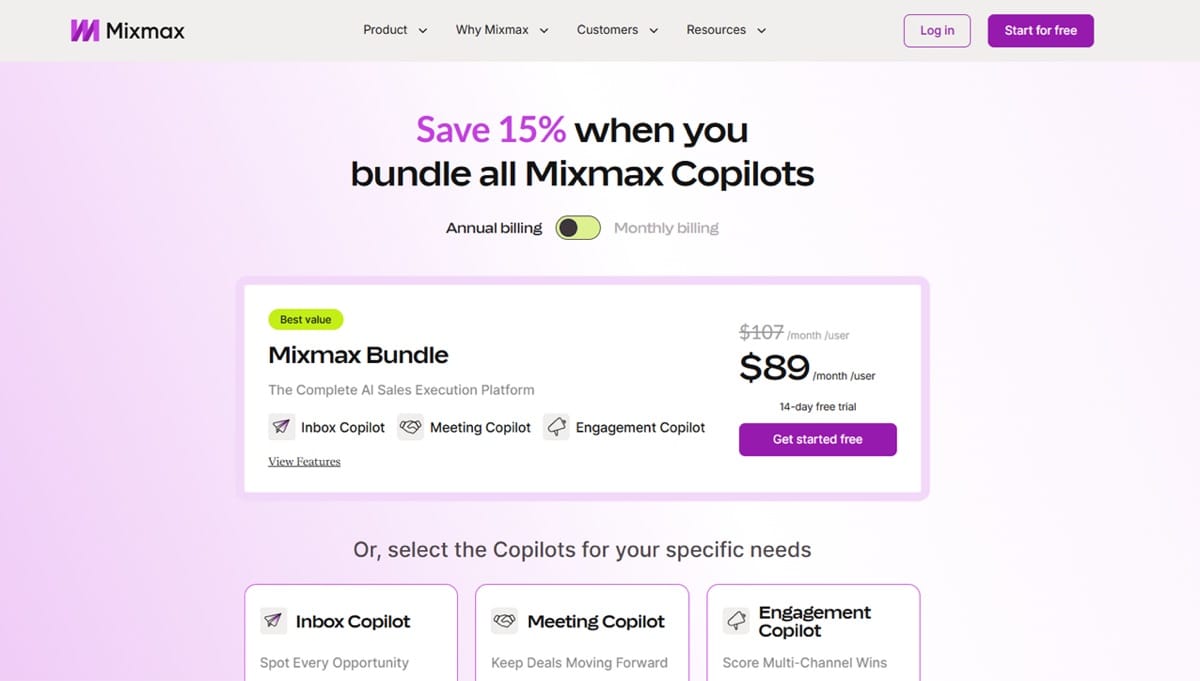
The screenshot above is that early-2026 Copilot pricing page, since replaced. Before October 2025 the plans were SMB at $29, Growth at $49 and Growth+CRM at $69 per user a month billed annually. Early 2026 brought the $29 Inbox and Meeting Copilots, the $49 Engagement Copilot and the $89 Bundle, and in March 2026 monthly billing was dropped. It is back on the live pricing page now.
Mixmax alternatives worth pricing
Against the $29 entry seat, Yesware Pro is $15 a seat a month billed annually and covers tracking and templates in Gmail and Outlook. That is about half the price if open tracking is all you want, though you give up Mixmax's sequence depth and in-email scheduling. HubSpot Sales Hub Starter is $20 a seat monthly and makes more sense if HubSpot is already your CRM.
For cold volume the maths flips. lemlist lists its email plan at $55 a month billed annually with unlimited users and 50,000 emails a month, and Smartlead is built to send from many warmed-up inboxes at once - exactly what Mixmax's send caps rule out. Mailshake starts at $25 a month billed yearly. Outreach and Salesloft sit at the enterprise end and publish no prices at all.
Verdict
Buy Mixmax if you are a founder, recruiter, consultant or small sales team living in Gmail who wants tracking, follow-up sequences, in-email scheduling and automatic CRM logging without an enterprise contract. The $29 seat is fair for 100 new people a month. The $89 seat is fair for one rep working warm lists. Use the 14-day trial, count how many people you actually enrolled, and buy that step rather than the one above it, since annual fees do not come back.
Skip it if your outbound is cold and high-volume: Smartlead or lemlist will send far more mail for less. Skip it if your team is on Classic Outlook, because the add-in will not load. And skip it if all you wanted was to know who opened your email. Yesware does that for $15.
Ready to try Mixmax?
Visit the official website to see the latest plans, pricing, and special offers.
Get Started - Mixmax* Affiliate link - we may earn a commission at no extra cost to you.