Nifty Review 2026: One Workspace to Replace Your PM Stack
Nifty review 2026: an all-in-one project management workspace for tasks, milestones, docs and chat. Real pricing, the free-plan limits, and who should use it.
Expert Review
What Nifty is trying to replace
The pitch behind Nifty is a subscription audit. Count the tools a small team pays for to run projects: Asana for tasks, a Gantt add-on for timelines, Notion or Confluence for docs, Slack for chat, a separate timer for billable hours. Nifty's answer is to put all of that behind one login and one invoice. It has been at this since 2017, which by project-management standards makes it a settled product rather than a launch-week experiment.
Whether consolidation is a good idea depends on how much depth you give up for it, and that is the real question this review keeps coming back to. Nifty is broad on purpose. The test is whether any one module is deep enough that you would have chosen it on its own.
The modules, and how they fit
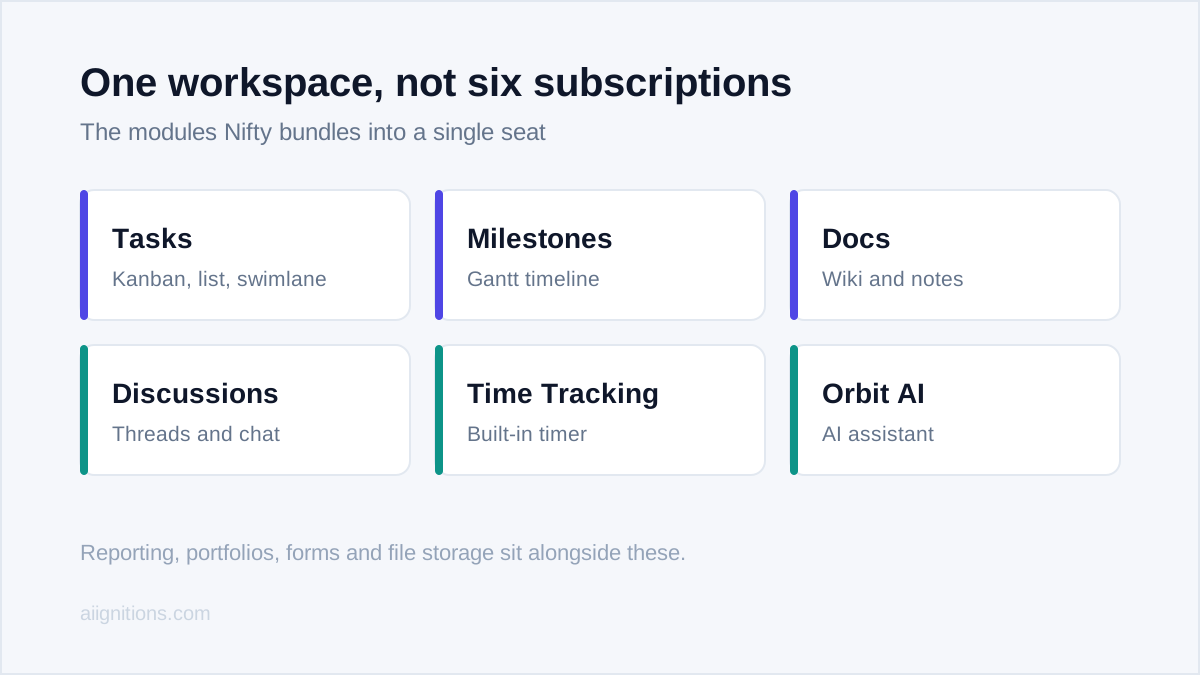
What makes Nifty cohere is that the pieces are wired together rather than bolted on. Tasks come in the expected views (Kanban, list, swimlane, calendar), but the standout is Milestones: a Gantt timeline where each milestone is driven by the tasks underneath it, so completing tasks physically advances the roadmap. Most tools make you update the timeline by hand. Here it moves itself.
Around that sit Docs (a competent wiki and notes space), Discussions with per-project chat, native time tracking, forms for intake, and portfolio-level reporting that rolls several projects into one workload view. Orbit AI, the built-in assistant, drafts tasks and summarises threads. None of these will unseat the category leader in its own lane, but the switching cost you avoid by not stitching five apps together is the point.
Pricing, and the confusing part
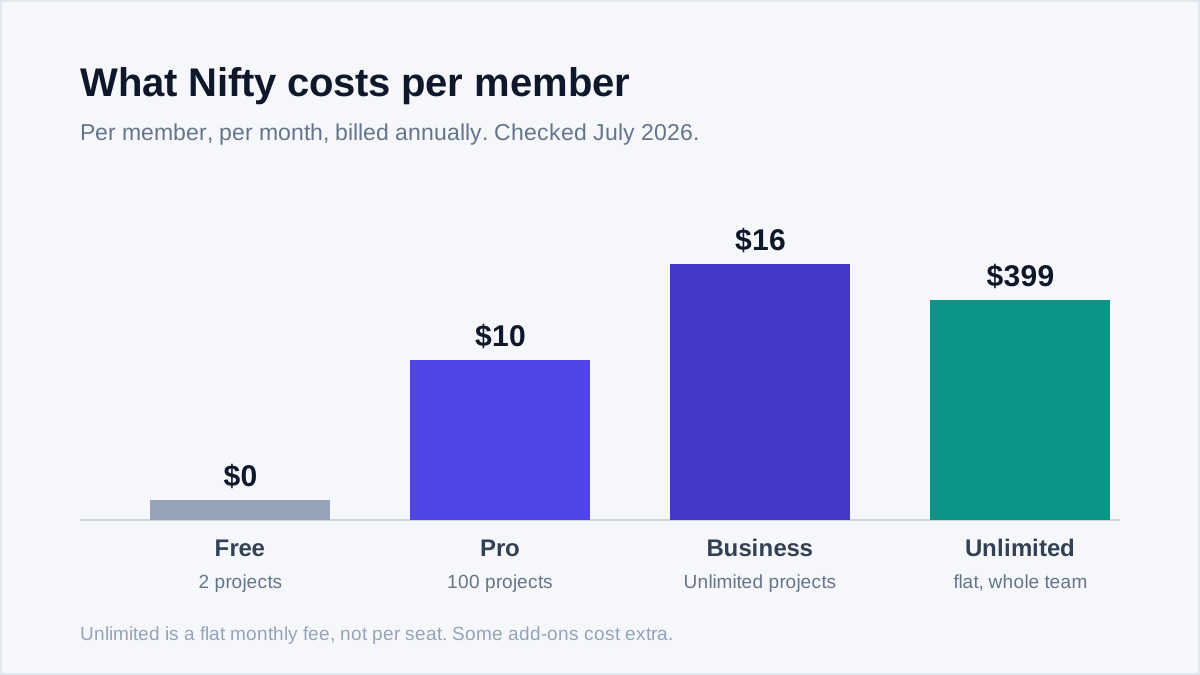
Nifty's pricing is genuinely good value and genuinely confusing, and you should understand both before you buy. Checked on the pricing page in July 2026, the per-member tiers billed annually are:
- Free: $0, unlimited members, but only 2 active projects and 100 MB of storage.
- Pro: $10 per member per month, 100 projects and 250 GB, plus time tracking and reporting.
- Business: $16 per member per month, unlimited projects and storage, custom fields, workload management.
- Unlimited: around $399 per month as a flat fee for the whole team, not per seat.
The confusion is that Nifty also surfaces packaged plans with fixed seat counts (a Pro bundle for 20 members, a Business bundle for 50), so the same product shows two different pricing shapes depending on where you land. Work out your seat count first, then compare the per-member and the bundled numbers, because which one wins flips around the 8-to-10 seat mark.
The free plan, honestly
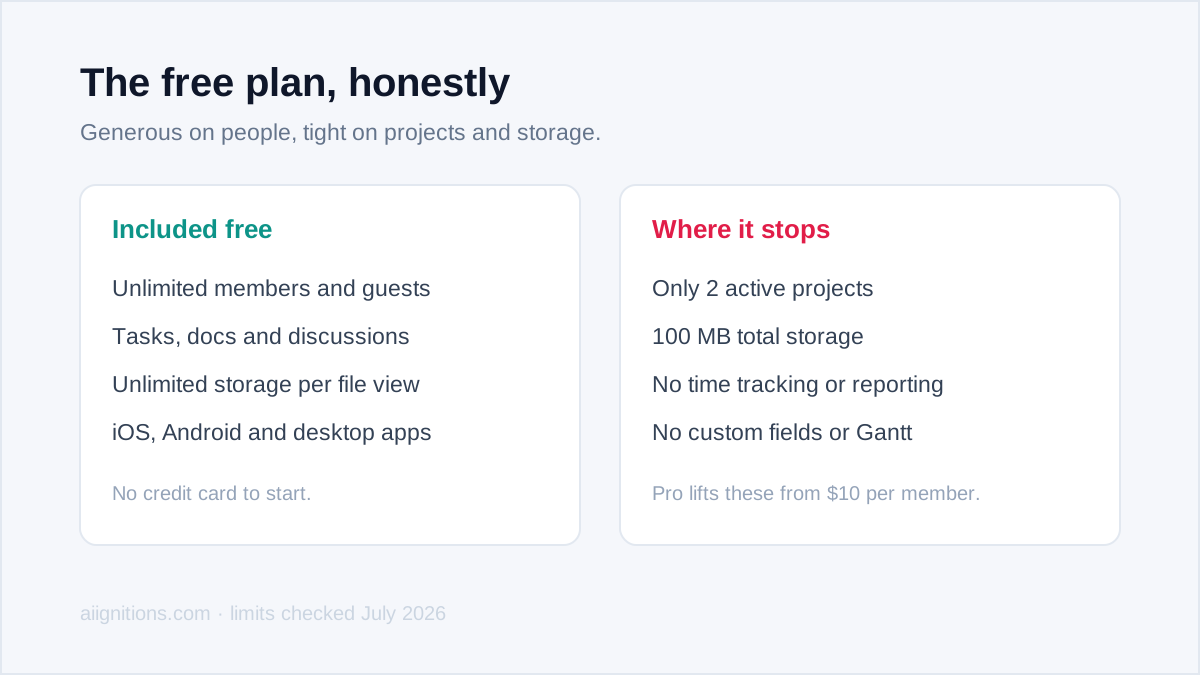
The free tier is unusually generous in one dimension and stingy in another. It lets in unlimited members and guests, which is rare, so you can bring a whole team and external clients in without paying a cent. Then it caps you at two active projects and 100 MB of total storage, which is where reality bites: two projects is a trial, not a workflow, and 100 MB is a handful of screenshots before you are full.
Treat the free plan as an honest long-form demo rather than a home you can live in. It is enough to run one real project end to end and decide whether the integrated approach suits how your team works, which is exactly what a free plan should be for.
Where it frustrates
Two complaints recur, and both are fair. The first is add-on pricing: features like extra form volume can sit outside the plan you already pay for, so the tidy "one bill" story gets less tidy as you scale, and reviewers on Capterra and GetApp flag this often. Price the add-ons you will actually use, not just the base tier.
The second is depth. A team that lives in one discipline will feel the ceiling. Engineering teams that need Jira's issue workflows, sprints and deep GitHub ties will find Nifty's task engine lighter; heavy document teams will find its docs thinner than Notion. Storage on the cheaper tiers is also modest for anyone attaching large files. Nifty wins on breadth, and breadth is not the same as best-in-class in any single lane.
Who should use Nifty
Nifty is the right call for a small-to-mid team, an agency, or a client-services shop that is tired of paying for and context-switching between four separate tools. If you want tasks, a self-updating roadmap, docs, chat and time tracking under one flat bill, and no single one of those has to be the deepest on the market, it delivers real value and the unlimited-guest allowance is a standout for client work.
Look elsewhere in two cases. If your work is single-discipline and demands depth, a software team should stay on Jira and a docs-first team on Notion. And if you want maximum configurability and are willing to build it yourself, ClickUp goes further, while Asana is the cleaner pick if task management alone is the whole job. Choose Nifty when the problem is tool sprawl, not when the problem is doing one thing exceptionally well.
Ready to try Nifty?
Visit the official website to see the latest plans, pricing, and special offers.
Get Started - Nifty* Affiliate link - we may earn a commission at no extra cost to you.