Sonix review 2026: fast, accurate AI transcription, translation, and subtitles in 50+ languages. See features, USD pricing, pros and cons.
Table of Contents
Sonix is a web-based, AI-powered platform that automatically converts audio and video into accurate text, then lets you translate, subtitle, and analyze that content in a single browser workspace. It supports more than 50 languages and pairs its automated transcription engine with a text-based editor, so you can polish a transcript, generate captions, or produce a translated version without ever leaving the app.
The tool is aimed at anyone who works with spoken-word media at scale — journalists, researchers, podcasters, video editors, marketers, and enterprise teams — who need fast turnaround and a reliable first draft rather than paying by the minute for a human transcriptionist. With claimed accuracy up to 99% on clear audio, speaker labeling, and export options for nearly every format, Sonix positions itself as an end-to-end media-to-text hub.
Using Sonix offers several practical advantages:
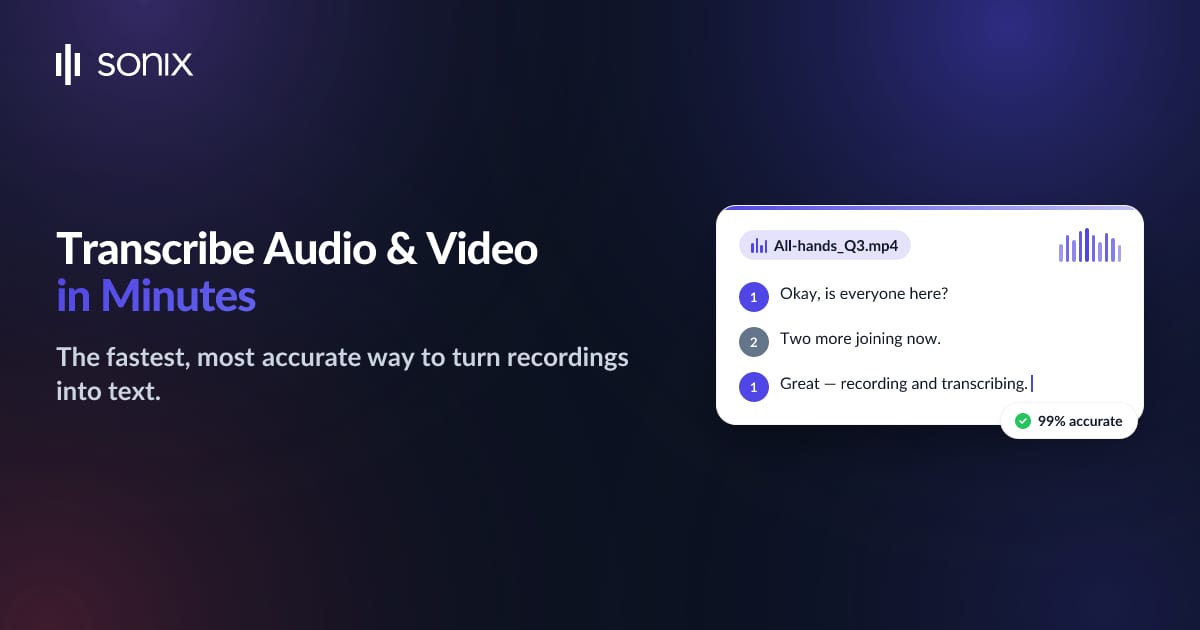
The core of the platform: upload audio or video and Sonix returns a time-coded, speaker-separated transcript with up to 99% accuracy on clear recordings. Automated speaker diarization and custom dictionaries help the engine handle multiple voices, technical terms, and proper nouns.

Once a transcript exists, Sonix can translate it into 55+ languages in a couple of clicks. This makes it straightforward to create multilingual subtitles or localized documents from a single source recording, keeping timing and formatting intact.

Sonix automatically generates frame-accurate subtitles and captions for video. You can adjust timecodes, set line lengths, and export SRT or VTT files, or burn the captions directly into the video for social platforms that require baked-in text.

Beyond raw text, the AI workspace can generate summaries, chapters, topics, and sentiment analysis from your media. This turns long recordings into skimmable insights — useful for meeting notes, research reviews, and content planning without re-listening to the full file.
The Sonix editor lets you correct a transcript by editing text while the audio plays back in sync, word by word. Because the text is linked to the media timeline, fixing a mistake or trimming a section is as simple as editing a document — no waveform wrangling required.
With transcription in 50+ languages and translation into 55+, Sonix serves international teams and multilingual content pipelines. Automatic language detection and localized output help you process recordings from around the world in one place.
Sonix connects with the tools editors already use — Adobe Premiere Pro, Zoom, and Zapier among them — and offers a developer API for automating uploads and transcript retrieval at scale. A mobile recording app captures audio on the go and sends it straight into your account for transcription.

Multi-user permissions, read-only sharing links, and team seats let organizations review and hand off transcripts securely. Enterprise plans add SOC 2 Type II and HIPAA compliance for teams handling sensitive material.

Sonix offers a mix of pay-as-you-go and monthly subscription plans, plus a free trial. All prices are in USD and reflect the plans available at the time of writing:
Note that translation is billed at the same rate as transcription, additional subscription hours are charged at $10/hour, and extra team seats cost $25/month each.

Full details at: https://sonix.ai/pricing
Interview Turnaround: Reporters can transcribe recorded interviews in minutes, then search the text for the exact quote they need, dramatically shortening the path from recording to published story.
Newsroom Subtitles: Media teams use the subtitle tools to caption broadcast and social clips quickly, with frame-accurate timecodes and burned-in options for platforms like Instagram and TikTok.
Qualitative Research: Researchers transcribing focus groups and field interviews get speaker-separated transcripts they can code and analyze, saving hours of manual typing per session.
Lecture Accessibility: Universities caption lectures and seminars to meet accessibility requirements, and the AI summaries help students review long sessions efficiently.
Podcasts: Podcasters turn episodes into show notes, blog posts, and searchable archives, repurposing a single recording into multiple SEO-friendly assets.
Video Editors: The text-based editor and Premiere Pro integration let editors cut footage by editing the transcript, then export captions in the same pass — a major time-saver on dialogue-heavy projects.
Meetings & Compliance: Teams transcribe meetings and calls for accurate records, with AI summaries surfacing action items and decisions automatically.
Global Localization: Marketing and training departments translate content into dozens of languages to reach international audiences, while enterprise-grade security keeps sensitive recordings compliant with HIPAA and SOC 2 requirements.
Sonix delivers clear strengths for media-heavy workflows:
A few trade-offs are worth weighing:
Sonix is one of the most capable AI transcription platforms available in 2026, and its real strength is breadth: it does not just turn speech into text, it translates, subtitles, summarizes, and edits in one browser-based workspace. For journalists, researchers, content creators, and businesses that regularly work with audio and video, it removes hours of tedious manual work and makes multilingual content genuinely practical. Pricing scales sensibly from a pay-as-you-go option up to enterprise plans, though heavy users should keep an eye on hour limits and translation costs. If you need fast, accurate, and flexible media-to-text tooling, Sonix is well worth a trial.
Visit the official website to see the latest plans, pricing, and special offers.
Get Started - Sonix* Affiliate link - we may earn a commission at no extra cost to you.