Taskade Review: AI Agents and Automation Workspace for 2026
Taskade review 2026: features, pricing, and how its AI agents and automations turn prompts into apps inside one collaborative productivity workspace.
Expert Review

What is Taskade?
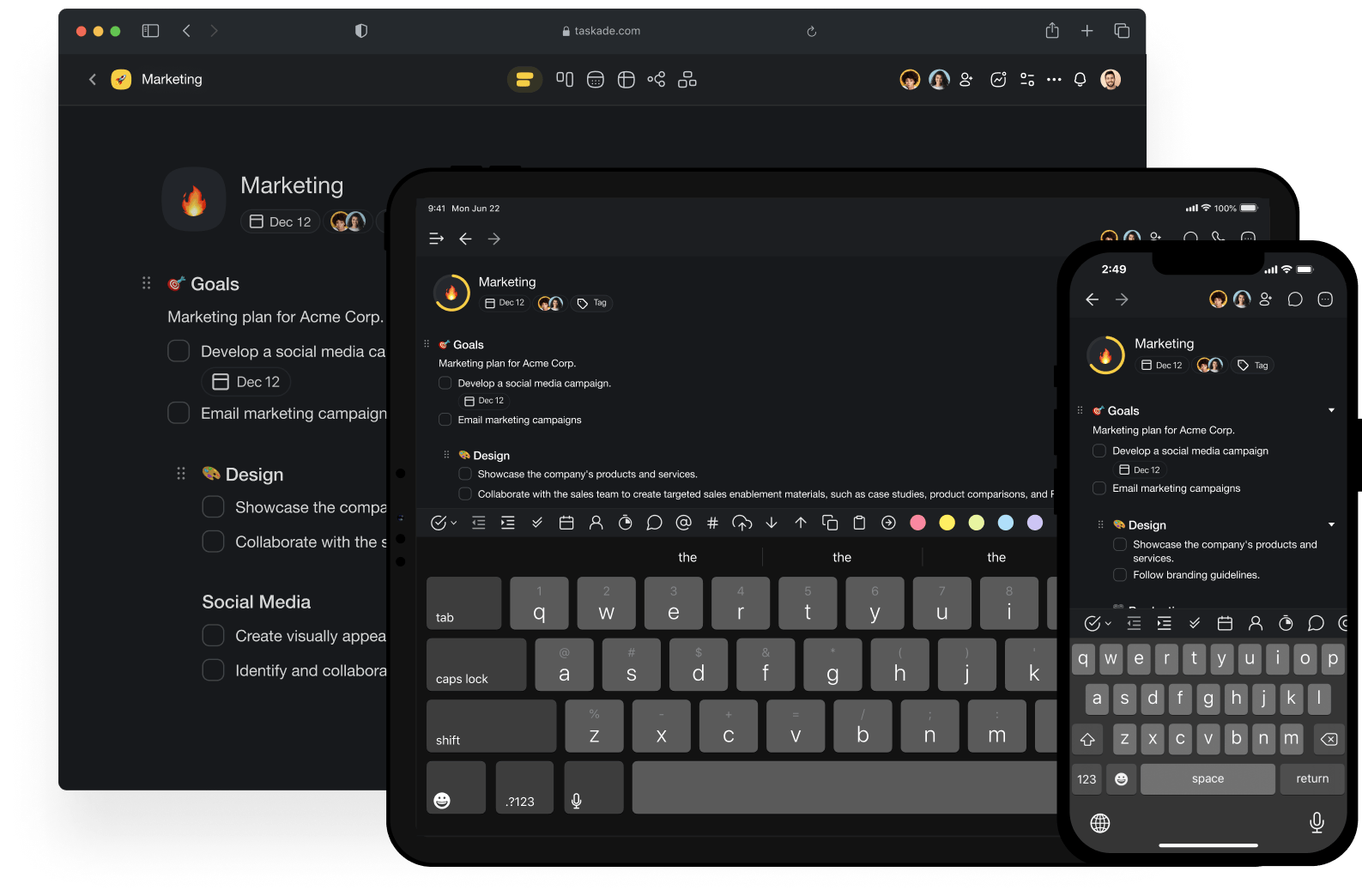
Taskade is an AI-powered productivity workspace that combines the things most teams juggle across several apps — tasks, notes, mind maps, and databases — into one place, then layers AI agents and automations on top. Its newer positioning goes a step further: turn a single prompt into a living app, from CRMs and dashboards to trackers and client portals, without stitching together separate tools.
It is built for solo founders, small teams, and creators who want to plan, build, and automate work in the same workspace they collaborate in. You can outline a project as a checklist, view it as a board or mind map, hand parts of it to AI agents, and wire up automations that keep everything moving.
Benefits of Using Taskade
Using Taskade offers several practical advantages:
- All-in-one workspace: Tasks, docs, mind maps, and databases live together, cutting down on app-switching and copy-paste.
- AI that does work, not just chat: Agents can research, draft, and act inside your projects rather than sitting in a separate window.
- Automation without code: Build workflows with triggers and actions across 100+ integrations to remove repetitive busywork.
- Flexible views: See the same project as a list, board, table, calendar, or mind map to match how you think.
- Real-time collaboration: Teams edit, comment, and chat together, with AI available in the same space.
- Generous free tier: A capable free plan lets individuals and small teams start without paying.
AI Features of Taskade
-
Custom AI Agents
Taskade lets you create custom AI agents with persistent memory and a set of built-in tools. You can train an agent on your own content and assign it a role — a researcher, a writer, a support assistant — that works inside your projects instead of a generic chatbot.
-
Automation Workflows
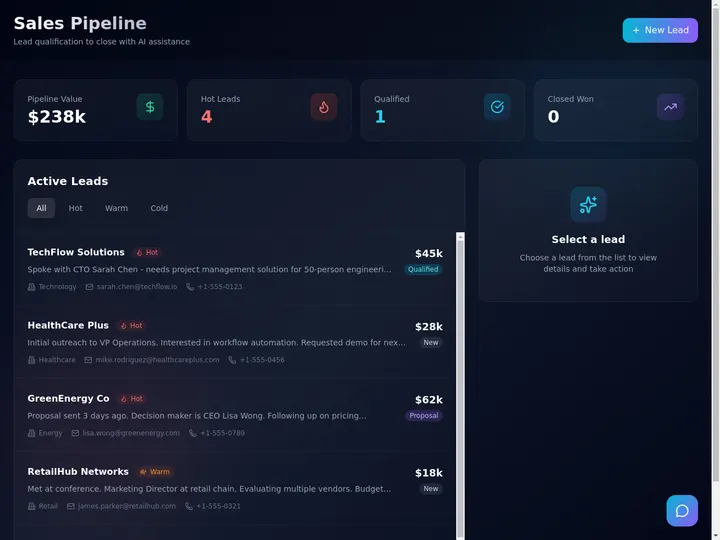
Durable, no-code workflows connect triggers to actions with branching and looping, so agents and integrations can run multi-step processes automatically — the productivity glue that ties your tools together.
-
Prompt-to-App Generation
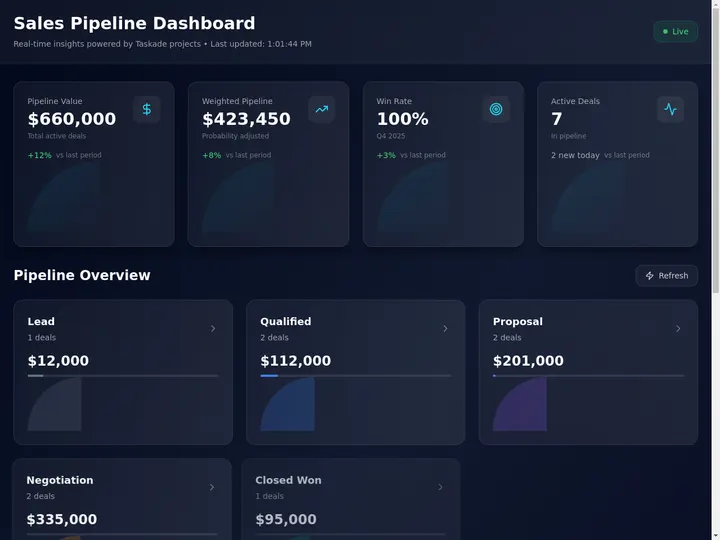
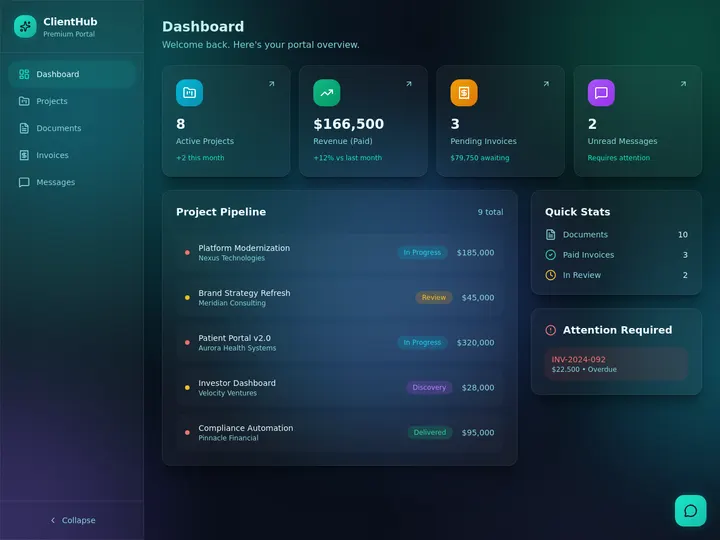
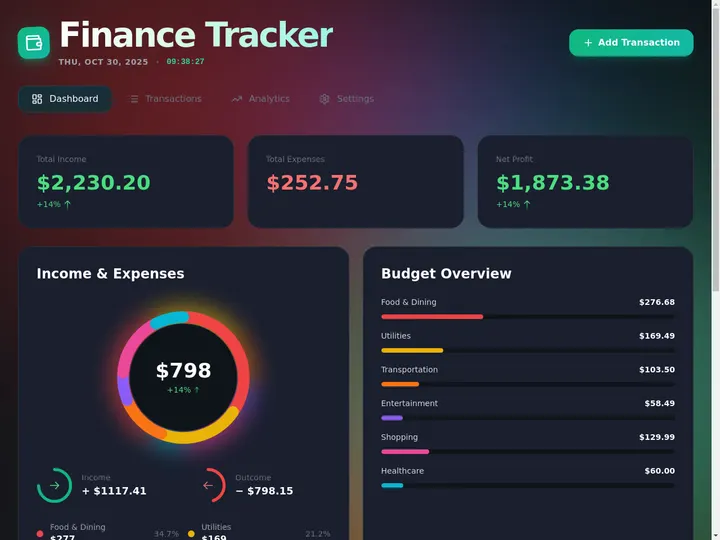
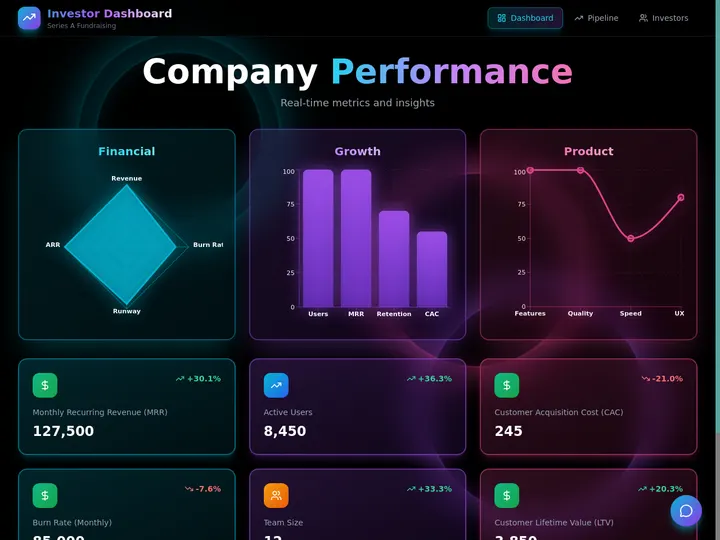
Taskade's headline capability turns a single prompt into a working, deployable system — CRMs, dashboards, portals, and trackers — that you can then customize, share, and run inside the workspace.
-
Multi-Agent Teams
Beyond a single assistant, Taskade supports teams of agents that hand off tasks to one another, letting you model a small AI "team" that collaborates on bigger, multi-step jobs.
-
Workspace Memory & Views
Projects act as a shared database your agents can read and update across multiple views, so the AI always has context on your work rather than starting from a blank slate each time.
-
Integrations
Taskade connects to 100+ tools and services, and includes built-in options like payment processing, so automations and agents can reach the apps your workflow already depends on.


Pricing of Taskade
Taskade offers a free plan plus paid tiers that unlock more agents, automations, and AI credits. Annual billing lowers the effective monthly price:
- Free Plan: $0/month — AI agents, a limited number of automations, basic integrations, and a monthly allotment of AI credits. Solid for testing and light personal use.
- Pro Plan: around $16/month — unlimited agents, unlimited automations, 100+ integrations, and a large monthly pool of AI credits (in the range of 50,000). Aimed at power users and small teams.
- Team Plan: higher tier — more collaboration controls and larger limits for growing teams.
- Enterprise: Custom pricing — advanced security, support, and volume for larger organizations.

Current plans and prices at: https://www.taskade.com/pricing
Real-World Use Case Analysis
-
Solo Founders & Freelancers
Lightweight CRM: A freelancer can prompt Taskade into a simple client tracker and let an agent log follow-ups, replacing a spreadsheet and a separate CRM.
Content Pipelines: Writers and creators use agents to research and draft, then track publishing in the same board.
Automations: Small automations — reminders, status changes, notifications — quietly remove repetitive steps from a one-person operation.
-
Small Teams & Startups
Project Management: Teams plan sprints as boards or lists while agents summarize progress and surface blockers.
Internal Tools: Prompt-to-app lets a startup spin up a lightweight dashboard or portal without waiting on engineering.
Collaboration: Real-time editing plus shared agents keeps everyone — and the AI — working from the same context.
-
Agencies & Operators
Client Portals: Agencies can generate branded portals and trackers per client and reuse them as templates.
Workflow Automation: Multi-step automations across integrations handle onboarding, reporting, and hand-offs.
Scaling: Multi-agent teams help operators take on more work without proportionally more manual effort.
Pros and Cons of Taskade
-
Advantages of Using Taskade
Taskade offers significant benefits including:
- A genuinely all-in-one workspace that reduces tool sprawl.
- AI agents and automations that act inside your projects, not beside them.
- Prompt-to-app generation for building lightweight internal tools fast.
- A capable free plan and affordable Pro tier.
-
Disadvantages of Using Taskade
Some potential drawbacks include:
- The breadth of features can feel overwhelming at first.
- AI credits are metered, so heavy agent use can hit plan limits.
- For deep, specialized needs, dedicated CRM or project tools still go further.
Final Thoughts on Taskade
Taskade is an ambitious take on the modern productivity app: instead of just organizing your work, it tries to help you do and automate it with AI agents that live inside your projects. It is not the most specialized option in any single category, but as a flexible, AI-native workspace for solo founders and small teams, it is compelling — especially given the free plan and reasonable Pro pricing. If you are tired of gluing separate apps together, Taskade is well worth trying.
Ready to try Taskade?
Visit the official website to see the latest plans, pricing, and special offers.
Get Started - Taskade* Affiliate link - we may earn a commission at no extra cost to you.