TimelinesAI Review: WhatsApp for Your Whole Team and CRM
TimelinesAI review: a shared WhatsApp inbox with native CRM integrations, automations and mass messaging. Features, per-seat pricing, pros and cons, and verdict.
Expert Review
What is TimelinesAI?
TimelinesAI is a WhatsApp management platform that brings team collaboration and CRM integration to a channel that was never designed for either. On its own, WhatsApp ties each conversation to a single phone and a single person — a nightmare when several colleagues need to handle customer chats, or when those conversations need to live inside your sales pipeline. TimelinesAI fixes that by connecting multiple WhatsApp numbers to one shared workspace and syncing every message to your CRM automatically.
The result is that WhatsApp becomes a proper business channel: a manager can see every chat, assign conversations to teammates, automate routine replies, and push contacts and messages straight into HubSpot, Pipedrive, Zoho, Salesforce, and others — no manual copy-pasting, no conversations trapped on one employee's phone. For businesses that sell and support over WhatsApp, that visibility and integration is the whole point.
Key Features
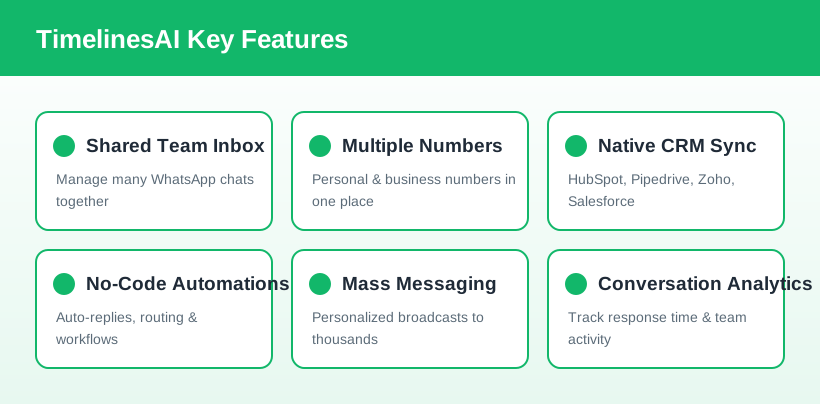
- Shared team inbox: manage many WhatsApp conversations in one place, with assignment, internal notes, and real-time collaboration so nothing slips through the cracks.
- Multiple numbers, one workspace: connect several WhatsApp numbers — personal and business — to a single account and handle them all together.
- Native CRM integrations: two-way sync with HubSpot, Pipedrive, Zoho, monday.com, Salesforce, and Close, automatically logging chats and creating leads.
- No-code automations: a visual workflow builder handles auto-replies, routing, and CRM-personalized messages without any development.
- Mass messaging & broadcasts: send personalized bulk messages to thousands of contacts, with per-plan credit allowances.
- Analytics: conversational reporting on response times, volume, and team activity so you can measure and improve performance.
- Zapier, Make, API & Chrome extension: connect TimelinesAI to the rest of your stack or build custom flows via public API and webhooks.
How TimelinesAI Works
Getting started is quick — the company puts setup at around two minutes. You sign up, connect your WhatsApp account by scanning a QR code (the same way WhatsApp Web works), and conversations immediately begin flowing into your TimelinesAI workspace. If you use a CRM, you connect it once and existing and new chats sync automatically, matching messages to the right contacts and deals.
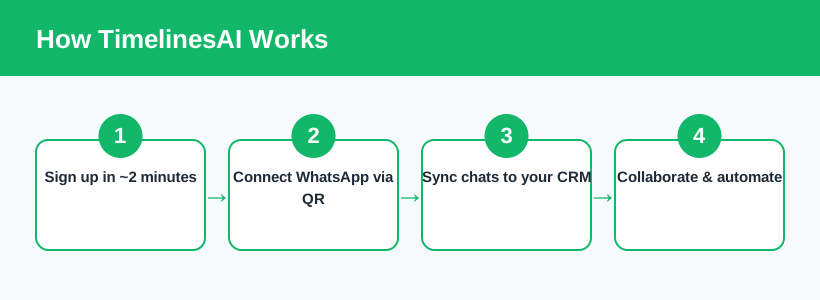
From there your team can collaborate in the shared inbox, assign chats, and let automations handle repetitive work. Because it layers on top of standard WhatsApp accounts, there is no migration and no new number for customers to learn. Ready to unify your team's WhatsApp? You can start a free TimelinesAI trial here and connect a number in minutes.
Pricing & Plans
TimelinesAI is priced per seat (per user), where a seat is anyone connecting a WhatsApp account to the workspace. Every plan lets you handle unlimited one-to-one chats and contacts; the tiers mainly differ in team features, history, and mass-messaging credits. There is a 10-day free trial with no credit card required.
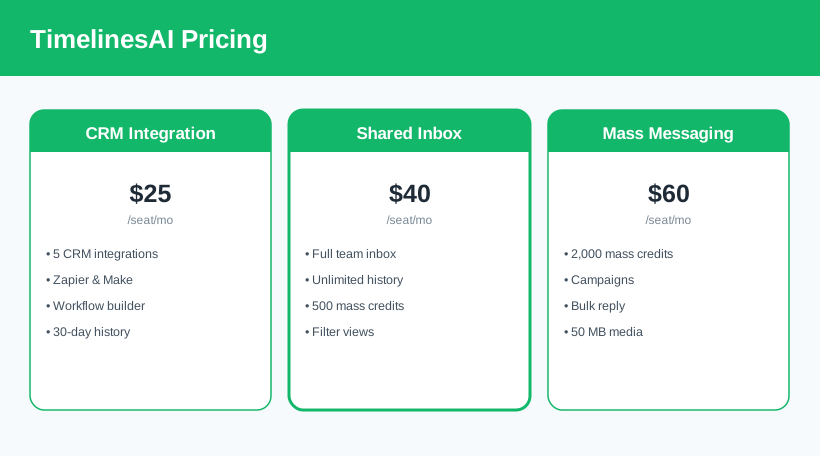
- CRM Integration ($25/seat/month): native integrations with HubSpot, Pipedrive, Zoho, monday.com, Salesforce and Close, plus Zapier/Make, the workflow builder, API, and 30-day chat history.
- Shared Inbox ($40/seat/month): everything above plus the full team inbox, unlimited chat history, filter views, and 500 mass-messaging credits per user. This is the most popular tier.
- Mass Messaging ($60/seat/month): adds 2,000 mass-messaging credits per user, campaign creation, bulk reply, and larger media attachments for high-volume outreach.
Per-seat prices, credit allowances, and features change over time — check the current TimelinesAI pricing before you subscribe.
Who It's For
TimelinesAI is aimed at teams that already do real business over WhatsApp. Sales teams get every prospect conversation logged in the CRM and can automate follow-ups instead of chasing chats across phones. Customer support and success teams share a single inbox so any agent can pick up where another left off. Agencies and multi-location businesses manage many numbers centrally with full oversight. If your customers reach you on WhatsApp and you use a CRM, TimelinesAI is squarely built for you; if you only handle the odd message from one phone, it is more than you need.
Pros & Cons
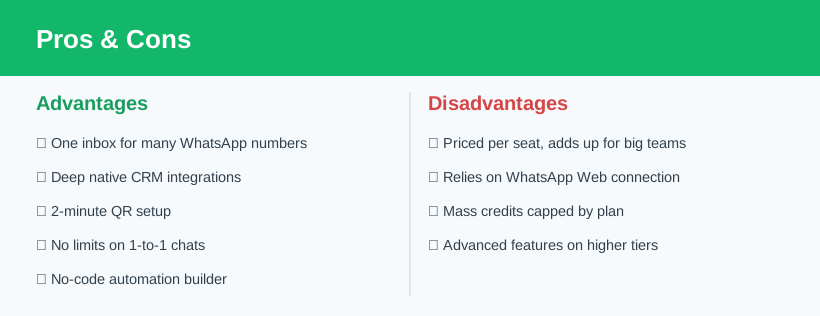
Advantages
- One shared inbox for multiple WhatsApp numbers and teammates.
- Deep, native two-way CRM integrations.
- Fast ~2-minute QR setup with no migration.
- Unlimited one-to-one chats and contacts on every plan.
- No-code automations and workflow builder.
Disadvantages
- Per-seat pricing adds up quickly for large teams.
- Relies on a WhatsApp Web-style connection to your account.
- Mass-messaging credits are capped by plan.
- Campaigns and biggest allowances sit on the top tier.
Verdict: Is TimelinesAI Worth It?
TimelinesAI solves a very real, very specific problem: turning WhatsApp from a personal messenger into a shared, CRM-connected business channel. The shared inbox alone is worth it for any team where more than one person handles customer chats, and the native CRM sync removes the tedious, error-prone job of logging conversations by hand. Setup is genuinely fast, and because it sits on top of normal WhatsApp accounts, there is nothing for your customers to change.
The main thing to weigh is the per-seat pricing, which can climb for bigger teams, and the fact that the richest mass-messaging features live on the top plan. But for sales, support, and success teams that run on WhatsApp and a CRM, TimelinesAI delivers exactly the visibility, collaboration, and automation that raw WhatsApp lacks. With a free trial to test it against your own workflow, it is an easy recommendation for WhatsApp-first businesses. Try TimelinesAI with your team.
Ready to try TimelinesAI?
Visit the official website to see the latest plans, pricing, and special offers.
Get Started - TimelinesAI* Affiliate link - we may earn a commission at no extra cost to you.