vidIQ Review: The AI Credit Meter, Keyword Scores and a No-Refund Renewal
vidIQ review: Free, Boost and MAX plans and AI credits, the keyword score's limits, YouTube channel permissions, refund and cancellation terms, and who should skip it.
Expert Review

The credit meter behind every AI feature
vidIQ began as a Chrome extension that put view counts and tags beside YouTube videos. In 2026 it rebuilt itself around something else: AI Credits. Every plan now comes with a monthly allowance, and almost every AI feature spends from it. The help centre's credit table, updated in November 2026, gives the exchange rate. An AI Coach message costs 10 credits, a "Deep Thinking" answer costs 25, and Max Mode costs 50. A thumbnail costs 22, a set of title ideas 3, and a description 1.
Run those numbers against the plans. The Free plan's 150 credits buy 15 ordinary coach messages a month, or six deep-thinking ones. Boost's 2,000 credits buy about 200 messages, or 90 thumbnails, but not both. Unused credits do not roll over. On a multi-channel plan the pool is shared: three channels on MAX get 10,000 credits between them, not 10,000 each. Only MAX and Coaching can buy top-ups. On Boost, a month with a heavy thumbnail push simply ends early.
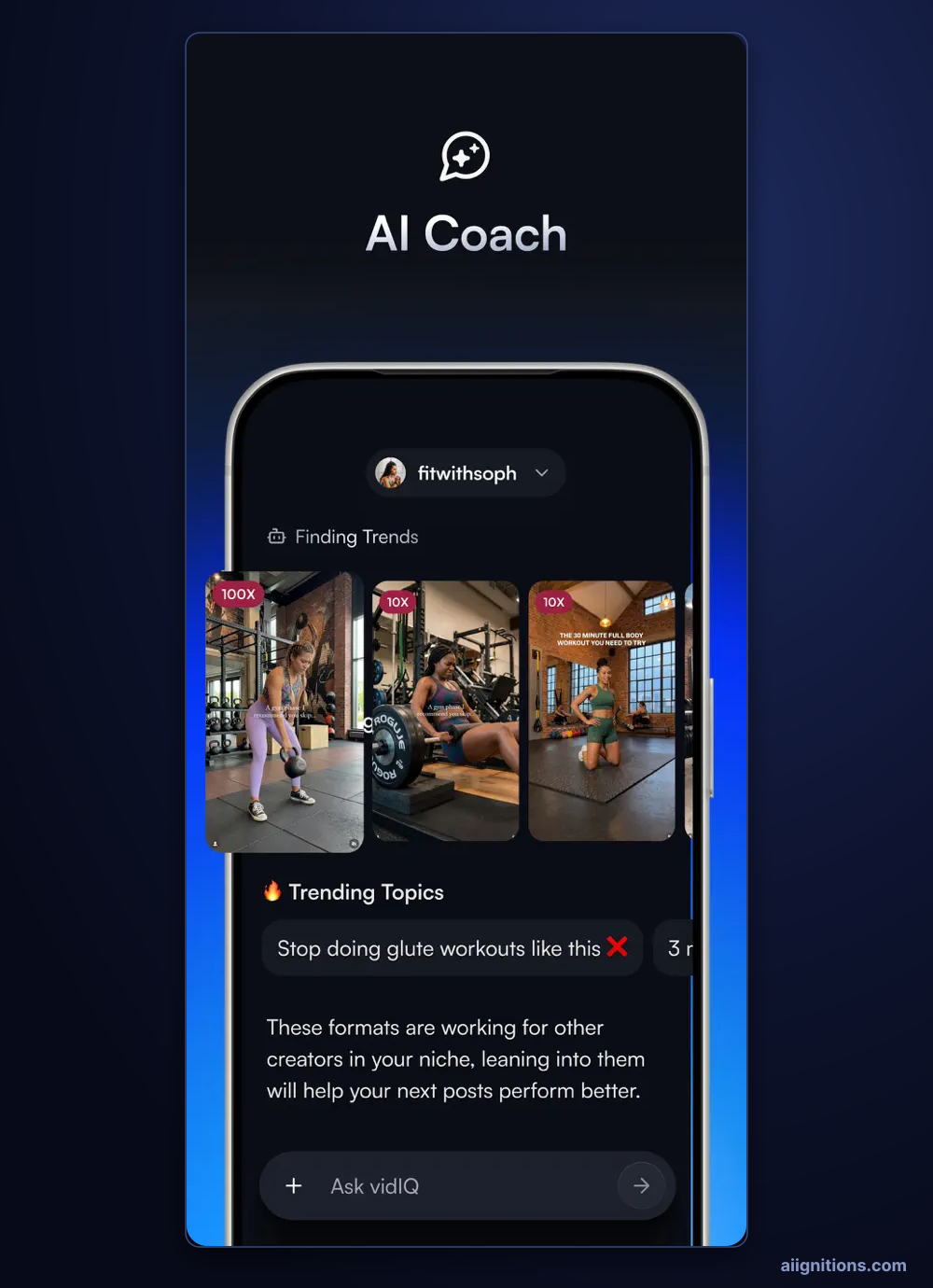
The research side is a different matter. Keyword search, trend research and subscriber insights are unlimited on every paid plan and are not charged in credits. If you mainly want data, the meter barely touches you. If you mainly want the AI to do the work, it is the first thing to budget for.
What vidIQ actually does
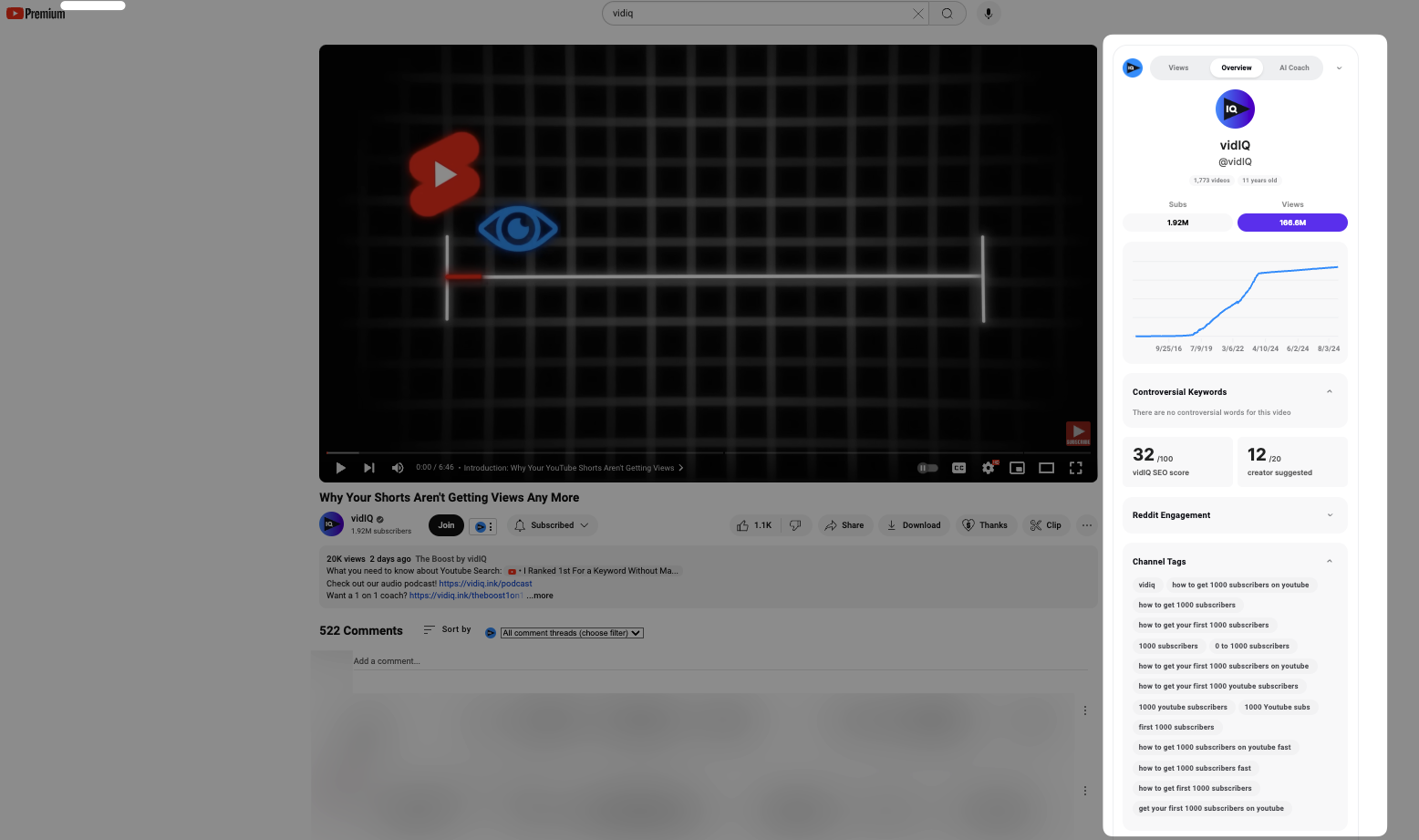
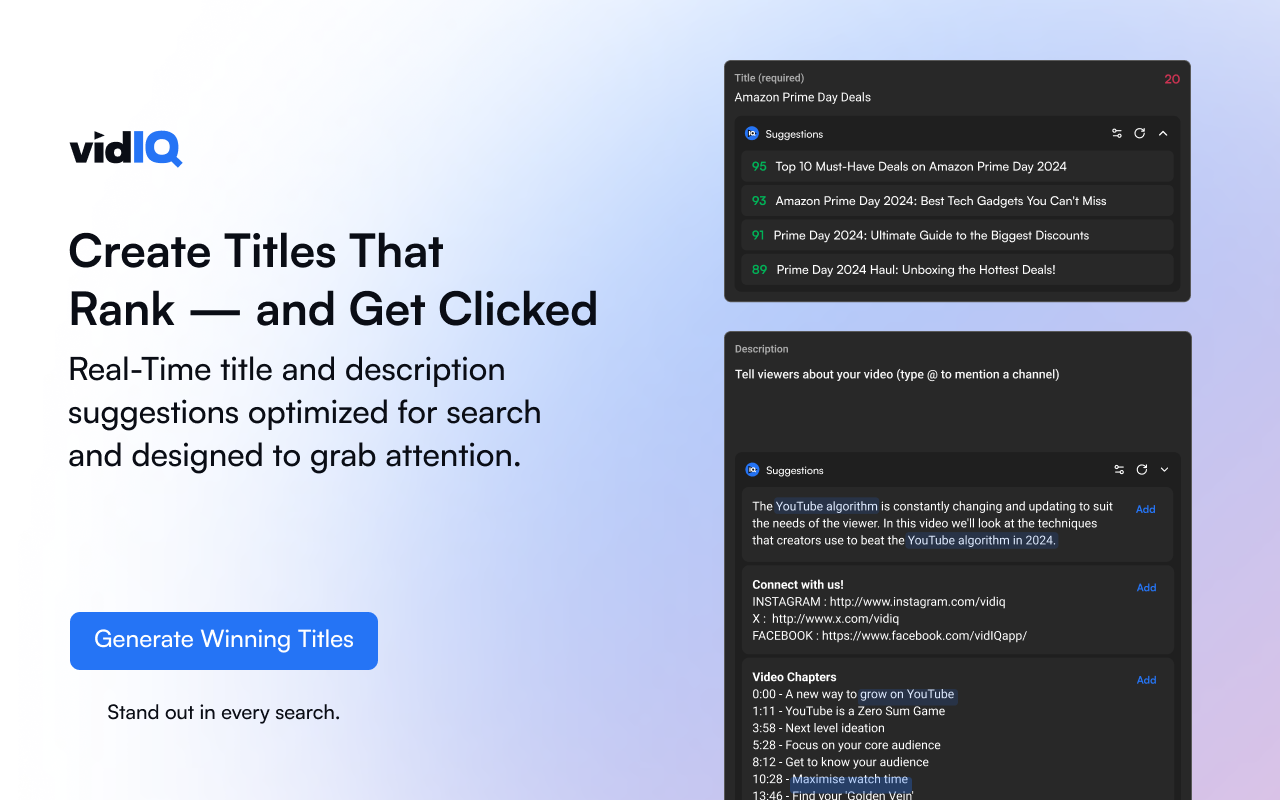
The extension is still the part most creators install first. Chrome Web Store lists it at 4.8 from 11,600 ratings and 4 million users, updated on November 21, 2026. Open any YouTube video and a panel on the right shows the channel's stats, a views graph, the tags used and a vidIQ SEO score. On your own upload page, it suggests titles, descriptions and tags as you type.
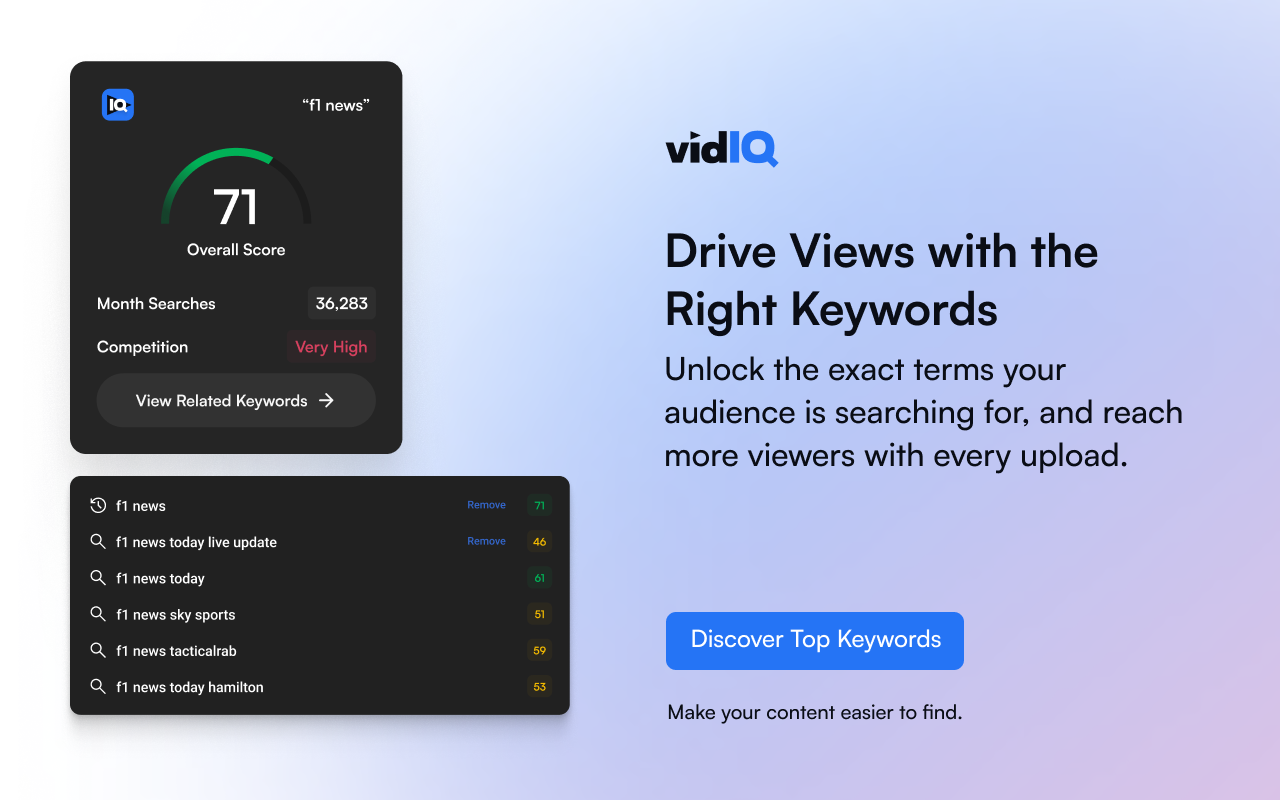
The keyword tool is the one to understand before you trust it. vidIQ estimates monthly YouTube searches on a 30-day rolling basis and combines them with competition into an Overall Score out of 100. Its own documentation admits that search volume is shown in brackets, and that "a 100,000 search volume and a 1,000,000 search volume" can land in the same High bracket. Treat the score as a ranking between keyword ideas, not as a traffic forecast. On the Free plan the tool shows only three results per search, which is enough to see how it works and not enough to plan with.
Around that sit Daily Ideas (three a day on Free, 50 on paid plans), competitor tracking (3 channels on Free, 20 on Boost, 50 on MAX), an Outliers view that finds videos beating their channel's usual numbers, and a channel audit. The newest addition stands out. vidIQ MCP lets you connect Claude, ChatGPT or Cursor to vidIQ's database of 135 million channels, and it is available on every plan, Free included. vidIQ does not say which model runs the AI Coach or the generators.
Pricing and plans
Checked on vidiq.com/plans on November 24, 2026, at US list prices. Local pricing may differ.
| Plan | Billed yearly | Billed monthly | AI Credits / month | Competitors |
|---|---|---|---|---|
| Free | $0 | $0 | 150 | 3 |
| Boost | $199/yr ($16.58/mo) | $19 | 2,000 (1 channel) to 3,000 (3) | 20 |
| MAX | $468/yr ($39/mo) | $49 | 6,000 (1 channel) to 10,000 (3) | 50 |
| Coaching | Not published | Not published | 6,000 | 20 |
Boost is the plan most creators need. It removes the caps on keyword research and gives you 50 personalized ideas a day, the AI thumbnail builder and 500 title and description translations. MAX adds Max Mode for the coach, three times the coach conversations, and up to 11 hours of clipping and short generation, so it is for creators who will actually use the AI tools heavily. Coaching adds a human coach, but only for English-language channels in the US, UK, Canada, Ireland, Australia and New Zealand, and its yearly fee is paid upfront and non-refundable. Channels beyond three need an Enterprise quote.
Two things to check before you pay. The plans page mentions no free trial, so the Free plan is your trial. And the iOS App Store lists in-app prices that do not match the web: a "Boost (Yearly)" purchase showed $149 when we checked, against $199 on the web. App Store purchases follow Apple's refund rules rather than vidIQ's.
Renewals, refunds and cancelling
This is the part of vidIQ that draws the complaints. The terms of service, effective October 19, 2026, say all fees are non-refundable, including renewals not cancelled in time, unused subscription time and unused credits. vidIQ may refund "at our sole discretion". Plans renew automatically. If you joined on a promo price, the help centre says the renewal after the promo period is charged at the full rate. You cannot pause a subscription. And cancelling means going through the whole downgrade flow under Account Settings: closing the tab halfway leaves the plan active.
Users notice. vidIQ's Trustpilot page stood at 3.6 from about 1,380 reviews when we checked in November 2026. Eighty percent were five-star, but the one-star reviews from September to November 2026 tell much the same story: a cancellation option that was hard to find, no confirmation email after cancelling, a charge at renewal, and no reply from support. One reviewer also complained about paying credits just to ask the coach a question, which is the meter above, working as designed.
The contrast with the main rival is sharp. TubeBuddy's pricing page says it offers a 30-day refund policy. If you are unsure whether you will stick with a YouTube tool for a year, that difference is worth more than any feature. Whichever you choose, set a calendar reminder a week before renewal.
What connecting your channel grants
vidIQ calls itself a certified YouTube service provider. Connecting a channel grants two Google permissions: viewing your YouTube Analytics reports, including revenue, and managing your YouTube account, which covers your videos, playlists and activity. The help centre says vidIQ never makes changes to your channel. But its MCP connector can now update a video's details or thumbnail when you ask an AI assistant to, at 5 credits per update. That is useful, but it means a misread prompt can change a live video. Read what the assistant proposes before you approve it. If you disconnect, the privacy policy says vidIQ deletes the YouTube data it was authorized to collect within 30 days, and you can revoke access at any time from your Google account's security settings.
Verdict: who should buy it, who should skip it
Buy Boost if you publish on YouTube every week and want keyword research, competitor tracking and daily ideas in one place. At $199 a year, the unlimited research alone justifies it, and the 2,000 credits cover a reasonable amount of AI help on top. Start on Free, install the extension, and upgrade only once you are actually using the Scorecard and keyword tool every week.
Buy MAX only if you will use the AI heavily: hundreds of coach messages, or clipping long videos into Shorts every month. For research alone, $468 a year is mostly wasted.
Skip vidIQ if you post occasionally, or if you are not sure you will still be using it in a year. The non-refundable annual fee and the awkward cancellation flow punish exactly that buyer. TubeBuddy's 30-day refund window is the safer way to try a paid YouTube tool. And treat the keyword score as a guide, not a forecast. A tool that puts 100,000 and 1,000,000 searches in the same bracket cannot tell you which video will get the views.
Ready to try vidIQ?
Visit the official website to see the latest plans, pricing, and special offers.
Get Started - vidIQ* Affiliate link - we may earn a commission at no extra cost to you.