Zendesk Review 2026: Is the Support Giant Still Worth Its Price?
A 2026 Zendesk review: real per-agent pricing, the new AI resolution meter, what the Suite does well, and who should choose Freshdesk instead.
Expert Review
What Zendesk actually is
Zendesk is customer service software: a shared place where every message a customer sends becomes a ticket an agent can pick up, route, answer and close. It started in a Copenhagen loft in 2007, went public, and was taken private again in a roughly $10.2 billion buyout by Hellman & Friedman and Permira that closed in late 2022. That history matters for one reason. Zendesk is no longer chasing small teams. It is chasing the mid-market and enterprise support desks that its rivals want too, and the product has grown in that direction.
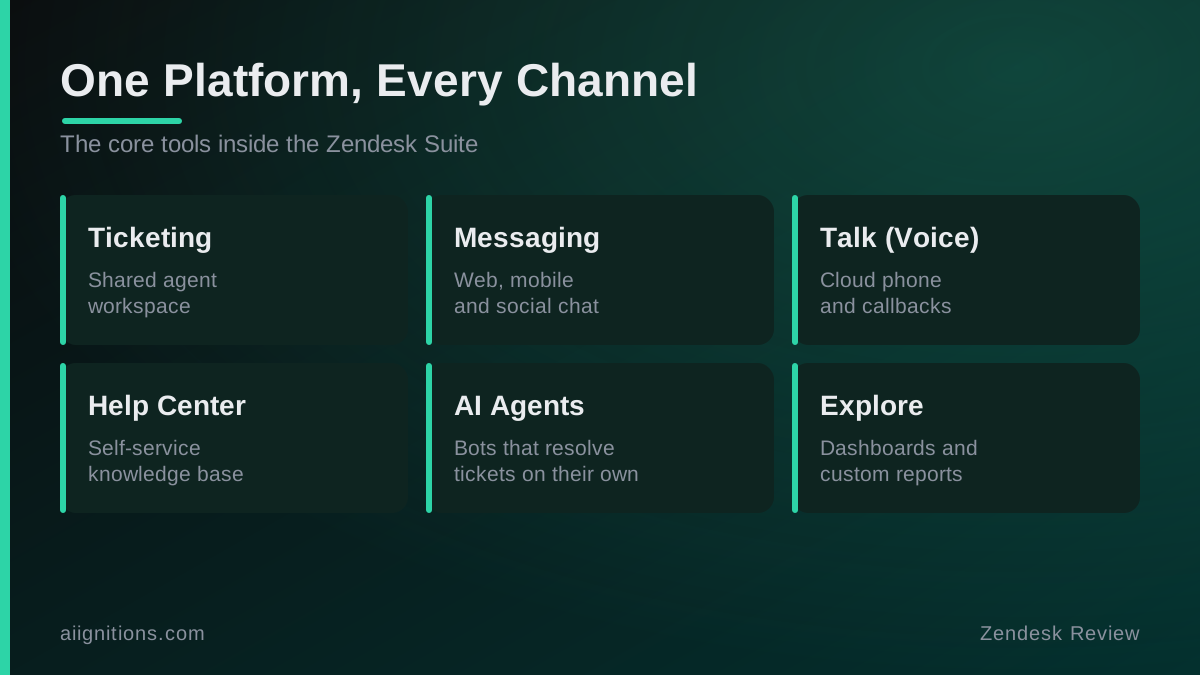
The thing to understand before anything else: Zendesk sells a Suite, not a mailbox. Email tickets are the floor. On top sit live chat and web messaging, a voice channel, social and WhatsApp, a self-service help center, and a reporting layer called Explore. You can buy just the ticketing piece, but almost nobody does, and the pricing quietly assumes you will not.
The trial and first setup
You can start a 14-day trial without a card, and the sign-up drops you into a working instance in under a minute. That part is genuinely fast. What takes the time is everything after: connecting a real support address, importing your macros, setting up triggers and automations, and wiring the Help Center to your own domain. Plan a few days, not an afternoon, before it is doing real work.
Two things are worth knowing up front. First, the price you see advertised is the annual price; choose monthly billing and every plan costs more per agent. Second, the trial defaults you into a high tier so you can see the expensive features, which makes the eventual downgrade to what you actually pay for feel like a loss. Decide which plan you are really buying before the trial ends, not during it.
What it does well
The reason Zendesk keeps winning bake-offs is not one killer feature. It is that the boring things are all there and all mature.
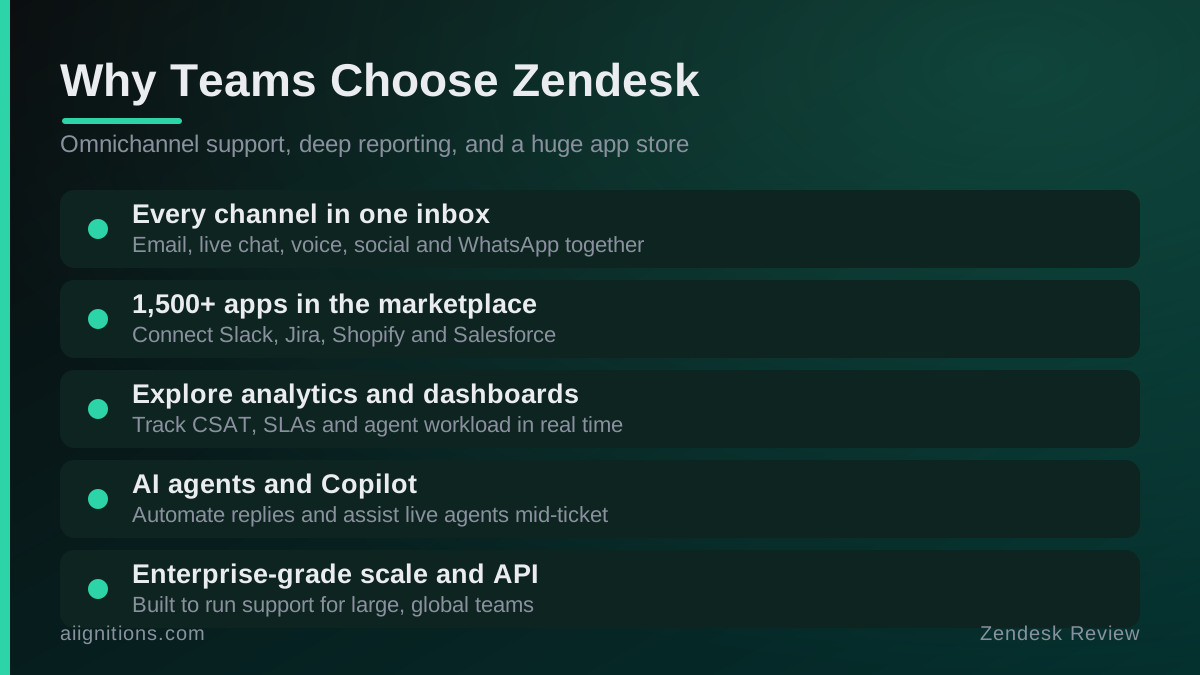
- One workspace for every channel. An agent answers an email, a WhatsApp thread and a live chat from the same screen, with the full customer history attached. Rivals do this too; few do it without the seams showing.
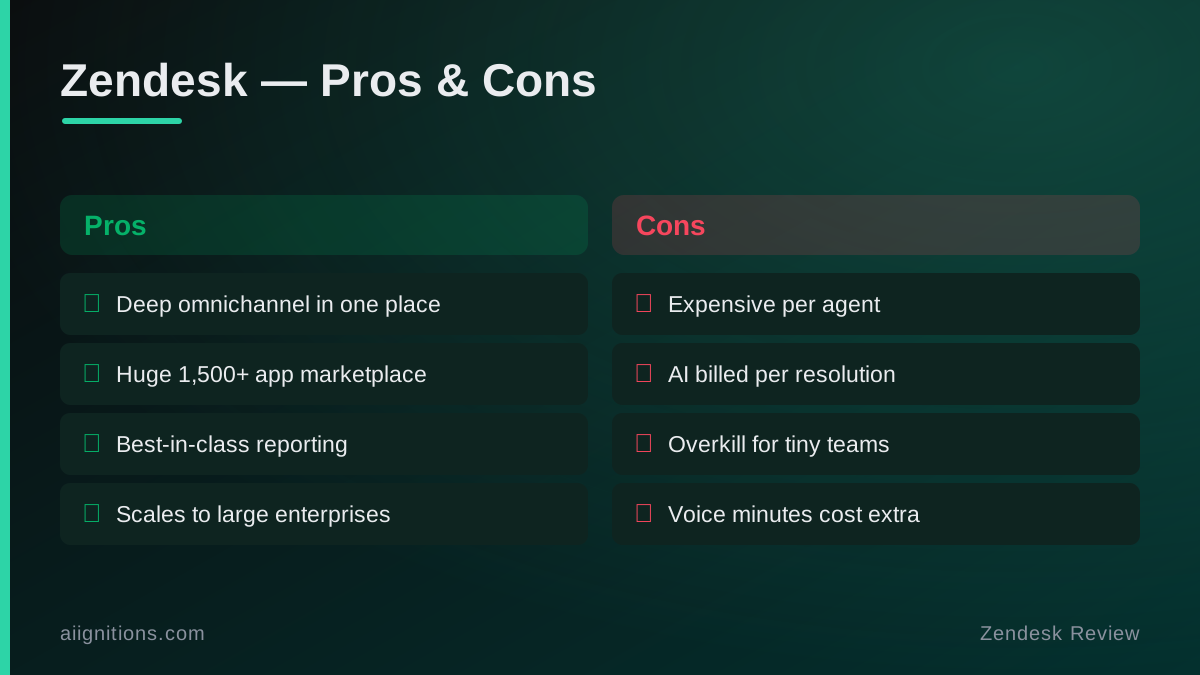
- The marketplace. More than 1,500 apps and integrations, including Slack, Jira, Shopify and Salesforce. If your stack is unusual, the odds that something already connects it are better here than anywhere else in the category.
- Explore reporting. Out of the box you can track CSAT, first-reply and full-resolution times, SLA breaches and per-agent workload, then build custom dashboards on top. This is the feature small competitors are still catching up to.
- It scales without falling over. Skills-based routing, IVR, granular roles and a serious API mean a 300-agent operation runs on the same platform a 10-agent one starts on.
Pricing and the AI meter
Here is the part that changed. Checked on Zendesk's pricing page in July 2026, per agent per month on annual billing:
- Support Team, about $19/agent. Email ticketing only, no chat or voice. The tier people forget exists.
- Suite Team, $55/agent. The real starting point: omnichannel, messaging, a basic help center and AI agents.
- Suite Growth, around $89/agent. Adds SLAs, CSAT surveys and a fuller self-service portal.
- Suite Professional, $115/agent. Skills-based routing, IVR and the controls larger teams need.
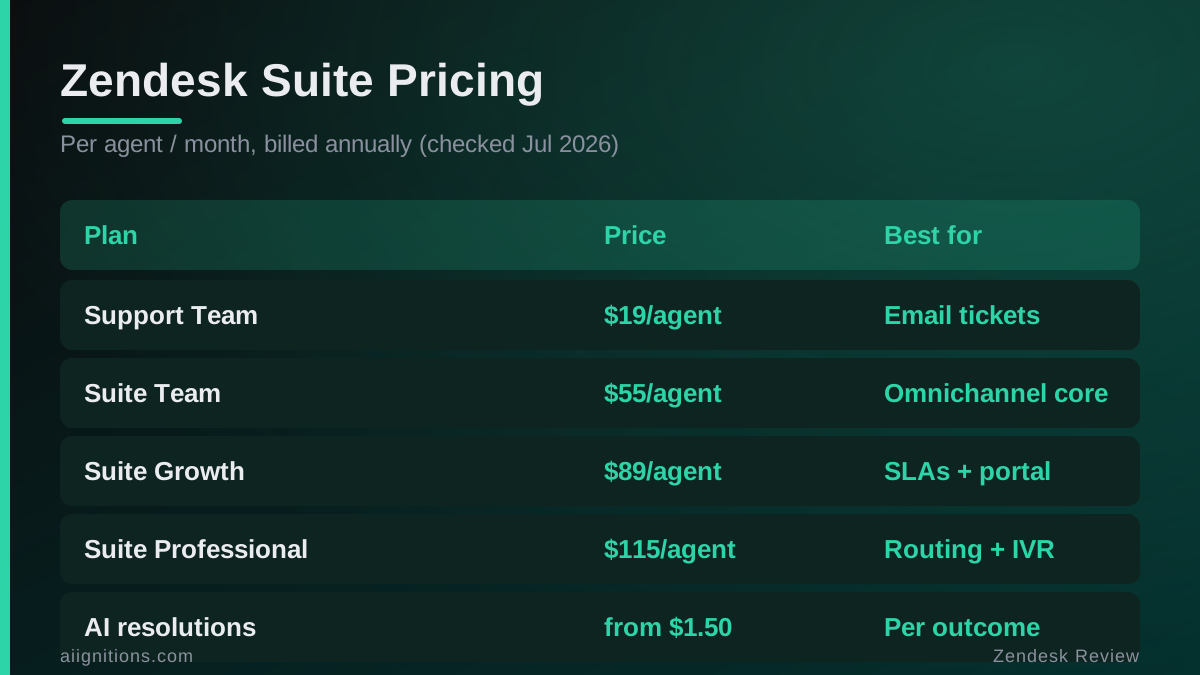
The catch is the AI. As of 2026 Zendesk no longer bundles unlimited automation into the seat price. AI agents are billed by outcome: you pay per issue the bot actually resolves. Plans include a small monthly allowance (roughly 10 automated resolutions per agent on Professional), and past that you are charged about $1.50 per resolution on a committed-volume deal or closer to $2.00 pay-as-you-go. On paper that is fair, because you only pay when the bot works. In practice it turns your support bill into something you cannot fully predict a month ahead, and a busy season quietly costs more. Copilot for live agents and the workforce tools are separate add-ons again, roughly $50/agent each.
Run the math on a 10-agent team wanting real omnichannel: Suite Team is $550 a month before a single AI resolution or add-on. That is the number to compare against, not the $19 headline.
Where it frustrates
None of this is a knock on the product working. It is a knock on what it asks in return.
The cost is the headline complaint, and it compounds. Seats are billed annually to hit the advertised rate, voice minutes on Talk are metered on top, the good AI is now a usage meter, and Copilot is another line item. A team that budgets off the sticker price is routinely surprised by the invoice. The platform is also heavier than a small team needs. If your entire support load is a shared inbox and the occasional chat, you will spend the first month turning things off. And while first-line support has improved, getting a human quickly on the lower tiers still means the help center and the community before a person.
Verdict: who should buy it
Zendesk is the right call for a mid-market or enterprise support team that runs several channels at once, lives in its reports, and needs a platform that will not be outgrown in two years. For that team the price buys maturity you would otherwise build yourself, and it is worth it. The marketplace and Explore alone justify the line item.
It is the wrong call for a startup or small team whose support is mostly email and a bit of chat, and whose budget cannot absorb a metered AI bill on top of annual seats. That team should look at Freshdesk, which starts free and tops out below where Zendesk begins, or at Help Scout if a clean shared inbox is all they want. Buy Zendesk when you have outgrown the cheaper option, not before. Paying enterprise prices for a five-person queue is the most common Zendesk mistake there is.
Ready to try Zendesk?
Visit the official website to see the latest plans, pricing, and special offers.
Get Started - Zendesk* Affiliate link - we may earn a commission at no extra cost to you.