PhantomBuster 评论:当 LinkedIn 的限制不变时,每月 69 至 439 美元可以买到什么
PhantomBuster 评论:与启动、增长和扩展计划(69-439 美元/月)相比,LinkedIn 不限制升级、帐户风险、退款和更适合的替代方案。
专家评测

The limit no plan moves
PhantomBuster sells three plans, from $69 to $439 a month, and the most expensive one sends exactly as many LinkedIn connection requests from your account as the cheapest. That is not our inference. It is in PhantomBuster's own help centre, in an article updated on August 3, 2026: LinkedIn enforces hard caps on connection requests (about 100 a week, varying by account) and on search results (1,000 per search, 2,500 on Sales Navigator), and "PhantomBuster cannot raise these, and upgrading your plan has no effect on them."
So what does the extra $370 a month buy? Execution hours, Phantom slots and credits for AI and email lookups. Those matter if you scrape and enrich data across several platforms and chain the steps into scheduled jobs. They do nothing for someone who wants to push more invites out of one LinkedIn profile. Scaling that means more LinkedIn accounts, and PhantomBuster does not sell those.
That split decides who the tool is for. Everything below comes from PhantomBuster's documentation, its legal pages and public user reviews, checked in September 2026. We have not run a paid campaign on it.
What PhantomBuster actually does
PhantomBuster is a no-code tool that runs in the cloud, so jobs keep going with your laptop closed. Its unit is the Phantom: one automation doing one job, such as exporting a Sales Navigator search, scraping Google Maps listings or sending LinkedIn invites. A Workflow strings several Phantoms into a sequence - find leads, enrich them, message them, push them to a CRM.
The platform list is the real argument for it. The help centre names LinkedIn, Sales Navigator, Instagram, Facebook, X, YouTube, GitHub, Reddit, Slack, Google Maps and Yellow Pages. Per-seat senders such as Waalaxy or Dripify are built around LinkedIn outreach. If your lead list starts on Google Maps - local agencies, clinics, restaurants - PhantomBuster reaches places they don't.
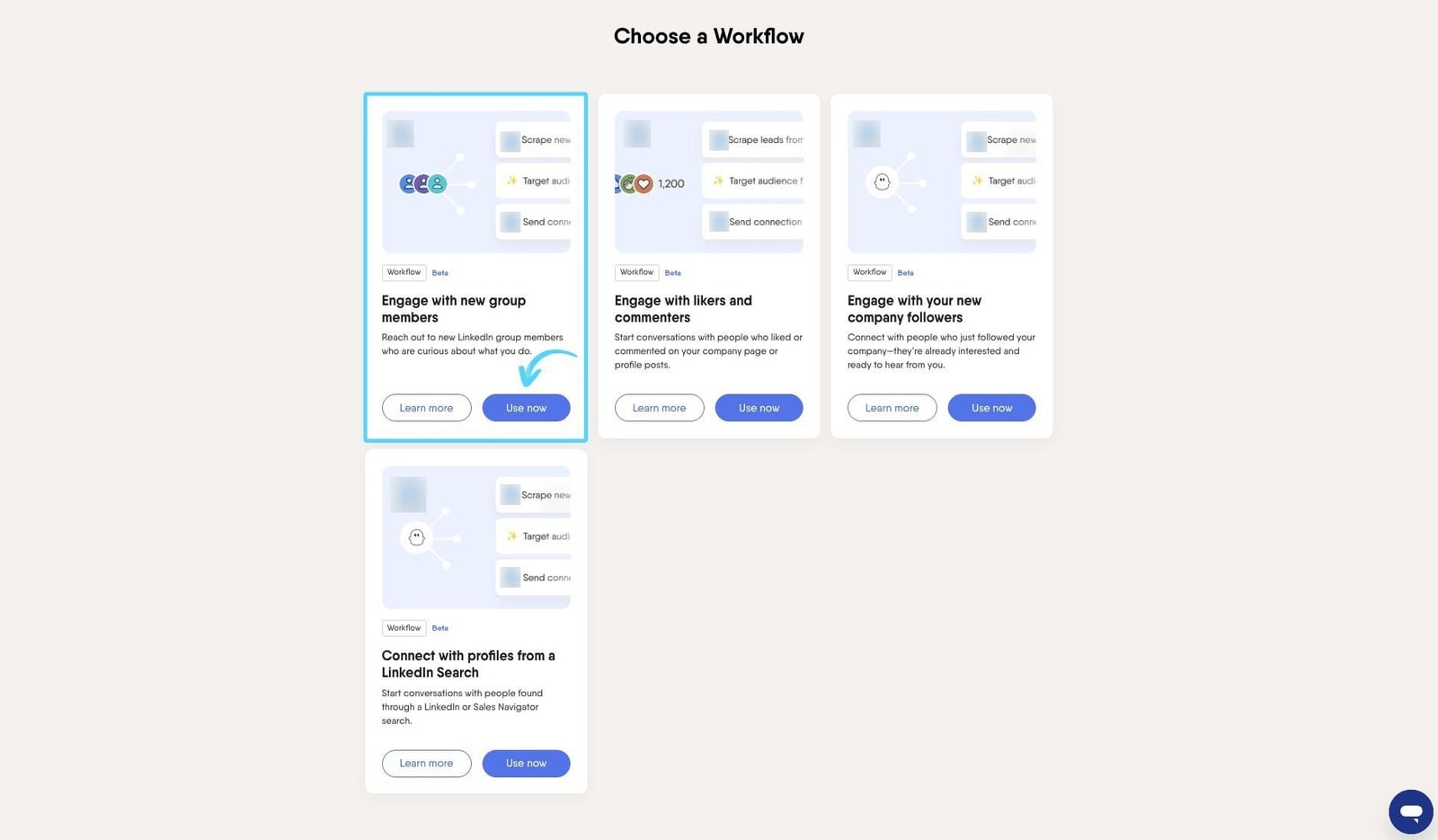
Results leave as CSV or JSON (unlimited on paid plans), through the API, or straight into HubSpot, Salesforce and Pipedrive. Other CRMs connect through Zapier, Make or n8n.
Four AI Phantoms run on GPT models: a LinkedIn message writer, a profile enricher that scores leads, a post responder that drafts comments, and an Advanced AI Enricher that adds up to five custom fields. They spend AI credits, and the rate depends on the model: about 1 credit per 100 tokens on GPT-3.5, 10 on GPT-4o and 30 on GPT-4. Start's 10,000 monthly credits therefore cover roughly 100,000 tokens of GPT-4o, or about 33,000 of GPT-4. That is a few hundred short personalised messages, not thousands. Only the Advanced AI Enricher accepts your own OpenAI key.
Also missing: a mobile app, single sign-on and Google sign-in. The interface is English only.
Pricing: hours, slots and credits
Prices below were checked in September 2026 against PhantomBuster's help centre, which says they are current as of May 2026. They exclude VAT and show in euros or dollars depending on where you are.
| Start | Grow | Scale | |
|---|---|---|---|
| Monthly billing | $69/mo | $159/mo | $439/mo |
| Annual billing | $56/mo | $128/mo | $352/mo |
| Execution time | 20 h/mo | 80 h/mo | 300 h/mo |
| Phantom slots | 5 | 15 | 50 |
| AI credits | 10,000/mo | 30,000/mo | 90,000/mo |
| Email discovery credits | 500/mo | 2,500/mo | 10,000/mo |
| Storage | 1 GB | 10 GB | 50 GB |
| Priority support | No | Yes | Yes |
| LinkedIn invites per account | ~100/week | ~100/week | ~100/week |
Every plan includes Phantoms, Workflows, API access, unlimited exports and up to 100 workspace members, so there is no per-seat charge. That is PhantomBuster's best pricing point: a team of five can share one $159 plan. They also share one pool of hours and slots.
Slots are where Start pinches first. A Workflow usually occupies 2 or 3 of them, so Start's five hold about two Workflows. Twenty execution hours a month works out to about 40 minutes a day.
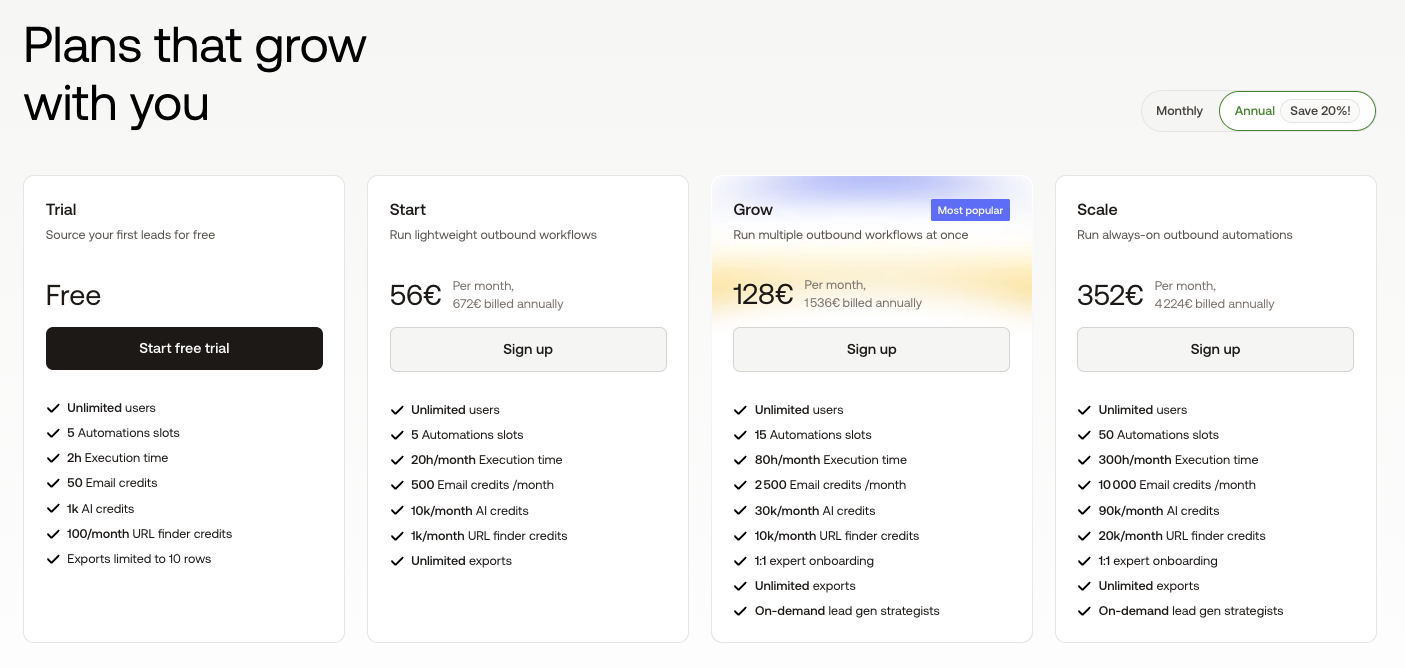
The names are new. According to emelia.io, PhantomBuster renamed Starter, Pro and Team to Start, Grow and Scale in 2026 without touching prices or allowances; the vendor itself only notes that some help videos were "recorded under our previous plan names". Review sites still quoting a $59 starting price are out of date.
The account you put at risk
LinkedIn's User Agreement (section 8.2, effective November 3, 2025) forbids software that scrapes profiles, bots that "add or download contacts, send or redirect messages", and using an account by "sharing log-in credentials or copying cookies". PhantomBuster's LinkedIn Phantoms do those first two things by design, and its stated position is that "It's your responsibility to use it in line with each platform's terms of service." The account that gets restricted is yours.
Its safety guidance is candid about that. "LinkedIn doesn't publish official automation limits," it says, and "no automation tool can eliminate risk entirely." The recommended ceilings are conservative: 50-80 invites a week on a new or rarely used account, 80-100 on a busy free one, up to 100 on Premium or Sales Navigator, and about 80 messages a week. If you also run PhantomBuster's email discovery, it tells you to halve those numbers. If LinkedIn restricts you anyway, pause everything and wait one to two weeks.
How you connect the account has changed, and the documentation has not caught up. The long-standing method is to copy your li_at session cookie and user agent out of the browser's developer tools. On August 31, 2026 the connection article added a "Connect with email and password" option: PhantomBuster signs in for you and says the credentials are used once and not stored. The safety article, last updated August 3, still says PhantomBuster "doesn't access or store your LinkedIn password". Used once is not stored, so both can hold in a narrow sense. But LinkedIn's terms put "sharing log-in credentials" in the same prohibited sentence as copying cookies, and two help articles that disagree are a poor way to explain that trade.
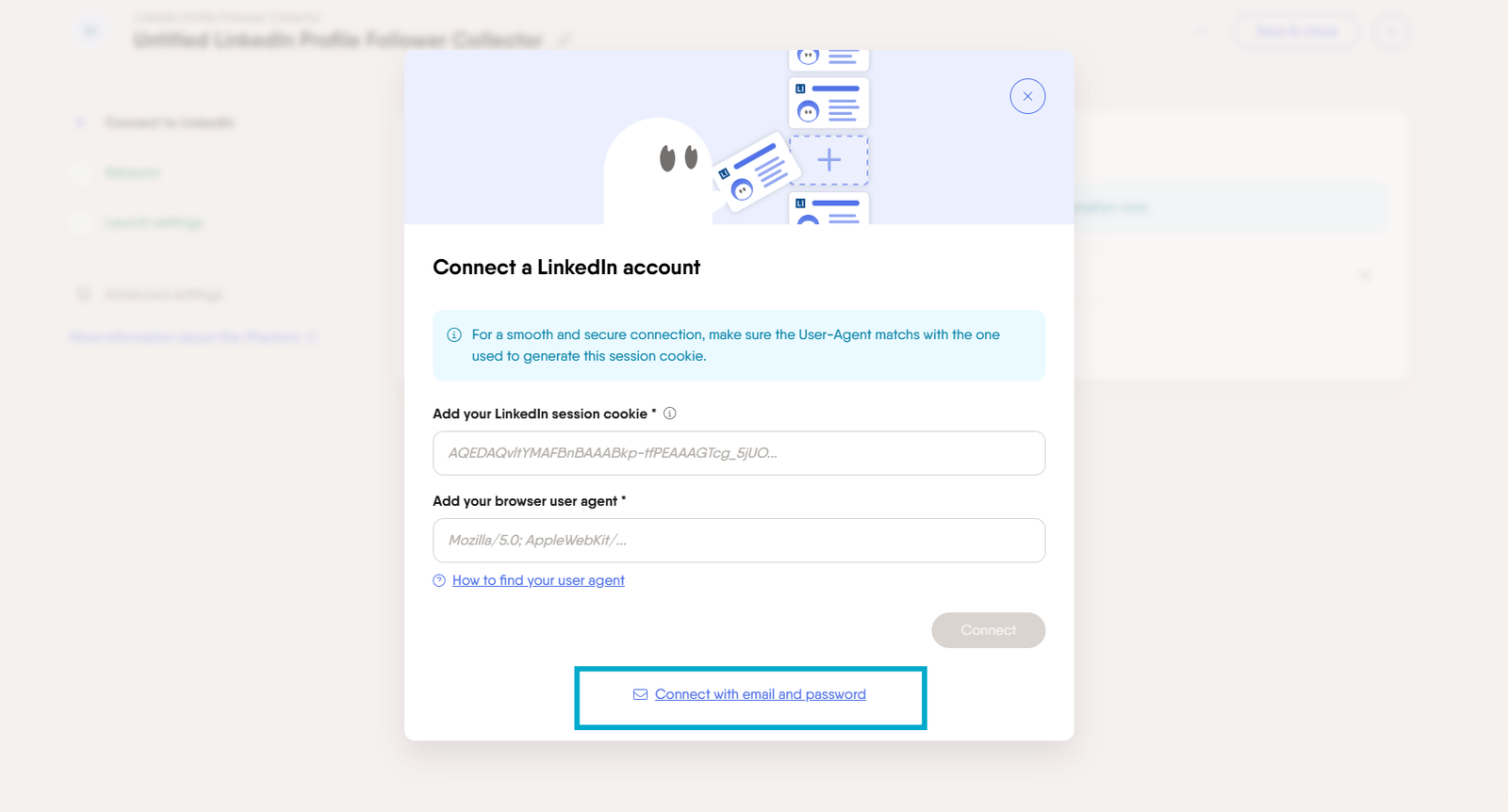
The cookie route has a running cost too. The session drops when you log out, sit idle too long, switch IP address, use a VPN or change device, and every LinkedIn Phantom stops until you reconnect. Browse LinkedIn through a VPN and expect that often.
Trial, refunds and leaving
The 14-day trial needs no card. It gives 2 hours of execution time in total, 5 slots, 1,000 AI credits and 50 email discovery credits, and every results file stops at 10 rows. Enough to see whether a Phantom works on your target pages; not enough to judge the data at volume. After the trial you land on the Free plan: 30 minutes a month, one slot, no AI or email credits, and the same 10-row cap.
Refunds are narrower than they look. A monthly plan can be refunded within 14 days, but only if no resources were used - run one Phantom and the month is spent. Annual plans get 30 days; if you used anything, you pay one month at the full monthly rate and get the rest back. Nothing is automatic. You have to ask.
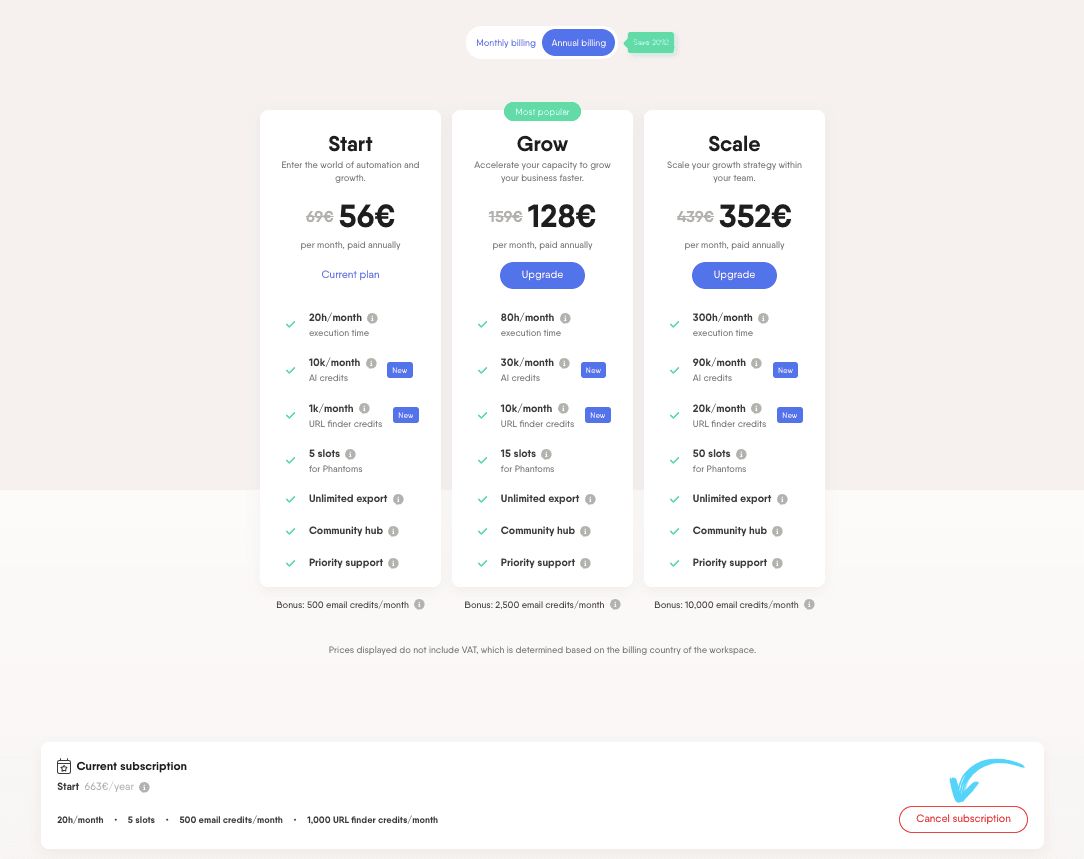
Cancelling keeps the plan until the end of the billing cycle, then drops the workspace to Free, where CSV exports stop. Export everything before that date. Only the workspace Owner can cancel, which bites when the person who set it up has left the company. The terms (updated July 2026) make retrieving your data your job before an account is deleted, and deleting forfeits any paid time left. On GDPR, PhantomBuster calls itself a processor for the lead data you collect, which leaves you as the controller carrying the duties for it.
What users report
Ratings split sharply. On Trustpilot, PhantomBuster scores 3.3 out of 5 from 113 reviews (checked on September 28, 2026), with 52% five-star and 34% one-star - few people land in the middle. The praise is about setup speed and integrations. The complaints include a user whose LinkedIn account was warned after roughly 50 records and a scraper that returned unrelated company URLs.
Capterra is kinder: 4.5 from 64 reviews, with 4.3 for ease of use and value and 4.1 for customer service. One reviewer there set up a Phantom in under five minutes; others mention a flagged account and a cost that was hard to earn back. The pattern holds across both sites. Getting data out is easy, and the risk sits with LinkedIn, not with the software.
Verdict: who should buy it, and who shouldn't
Buy PhantomBuster if your leads come from several places - Google Maps, Instagram, X, Sales Navigator exports - and you want them enriched, scheduled and landing in HubSpot, Salesforce or Pipedrive without a developer. Unlimited workspace members make Grow at $159 a month good value for a small team feeding one pipeline. The company has run on its own revenue since it started in Paris in 2016, which lowers the odds of it disappearing mid-contract.
Skip it if what you want is more LinkedIn invites. Moving from Start to Scale adds $370 a month and not one invite per account. For outreach spread across several senders, per-sender tools like HeyReach or Expandi are built for the job. For one cheap seat, Waalaxy starts at €19 per user a month, as quoted in PhantomBuster's own July 2026 pricing post. For waterfall enrichment across many data providers, Clay is the specialist, from $185 a month on its Launch plan per the same post. Our B2B lead generation roundup compares the field, and the Bardeen review covers the browser-based alternative.
Start with the free trial, point one Phantom at the exact pages you need, and read the 10 rows it returns before paying for hours you may not use.