Bardeen Review: The Chrome Automation Tool That Became a Lead Scraper
Bardeen review: what the Chrome extension does now, what its credits cost per lead, the LinkedIn and privacy catches, and when Clay or Zapier fits better.
Expert Review

What Bardeen is now
Install Bardeen from the Chrome Web Store and the listing still calls it "Automate Browser Apps with AI", with "1000+ pre-built automations" and triggers that fire "when something happens in your apps or run on a schedule". Open bardeen.ai and you meet a different product. The homepage headline is "Find and reach leads no one else can", and the pitch underneath is an "agentic web scraper" that sources leads, qualifies them with AI and enriches them with contact details.
That gap is the most useful thing to know before signing up. Bardeen was founded in 2020 by Artem Harutyunyan and Pascal Weinberger as a general browser-automation tool, raised a $15.3M Series A led by Insight Partners in June 2022, and spent two years as a Zapier-style helper that lived inside Chrome. Then it narrowed. Pricing was rebuilt around credits on December 1, 2024. On January 27, 2025 the company relaunched as "an AI Copilot" for go-to-market teams. Today the product menu reads Scraper, Web Search, Enrichment, AI Tools and Integrations, and the pricing FAQ describes it as a platform "designed to help GTM teams eliminate manual tasks".
So this is a sales-prospecting tool now.
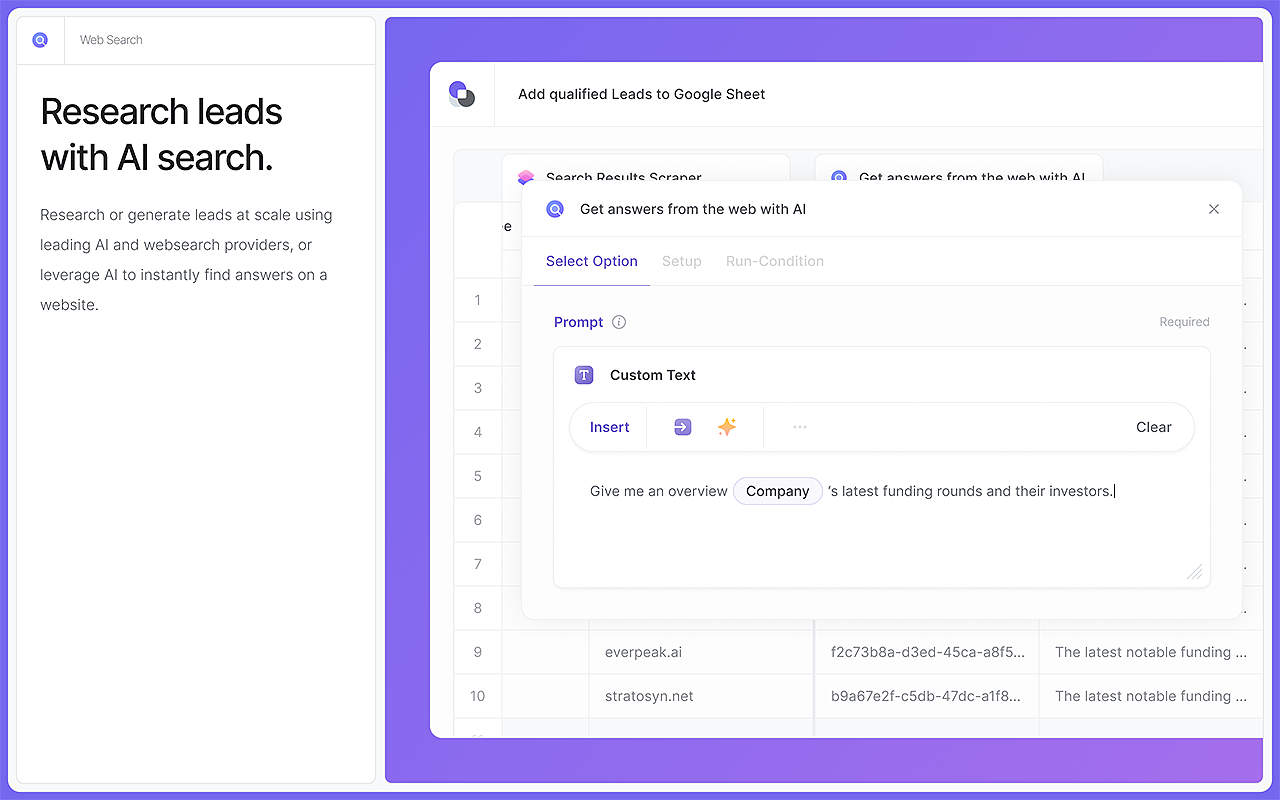
How the scraper, search and enrichment fit together
Everything starts in a Chrome side panel. You point the scraper at a page, or tell it in plain English what to collect, and it pulls the fields into a table. The newer "Agent-mode" takes a goal instead of a selector: "Give the scraper a goal and it will crawl every website in your list until your goal is accomplished." Background scraping does the same in a separate browser window, so your current tab stays usable.
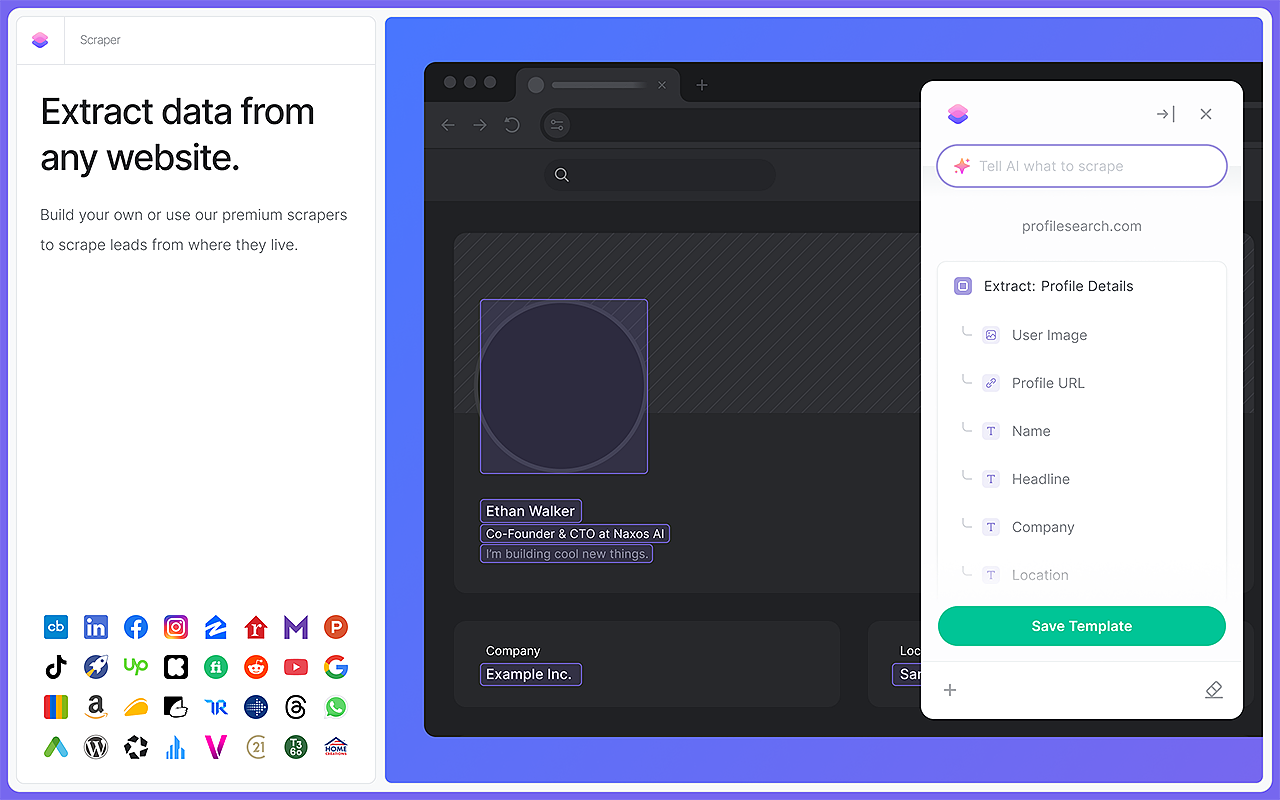
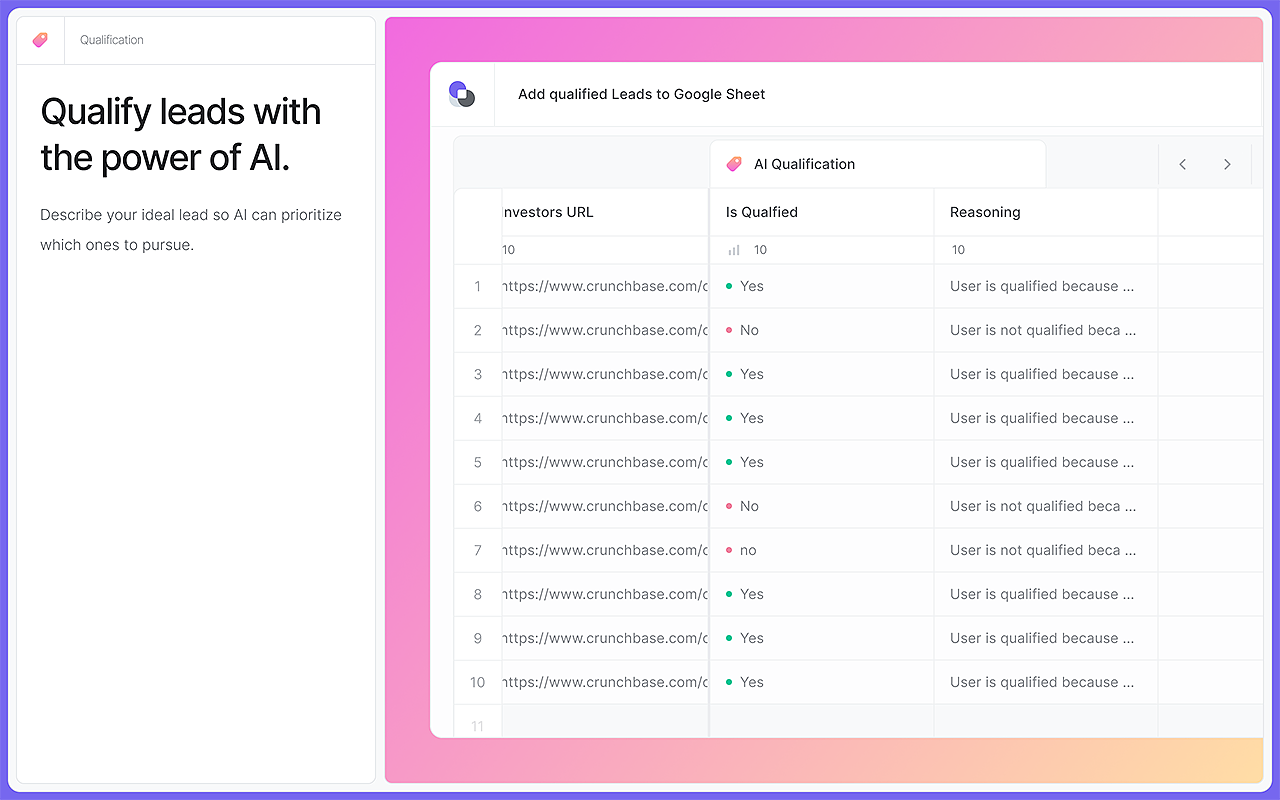
From there each column is another action. Web Search asks an AI to answer a question per row (funding rounds, headcount, tech stack). Enrichment looks up validated emails and contact data. AI Tools add a column such as "Is Qualified: Yes/No" with a line of reasoning. Results export to CSV, Google Sheets, Airtable or Notion.
Bardeen runs its automations in your browser, using your logged-in sessions. That is why it can read pages that server-side scrapers cannot reach, and it is also why the browser has to stay open. Running with the browser closed is a paid feature: the security page says those runs happen on "a cloud instance of Bardeen" that "has no storage capabilities" and erases the data when the playbook finishes.
One thing Bardeen does not say is which AI model does the work. The Chrome listing mentions a "ChatGPT-style AI chatbot" and an option to "integrate with OpenAI", and that is all. You cannot pin a model version, and you would not be told if it changed.
Pricing and the credit maths
Prices below were checked on bardeen.ai/pricing on September 26, 2026. There is no Free plan card any more; the free allowance is one line: "You will always get 100 credits for free."
| Plan | Price | Credits | Cost per credit |
|---|---|---|---|
| Free allowance | $0 | 100 | - |
| Basic | $10/month, billed monthly | +100/month (tiers up to +500) | $0.10 |
| Premium, monthly | $50/month | +1,000/month (tiers up to 10K) | $0.05 |
| Premium, annual | $480/year | +12,000/year | $0.04 |
| Enterprise | Contact sales, billed annually | Custom bulk credits | - |
The higher Basic and Premium tiers are priced by a JavaScript picker that did not render for us, so we have left those prices out rather than guess. The page also writes Basic as "+100 credits", and it does not say plainly whether that is on top of the free 100. Assume 100 until you see your own balance.
The rules are simple: "Each row an action creates costs 1 credit. Enrichment rows cost 3 credits." Scraping, web search and AI columns are 1 credit per row. Imports, utilities and CSV export are free. The catch is that a useful lead passes through several actions, and every one of them bills.
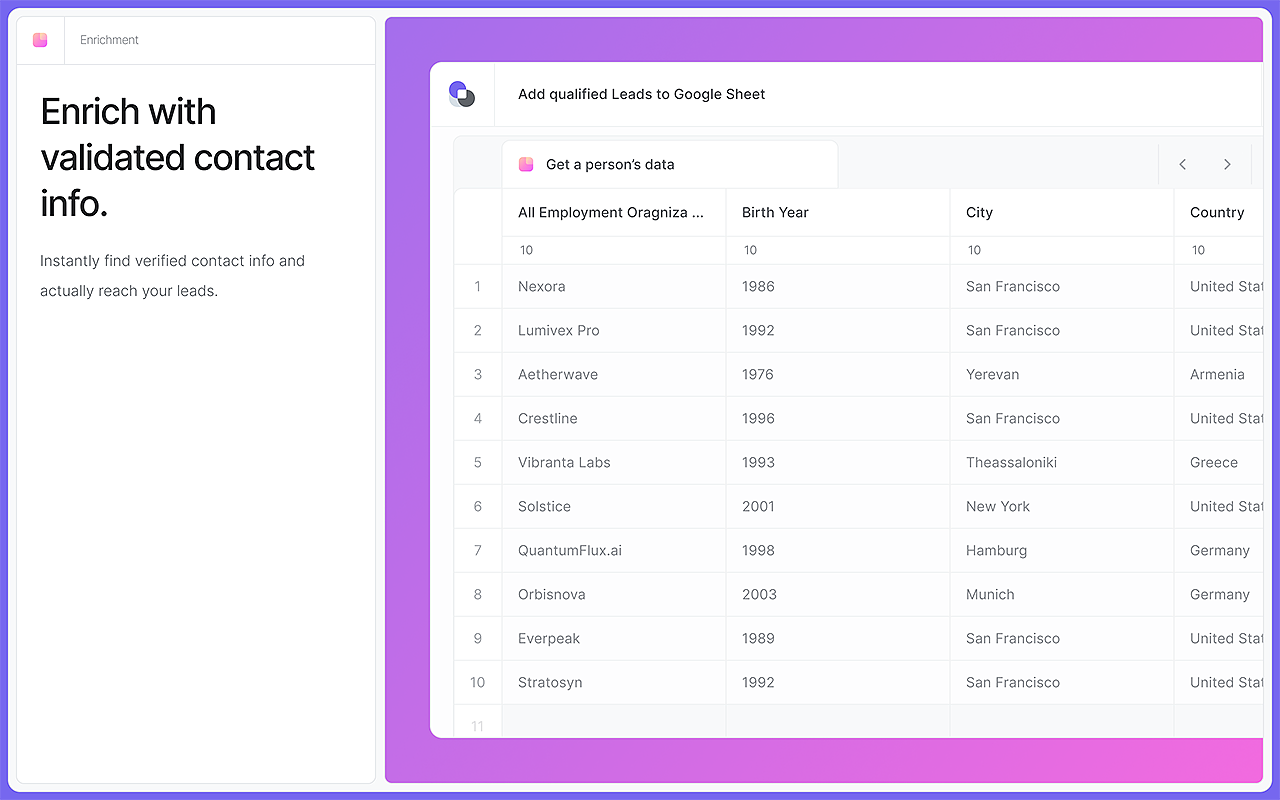
Bardeen's own pricing page shows how fast that adds up. Its example scrapes 10 profile links, extracts contact details, verifies emails and adds the 4 qualified leads to a Google Sheet. Total: 64 credits. That is about 6.4 credits per profile, which means:
- the free 100 credits cover roughly 15 profiles;
- Basic at $10 costs about $0.64 per profile processed, or $1.60 per qualified lead in that example;
- Premium's 1,000 credits cover about 150 profiles a month, at roughly $0.32 each.
Two more lines on the page change the value. "Unused credits expire at the end of each billing period", so a quiet month is money lost, not banked. And there are no published top-up or overage terms, so running out mid-month means moving up a tier. One good change from the December 2024 overhaul survives: there is no per-seat pricing, and "Teams" is listed on both paid plans.
Your data, and whether it trains anything
Bardeen's security story is better than most Chrome extensions'. It has been SOC 2 Type 2 compliant since April 1, 2024, lists GDPR and CASA Tier 2/Tier 3, and says your app data "is only persisted in your local browser cache… never on our cloud servers". What does live on its servers is your connected apps, their access configs and your custom playbooks. Telemetry goes to Amplitude, Statsig and Sentry.
The permissions are broad, which is normal for this kind of tool but worth reading: tabs, web navigation, history, bookmarks (the page says that data "never leaves the browser") and host permission to draw its UI over any page.
On AI training the two legal documents do not say the same thing. The privacy policy (March 7, 2024) promises that data pulled through third-party APIs "will not be used for training of any generalized AI models" and is not retained. The Terms of Service (June 27, 2024) license your content for "operating, improving (including for training, optimizing, and developing), and providing the Services". So the API data is excluded; the rest of what you put in is covered by a training licence. If that matters to your legal team, send them the ToS, not the privacy page.
Where it falls short
LinkedIn is the obvious target for a lead scraper, and it is the obvious risk. Bardeen's own help centre carried articles titled "Are there any risks to scraping LinkedIn?" and "My Linkedin account was blocked/restricted from scraping. Can you help me?" Both now redirect to a generic support page, so their answers are gone, but the titles tell you it happens often enough to need a help article. The community forum has threads called "LinkedIn Profile Scraper not working" too. Because Bardeen scrapes through your own logged-in session, a restriction lands on your personal account.
The browser dependency is the second cost. On the free allowance nothing runs unless Chrome is open. PhantomBuster, a direct competitor, makes this its main line of attack, calling Bardeen's autonomy "limited" and quoting reviewers who found that "the credit-based system feels limiting pretty quickly" and complained of "high CPU and memory usage". Treat that as a rival's framing, but the browser point is simply how the product is built.
Smaller things add up. The public release notes stop at v2.80.0 on August 6, 2024, while the extension itself is at version 5.0.0 (updated June 19, 2026), so there is no public record of what changed in the two years that matter. Bardeen publishes no integration count. And the only official install is the Chrome extension.
The good news is on the Chrome Web Store: 4.4 out of 5 from 451 ratings, 200,000 users and a Featured badge, checked on September 26, 2026.
Alternatives by job
High-volume lead lists: Clay, which combines enrichment, scoring and outreach in a spreadsheet interface, or PhantomBuster, which is built around prospecting and runs in the cloud. Both cost more to start, but at hundreds of leads a week Bardeen's 6-credits-a-profile rate stops being cheap. For LinkedIn outreach sequences specifically, see our Dripify review.
App-to-app automation that runs while you sleep: Zapier, Make or self-hosted n8n. They run server-side and never need a browser tab. Our workflow automation roundup compares them.
Scheduled scraping and page monitoring: Browse AI, whose robots run in the cloud on a timer.
Old-style Bardeen, click-and-type browser macros: Axiom.ai is the closest match, a no-code browser RPA tool that does what Bardeen used to lead with.
Verdict: who should use Bardeen
Bardeen is a good fit for a solo founder, recruiter or SDR who builds small, qualified lead lists by hand today: a few dozen LinkedIn profiles or company sites a week, researched and dropped into Google Sheets, Airtable or Notion. For that person, $10 to $50 a month replaces hours of copy-paste, the AI qualification column is genuinely useful, and the free 100 credits are enough to run Bardeen's own 10-profile example and see the result.
Skip it if volume is the point. At roughly 6.4 credits per enriched profile and credits that expire monthly, bulk prospecting belongs in Clay or PhantomBuster. Skip it too if you want back-office automation between apps, because Zapier, Make and n8n do that without Chrome open, and if your LinkedIn account is your livelihood, since the restriction risk falls on you.
Ready to try Bardeen?
Visit the official website to see the latest plans, pricing, and special offers.
Get Started - Bardeen* Affiliate link - we may earn a commission at no extra cost to you.