Bluehost Review: Is the WordPress-Recommended Host Worth It?
An in-depth Bluehost review covering its control panel, WordPress hosting, key features, performance, pricing, and security to help you decide if it is worth it.
Expert Review
1. What is Bluehost?
Bluehost is one of the longest-running names in shared and WordPress hosting, launched in 2003 and now operated by Newfold Digital, the same parent company behind HostGator and several other hosting brands. It offers a full ladder of products, from entry-level shared hosting through managed WordPress, VPS, and dedicated servers, all managed from a single account dashboard. Every plan ships with a free domain for the first year, free SSL, free CDN and caching, and 24/7 support.
What sets Bluehost apart from most competitors is that it is one of only a handful of providers officially recommended on WordPress.org, alongside SiteGround and a couple of others. That endorsement, combined with a deliberately beginner-friendly setup flow and one-click WordPress installs, makes it a natural fit for first-time site owners, bloggers, and small businesses who want a WordPress site running quickly without wrestling with server configuration.
2. Who is Bluehost for?
- Beginners and bloggers: The guided onboarding, one-click WordPress install, and free first-year domain remove most of the friction of getting a first site online.
- Small businesses: Affordable shared plans plus bundled email, SSL, and a CDN cover the needs of a brochure site or lead-generation page without extra services.
- WordPress users: As an official WordPress.org-recommended host, Bluehost tunes its stack, caching, and support around WordPress specifically.
- Online stores: The Online Store plan bundles WooCommerce, store themes, and product tools for merchants selling directly through WordPress.
Bluehost is a strong fit for small-to-medium projects, but it is not aimed at high-traffic applications. Sites pushing very large sustained traffic, heavy dynamic workloads, or strict performance SLAs will outgrow shared hosting and should look at Bluehost's VPS and cloud tiers, or a dedicated or cloud-native provider, before resource limits start throttling the experience.
3. The Bluehost control panel
Bluehost does not drop you straight into raw cPanel. Instead it wraps everything in a custom account dashboard that surfaces the tasks most users actually need: creating sites, managing domains, installing WordPress, checking email, and handling billing. It is a cleaner, more guided experience than a bare hosting panel, which is a big part of why the host reads as beginner-friendly.
Underneath that layer, a customized cPanel is still available for the more technical tasks such as managing databases, DNS records, FTP accounts, and file access. WordPress installation is a one-click affair, and Bluehost can pre-install it for you during signup, so a working site can be live within minutes of creating an account. Power users get the depth of cPanel; newcomers rarely need to touch it.
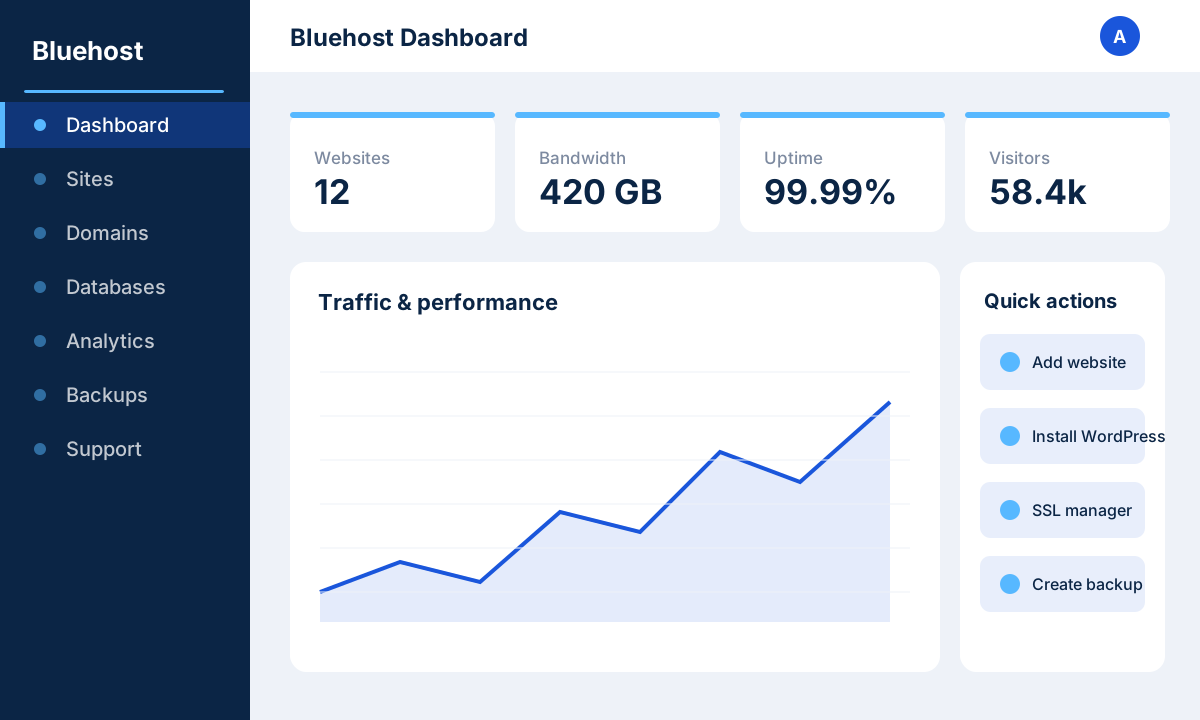 image: Bluehost dashboard
4. Key features
Every Bluehost plan bundles a substantial feature set aimed at getting a WordPress site online and keeping it running:
- 1-click WordPress: Automatic or one-click WordPress installation, with the CMS optionally pre-installed at signup.
- Free domain (1 year): A free domain registration for the first year, renewing at standard rates afterward.
- Free SSL: Free Let's Encrypt SSL certificates on every plan for HTTPS out of the box.
- Free CDN and caching: Built-in content delivery network and server-side caching to speed up global page loads.
- Staging and backups: WordPress staging environments for safe testing, plus backup tooling (paid add-on on the cheapest tier).
- Email hosting: Custom domain email accounts included with hosting plans.
- Marketplace and themes: A marketplace of themes, plugins, and services, including WooCommerce and store templates.
- 24/7 support: Round-the-clock support via live chat and phone, plus an extensive knowledge base.
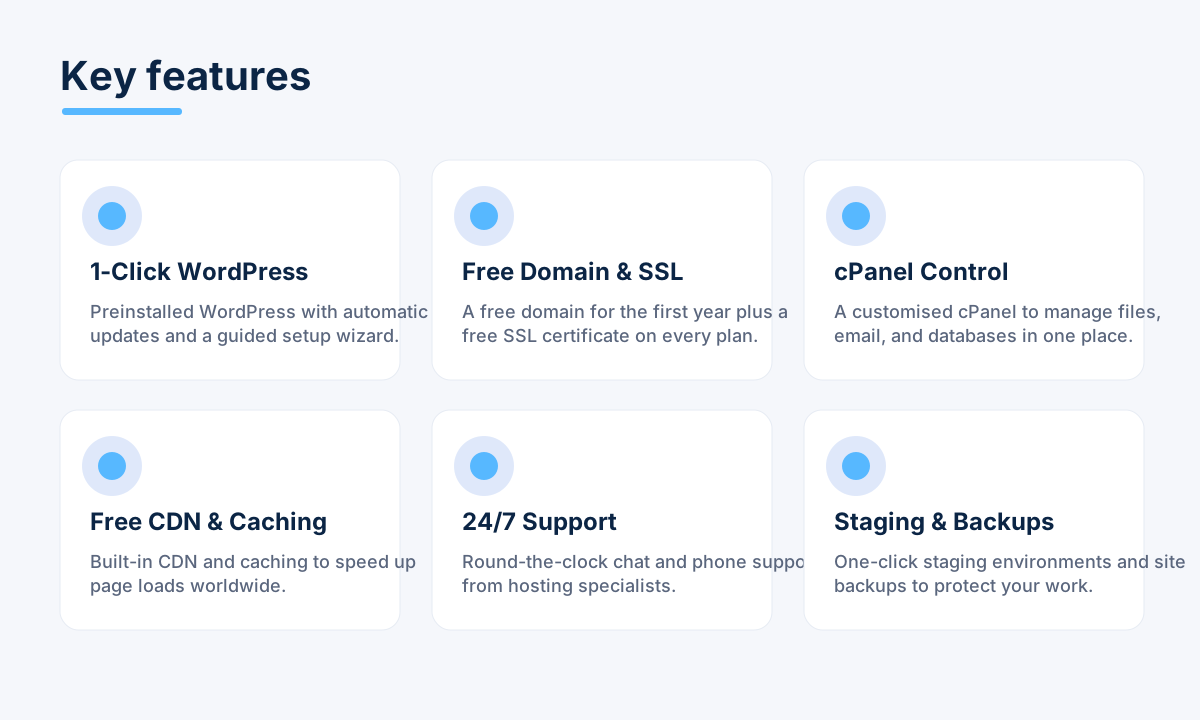 image: Bluehost key features
5. Performance and reliability
Bluehost advertises the industry-standard target of roughly 99.9% or better uptime, and in practice its shared plans hold up well for typical blog and small-business traffic. Higher tiers move to NVMe SSD storage, which delivers noticeably faster read and write speeds than older SATA SSDs, benefiting database-heavy WordPress sites and WooCommerce stores in particular.
The bundled CDN and server-side caching offload static assets to edge locations and cut repeat load times, which matters most for visitors far from the origin data center. Bluehost operates its own US-based data centers and adds global reach through the CDN. It is a solid, dependable performer for its market segment, though it does not chase the raw speed records that some premium managed WordPress specialists advertise.
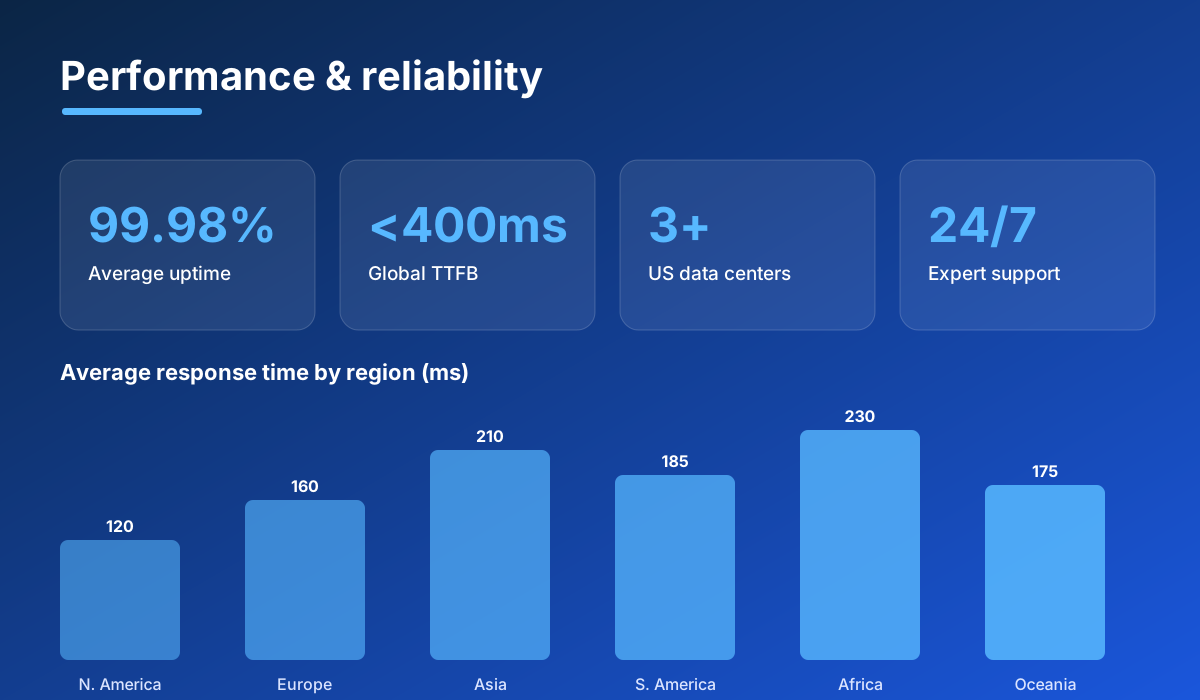 image: Bluehost performance stats
6. Pricing and plans
- Basic ~$2.95/mo: A single website, generous SSD storage, free domain for a year, free SSL and CDN. Ideal for a first blog or personal site; backups are a paid add-on here.
- Choice Plus ~$5.45/mo: Unlimited websites, domain privacy, and automated daily backups included. This is the sweet-spot plan for most small businesses.
- Online Store: Everything in Choice Plus plus WooCommerce, store themes, and e-commerce tools for selling products directly through WordPress.
- Pro ~$13.95/mo: High-performance shared hosting with more resources, optimized CPU allocation, and included backups for busier or resource-hungry sites.
Note that these headline prices are promotional rates that require committing to a multi-year term up front; renewals land at meaningfully higher standard rates, so factor the long-term cost into your decision. All plans are backed by a 30-day money-back guarantee, giving you a window to test the service risk-free.
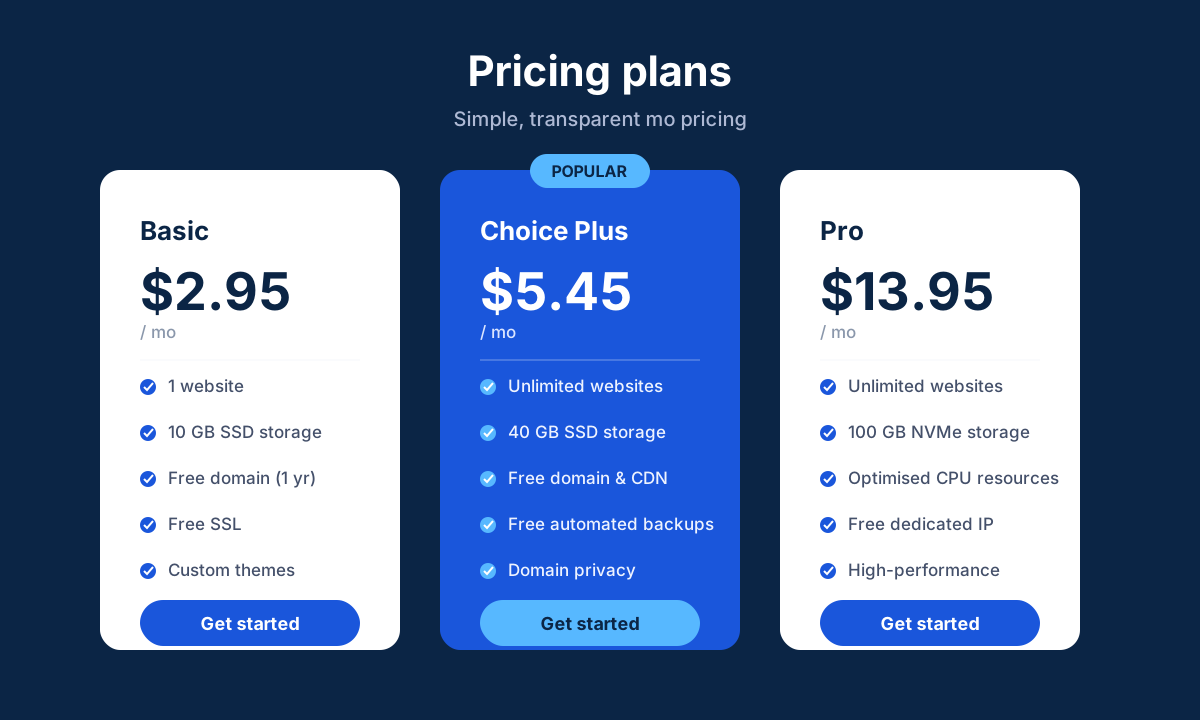 image: Bluehost pricing plans
7. Security
- Free SSL: Automatic Let's Encrypt certificates on every plan to encrypt traffic and enable HTTPS.
- Free CDN with edge protection: The bundled CDN adds a layer of WAF-style filtering and DDoS mitigation in front of your site.
- Automated backups: Daily automated backups included on Choice Plus and above (a paid add-on on Basic).
- Domain privacy: Free domain privacy protection on higher plans to keep your WHOIS registration details hidden.
- Malware tools: Malware scanning and security add-ons, including SiteLock and CodeGuard options, to detect and clean threats.
8. Pros and cons
Advantages
- Officially recommended by WordPress.org, with a WordPress-tuned stack.
- Very beginner-friendly onboarding and a clean custom dashboard.
- Free domain for the first year, free SSL, and a free CDN on all plans.
- Low promotional entry pricing and a 30-day money-back guarantee.
- 24/7 phone and live chat support with a deep knowledge base.
Disadvantages
- Renewal prices jump significantly once the initial multi-year term ends.
- Frequent upsells and add-ons during checkout and in the dashboard.
- Automated backups cost extra on the cheapest Basic plan.
- Not the fastest option compared with premium managed WordPress specialists.
9. Verdict
Bluehost remains one of the safest default choices for anyone starting a WordPress site. The WordPress.org endorsement, the guided setup, the bundled domain, SSL, and CDN, and the low entry price combine into a package that gets beginners and small businesses online fast with minimal fuss. For blogs, brochure sites, and modest WooCommerce stores, it delivers reliable, well-supported hosting at a competitive first-term price.
The caveats are the familiar ones for budget shared hosting: renewal pricing climbs, the checkout nudges you toward add-ons, and it will not out-benchmark premium managed WordPress hosts. If you go in aware of the renewal costs and your traffic stays in the small-to-medium range, Bluehost is an easy recommendation. Outgrow it, and its VPS, cloud, and dedicated tiers give you somewhere to scale without leaving the platform.
Related comparison: See how Bluehost compares in Best WordPress Hosting: Bluehost vs SiteGround vs Kinsta vs Hostinger vs A2 Hosting — or browse all comparisons & best-of guides.
Ready to try Bluehost?
Visit the official website to see the latest plans, pricing, and special offers.
Get Started - Bluehost* Affiliate link - we may earn a commission at no extra cost to you.