Best WordPress Hosting Providers
The best WordPress hosting providers compared on price, performance, features, support, and WooCommerce — including Bluehost, SiteGround, Kinsta, Hostinger, and A2 Hosting — to help you pick the right host.
Expert Review
Best WordPress Hosting Providers: Quick Verdict
Short on time? Here is the bottom line. Hostinger is the best all-round value and the safest pick for most people starting a WordPress site. Bluehost is the officially WordPress-recommended, beginner-friendly choice. SiteGround delivers premium speed on Google Cloud with superb support. Kinsta is the top-tier managed platform for high-traffic, revenue-driving sites. A2 Hosting is built for raw speed with its Turbo servers and cPanel familiarity.
| Bluehost | SiteGround | Kinsta | Hostinger | A2 Hosting | |
|---|---|---|---|---|---|
| Type | Shared / WP | Managed (GCP) | Premium managed | Shared / WP | Shared / VPS (Turbo) |
| Starting price | ~$2.95/mo | ~$3.99/mo | ~$35/mo | ~$2.99/mo | ~$2.99/mo |
| Control panel | cPanel (custom) | Site Tools | MyKinsta | hPanel | cPanel |
| Best strength | WP-recommended | Speed + support | Top performance | Value + ease | Turbo speed |
| Ideal for | Beginners | Growing sites | High-traffic pros | Budgets | Speed seekers |
Want the fast answer? For most people starting out, Hostinger is the best-value choice; step up to SiteGround or Kinsta when performance becomes critical. Read on for the full head-to-head, or jump to the final recommendation.
Overview of Each Host
All five host WordPress well, but they pull in different directions — budget, beginner-friendly, premium managed, or speed. Here is what each one is and who it is built for.
Bluehost — the WordPress-recommended starter
Bluehost is one of only a handful of hosts officially recommended on WordPress.org. It wraps a customised cPanel in a guided dashboard, pre-installs WordPress at signup, and bundles a free domain for the first year, free SSL, and a free CDN. That makes it a natural first host for beginners, bloggers, and small business sites.
Read our full Bluehost review →
SiteGround — premium speed on Google Cloud
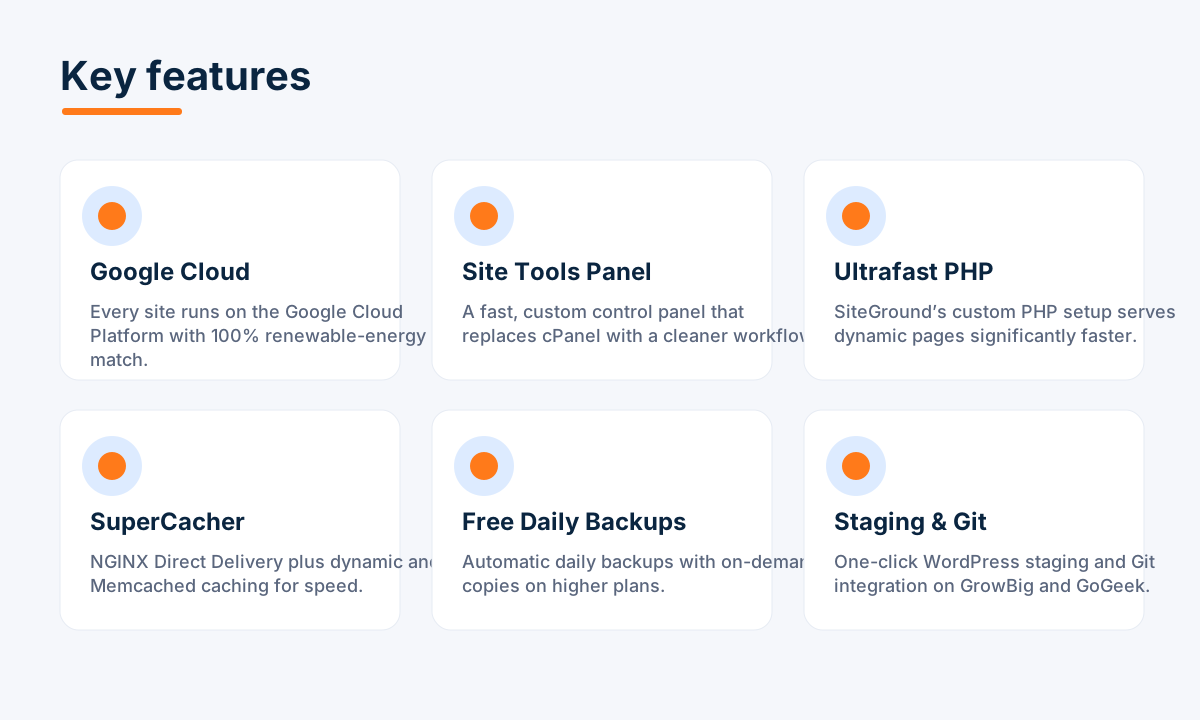
SiteGround runs entirely on Google Cloud Platform and pairs it with in-house engineering: the custom Site Tools panel, Ultrafast PHP, and the SuperCacher stack. Free daily backups, one-click staging, managed updates, and a highly rated 24/7 support team make it a favourite for people who want speed without managing a server.
Read our full SiteGround review →
Kinsta — premium managed WordPress
Kinsta is the top-tier option here. Every site runs in an isolated container on Google Cloud's premium C2/C3D machines, fronted by an enterprise Cloudflare integration and a 260+ location CDN. The MyKinsta dashboard, free expert migrations, staging, and 24/7/365 engineer support are built for high-traffic, revenue-critical sites — at a premium price.
Hostinger — the best value
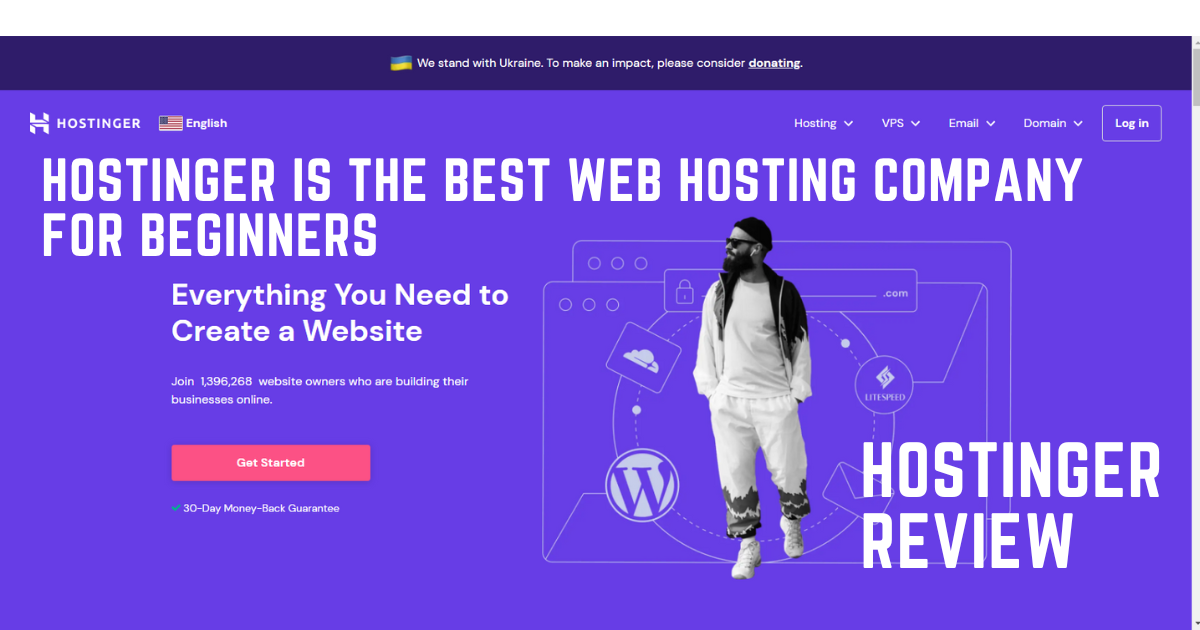
Hostinger is the go-to for a real WordPress site without spending much. Its shared and WordPress plans are among the cheapest on the market yet still include free SSL, automatic backups, a built-in CDN, LiteSpeed caching, and one-click WordPress. The custom hPanel is genuinely beginner-friendly, and a global data-center network keeps load times reasonable worldwide.
Read our full Hostinger review →
A2 Hosting — built for speed
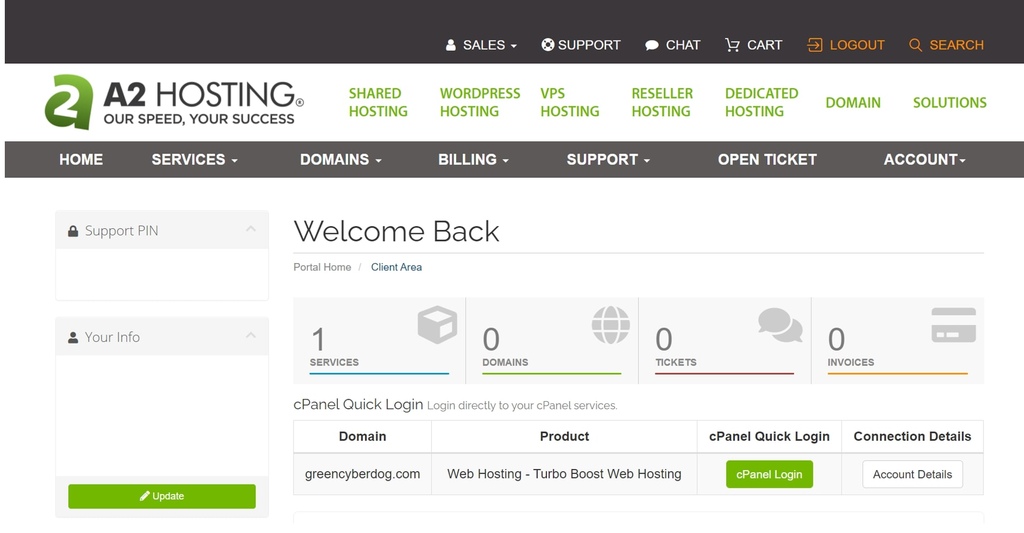
A2 Hosting built its name on performance. Its Turbo servers promise dramatically faster page loads than standard shared hosting thanks to fewer accounts per machine, NVMe storage, and LiteSpeed caching. It uses the familiar cPanel, and its "Guru Crew" support is frequently praised for handling technical requests other budget hosts push back on.

Price Comparison
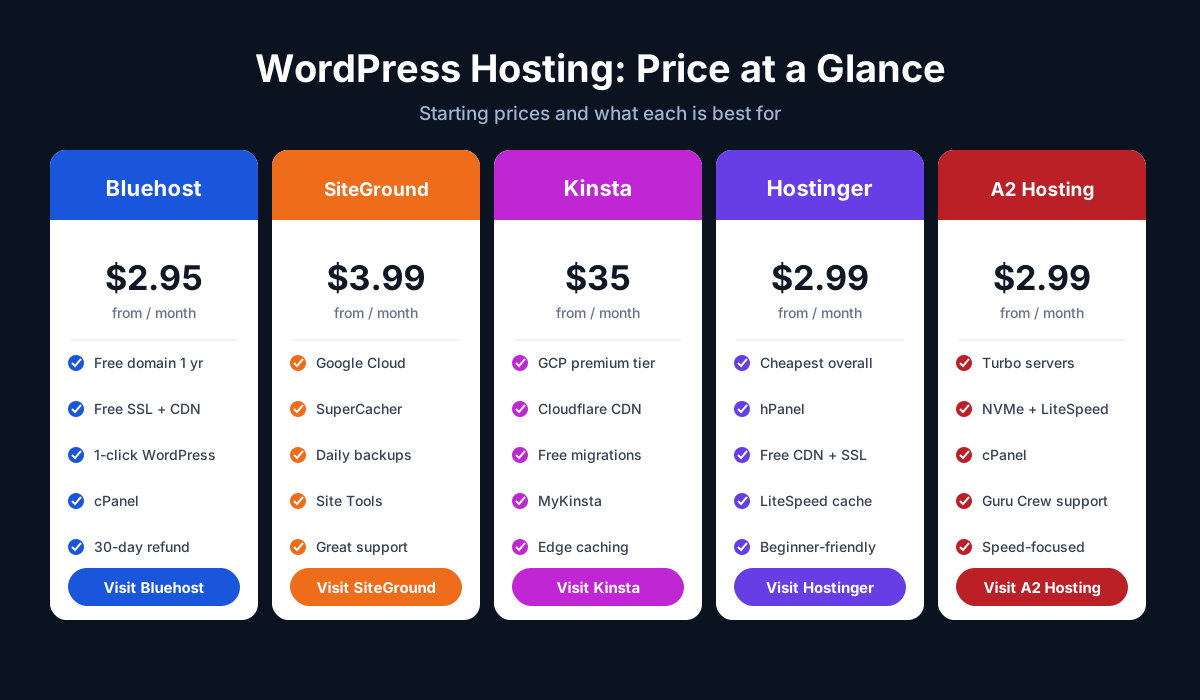
All five use promotional entry pricing that steps up on renewal, so always check both the current and renewal rates before you commit. The rough starting points:
- Bluehost: from about $2.95/month, with a free domain for the first year — great intro value for a single WordPress site.
- SiteGround: from about $3.99/month, with notably higher renewals but premium Google Cloud performance and support.
- Kinsta: from about $35/month — by far the most expensive, because you are paying for premium managed infrastructure and visit-based tiers.
- Hostinger: from about $2.99/month — the cheapest way to get online, with the best value on longer terms.
- A2 Hosting: from about $2.99/month for shared hosting, with pricier Turbo and VPS tiers for maximum speed.
In short: Hostinger, Bluehost, and A2 cluster at the budget end for shared hosting; SiteGround is a mid-premium step up; and Kinsta sits in a different league on price because it is a fully managed platform. For pure affordability, Hostinger wins.
Performance Comparison
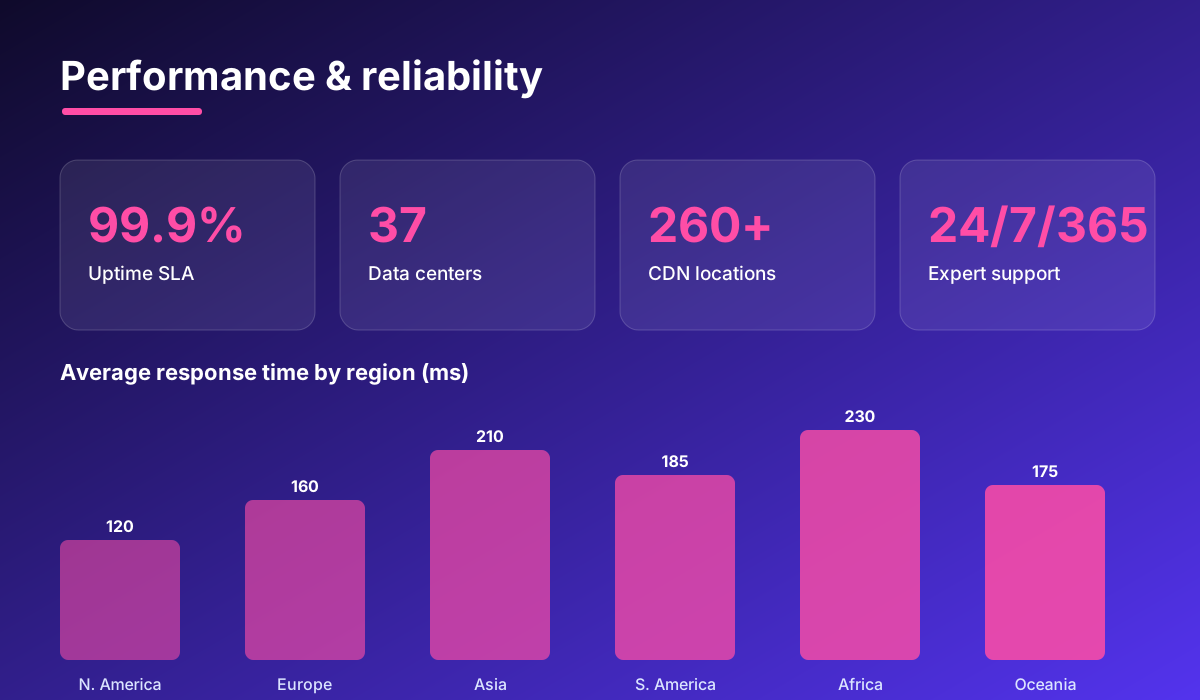
Speed and uptime affect everything from bounce rate to search rankings, so this is where the five hosts separate most clearly.
Kinsta leads on top-end performance. Google Cloud's premium-tier C2/C3D machines, edge caching from Cloudflare, and a 260+ location CDN keep even dynamic sites fast under load — the reason busy stores and publishers pay the premium.
SiteGround is close behind: Ultrafast PHP plus the SuperCacher stack (NGINX Direct Delivery, dynamic caching, Memcached) on Google Cloud delivers snappy pages and a ~99.99% uptime target without extra plugins.
A2 Hosting leads on raw shared-hosting speed. Its Turbo plans run NVMe storage and LiteSpeed with fewer accounts per server, delivering noticeably faster loads than entry shared plans.
Hostinger and Bluehost are fast for the price and more than enough for most small sites, with LiteSpeed/CDN and NVMe on higher tiers respectively. The trade-off is that their cheapest shared plans cap CPU and RAM, so under heavy load they will not match a Kinsta plan or an A2 Turbo server.
Features Comparison
All five cover the modern WordPress basics — free SSL, backups, staging, and one-click installs — but they package them differently.
| Feature | Bluehost | SiteGround | Kinsta | Hostinger | A2 Hosting |
|---|---|---|---|---|---|
| Control panel | cPanel (custom) | Site Tools | MyKinsta | hPanel | cPanel |
| Free domain | Yes (1 yr) | No | No | Yes (most plans) | Varies |
| Free SSL | Yes | Yes | Yes | Yes | Yes |
| CDN | Free | Free | Cloudflare (260+) | Free | Free |
| Staging | Yes | Yes (higher plans) | Yes | Yes | Yes |
| Caching | Built-in | SuperCacher | Edge caching | LiteSpeed | LiteSpeed (Turbo) |
| Free migration | Paid/limited | Yes (plugin) | Yes (expert) | Yes | Yes |
| Email hosting | Yes | Yes | No | Yes | Yes |
Kinsta is the most powerful, with enterprise Cloudflare and edge caching, but it drops email hosting and cPanel. SiteGround balances power and usability with Site Tools. Bluehost, Hostinger, and A2 bundle the most all-in-one value — domain, email, and caching — at a lower price.
Customer Support Comparison
When your site goes down, support quality matters more than any feature list.
Kinsta offers 24/7/365 support from genuine WordPress and Linux engineers, appropriate for a premium managed platform, plus a free hack-fix guarantee. SiteGround is consistently rated among the best in the industry, with fast, knowledgeable 24/7 chat, tickets, and phone. A2 Hosting's "Guru Crew" is praised for tackling technical requests around the clock.
Bluehost and Hostinger provide 24/7 chat and deep knowledge bases suited to their beginner audiences; both are helpful for common questions, though they are less specialised for deep server-level troubleshooting than the premium trio.
WooCommerce Comparison
Running an online store adds real demands: more database queries, checkout that must never lag, and traffic that spikes during sales. Here is how each host handles WooCommerce.
Kinsta is the standout for serious stores — isolated container resources, edge caching, and premium GCP machines keep checkout fast under load. SiteGround is excellent for growing WooCommerce shops, with store-ready caching and reliable performance. A2 Hosting's Turbo servers keep product pages and checkout snappy for speed-sensitive stores on shared or VPS plans.
Bluehost offers a dedicated Online Store plan bundling WooCommerce and store themes, a solid budget entry point. Hostinger is the cheapest way to launch a small WooCommerce store, though resource caps mean busy shops eventually outgrow it and move to SiteGround or Kinsta.
Pros & Cons
Bluehost
- Pros: officially WordPress-recommended, beginner-friendly, free domain + SSL + CDN, low intro price.
- Cons: renewal prices jump, frequent upsells, backups extra on the cheapest plan, not the fastest.
SiteGround
- Pros: fast Google Cloud hosting, superb SuperCacher stack, free daily backups, standout support.
- Cons: higher renewals, modest storage caps, monthly visit limits push you up tiers.
Kinsta
- Pros: top performance, enterprise Cloudflare + CDN, polished MyKinsta, free expert migrations, 24/7/365 engineers.
- Cons: expensive (from ~$35/mo), visit-based overage fees, no email hosting, no cPanel.
Hostinger
- Pros: lowest prices, easy hPanel, free SSL/backups/CDN, one-click WordPress, great long-term value.
- Cons: shared plans cap resources, support less specialised, best rates need multi-year terms.
A2 Hosting
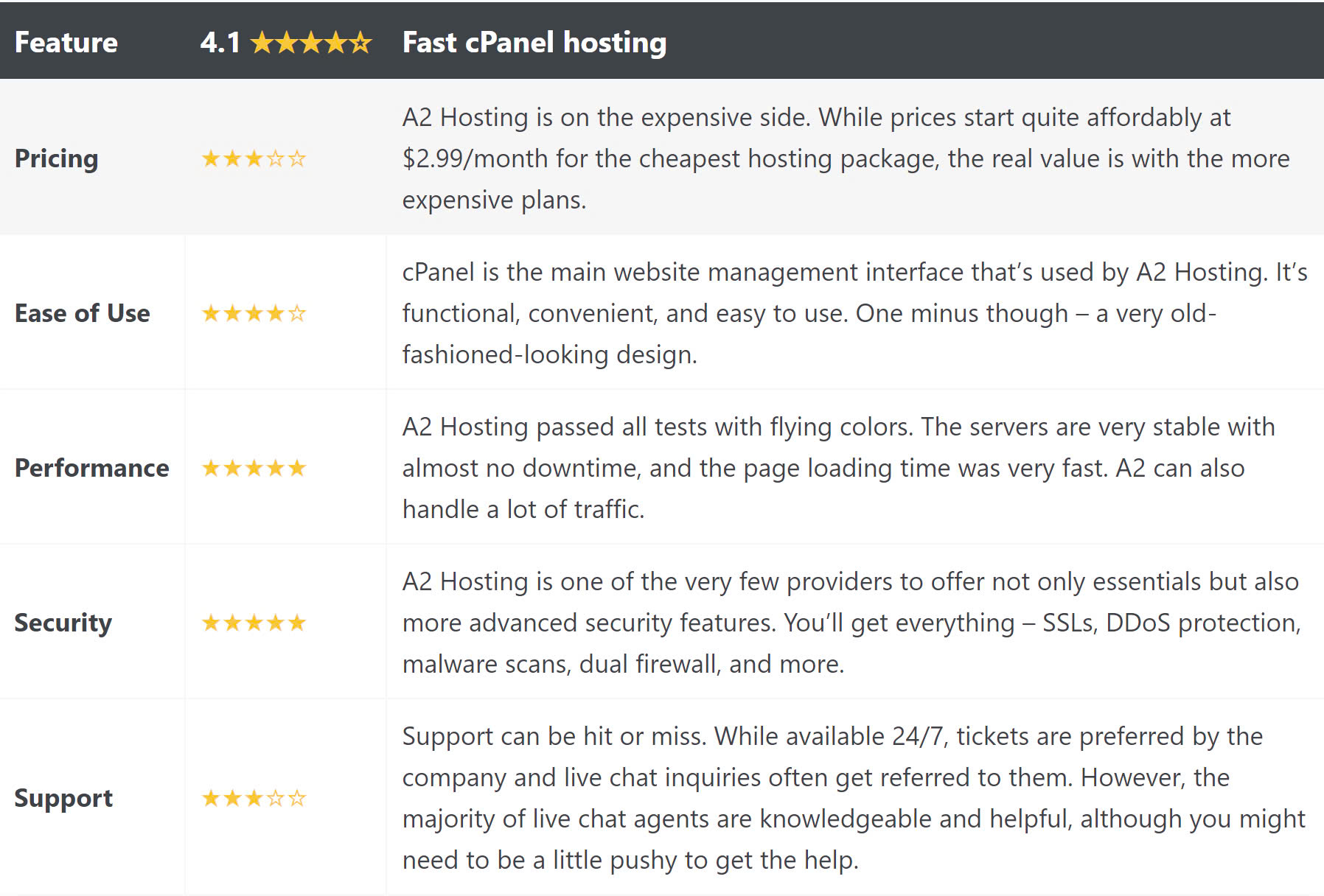
- Pros: fast Turbo servers, familiar cPanel, knowledgeable support, plans that scale from shared to VPS.
- Cons: top speed needs pricier Turbo tiers, introductory prices step up on renewal.
Which Host Should You Choose?
There is no single winner — the right host depends on what you are building:
- Choose Hostinger if you want the best value and an easy start — the safest pick for most beginners and budget WordPress sites.
- Choose Bluehost if you want the officially WordPress-recommended host with a free first-year domain and guided setup.
- Choose SiteGround if you want premium Google Cloud speed and top-rated support without a premium-managed price tag.
- Choose Kinsta if your site drives revenue and you want the fastest, fully managed platform — ideal for agencies and high-traffic stores.
- Choose A2 Hosting if speed is your priority and you like cPanel, especially for content sites and stores.
For most people, Hostinger offers the best balance of price and simplicity. Move up to SiteGround or Kinsta when performance becomes non-negotiable, or pick A2 Hosting when speed on cPanel is what you are after.
Get Started
Ready to launch? Choose your host below and grab the current deal — or read our in-depth review of each first.
Prefer the full breakdown first? Read our in-depth reviews of Bluehost, SiteGround, Kinsta, Hostinger, and A2 Hosting.
Ready to try Hostinger?
Visit the official website to see the latest plans, pricing, and special offers.
Get Started - Hostinger* Affiliate link - we may earn a commission at no extra cost to you.