Kinsta Review: Premium Managed WordPress and App Hosting
A thorough Kinsta review covering MyKinsta, Google Cloud performance, Cloudflare CDN, application and database hosting, pricing, and security for serious sites.
Expert Review
1. What is Kinsta?
Kinsta is a premium managed hosting provider built entirely on Google Cloud Platform's premium tier network. Instead of renting cheap shared servers, Kinsta runs every site inside isolated containers on GCP's fast C2 and C3D compute machines, then layers an enterprise Cloudflare integration and a 260+ location CDN on top. The result is a hosting platform engineered for speed and stability rather than rock-bottom pricing. Kinsta started as a managed WordPress specialist and remains best known for that, but it has grown into a broader cloud platform.
Today Kinsta offers three products: Managed WordPress Hosting, Application Hosting for Node.js, Python, PHP, Ruby and other stacks, and Managed Database Hosting for MySQL, PostgreSQL, Redis and MariaDB. Everything is controlled through a custom-built dashboard called MyKinsta, with no cPanel anywhere in sight. It suits people and teams who treat their website as a serious business asset and want performance, security and expert support handled for them, and who are willing to pay a premium to get it.
2. Who is Kinsta for?
- Agencies and freelancers: Manage many client sites from one dashboard, hand off staging environments, and rely on free expert migrations to move projects in without downtime.
- High-traffic sites and stores: Busy WooCommerce shops, membership sites and publishers benefit from GCP's fast machines, edge caching and a CDN that keeps pages quick under load.
- Developers: SSH access, Git deployment, WP-CLI, DevKinsta local development and the Application and Database Hosting products give technical users room to build modern stacks.
- Businesses wanting hands-off performance: Companies that would rather focus on content and sales than on server maintenance get managed updates, backups, security and 24/7/365 support.
Who should skip Kinsta? Anyone running a tight-budget or hobby project. With entry pricing around $35 per month, no email hosting and usage-based visit limits, Kinsta is poor value for a personal blog, a brochure site with light traffic, or a starter store that has yet to earn revenue. Budget-focused and beginner users are better served by cheaper shared hosts.
3. The MyKinsta dashboard
MyKinsta is Kinsta's own control panel, built from scratch to replace the dated cPanel experience most hosts still use. It is clean, fast and organized around tasks rather than raw server settings. From a single view you can add sites, launch staging environments, restore backups, manage domains and SSL, purge caches, and read detailed analytics covering traffic, bandwidth, top requests, cache hit rates and PHP performance. The absence of cPanel is deliberate and, for most users, a welcome simplification.
Two features stand out. One-click staging lets you clone a live site, test changes safely, and push them to production when ready. The built-in Application Performance Monitoring (APM) tool traces slow transactions, database queries and external requests, so you can diagnose exactly what is making a page slow without installing third-party profilers. For agencies, company-level user management and per-site access controls make delegation straightforward.
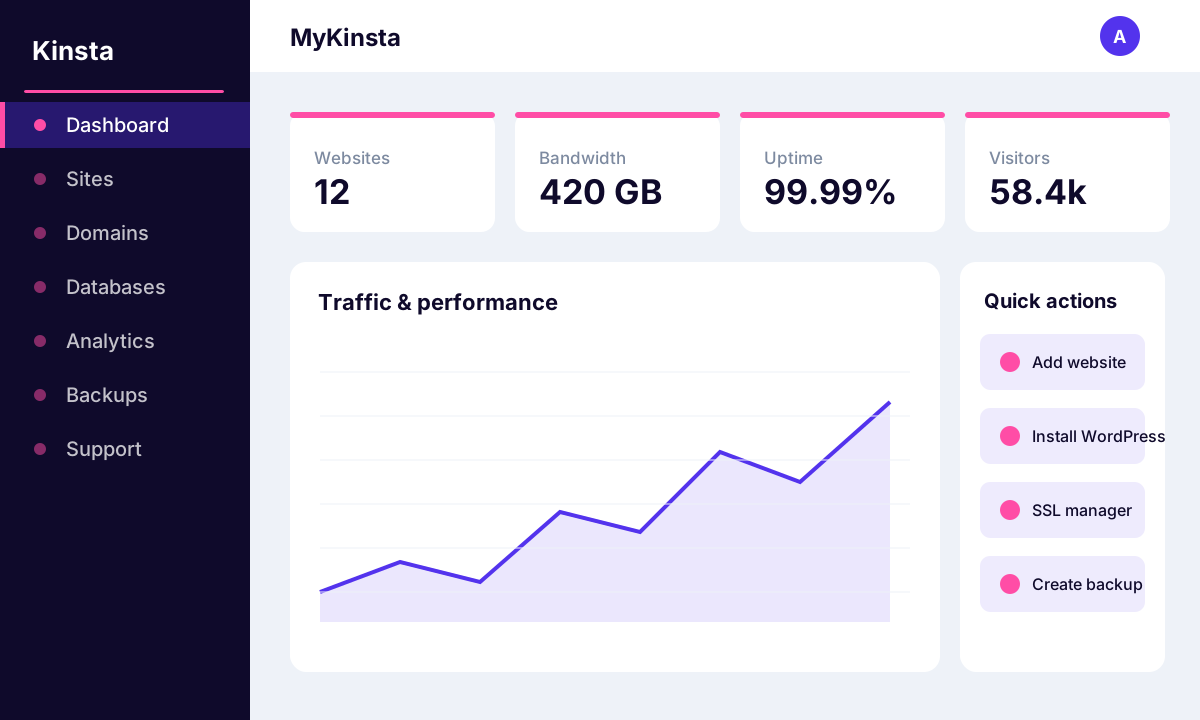 image: MyKinsta dashboard
4. Key features
Kinsta's feature set is aimed at performance, convenience and peace of mind. The highlights include:
- Google Cloud premium tier: Sites run on GCP's fastest C2 and C3D compute machines over Google's low-latency premium network, not budget hardware.
- Enterprise Cloudflare integration + CDN: Every plan includes an enterprise-level Cloudflare setup and a CDN spanning 260+ locations for global delivery.
- Edge caching: Full-page cache is served directly from Cloudflare's edge, cutting response times dramatically for cached content.
- Free expert migrations: Kinsta's team moves your site over for you, handling the technical work to avoid downtime.
- Staging environments: Spin up a copy of any site to test updates, plugins or code before going live.
- Application and database hosting: Deploy Node, Python, PHP or Ruby apps and managed MySQL, PostgreSQL, Redis or MariaDB databases alongside WordPress.
- DevKinsta: A free local development suite for building WordPress sites on your own machine and pushing them to Kinsta.
- 24/7/365 support: Round-the-clock access to WordPress and Linux engineers through live chat, in multiple languages.
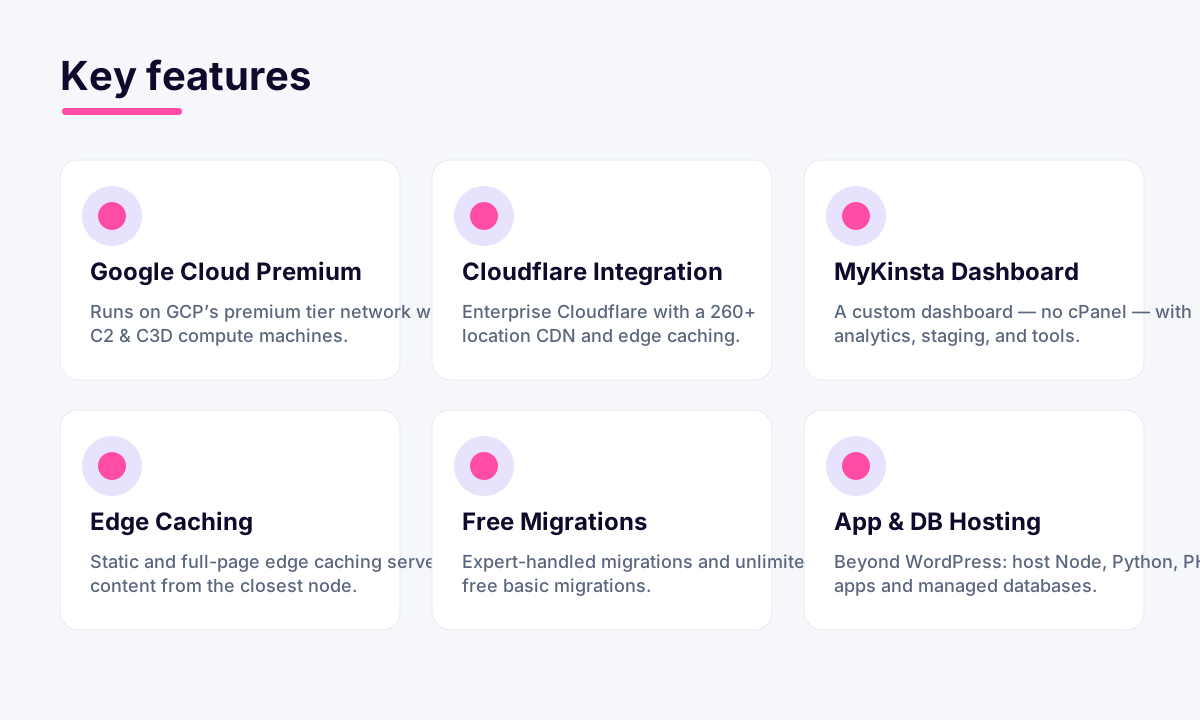 image: Kinsta key features
5. Performance and reliability
Performance is Kinsta's core selling point, and the architecture reflects it. Sites sit on Google Cloud's C2 and C3D machines, which use high-frequency processors well suited to PHP and database workloads. Static assets and full pages are served from Cloudflare's edge caching, while the 260+ location CDN pushes content close to visitors worldwide. Kinsta operates from 37 data centers, so you can pick a region near your audience to minimize latency. In practice this stack delivers consistently low response times, even for dynamic sites like WooCommerce stores.
Reliability is backed by isolated container architecture, which means one site cannot drag down another on the same server, and by automatic scaling to absorb traffic spikes. Kinsta monitors every site's uptime every two minutes, catching issues quickly, and publishes a strong uptime track record. Combined with automated failover on the Google Cloud backbone, the platform is dependable enough for mission-critical and revenue-generating sites.
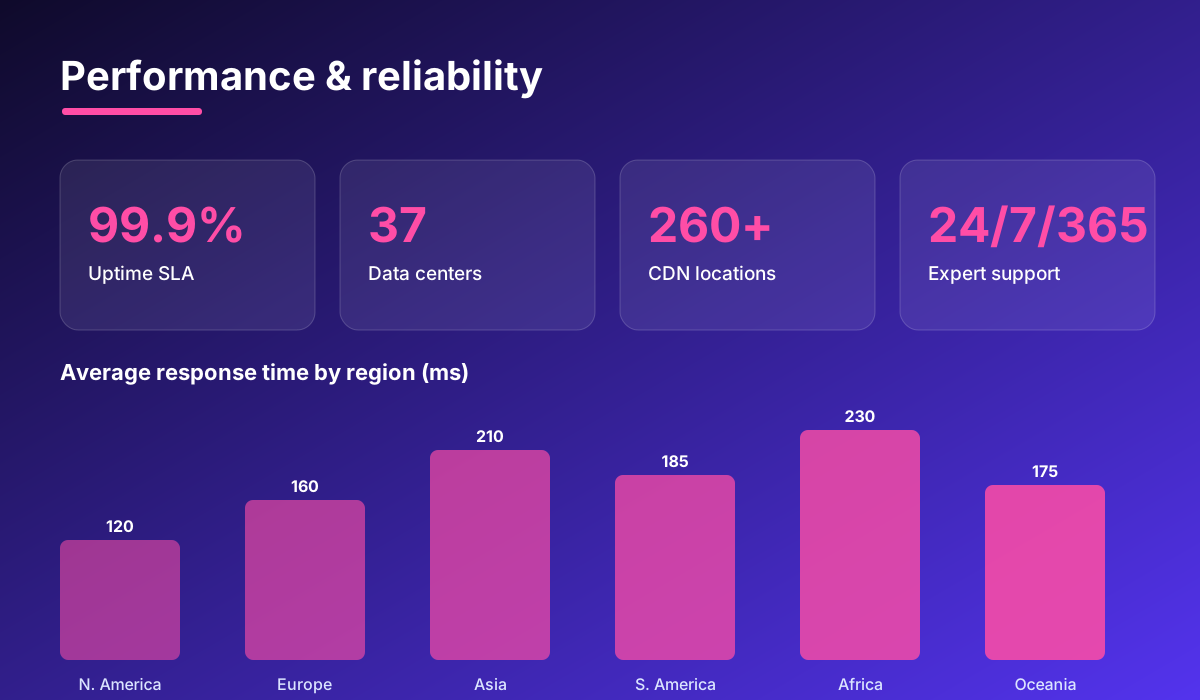 image: Kinsta performance and reliability
6. Pricing and plans
Kinsta uses tiered managed WordPress plans priced on the number of sites, monthly visits and storage. The most popular entry options are:
- Starter (~$35/mo): 1 WordPress site, up to 25,000 monthly visits, 10GB storage. Good for a single serious site or store.
- Pro (~$70/mo): 2 sites, up to 50,000 monthly visits, 20GB storage. Suited to a growing business or a small portfolio.
- Business 1 (~$115/mo): 5 sites, up to 100,000 monthly visits, 30GB storage. Aimed at agencies and higher-traffic operations.
Plans continue upward into Business and Enterprise tiers, and pricing is usage-based, so exceeding your visit allowance triggers overage fees. Paying annually gives you two months free, and Application and Database Hosting are billed separately on a resource-based, pay-as-you-go model. Every plan comes with a 30-day money-back guarantee, so you can test the platform risk-free.
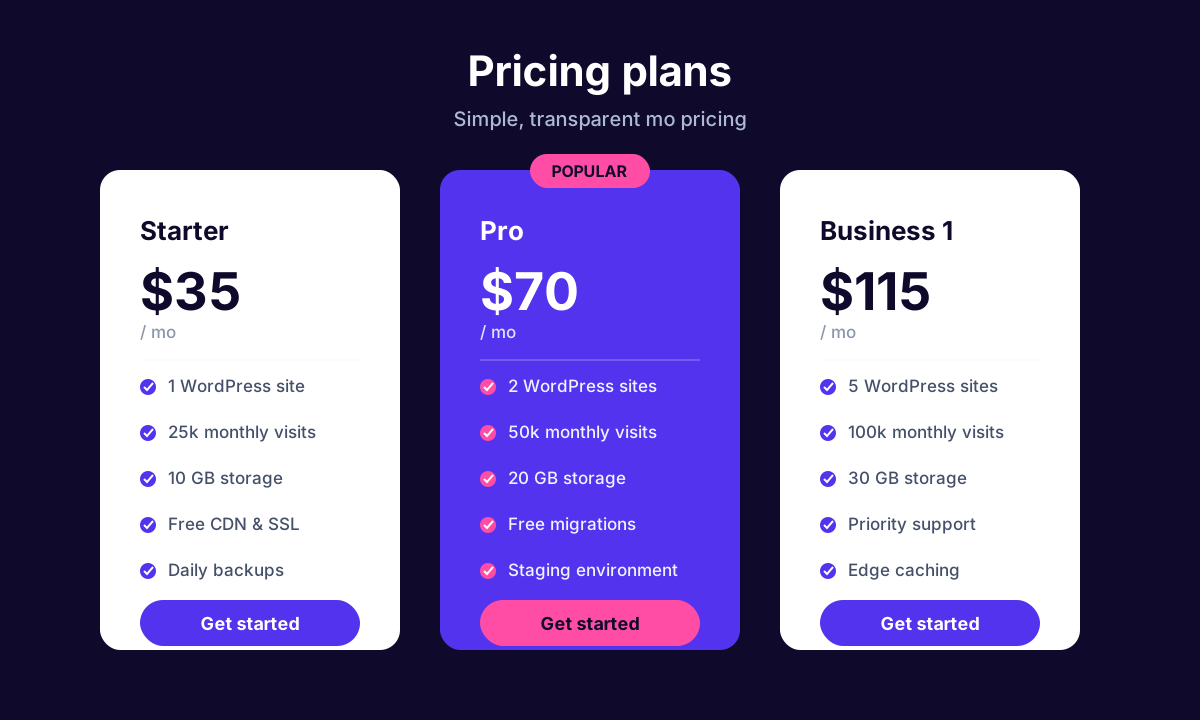 image: Kinsta pricing plans
7. Security
- Cloudflare firewall and DDoS protection: Enterprise-level Cloudflare shields every site with a web application firewall and automatic DDoS mitigation.
- Free SSL certificates: Wildcard SSL via Cloudflare is included and installed with a click.
- Hack-fix guarantee: If your site is ever compromised, Kinsta's engineers will clean it up for free.
- Isolated containers: Each site runs in its own secure container, so a breach on one cannot spread to others.
- Daily and manual backups: Automatic daily backups plus on-demand manual and downloadable backups make recovery simple.
- Two-factor authentication: 2FA protects your MyKinsta account from unauthorized access.
8. Pros and cons
Advantages
- Excellent performance from Google Cloud C2/C3D machines and edge caching.
- Enterprise Cloudflare integration and a 260+ location CDN included.
- Clean, modern MyKinsta dashboard with staging and built-in APM.
- Free expert migrations and a strong hack-fix guarantee.
- 24/7/365 support from genuine WordPress and Linux engineers.
- Flexible platform covering WordPress, applications and databases.
Disadvantages
- Expensive, with entry pricing far above budget shared hosts.
- Visit-based tiers mean overage fees if you exceed your allowance.
- No email hosting, so you must use a separate provider.
- No cPanel, which some users who prefer the familiar interface will miss.
9. Verdict
Kinsta is one of the strongest managed hosting platforms available, and it earns its reputation. The Google Cloud premium tier infrastructure, enterprise Cloudflare integration, polished MyKinsta dashboard and genuinely expert support combine into a package that removes hosting headaches and keeps serious sites fast and secure. For agencies, high-traffic stores, developers and businesses that treat uptime and speed as revenue drivers, it is easy to recommend.
The catch is price. Kinsta is not for cheap or hobby projects, and the visit-based model plus the lack of email hosting mean you need to plan around its structure. But if your website makes or supports money and you want performance handled by professionals, Kinsta delivers premium quality that justifies the premium cost. Try it with the 30-day money-back guarantee and judge the speed for yourself.
Related comparison: See how Kinsta compares in Best WordPress Hosting: Bluehost vs SiteGround vs Kinsta vs Hostinger vs A2 Hosting — or browse all comparisons & best-of guides.
Ready to try Kinsta?
Visit the official website to see the latest plans, pricing, and special offers.
Get Started - Kinsta* Affiliate link - we may earn a commission at no extra cost to you.