SiteGround Review: Premium Managed Hosting on Google Cloud
A detailed SiteGround review of its Site Tools panel, Google Cloud performance, caching, pricing, and security to help you decide if this premium managed host is worth it.
Expert Review
1. What is SiteGround?
SiteGround is a premium managed web hosting provider that runs entirely on Google Cloud Platform. Instead of leasing generic servers, it builds its stack on Google's low-latency network and pairs it with in-house engineering: a custom control panel, a homegrown caching suite, and an Ultrafast PHP setup. The result is a host that positions itself above the bargain-basement crowd, aiming at people who want speed and reliability without renting a dedicated server or hiring a sysadmin.
The platform is best known for managed WordPress and WooCommerce hosting, but it handles any PHP-based site just as happily. Automatic updates, daily backups, a free CDN, free SSL, and a 24/7 support team do the heavy lifting, so you spend time on your content or store rather than on server maintenance. If you value a polished, hands-off experience and consistent support quality, SiteGround is squarely aimed at you.
2. Who is SiteGround for?
- WordPress and WooCommerce owners: Managed updates, one-click staging, and store-ready caching make it a natural fit for blogs, business sites, and small online shops.
- Freelancers and agencies: The GoGeek plan adds Git, more staging copies, and priority support for people managing multiple client sites.
- Small businesses: Reliable uptime, free daily backups, and responsive 24/7 help matter more than saving a few dollars a month.
- Growth-minded creators: Anyone expecting traffic to climb and wanting room to scale caching and resources without switching hosts.
It is not the right pick for everyone. Very large or enterprise workloads will eventually outgrow shared plans and should look at SiteGround's cloud or dedicated tiers, or a competing infrastructure host. Strictly budget-focused users may also find SiteGround pricey, since the visit-based limits and notably higher renewal rates can add up compared with cheaper shared providers.
3. Site Tools: the control panel
SiteGround dropped the familiar cPanel years ago in favor of Site Tools, a control panel it designed and built from scratch. It is faster, cleaner, and organized around tasks rather than a wall of icons. Everything from DNS and email to PHP versions, caching, and backups lives in a logical left-hand menu, and the interface is genuinely pleasant to navigate even if you are not a technical user.
Site Tools includes a one-click WordPress installer, so you can spin up a new site in a couple of minutes with sensible defaults already applied. On higher plans you also get one-click staging: create a full copy of your live site, test theme or plugin changes safely, then push updates back to production when you are confident. That workflow alone saves a lot of broken-site headaches.
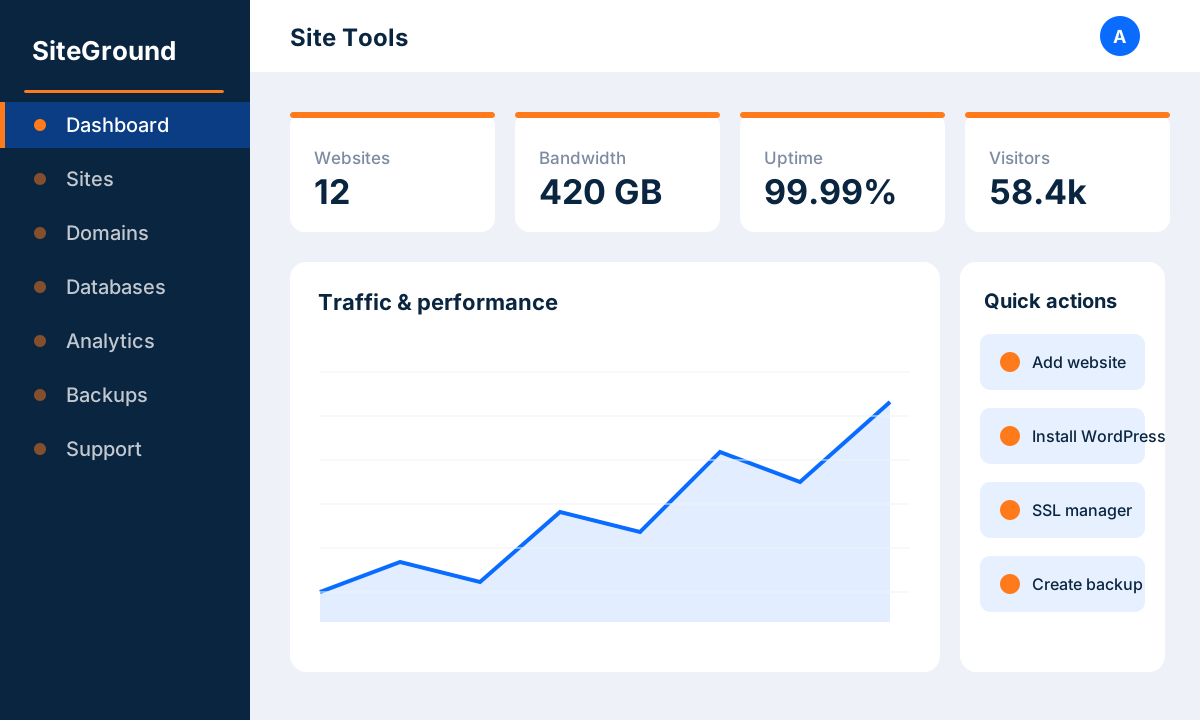 image: SiteGround Site Tools
4. Key features
SiteGround bundles a lot of engineering into every plan. Here are the features that define the platform:
- Google Cloud infrastructure: All accounts run on Google Cloud Platform for fast, resilient, low-latency hosting.
- Ultrafast PHP: An optimized PHP setup that can significantly cut response times versus stock configurations.
- SuperCacher: A multi-layer caching suite with NGINX Direct Delivery, dynamic caching, and Memcached to speed up static and dynamic content.
- Free daily backups: Automatic daily backups with easy one-click restores keep your data safe.
- Staging and Git: One-click WordPress staging plus Git integration on higher plans for a proper development workflow.
- Free CDN and SSL: A free content delivery network and free Let's Encrypt SSL are included on every plan.
- Managed updates: Automatic WordPress core and plugin updates handled for you, with rollback safety.
- 24/7 support: Round-the-clock help via chat, tickets, and phone, with a strong reputation for quality.
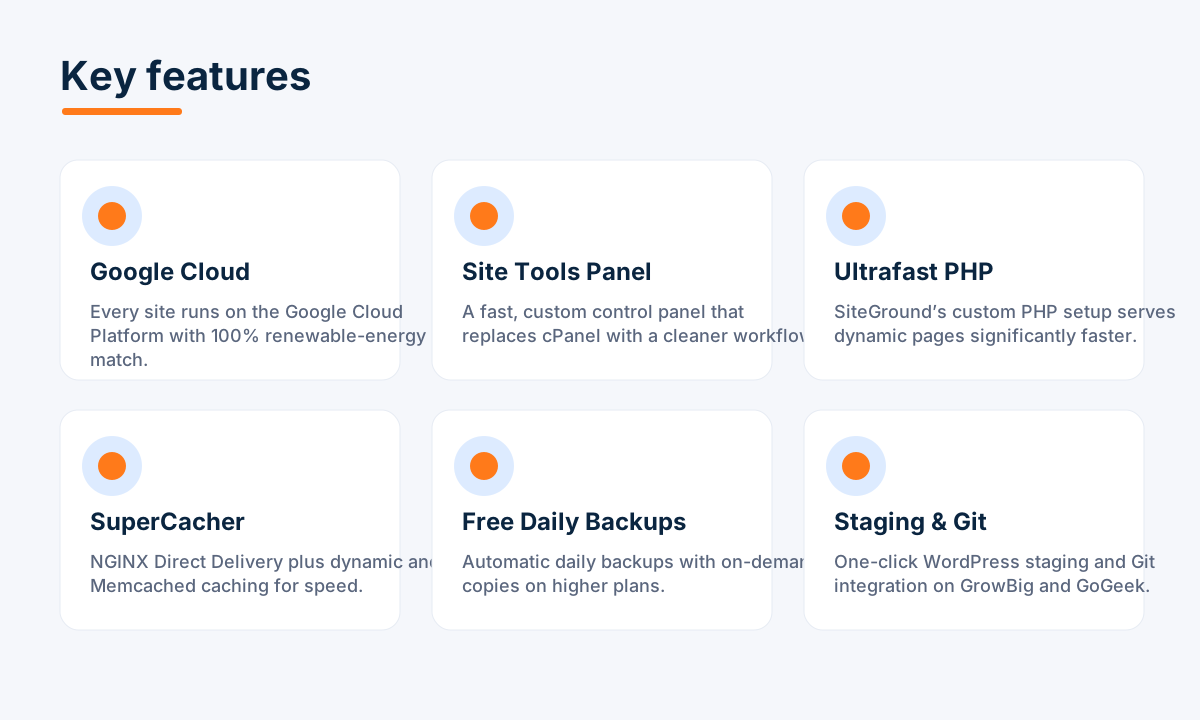 image: SiteGround key features
5. Performance and reliability
Performance is where SiteGround earns its premium label. The combination of Google Cloud hardware, Ultrafast PHP, and the SuperCacher stack means pages are served quickly even under load. NGINX Direct Delivery handles static files, dynamic caching stores rendered pages, and Memcached speeds up database queries, so a well-configured WordPress site feels snappy without extra plugins.
Reliability matches the speed. SiteGround targets around 99.99% uptime and backs it with proactive server monitoring and an AI-driven anti-bot system that filters malicious traffic before it slows you down. With 11 data centers spread across multiple continents, you can host close to your audience, cutting latency for visitors in North America, Europe, Asia, and Australia alike.
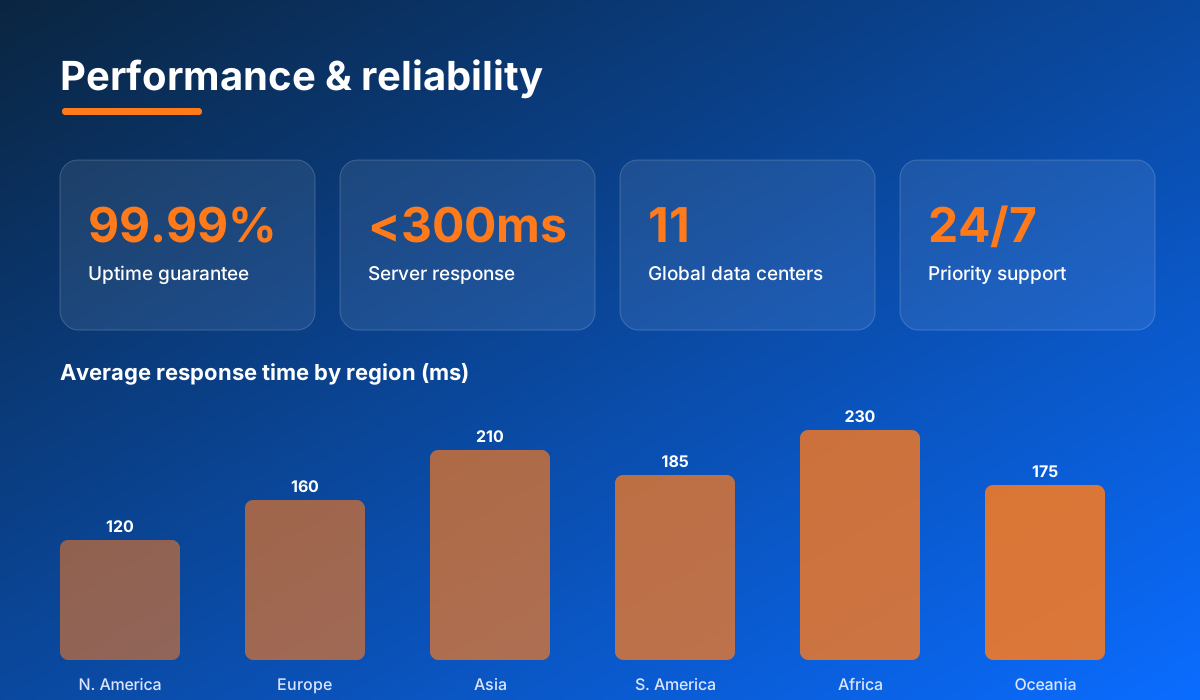 image: SiteGround performance and reliability
6. Pricing and plans
- StartUp (~$3.99/mo): One website, roughly 10,000 monthly visits, 10 GB storage, free SSL, CDN, daily backups, and managed WordPress. Ideal for a single new site.
- GrowBig (~$6.69/mo): Unlimited websites, around 100,000 monthly visits, 20 GB storage, on-demand backups, staging, and added caching. The best-value plan for most users.
- GoGeek (~$10.69/mo): Unlimited websites, around 400,000 monthly visits, 40 GB storage, Git integration, more staging copies, and priority support for agencies and busy stores.
Those figures are promotional initial-term prices. Be aware that renewal rates are notably higher, so factor the long-term cost into your decision and consider locking in a longer term up front. Every plan is covered by a 30-day money-back guarantee, and note that monthly billing adds a one-time setup fee, so annual billing is the cheaper route.
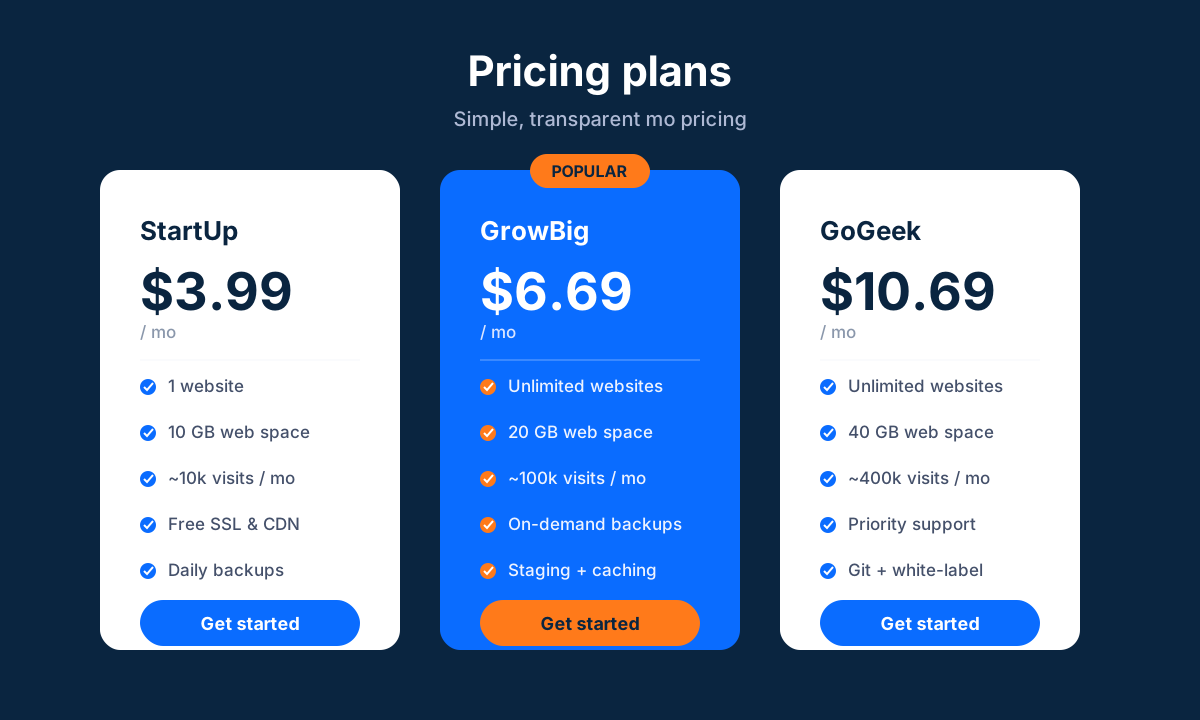 image: SiteGround pricing plans
7. Security
- Free SSL: Automatic Let's Encrypt certificates on every domain, with easy Wildcard options.
- Web Application Firewall: A custom WAF with rules updated continuously to block known exploits.
- AI anti-bot system: Blocks millions of malicious brute-force attempts across the network every day.
- Daily backups: Automatic daily copies with one-click restore protect against mistakes and attacks.
- Account isolation: Each account is isolated so a compromised neighbor cannot affect your site.
- Free CDN: A content delivery network that also absorbs and filters some malicious traffic.
8. Pros and cons
Advantages
- Fast, reliable hosting on Google Cloud with an excellent caching stack.
- Clean, task-focused Site Tools control panel that beats cPanel for usability.
- Free daily backups, CDN, and SSL included on every plan.
- One-click staging and Git for a real development workflow.
- Highly regarded 24/7 support with fast, knowledgeable responses.
Disadvantages
- Renewal pricing is notably higher than the promotional initial term.
- Storage caps (10-40 GB) are modest compared with some rivals.
- Monthly visit limits can push growing sites onto pricier plans.
- Monthly billing adds a one-time setup fee, nudging you toward annual plans.
9. Verdict
SiteGround is a genuinely premium managed host that delivers on speed, reliability, and support. The Google Cloud foundation, Ultrafast PHP, and SuperCacher caching make for fast sites, while Site Tools, free daily backups, and managed updates take the maintenance burden off your plate. For WordPress and WooCommerce owners, freelancers, and small businesses, it is one of the easiest hosts to recommend.
The main caveat is cost. Introductory prices are attractive, but renewals climb and the visit-based limits mean you pay for growth. If your budget can absorb that and you value a polished, low-hassle experience with standout support, SiteGround is well worth it. Bargain hunters and very large operations should look elsewhere, but for most site owners it hits a strong balance of quality and convenience.
Related comparison: See how SiteGround compares in Best WordPress Hosting: Bluehost vs SiteGround vs Kinsta vs Hostinger vs A2 Hosting — or browse all comparisons & best-of guides.
Ready to try SiteGround?
Visit the official website to see the latest plans, pricing, and special offers.
Get Started - SiteGround* Affiliate link - we may earn a commission at no extra cost to you.