Bolt.new Review: Prompt, Run, and Deploy Web Apps in the Browser
Bolt.new review: StackBlitz's in-browser AI app builder that prompts, runs, and deploys full-stack web apps via WebContainers — features, token pricing, pros and cons.
Expert Review

What is Bolt.new?
Bolt.new is an AI-powered web development agent that lets you prompt, run, edit, and deploy full-stack applications entirely inside your browser. You describe the app you want, and Bolt generates the code, installs the dependencies, starts a live dev server, and shows you the running result — all without installing anything on your machine. It is built by StackBlitz, the team behind the WebContainers technology that makes running a real Node.js environment in a browser tab possible.
That in-browser foundation is what sets Bolt apart from other "prompt to app" tools. Because a genuine development environment runs client-side, the AI can install npm packages, run servers, and edit the filesystem directly — and so can you. Bolt is aimed at developers who want to move fast, as well as designers, founders, and product people who want to go from idea to a deployed web app without touching a terminal.
Benefits of Using Bolt.new
- Zero local setup: the entire dev environment runs in your browser, so there is nothing to install and no configuration before you start building.
- Real full-stack output: Bolt scaffolds the frontend, backend, and database and wires them together into a working app, not just a static page.
- You keep full control of the code: unlike black-box builders, you can see and edit every file, and export the whole project to GitHub whenever you want.
- Fast prompt-to-preview loop: because the server runs live in the browser, changes appear instantly, tightening the build-and-test cycle.
- Framework flexibility: WebContainers run React, Next.js, Vue, Svelte, Express, and most Node.js packages, so you are not boxed into one stack.
- One-click deployment: ship straight to a live URL on Netlify and add a custom domain without leaving the tool.
AI Features of Bolt.new
-
In-Browser Dev Environment
Powered by StackBlitz's WebContainers, Bolt runs a full Node.js environment inside your browser tab — a real filesystem, npm package manager, and a live development server. This is the engine behind everything else: the AI (and you) can install packages, run commands, and see the app execute for real, with no cloud VM to spin up and nothing to install locally.
-
Prompt to Full-Stack App
Describe your idea in plain language and Bolt's AI agent scaffolds the whole thing — frontend components, backend routes, and a database — then connects the pieces into a working application. From there you keep prompting to add features and refine, watching each change run live in the preview beside your chat.
-
AI Error Detection & Fixing
Because the app actually runs in the environment, Bolt can see build and runtime errors as they happen. The agent detects these problems and attempts to fix them automatically, so a broken import or a failing server does not stop you cold. It is a meaningful advantage over tools that generate code blind and leave you to debug it.
-
One-Click Deploy & GitHub Export
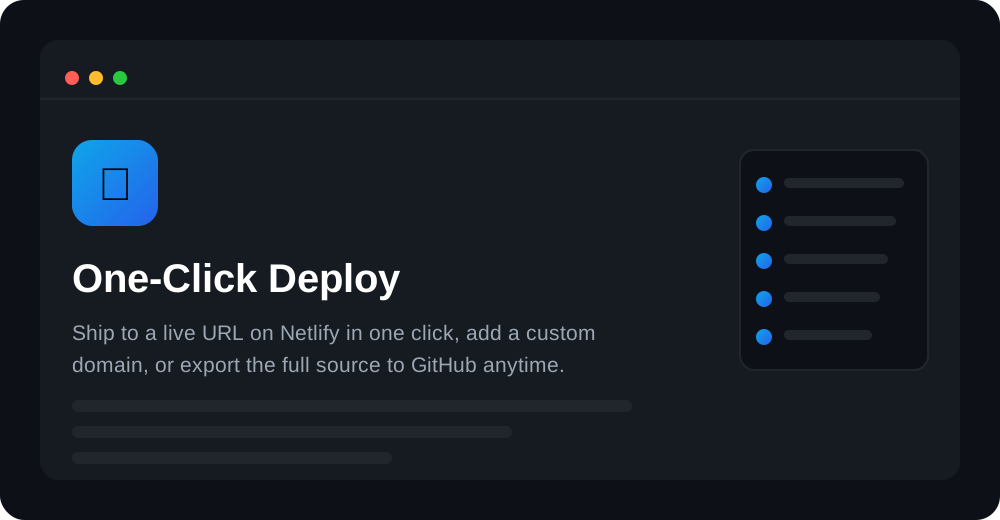
When your app is ready, Bolt ships it to a live URL on Netlify in a single click, and you can attach a custom domain. You can also export the full source to GitHub at any time, so the code is genuinely yours to take elsewhere — there is no lock-in once your project outgrows the builder.
-
Attachments, Integrations & Model Power
Bolt lets you attach images and reference designs to guide what it builds, and it integrates with services like Supabase for a backend and Netlify for hosting. Under the hood it uses frontier large language models to plan and write the code, which is why it can handle real, multi-file projects rather than single snippets.
Pricing of Bolt.new
Bolt uses a token-based model rather than credits. Tokens are consumed as the AI reads and writes your project, so larger projects cost more tokens per message. There is a free tier to try it, and paid plans scale the monthly token allowance up. A helpful detail: on paid plans, unused tokens roll over for an extra month.
- Free: $0 — around 1M tokens per month with a daily limit, public projects, and deployment to Netlify. Good for trying Bolt out.
- Pro: around $25/month — roughly 10M tokens per month, private projects, custom domains, and token rollover. The standard plan for regular builders; higher token tiers are available if you need more.
- Teams: around $30/user/month — a shared workspace with centralized billing, admin controls, and collaboration for organizations.
- Enterprise: custom pricing — for larger teams needing bespoke limits, security, and support.
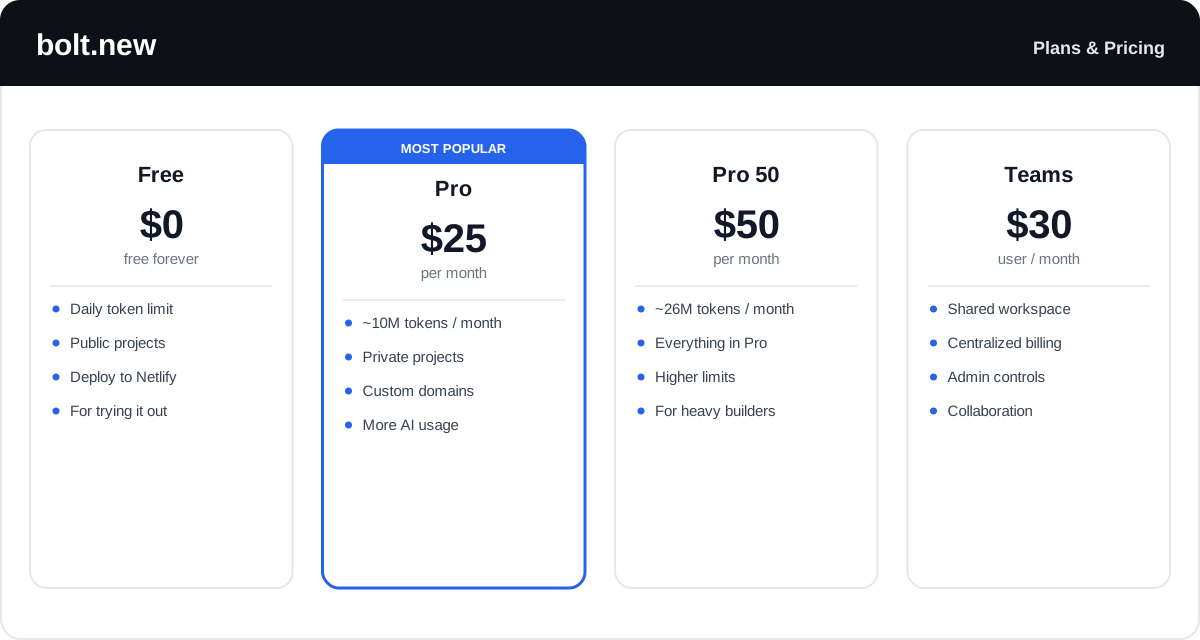
Token allowances and rates change over time — check the official Bolt.new pricing page for the latest tiers and exactly how many tokens each plan includes.
Real-World Use Case Analysis
-
Developers and Rapid Prototyping
Scaffolding at speed: developers use Bolt to stand up a working full-stack prototype in minutes — real framework, real packages, real server — then export it to GitHub and finish the detailed work in their own editor.
-
Founders and MVPs
From idea to deployed demo: a founder can describe a product, watch Bolt build and run it in the browser, and deploy it to a live Netlify URL the same day to show investors or early users — no infrastructure setup required.
-
Designers and Educators
Interactive by default: designers turn concepts into working prototypes to test real interactions, while educators and learners use the zero-install environment to experiment with full-stack code from any machine with a browser.
Pros and Cons of Bolt.new
-
Advantages of Using Bolt.new
Bolt.new's strengths include:
- A real, full development environment in the browser with zero local setup.
- Generates genuine full-stack apps and runs them live, catching errors as they happen.
- Framework flexibility — React, Next.js, Vue, Svelte, Node, and more.
- Full code access plus GitHub export and one-click Netlify deploy: no lock-in.
- Token rollover on paid plans softens the cost of a slow month.
-
Disadvantages of Using Bolt.new
Points to weigh before committing:
- Token usage can climb fast on larger projects, since each message re-reads the filesystem.
- Focused on web apps — it is not the tool for native mobile or non-web software.
- Complex or highly custom logic can still trip the AI and need manual fixes.
- Heavy in-browser environments can strain lower-powered machines.
Final Thoughts on Bolt.new
Bolt.new is one of the most impressive takes on AI app building because of what runs under it: a real Node.js environment in your browser, powered by StackBlitz's WebContainers. That lets it install packages, run a live server, catch errors, and deploy — all from a prompt, with no local setup. For developers who want a fast full-stack scaffold, and for founders and designers who want a deployed demo the same day, it is a genuinely quick path from idea to running app, and GitHub export means you keep the code. Just budget for token usage on bigger projects and expect to hand-fix the hardest logic. Start on the free tier to see how far a few prompts get you before moving to Pro.
Ready to try Bolt.new?
Visit the official website to see the latest plans, pricing, and special offers.
Get Started - Bolt.new* Affiliate link - we may earn a commission at no extra cost to you.