DigitalOcean Review: Cloud Infrastructure for Developers
A developer-focused DigitalOcean review covering Droplets, App Platform, managed databases, Kubernetes, pricing, and security to help you decide if it fits your stack.
Expert Review
1. What is DigitalOcean?
DigitalOcean is a developer-focused cloud infrastructure provider that sits somewhere between raw hyperscale clouds like AWS and the shared cPanel hosts most beginners start on. Its whole pitch is simplicity: spin up a Linux server, called a Droplet, in under a minute, pay a flat predictable price, and manage everything through a clean control panel or a proper API. It offers both infrastructure-as-a-service (IaaS) building blocks and higher-level managed products, so you can go as hands-on or as hands-off as you like.
It is important to understand what DigitalOcean is not. This is not a managed WordPress or shared hosting service where support installs plugins for you and a cPanel does the heavy lifting. With a Droplet you get a bare Linux box, and you are responsible for the operating system, security patches, and configuration, unless you choose the managed App Platform instead. That trade-off is exactly why developers, startups, and technically comfortable site owners love it, and why it suits anyone who wants real cloud control without the complexity and billing surprises of the giant providers.
2. Who is DigitalOcean for?
- Developers and startups: Anyone comfortable with the command line who wants to deploy apps, APIs, or full stacks on infrastructure they control, with fast provisioning and a powerful API.
- SaaS and web applications: Teams running production apps that need Droplets, managed databases, load balancers, and Kubernetes without piecing together a dozen AWS services.
- Teams wanting predictable pricing: Businesses tired of surprise cloud bills who value flat monthly rates, generous bandwidth allowances, and clear per-hour pricing capped at a monthly maximum.
- Learners and hobbyists: Students and side-project builders who want an affordable $4 server and one of the best libraries of free tutorials on the internet to learn from.
Who should look elsewhere? Non-technical users who want a fully managed, click-and-go website with cPanel, one-click WordPress support, and a call center to fix things for them. DigitalOcean is unmanaged cloud at heart. If you do not want to touch a terminal or manage your own server, a traditional managed host or the App Platform is a better fit than a plain Droplet.
3. The DigitalOcean control panel
The control panel is one of DigitalOcean's strongest selling points. It is a clean, uncluttered cloud console where every product lives behind an obvious menu: Droplets, Databases, Kubernetes, Spaces, networking, and billing are all a click away. Creating a Droplet walks you through choosing a region, size, and image, and you can launch from one-click application images, such as pre-configured Docker, LAMP, WordPress, or Node.js stacks from the Marketplace, so you are not always starting from a blank server.
For anyone who prefers automation, the same actions are available through a well-documented REST API and the official command-line tool, doctl. You can script Droplet creation, manage DNS, deploy apps, and integrate with Terraform, which makes DigitalOcean genuinely infrastructure-as-code friendly. The Marketplace extends this further with ready-made stacks and add-ons, so common setups take minutes rather than hours.
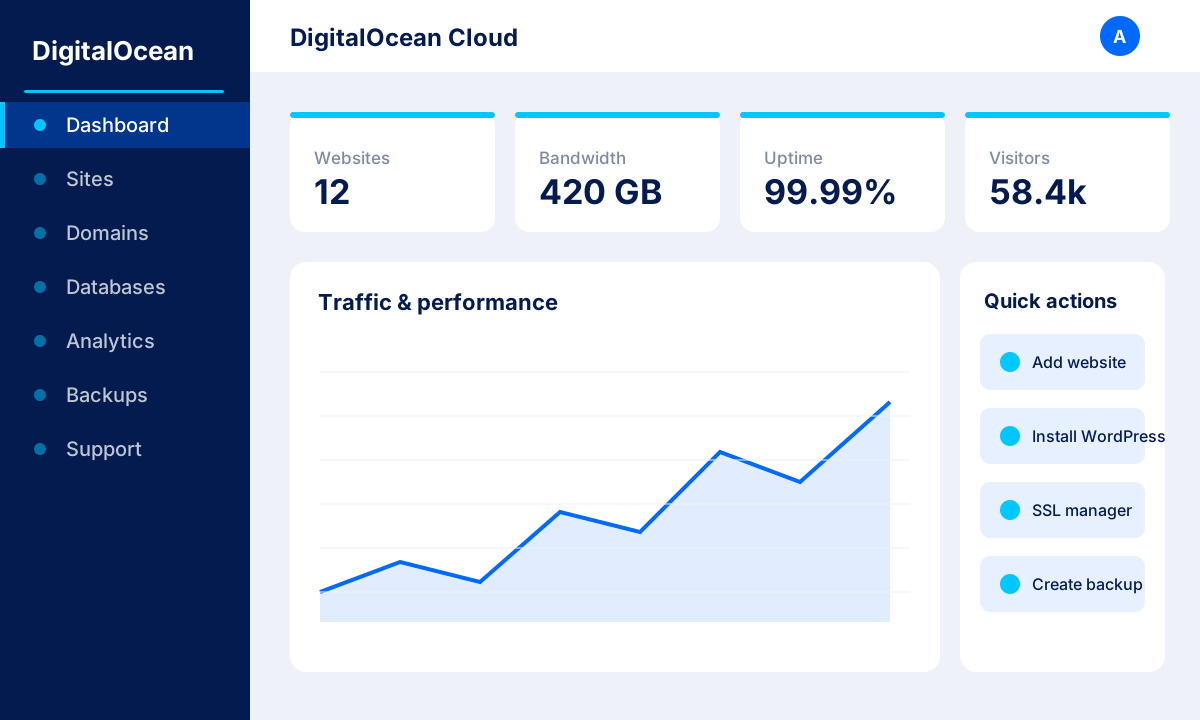 image: DigitalOcean cloud control panel
4. Core products and features
DigitalOcean has grown well beyond simple virtual servers into a full platform. Here are the core products you will actually use:
- Droplets: Linux virtual machines from around $4/month, provisioned in seconds, available in Basic, General Purpose, CPU-Optimized, and Memory-Optimized flavours.
- App Platform: A managed PaaS from about $5/month that builds and deploys apps straight from your Git repo, handling servers, scaling, and TLS for you.
- Managed Databases: Fully managed PostgreSQL, MySQL, Redis (Valkey), MongoDB, and Kafka from roughly $15/month, with automated backups, failover, and updates.
- Kubernetes (DOKS): Managed Kubernetes with a free control plane, so you only pay for the worker nodes you run.
- Spaces and CDN: S3-compatible object storage with a built-in content delivery network for static assets, media, and backups.
- Load Balancers and Volumes: Highly available load balancing plus scalable block storage Volumes you can attach to Droplets on demand.
- GPU and GenAI Droplets: GPU-backed instances and a GenAI platform for training, inference, and building AI applications.
- Tutorials and community: A huge, respected library of developer tutorials and community Q&A that doubles as free documentation for almost any stack.
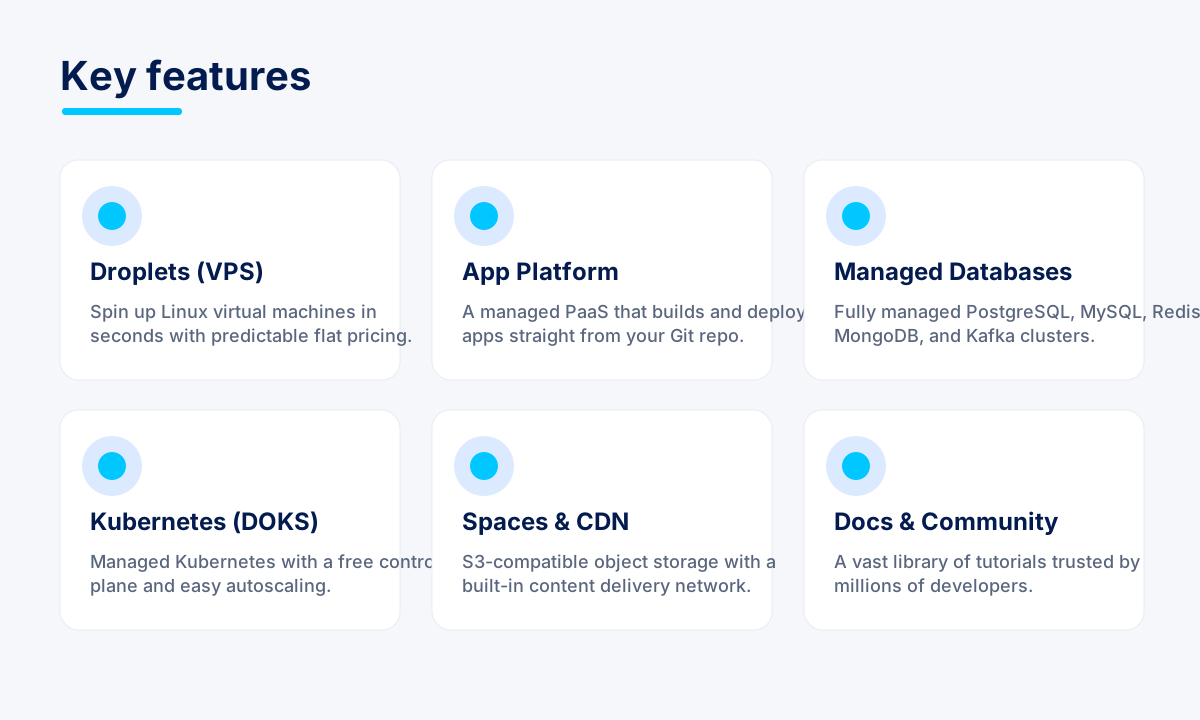 image: DigitalOcean product and feature grid
5. Performance and reliability
Performance is solid across the board. All Droplets run on SSD storage, with NVMe used on the newer Premium tiers for faster disk throughput, and provisioning is genuinely quick, with most Droplets ready in well under a minute. The network is fast and comes with generous outbound bandwidth allowances bundled into each plan, so typical workloads rarely hit overage charges. Regional placement lets you put your infrastructure close to your users to keep latency low.
Reliability is backed by a 99.99% uptime SLA on compute, and DigitalOcean operates data centers across North America, Europe, and Asia, giving you a good spread of global regions to choose from. Combined with features like snapshots, backups, floating IPs, and load balancers, it is straightforward to build a resilient setup that survives a single-server failure. For most startups and production apps, the platform delivers the kind of steady, predictable performance you want without constant tuning.
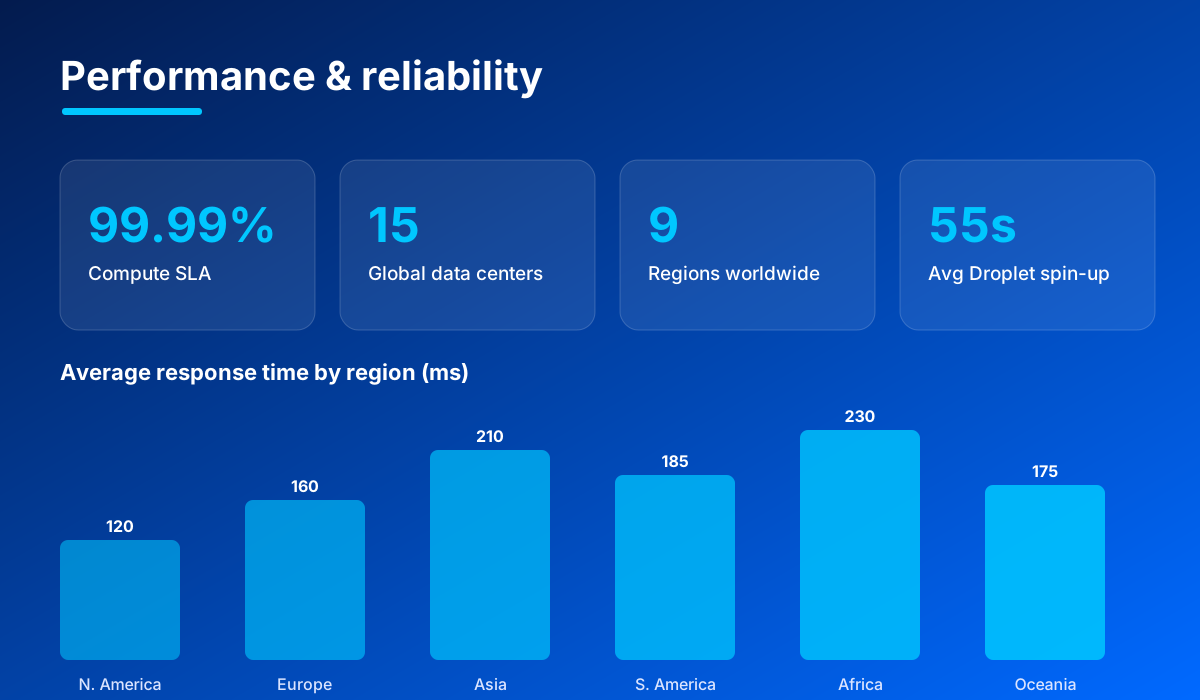 image: DigitalOcean performance and reliability stats
6. Pricing and plans
- Basic Droplets: From $4/month for a small single-CPU server, scaling up in clear increments as you add CPU, RAM, and SSD storage.
- App Platform: From $5/month for a managed app deployment, with a free tier available for static sites.
- Managed Databases: From about $15/month for a single-node database with automated backups and maintenance.
- General Purpose and dedicated Droplets: Higher-tier instances with dedicated vCPUs for consistent, production-grade performance under load.
The pricing model is refreshingly simple. Resources are billed per hour but capped at a flat monthly maximum, so a $4 Droplet never costs more than $4 in a month no matter how you use it. Each plan includes a generous bandwidth allowance, with reasonably priced overage if you exceed it, and there are no confusing per-request charges to decode. New users typically get a free trial credit, historically $200 over 60 days, which is more than enough to test real workloads before committing a cent.
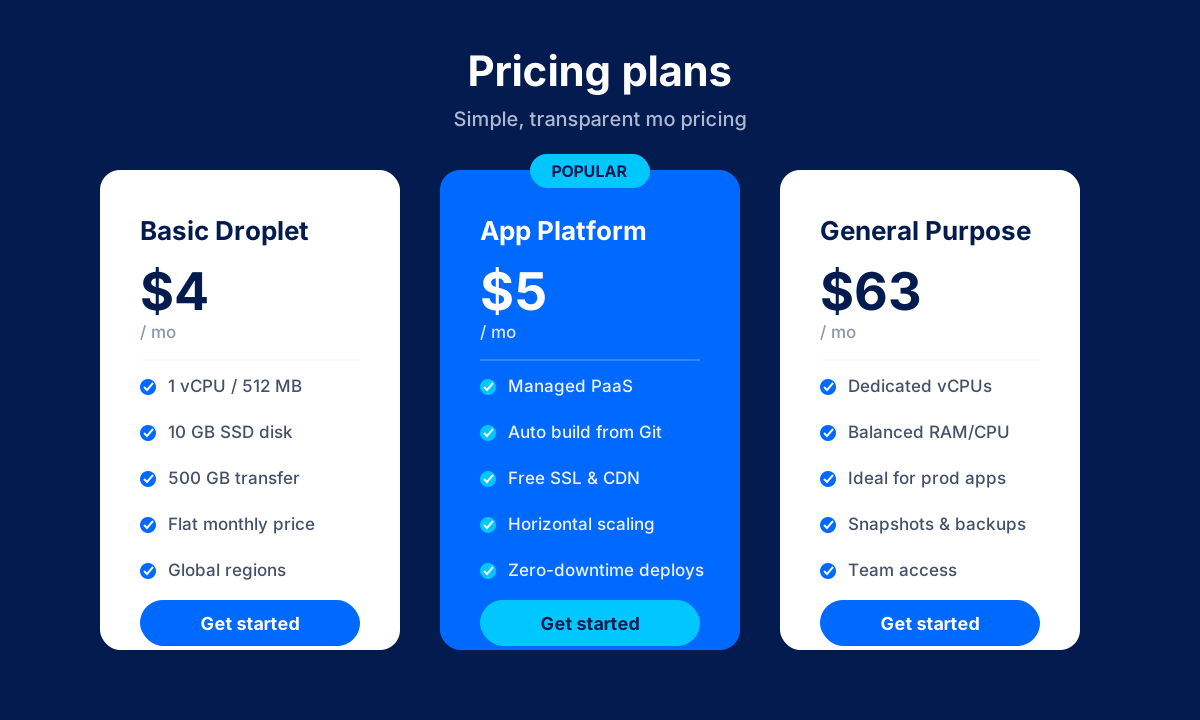 image: DigitalOcean pricing plans
7. Security
- Cloud firewalls: Free, network-level firewalls that let you control inbound and outbound traffic across groups of Droplets.
- VPC private networking: Isolated private networks so your Droplets and databases communicate securely without exposure to the public internet.
- DDoS protection: Built-in mitigation to absorb and filter volumetric attacks at the network edge.
- SSH key authentication: Key-based login for Droplets, far more secure than passwords, managed directly from the control panel.
- Monitoring and alerts: Free resource monitoring with configurable alert policies for CPU, memory, disk, and bandwidth thresholds.
- Backups and snapshots: Automated weekly backups and on-demand snapshots so you can restore or clone servers quickly.
- SOC 2 compliance: Independently audited security controls and a mature compliance posture suitable for production businesses.
8. Pros and cons
Advantages
- Simple, flat, predictable pricing with no billing surprises.
- Clean control panel plus a powerful API and doctl CLI for automation.
- Fast SSD/NVMe Droplets that provision in seconds.
- Excellent, huge library of free developer tutorials and community support.
- Broad product range, from Droplets to managed databases, Kubernetes, and GPUs.
- Generous $200 free trial credit for new users.
Disadvantages
- Droplets are unmanaged, so you need technical skills to secure and maintain the server.
- No phone support on lower tiers; ticket-based support only unless you pay for a plan.
- Fewer managed-WordPress and cPanel niceties than traditional shared hosts.
- Bandwidth overage charges apply once you exceed your included allowance.
9. Verdict
DigitalOcean remains one of the best cloud platforms for developers, startups, and anyone who wants real infrastructure control without the steep learning curve and unpredictable bills of the hyperscalers. The combination of flat pricing, a genuinely pleasant control panel, a strong API and CLI, and an unmatched tutorial library makes it easy to recommend for building and running production applications. Its move into managed databases, Kubernetes, and GPU/GenAI products means it can grow with you rather than being outgrown.
The one caveat is expectations: a plain Droplet is unmanaged cloud, so you are the sysadmin unless you lean on App Platform and the managed services. If you are technical, or willing to learn, that is a feature, not a bug, and the free trial credit gives you plenty of room to try before you buy. For the right audience, DigitalOcean offers outstanding value and a developer experience that few competitors match.
Related comparison: See how DigitalOcean compares in Best Cloud & VPS Hosting: DigitalOcean vs Vultr vs Cloudways vs Kamatera vs Hostwinds — or browse all comparisons & best-of guides.
Ready to try DigitalOcean?
Visit the official website to see the latest plans, pricing, and special offers.
Get Started - DigitalOcean* Affiliate link - we may earn a commission at no extra cost to you.