Best Cloud & VPS Hosting Providers in 2026
The best cloud and VPS hosting providers in 2026 compared on price, performance, management, and support — including DigitalOcean, Vultr, Cloudways, Kamatera, and Hostwinds — to help you pick the right host.
Expert Review

Best Cloud & VPS Hosting Providers in 2026: Quick Verdict
Short on time? Here is the bottom line. Cloudways is the best pick for most people — managed cloud power without needing a sysadmin. DigitalOcean is the developer favourite with the best docs and predictable pricing. Vultr matches it with more locations and cheaper entry compute. Kamatera is the most flexible, letting you build a server to exact specs. Hostwinds is the budget VPS champion with managed or unmanaged options.
| DigitalOcean | Vultr | Cloudways | Kamatera | Hostwinds | |
|---|---|---|---|---|---|
| Type | Developer cloud | Developer cloud | Managed cloud | Flexible cloud | VPS host |
| Starting price | ~$4/mo | ~$2.50/mo | ~$14/mo | ~$4/mo | ~$4.99/mo |
| Managed? | Unmanaged | Unmanaged | Fully managed | Add-on managed | Both options |
| Best strength | Docs + simplicity | Locations + price | Zero sysadmin | Configurability | Cheap + flexible |
| Ideal for | Developers | Global apps | Growing sites | Custom workloads | Budget VPS users |
Want the fast answer? If you want cloud performance without managing servers, Cloudways is the easiest choice; developers who want raw control should look at DigitalOcean or Vultr. Read on for the full head-to-head, or jump to the final recommendation.
Overview of Each Provider
These five sit on a spectrum from raw, unmanaged cloud to fully managed hosting. Here is what each one is and who it is built for.
DigitalOcean — the developer cloud
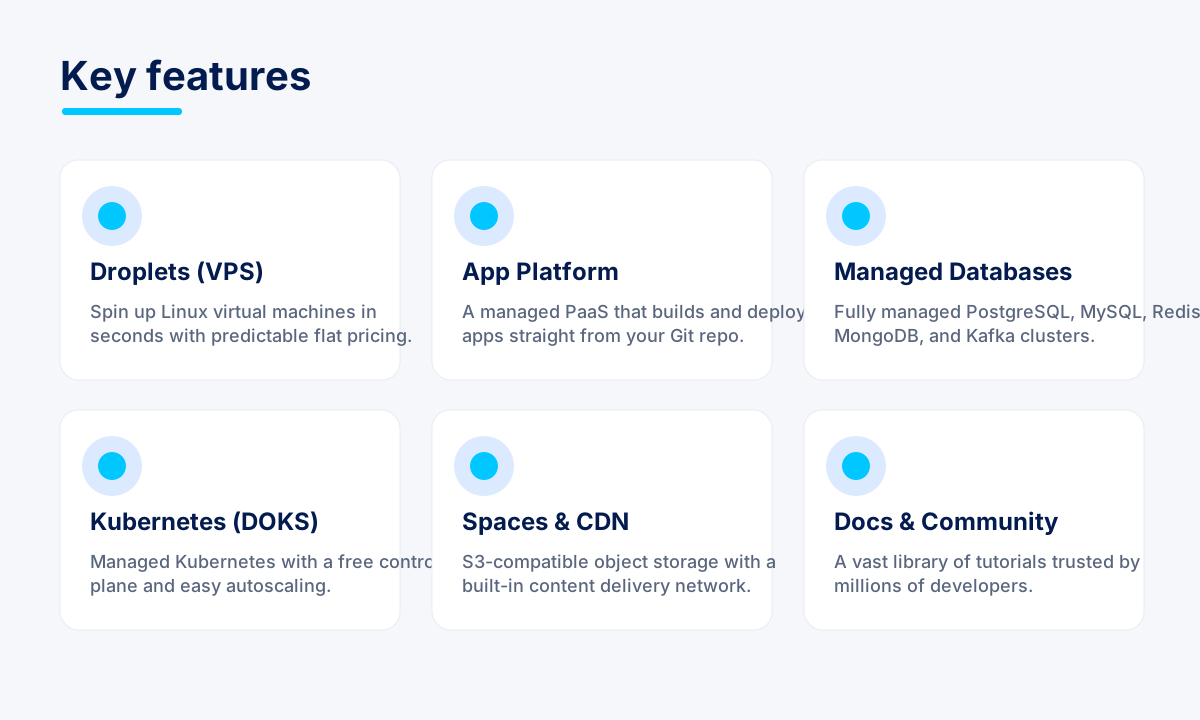
DigitalOcean sits between raw hyperscalers and beginner shared hosts. Spin up a Linux Droplet in under a minute, pay a flat predictable price, and manage everything through a clean console or a proper API. Beyond Droplets it offers App Platform, managed databases, Kubernetes, and Spaces object storage, plus an unmatched library of developer tutorials.
Read our full DigitalOcean review →
Vultr — global compute at low prices
Vultr is an independent developer cloud that competes directly with DigitalOcean but with a wider network of 32 data centers across six continents. It offers Cloud Compute from a couple of dollars a month, High Frequency instances on 3GHz+ CPUs, bare metal, and NVIDIA Cloud GPUs, all through a clean portal and a full API with Terraform support.
Cloudways — the managed cloud platform
Cloudways sits a tier above raw cloud. It is a managed platform: you get the power of cloud servers (from DigitalOcean, Linode, AWS, and Google Cloud), but Cloudways handles the server management for you. One-click app deployment, automated backups, built-in SSL and firewalls, advanced caching, and 24/7 expert support make cloud approachable without deep technical skills.
Read our full Cloudways review →
Kamatera — the flexible, build-your-own cloud
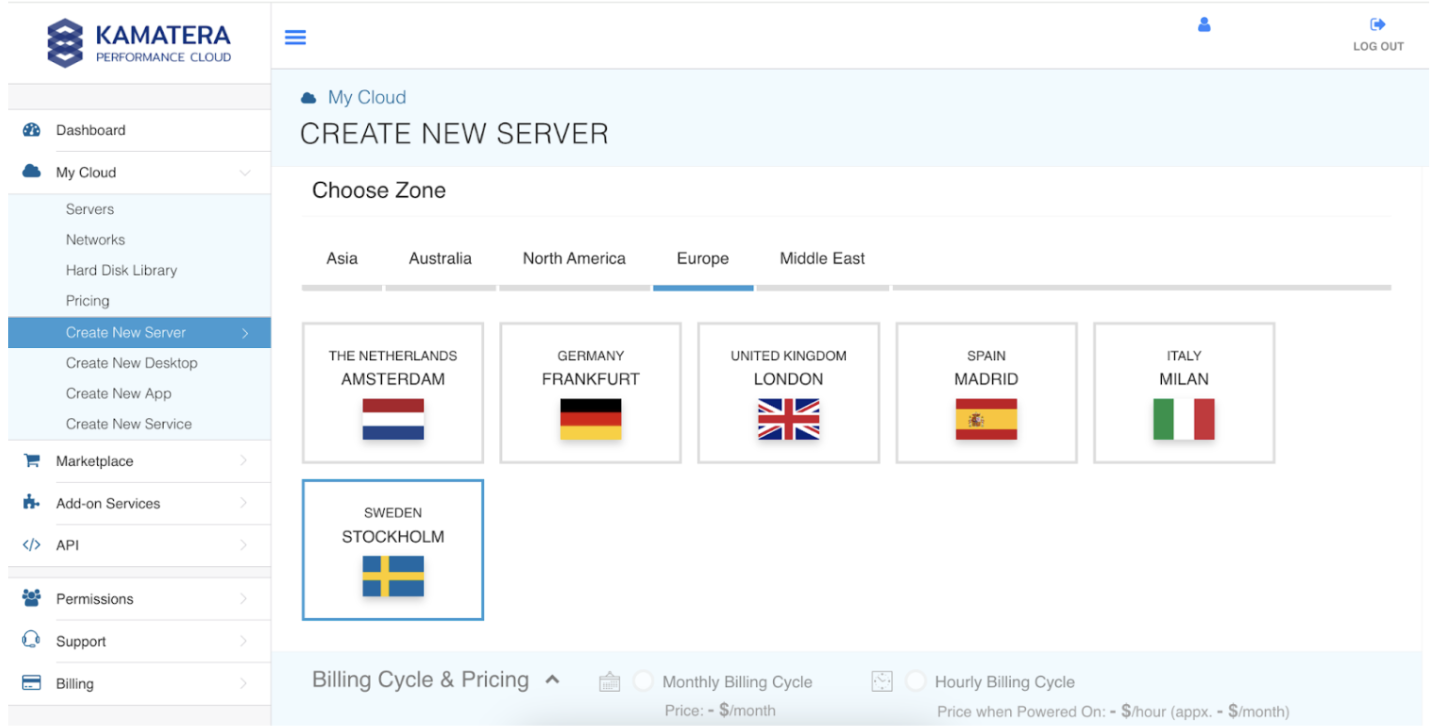
Kamatera is the most configurable option here. Instead of fixed plans, you assemble a server by choosing exact vCPU, RAM, storage, and location, then pay per hour or per month. With global data centers, instant scaling, and an optional managed-services add-on, it suits teams with custom or spiky workloads that do not fit tidy tiers.

Read our full Kamatera review →
Hostwinds — the budget VPS champion
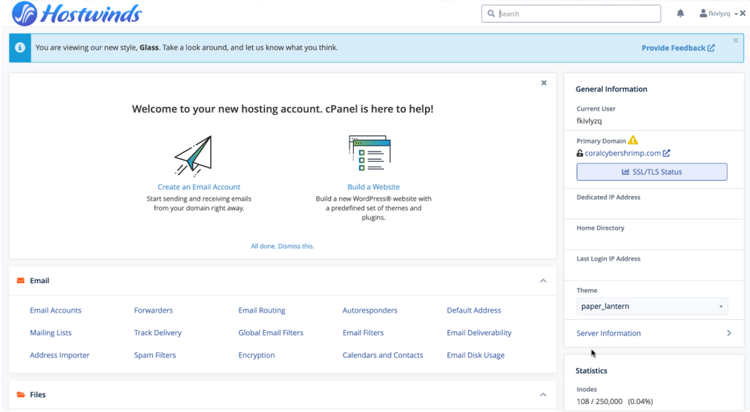
Hostwinds is best known for affordable, flexible VPS hosting in both managed and unmanaged flavours. You get customisable server configs, nightly backups, and around-the-clock support at prices that undercut most competitors, plus shared and dedicated options if you need them. It is a practical pick for budget-conscious users who still want VPS control.

Price Comparison
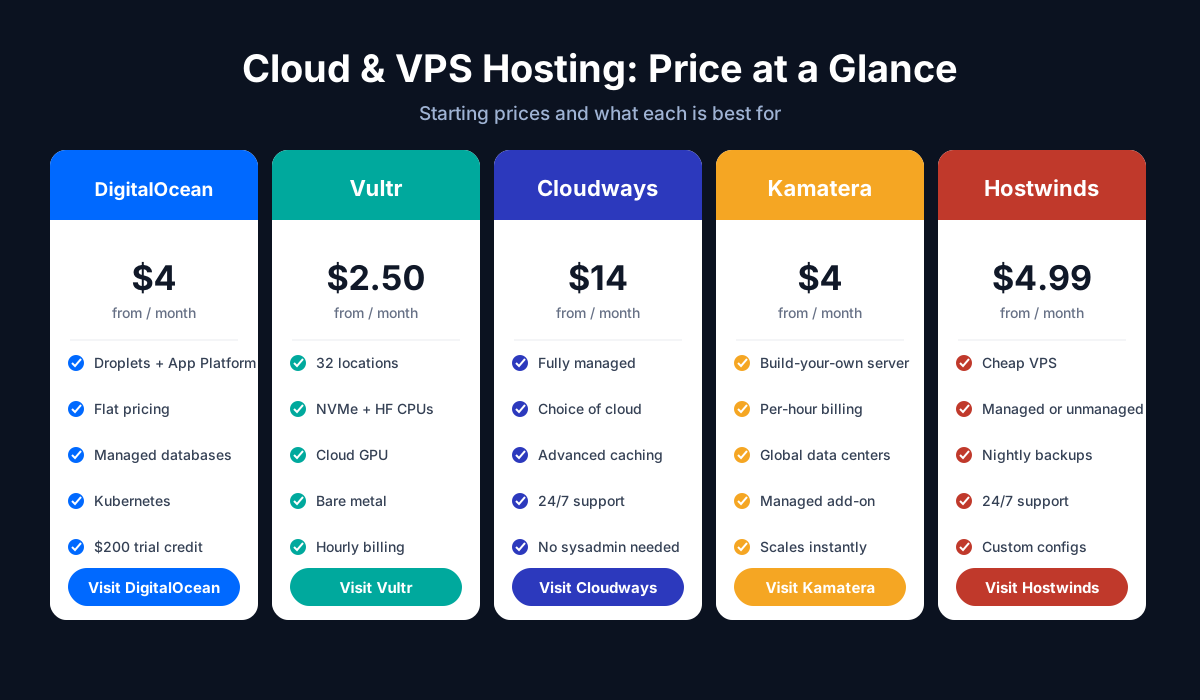
Cloud and VPS pricing models differ, so compare on both entry price and how you pay as you scale. The rough starting points:
- DigitalOcean: from about $4/month for a Basic Droplet, billed hourly but capped at the flat monthly rate, with a generous $200 trial credit for new users.
- Vultr: from about $2.50/month for the smallest Cloud Compute instance — the cheapest entry here — also hourly-with-cap, with new-user credit.
- Cloudways: from about $14/month for an entry managed cloud server (1 GB RAM), then pay-as-you-go as you size up.
- Kamatera: from about $4/month, but truly pay-as-you-go — you are billed for the exact resources you configure, per hour or per month.
- Hostwinds: from about $4.99/month for an unmanaged VPS, with managed tiers costing more.
In short: Vultr and DigitalOcean are the cheapest raw compute, Kamatera matches them if you configure lean, Hostwinds is a low-cost VPS, and Cloudways costs more because you are paying for managed infrastructure on top of the underlying cloud.
Performance Comparison
Raw hardware and network quality determine how these hosts feel under load.
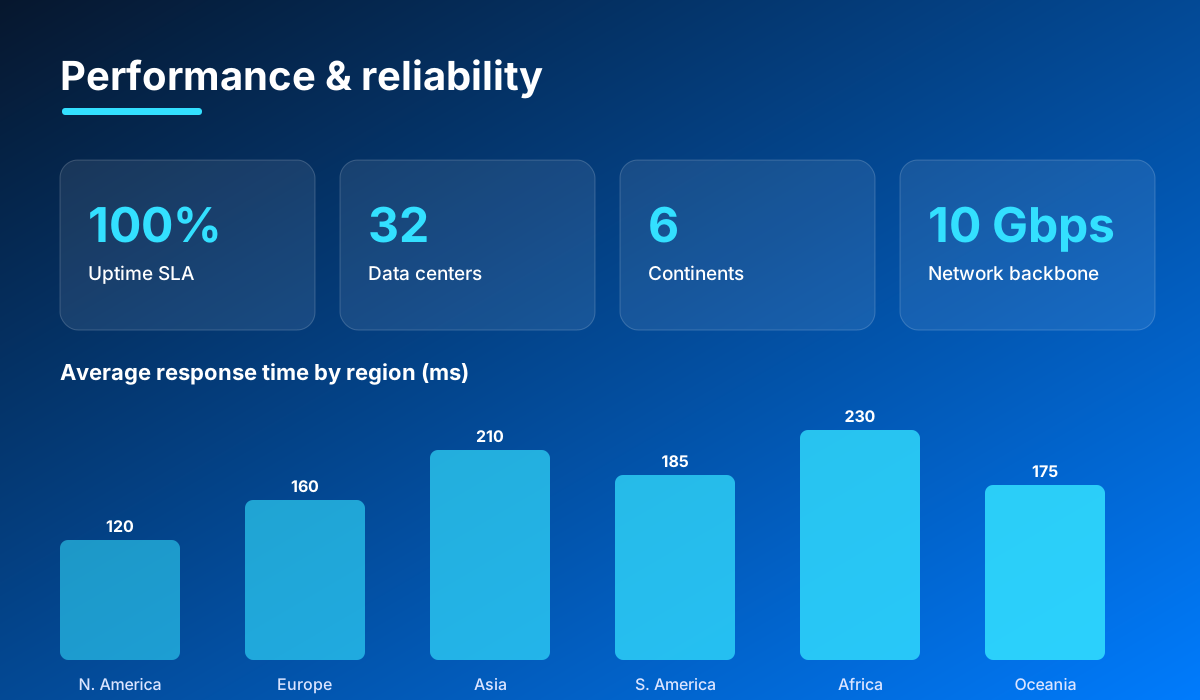
Vultr leads on price-to-performance for raw compute: NVMe storage everywhere, 3GHz+ High Frequency CPUs, a 10Gbps+ network, and 32 locations to place workloads close to users. DigitalOcean is right there too, with SSD/NVMe Droplets, a 99.99% compute SLA, and sub-minute provisioning across global regions.
Cloudways wins on scalable, consistent real-world performance because it layers advanced caching (Varnish, Redis, Memcached) on top of dedicated cloud servers and lets you size up instantly. Kamatera can match or beat all of them if you configure enough resources, since you control the exact vCPU and RAM. Hostwinds delivers solid VPS performance for the price, though it does not chase the same raw benchmarks as the big clouds.
Managed vs Unmanaged
This is the single most important question, because it determines how much server work lands on you.
DigitalOcean and Vultr are unmanaged: you get a bare server and are responsible for the OS, security patches, and configuration (unless you use DigitalOcean's App Platform). That is a feature for developers and a barrier for everyone else.
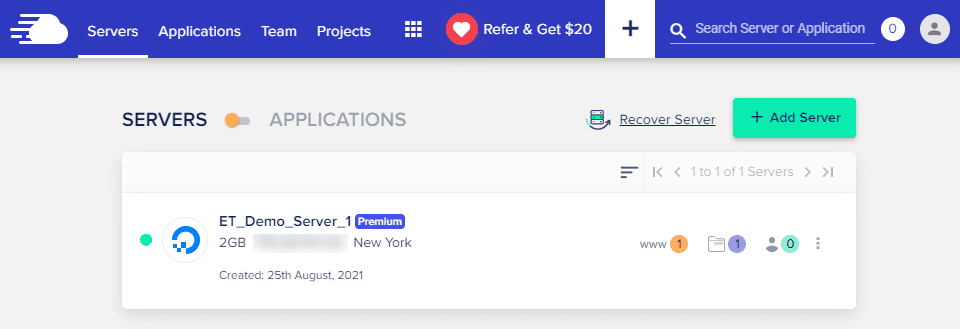
Cloudways is fully managed — it handles server setup, security, caching, and updates, so you focus on your app or site. Kamatera is unmanaged by default but sells a managed-services add-on for hands-off operation. Hostwinds uniquely offers both managed and unmanaged VPS plans, so you pick your level of involvement at checkout.
Features Comparison
All five deliver cloud servers, but the surrounding platform features differ a lot.
| Feature | DigitalOcean | Vultr | Cloudways | Kamatera | Hostwinds |
|---|---|---|---|---|---|
| Control panel | Cloud console | Customer portal | Managed console | Cloud console | Portal + cPanel opt. |
| Full API / IaC | Yes (doctl) | Yes (Terraform) | Yes | Yes | Limited |
| Managed databases | Yes | Yes | Via app stack | Yes | No |
| Kubernetes | Yes (DOKS) | Yes (VKE) | No | Yes | No |
| GPU compute | Yes | Yes (NVIDIA) | No | Yes | No |
| One-click apps | Marketplace | Marketplace | Yes | Templates | Yes |
| Data-center count | ~15 | 32 | Depends on cloud | Global | Multiple |
Vultr and DigitalOcean offer the broadest self-service cloud toolkits (Kubernetes, GPUs, object storage). Cloudways trades breadth for a polished managed experience. Kamatera stands out for configurability, and Hostwinds keeps things simple and cheap.
Customer Support Comparison
Support expectations scale with how managed the platform is.
Cloudways generally offers the strongest experience, with 24/7 live chat and a team used to server- and application-level issues — fitting for a managed platform. Hostwinds is well regarded for responsive 24/7 support across chat, phone, and tickets, unusual at its price point. Kamatera provides 24/7 support and can take over operations entirely with its managed add-on.
DigitalOcean and Vultr lean on excellent documentation and community resources; ticket-based support is available, but hands-on help is more limited on entry tiers unless you buy a premium support plan. For unmanaged clouds, that trade-off is expected.
Pros & Cons
DigitalOcean
- Pros: best-in-class docs, flat predictable pricing, clean console + API, broad product range, $200 trial credit.
- Cons: unmanaged Droplets need technical skill, limited hands-on support on low tiers.
Vultr
- Pros: cheapest entry compute, 32 global locations, NVMe + HF CPUs, GPUs and bare metal, full API.
- Cons: unmanaged, basic support unless paid, DDoS protection is a paid add-on.
Cloudways
- Pros: fully managed, choice of cloud provider, advanced caching, excellent scalability and support.
- Cons: pricier (from ~$14/mo), no traditional cPanel, more abstracted than a raw server.
Kamatera
- Pros: fully configurable servers, true pay-as-you-go, global data centers, optional managed services.
- Cons: more setup than fixed-plan hosts, unmanaged by default, less beginner-friendly.
Hostwinds
- Pros: cheap VPS, managed or unmanaged, nightly backups, strong 24/7 support, flexible configs.
- Cons: smaller global footprint, fewer advanced cloud services (no Kubernetes/GPU).
Which Provider Should You Choose?
There is no single winner — the right provider depends on how much server work you want to own:
- Choose Cloudways if you want cloud performance without managing servers — ideal for agencies, growing sites, and WooCommerce stores.
- Choose DigitalOcean if you are a developer who wants the best docs, a clean API, and predictable flat pricing.
- Choose Vultr if you want the cheapest raw compute, the most locations, or GPUs and bare metal for demanding workloads.
- Choose Kamatera if your workload needs custom specs and true pay-as-you-go flexibility.
- Choose Hostwinds if you want an affordable VPS with the option of managed support.
For most people who want power without the sysadmin work, Cloudways is the easiest recommendation. Developers who want raw control should start with DigitalOcean or Vultr, while Kamatera and Hostwinds cover custom and budget needs respectively.
Get Started
Ready to deploy? Choose your provider below and grab the current deal — or read our in-depth review of each first.
Prefer the full breakdown first? Read our in-depth reviews of DigitalOcean, Vultr, Cloudways, Kamatera, and Hostwinds.
Ready to try Cloudways?
Visit the official website to see the latest plans, pricing, and special offers.
Get Started - Cloudways* Affiliate link - we may earn a commission at no extra cost to you.