Vultr Review: High-Performance Cloud Compute
A hands-on Vultr review covering its customer portal, cloud compute, bare metal, GPUs, global data centers, pricing, and security for developers and teams.
Expert Review
1. What is Vultr?
Vultr is an independent, developer-focused cloud provider that rents out virtual machines, bare-metal servers, GPUs and supporting infrastructure on a pay-as-you-go basis. It is not owned by one of the big three hyperscalers, which is part of the appeal: the product is deliberately lean, the pricing is transparent, and you spin up a server in under a minute without wading through hundreds of confusing service tiers. In practice it competes head-to-head with DigitalOcean and Linode, offering the same "simple cloud" experience but with a wider network of data centers.
That network is the headline feature. Vultr runs 32 data-center locations spread across six continents, so you can place workloads close to users in North America, South America, Europe, Africa, the Middle East, Asia and Australia. It suits engineers and small teams who are comfortable managing their own Linux (or Windows) server and want raw, affordable compute in a lot of places, rather than a hand-holding managed platform.
2. Who is Vultr for?
- Developers and startups: Anyone who wants cheap, fast VMs to host web apps, APIs, databases or side projects without committing to enterprise cloud complexity or pricing.
- Latency-sensitive apps needing many regions: Game servers, real-time apps and global SaaS products benefit from Vultr's 32 locations, letting you deploy identical stacks close to every user base.
- AI/ML teams needing GPUs: Cloud GPU offers fractional and full NVIDIA GPUs by the hour, so teams can train, fine-tune or serve models without buying hardware.
- Agencies and freelancers: Consultants managing many client sites like the flat pricing, snapshots and API automation for standing up and tearing down environments quickly.
Vultr is a poor fit for non-technical users. There is no bundled cPanel, no one-click managed WordPress with a support team keeping it patched, and no phone hand-holding on the base plans. If you want a fully managed host where someone else handles the operating system, updates and security, a traditional managed WordPress or shared host will serve you better than Vultr's unmanaged cloud.
3. The Vultr customer portal
The Vultr control panel is clean, quick and refreshingly uncluttered. Deploying a new instance is a linear flow: pick a product type, choose a location, select an operating system or application image, size the plan and click deploy. Within a minute you have an IP address and root access. One-click app deploys and the Vultr Marketplace let you launch pre-configured stacks such as WordPress, Docker, cPanel, LEMP, GitLab and dozens of other applications without manual installation.
Everything you can do in the portal is also available through a full, well-documented REST API, and there is an official Terraform provider plus CLI tooling. That makes Vultr genuinely automatable: you can codify entire environments, integrate provisioning into CI/CD pipelines, and manage fleets of servers as code rather than clicking through screens. For teams that treat infrastructure as version-controlled config, this is a major strength.
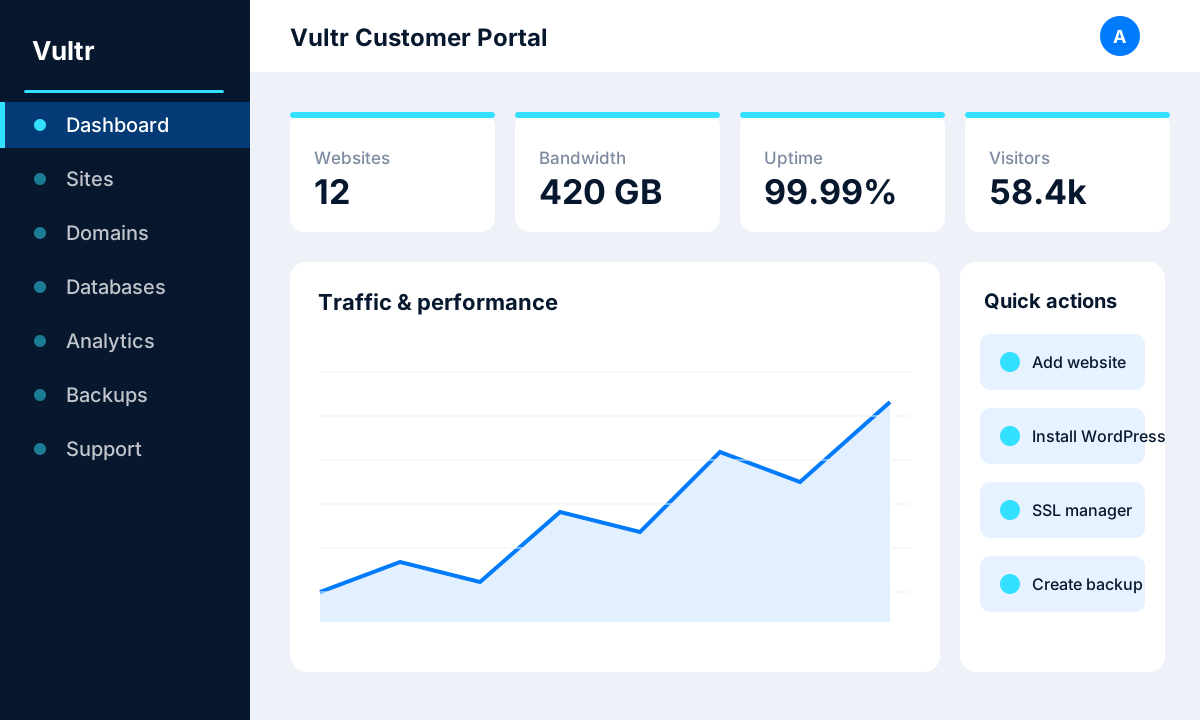 image: Vultr customer portal
4. Core products and features
Vultr covers most of what a modern application stack needs, from cheap general-purpose VMs to dedicated GPUs. The main building blocks are:
- Cloud Compute: Shared-CPU virtual machines from roughly $2.50-$5 per month, the affordable workhorse for websites, APIs and dev environments.
- High Frequency Compute: Instances built on 3GHz+ CPUs paired with NVMe storage, starting around $6/mo, for latency-sensitive and single-thread-heavy workloads.
- Optimized Cloud Compute: Dedicated vCPU plans that guarantee no CPU contention, ideal for production databases and consistent-performance apps.
- Bare Metal: Single-tenant physical servers with no virtualization overhead, for maximum performance, isolation and compliance needs.
- Cloud GPU: Fractional and full NVIDIA GPUs billed hourly, aimed at AI/ML training, inference and other accelerated compute.
- Managed Kubernetes (VKE): Production-ready Kubernetes with a free managed control plane, so you only pay for worker nodes.
- Managed Databases: Fully managed database engines with automated backups and high availability, removing day-to-day database administration.
- Object, Block and Load Balancing: S3-compatible Object Storage, expandable NVMe Block Storage and Load Balancers to round out a complete, scalable architecture.
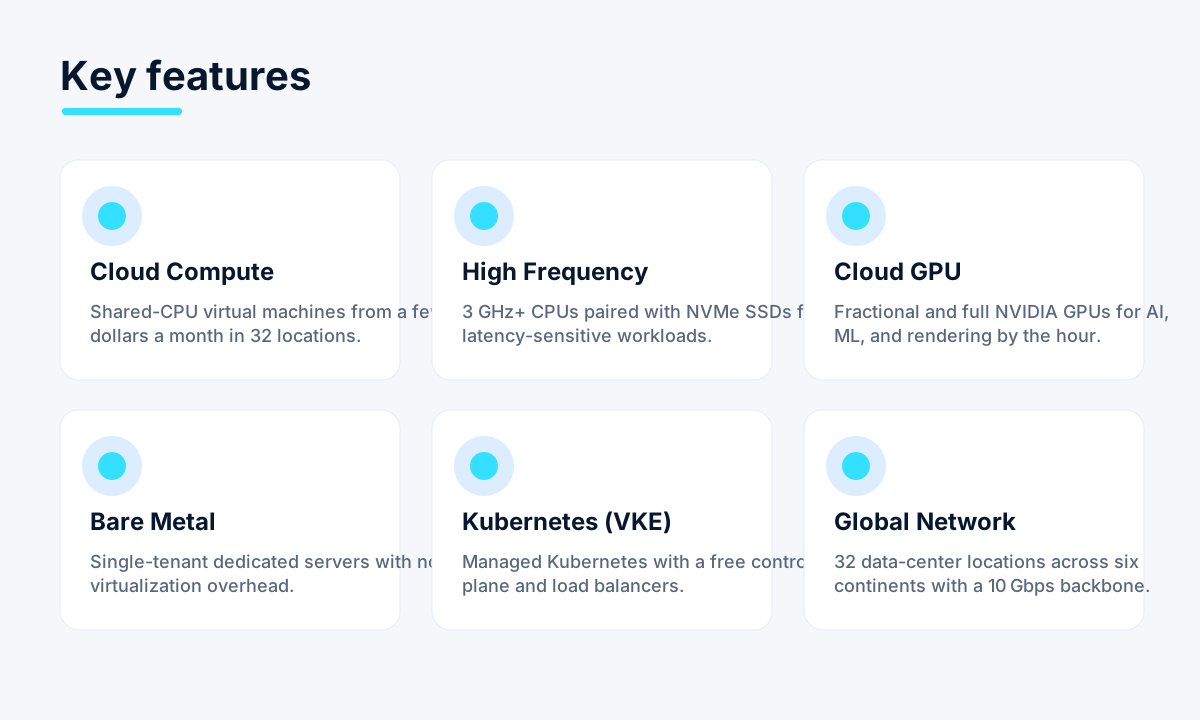 image: Vultr product and feature grid
5. Performance and reliability
Performance is where Vultr differentiates itself from the cheapest end of the market. All plans use NVMe or high-speed SSD storage, and the High Frequency line runs on 3GHz+ processors for noticeably snappier response on single-threaded and I/O-bound workloads. The network is built for throughput, with 10Gbps and higher connectivity in its data centers, so transfers and traffic-heavy applications are not bottlenecked at the edge.
On reliability, Vultr backs its infrastructure with a 100% uptime SLA on host availability, and the sheer breadth of 32 locations means you can architect for redundancy across regions rather than trusting a single facility. Real-world uptime is strong, and features like snapshots, automated backups and DDoS-protected network options let you build resilient deployments. As always with unmanaged cloud, availability of your application still depends on how well you architect it.
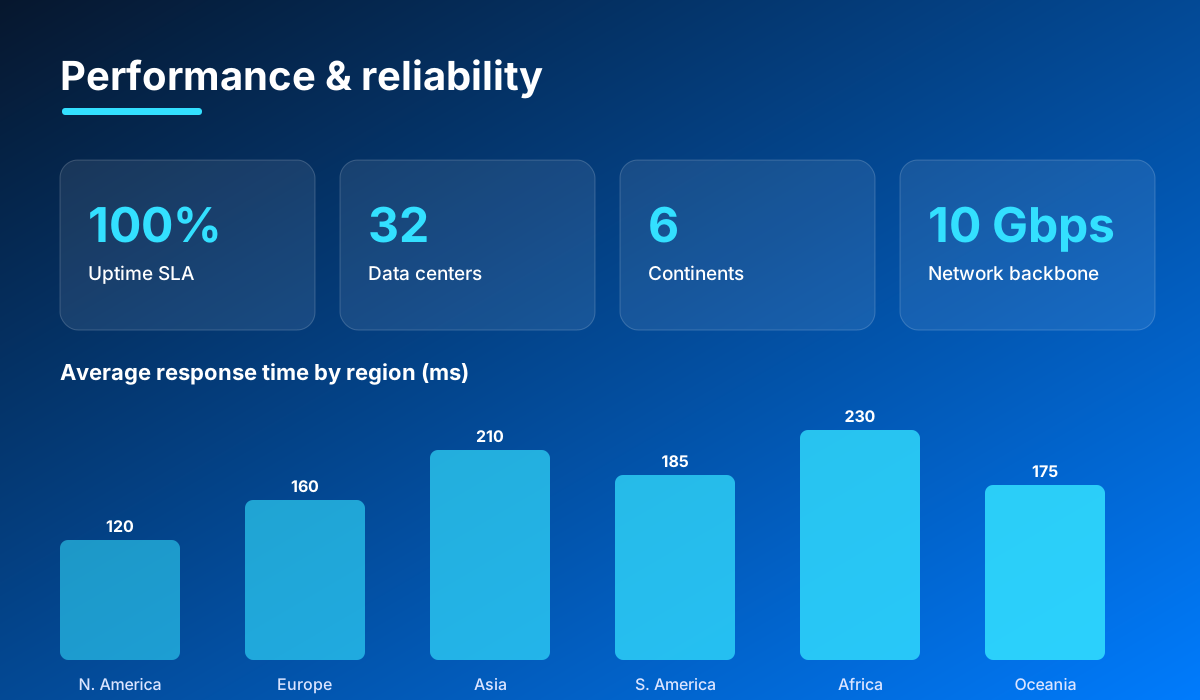 image: Vultr performance and reliability stats
6. Pricing and plans
- Cloud Compute: Shared-CPU VMs from about $2.50-$5 per month, the cheapest way to get a real server with a dedicated IP.
- High Frequency Compute: From roughly $6 per month for 3GHz+ CPUs and NVMe storage, a small premium for meaningfully faster instances.
- Bare Metal: Single-tenant dedicated hardware priced per server, for workloads that need full physical resources.
- Cloud GPU: Fractional and full NVIDIA GPUs billed by the hour, so you only pay for GPU time you actually use.
Everything is billed hourly but capped at the advertised monthly rate, so you never pay more than the listed price for a full month, yet you can destroy an instance after a few hours and pay just for that time. Each plan includes a monthly bandwidth allowance, with overages charged per gigabyte, and new users can often claim a free credit to trial the platform before committing. This hourly-with-cap model is what makes Vultr ideal for spinning environments up and down on demand.
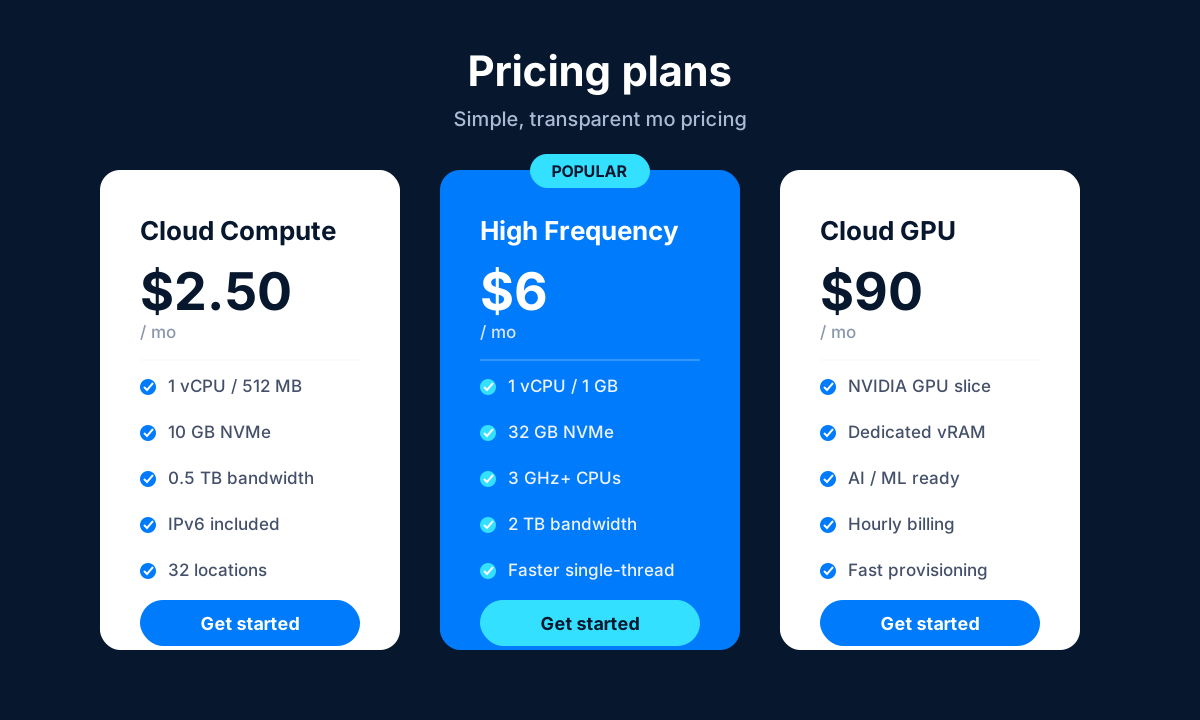 image: Vultr pricing plans
7. Security
- Cloud firewalls: Configurable firewall rules you can apply to instances directly from the portal or API.
- Private and VPC networking: Isolate traffic between servers on private networks so back-end services are never exposed to the public internet.
- DDoS protection: Available as an add-on in supported locations to absorb volumetric attacks.
- SSH keys: Key-based authentication for secure, password-less server access.
- Snapshots and backups: Manual snapshots and scheduled automatic backups for point-in-time recovery.
- Two-factor authentication: 2FA on the account itself to protect the control panel.
- Compliance: SOC 2, PCI DSS and GDPR alignment to meet common regulatory and enterprise requirements.
8. Pros and cons
Advantages
- Very low entry pricing with transparent, hourly-but-capped billing.
- 32 global locations, far more than most budget clouds.
- Clean, fast control panel plus a full API and Terraform support.
- Broad product range, including bare metal and NVIDIA Cloud GPUs.
- NVMe storage, high-frequency CPUs and a 100% uptime SLA.
- Free Kubernetes control plane and easy one-click Marketplace apps.
Disadvantages
- Unmanaged and technical: you are responsible for the OS, updates and security.
- Basic support on entry plans, with premium hands-on support costing extra.
- DDoS protection is a paid add-on rather than included by default.
- Fewer managed-application niceties than premium managed hosts (no bundled cPanel/WordPress management team).
9. Verdict
Vultr is one of the strongest choices in the developer-cloud category. It hits a sweet spot between the rock-bottom pricing of budget VPS providers and the global reach of the hyperscalers, wrapping it all in a portal that is genuinely pleasant to use and an API that makes automation trivial. For engineers, startups, agencies and AI/ML teams who are comfortable running their own servers, it delivers excellent value and a lot of flexibility.
The caveats are the same as with any unmanaged cloud: you own the operating system, the patching and the architecture, and you should budget for paid support or DDoS protection if your workload demands them. If that trade-off suits you, Vultr is easy to recommend and even easier to try, thanks to hourly billing and new-user credit. If you want someone else to manage everything for you, look at a managed host instead.
Related comparison: See how Vultr compares in Best Cloud & VPS Hosting: DigitalOcean vs Vultr vs Cloudways vs Kamatera vs Hostwinds — or browse all comparisons & best-of guides.
Ready to try Vultr?
Visit the official website to see the latest plans, pricing, and special offers.
Get Started - Vultr* Affiliate link - we may earn a commission at no extra cost to you.