LiveAgent Review: No AI Fees, Because You Pay OpenAI Yourself
LiveAgent review: $15-$49 per agent, no AI markup but bring-your-own-key, no reports or calls on Starter, strict refund terms, and who should pick Freshdesk or Gorgias instead.
Expert Review

The AI is free. The tokens are not.
LiveAgent's pricing page now says it "charges nothing for AI" - no AI fees, no token markup, no per-resolution fees. That line lands at a moment when LiveChat, Gladly and Groove are all moving toward billing per AI answer or per resolved conversation. On LiveAgent's own invoice, the claim holds.
The catch is that LiveAgent is bring-your-own-key. Chat AI agents run on OpenAI, Anthropic or FlowHunt (LiveAgent's sister AI platform, which needs its own subscription), the voice bot runs on OpenAI only, and ticket AI agents can use any of those or Google Gemini. You open the provider account, you paste the key, and the provider bills you. The terms say it plainly: AI use "is billed by that provider under its own terms."
So what does a chat cost? LiveAgent's own estimate, checked on the pricing page on November 24, 2026, is "about $0.11 at your AI provider, so 300 chats a month cost about $33-$81." A week earlier the same page said 2-4 cents a chat, according to PricingSaaS's change log, so the estimate went up three to five times in mid-November. The AI product page quotes an average of $0.27 a chat. Other figures LiveAgent publishes are cheaper: about $0.02 a ticket for AI sorting, $2-3 per 1,000 reply drafts on Claude Haiku (about $45 on Claude Sonnet), and $0.054-$0.32 for a three-minute voice-bot call on OpenAI's mini model. We did not run these numbers ourselves; they are the vendor's.
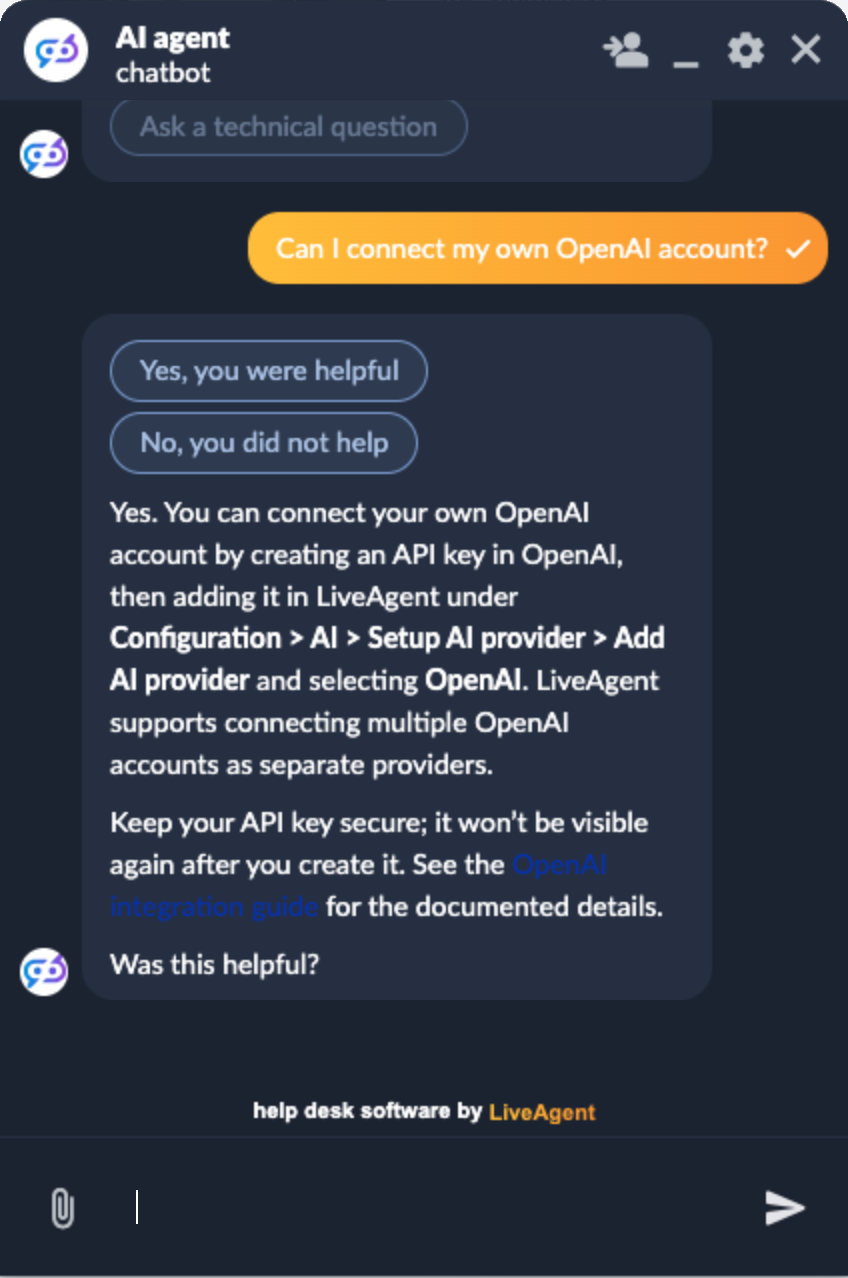
Every plan gets the same seven AI features: website chatbot, phone voice bot, ticket automation for email, WhatsApp and Instagram, reply drafts, ticket summaries, translation, and an MCP server that lets your own AI tools (Claude, for example) work on tickets. Plans differ in how many AI agents you can run - 1 on Starter, 5 on Team, 50 on Business - and the MCP server is Business and Enterprise only. LiveAgent says OpenAI, Anthropic, Google and FlowHunt do not train on what it sends them.
The trade is real either way. If you already pay OpenAI or Anthropic and you watch usage, buying tokens at cost beats paying a vendor per resolved conversation. If you want one bill and nobody on the team who knows what an API key is, it is an extra vendor to manage. One more detail from the changelog: version 5.71.10 (November 20, 2026) hid the old AI "credit pool" from customers and stopped blocking AI runs when credits run out, which tells you the billing model was rebuilt only weeks ago.
What $15, $29 and $49 per agent actually buy
In late October 2026 LiveAgent renamed its plans from Small, Medium and Large business to Starter, Team and Business, kept the per-agent prices, and turned Enterprise from $69 per agent into a flat fee. Regular prices, checked on November 24, 2026, per agent per month:
| Plan | Annual | Monthly | Agent cap | What it adds |
|---|---|---|---|---|
| Starter | $15 | $19 | 15 | Email, live chat, contact forms, 1 knowledge base, AI drafts and chatbot, SSO |
| Team | $29 | $35 | 30 | Calls, Facebook, Instagram, X, Viber, WhatsApp, Telegram, reports, CSAT, SLA rules, custom roles |
| Business | $49 | $59 | No cap | MCP server, branding removal, audit log, department roles, 50 AI agents |
| Enterprise | $3,199 flat | $3,999 flat | 80 included | Unlimited limits, priority support, extra agents $39 / $49 |
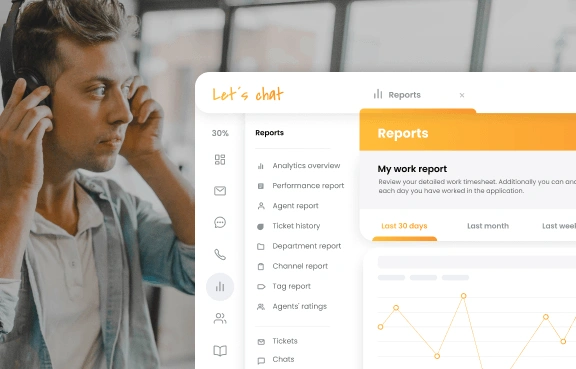
Starter is the plan that gets quoted and the one most teams should not buy. It has no phone, no social channels and no reporting at all - not even an agent report. A support lead who wants to know how long replies take is on Team from day one, so the real entry price is $29. Starter also caps you at 2 chat buttons, 3 email accounts and 20 canned messages, and has no SLA or time rules.
Two smaller limits are easy to miss. Branding removal cannot be bought below Business, so the "Powered by LiveAgent" mark stays in your chat widget on Starter and Team. And an extra knowledge base is $19 a month on every plan except Enterprise; Team still gets only one. On the positive side, ticket history is unlimited on every plan (the old free plan kept seven days, and that free plan is gone). Every plan starts with a 30-day trial and no credit card.
Until December 15, 2026, the page shows Black Friday prices (40% off the first year on annual, 33% off the first 12 monthly bills), which is where figures like $9 and $1,919.40 come from. They revert to the prices above afterwards. Your plan keeps its regular price as long as you stay on it, but switching plans puts you on whatever the price is that day.
Calls and WhatsApp run on your own provider
This is the strongest part of LiveAgent, and the reason to pick it over Crisp or HelpCrunch. From Team up, phone calls land in the same inbox as email, chat and social messages, each turned into a ticket. The call center covers inbound and outbound calls, IVR menus, queueing and routing, recording, transfers, video calls and AI transcripts.
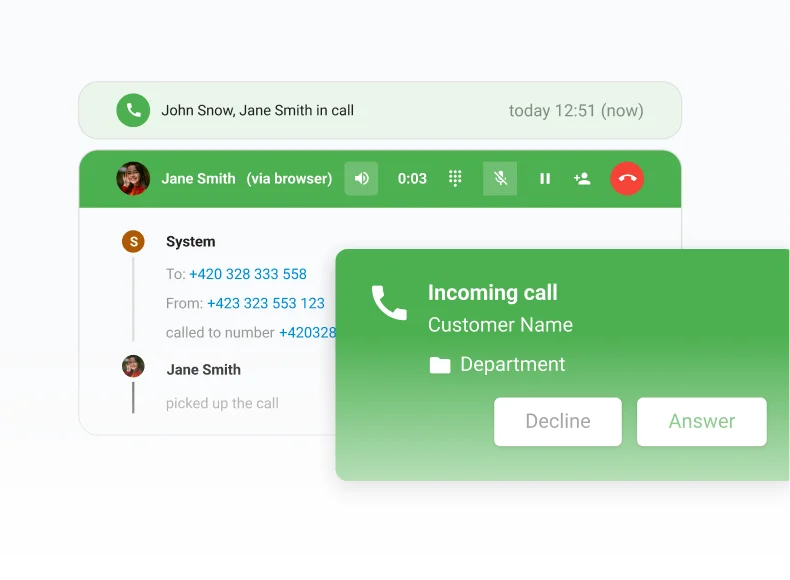
The same bring-your-own logic applies as with AI. "LiveAgent charges nothing for calls," the pricing page says, because your phone provider bills you for numbers and minutes. WhatsApp works through Twilio or 360dialog, which bill separately, with Meta's conversation fees on top. LiveAgent publishes no per-minute rates, so budget your telephony against your carrier's price list, not LiveAgent's.
What users complain about
The ratings are good: 4.5/5 on G2 from 1,538 reviews and 4.7/5 on Capterra from 1,789, as LiveAgent's own pricing page showed them on November 1, 2026. Trustpilot gives 4.6 from 620 reviews, but only two arrived in the last twelve months, so it says little about the current product.
The complaints repeat. The steep learning curve is the top con on G2 (12 mentions), ahead of limited customization (8) and interface problems (7). A Capterra reviewer says "the interface feels slightly outdated compared to some modern support tools"; another notes that the iOS app has no access to canned responses, which matters if your agents answer from phones. One Trustpilot reviewer writes that "it even logs you out while you're working." Kayako, a competitor, lists slow loads at high ticket volume and reports that are hard to extract, so take that one with its source in mind.
Refunds, data and leaving
Read the refund terms before you pay annually. There are "no refunds or credits for partial months of service, plan downgrades, or refunds for months unused," and on an annual prepaid plan Quality Unit "reserves the right to refund only 50% of the remaining amount as the cancellation fee." A Trustpilot buyer who realised after paying that they needed two agents, not more, was told "no refund, no exception." Plan changes are blocked in the 24 hours before your billing day. Shared logins are detected and can be charged an extra monthly fee that the terms do not put a number on.
Getting data out is possible but uneven. CSV export sits in various corners of the agent panel, the API allows 180 requests per minute per key, and a full database dump is offered "only for paying customers which are leaving." Ask for it before you cancel, not after. Once an account is suspended, it is terminated after 60 days and fully gone within 120.
Data is hosted on AWS in Frankfurt, Ireland, Northern Virginia, Northern California or Singapore, and you cannot switch region yourself later. The ISO 27001 and PCI DSS badges belong to those facilities, not to LiveAgent. SSO and two-step login come on every plan; the audit log only on Business. Support is the same on every plan: email around the clock with replies "usually within 24 hours," and live chat Monday to Friday, 7 AM to 11 PM Central European time. There is no published uptime SLA.
Verdict: who should buy LiveAgent
LiveAgent is a good buy for a 5-to-30-person support team that wants email, chat, phone and social messages in one inbox for $29 an agent, and that has someone willing to wire up an OpenAI or Anthropic key and watch the usage. For that team, the no-markup AI is cheaper than any per-resolution meter on the market. Quality Unit has been building it in Bratislava since 2004 and says 7,000+ businesses use it.
Skip Starter unless all you need is email and chat; it has no reports. Skip LiveAgent entirely if you want a modern interface and good mobile apps (Freshdesk or Zendesk), if you sell on Shopify (Gorgias), or if you want an AI bot that works with no provider account to manage (LiveChat, at a per-answer price). Still comparing? Our best customer support software roundup puts them side by side. Whichever you pick, use the 30-day trial and pay monthly first: the refund terms do not forgive a wrong annual plan.
Ready to try LiveAgent?
Visit the official website to see the latest plans, pricing, and special offers.
Get Started - LiveAgent* Affiliate link - we may earn a commission at no extra cost to you.