MailerLite Review 2026: The Free Plan That Actually Works
A hands-on MailerLite review for 2026: free-plan limits, the manual account approval, real pricing by subscriber count, and who should pick Brevo or ActiveCampaign instead.
Expert Review

The free plan is the story
Most email platforms treat the free plan as a locked showroom. MailerLite treats it as a working product, and that is the whole reason to start here.
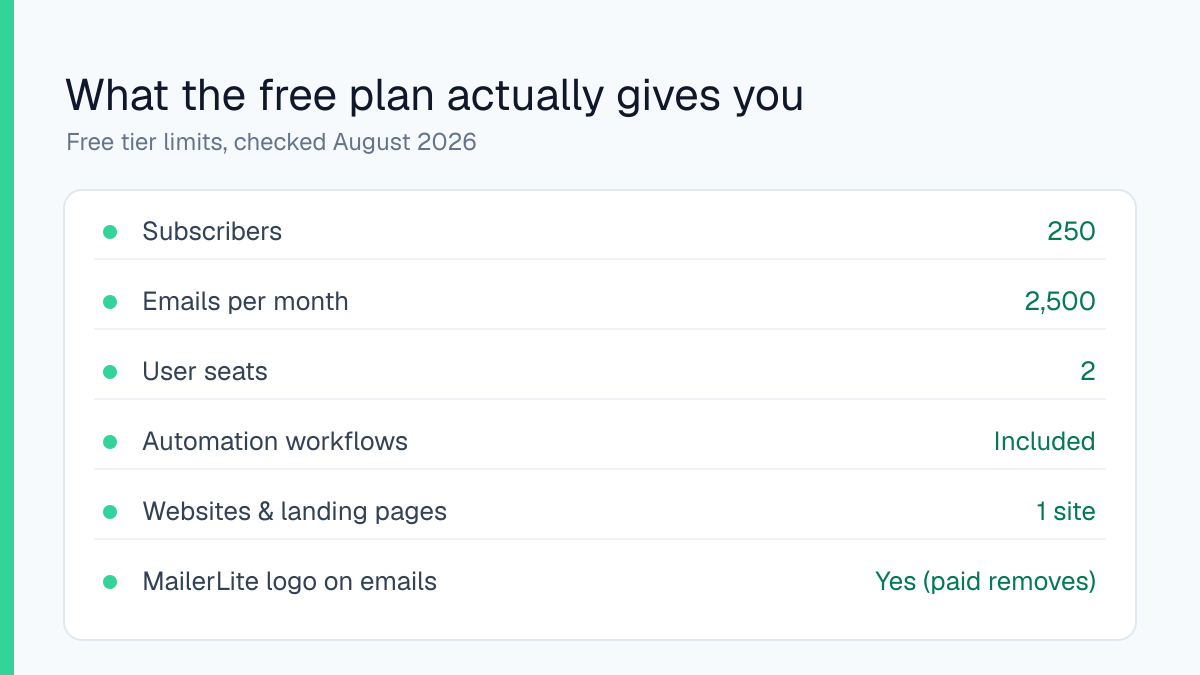
Sign up and you get 250 subscribers and 2,500 sends a month. The part rivals usually withhold is everything that comes with it: the full automation builder, signup forms, landing pages, and a hosted one-page website, all on the $0 tier. Checked on the pricing page in August 2026. The limits are honest and easy to live with at the start. A small MailerLite badge sits in the footer of every email until you upgrade, and you are held to two user seats.
One thing catches new accounts off guard. Before your first campaign can send, a person reviews the account by hand. MailerLite approves signups manually to keep spammers off its shared sending IPs. For an ordinary-looking newsletter the review cleared inside a day when I opened an account; borderline content such as crypto promotions or affiliate-heavy blasts waits longer or gets turned away. You feel that friction once, then never again.
Building an email
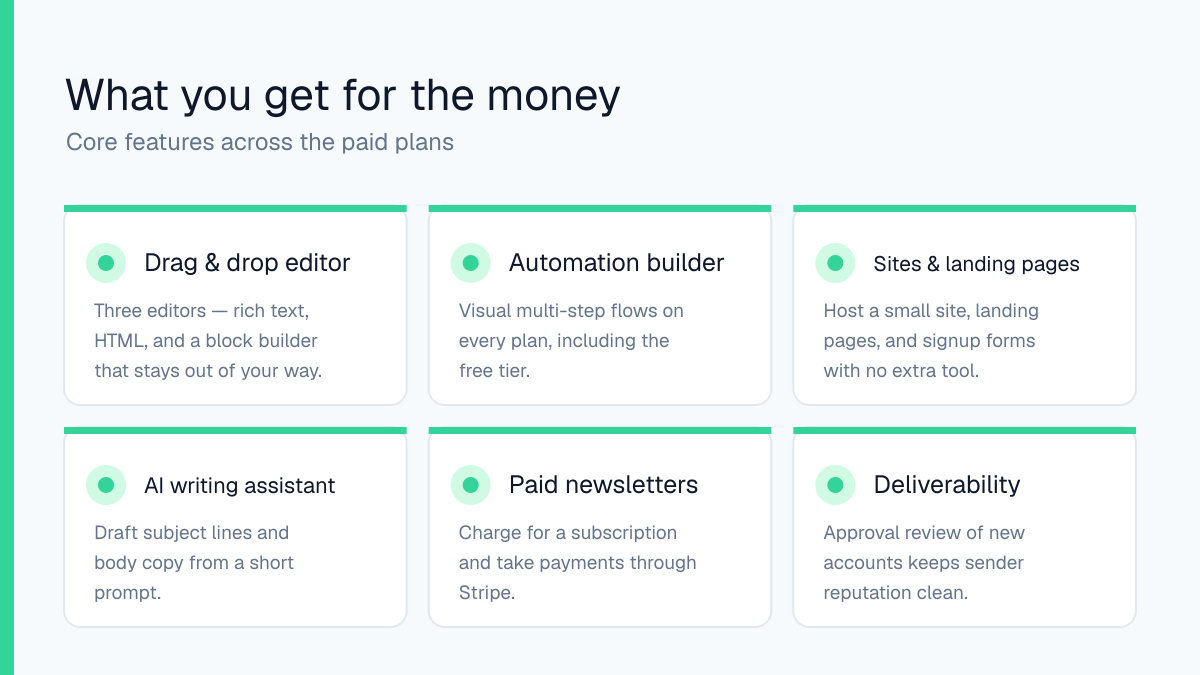
MailerLite gives you three ways to build a campaign: a drag-and-drop block editor, a plain rich-text editor for people who just want to type, and a custom HTML editor for anyone pasting in their own code. The block editor is the one you will live in. Blocks snap into place, the mobile preview updates as you work, and there is none of the fighting-the-canvas feeling that Mailchimp's builder still produces.
The built-in AI writing assistant drafts subject lines and body copy from a short prompt. It is a time-saver for a first draft, not a replacement for editing. Paid plans hand you unlimited saved templates and dynamic content blocks that swap by segment; the free tier gives you a smaller template set, which is fine when you are sending the same clean newsletter each week.
Automation, forms and sites
The visual automation builder is where MailerLite earns its keep, and it runs on the free plan. You set a trigger (someone joins a group, clicks a link, hits a date) and chain steps, waits and conditions from there. A welcome sequence takes about ten minutes to wire up from scratch.
Around the email tool sits a small marketing suite most competitors sell separately: signup forms and pop-ups, landing pages, and a hosted website you can point a domain at. If you sell, the Power plan adds digital products, bookings and paid newsletters that take money through Stripe, plus sync with Shopify and WooCommerce. For a solo creator that removes two or three other subscriptions.
What it costs as you grow
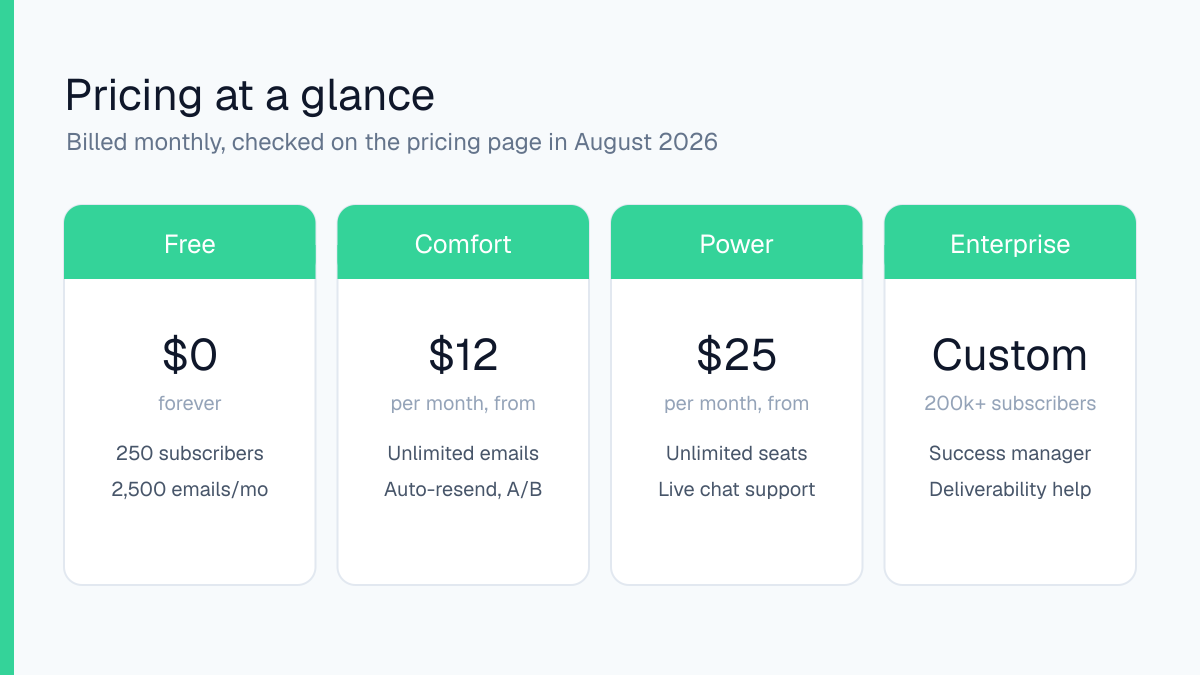
MailerLite bills on the number of subscribers you hold, not a flat per-seat fee, so the price climbs with your list rather than your team. The paid tiers, renamed Comfort and Power in the current redesign, start low and add features rather than raising the sending cap. All figures checked on the pricing page in August 2026, billed monthly; paying annually knocks off roughly 10%.
- Free ($0): 250 subscribers, 2,500 emails a month, automations and a website included, 2 seats.
- Comfort (from $12/month): unlimited monthly emails at your subscriber tier, campaign auto-resend, A/B and multivariate testing, unlimited templates, 3 seats.
- Power (from $25/month): everything in Comfort plus unlimited automations and forms, digital products, bookings, 24/7 live chat and unlimited seats.
- Enterprise (custom): aimed at lists above 200,000, with a dedicated success manager and deliverability support.
The number that actually moves your bill is the subscriber count, so the cheapest thing you can do is prune inactive contacts before they push you into the next tier.
Where it falls short
There is no native SMS channel, so if text messaging is part of your funnel you are bolting on a second tool. The CRM is deliberately light: tags, groups and segments, not a sales pipeline with deal stages. That is the right call for a newsletter, and the wrong tool if you are running a sales team.
Migrating out is the honest weak spot. Your subscribers export as a clean CSV, but your automations, templates and landing pages do not travel with them. Moving to another platform means rebuilding those by hand, which is worth knowing before you invest a year of flows. And the manual approval, useful as it is for deliverability, can stall a launch if you leave signup to the last day.
Who should use it
MailerLite is the right pick for creators, bloggers and small online stores under roughly 50,000 subscribers who want a clean editor, real automation and a landing page or two without an enterprise invoice. The free tier is generous enough to run a genuine newsletter on, and the step up to Comfort is cheap.
It is the wrong pick in three cases. If you need SMS or lead scoring, ActiveCampaign does more for the money. If you have a large list but send rarely, Brevo's pay-per-email model will cost you less than MailerLite's pay-per-subscriber one. And if your business already lives inside Shopify, Klaviyo's deeper store integration will pay off faster. For everyone else, this is the easiest email tool to recommend right now.
Start on MailerLite's free plan and see how far 250 subscribers takes you before you decide.
Ready to try MailerLite?
Visit the official website to see the latest plans, pricing, and special offers.
Get Started - MailerLite* Affiliate link - we may earn a commission at no extra cost to you.