Mailmeteor Review: The Gmail Mail Merge That Grew Into a Cold Email Tool, and Where It Stops
Mailmeteor review: pricing checked October 2026, the August price rise and follow-up caps, Gmail's real sending limits, warm-up, inbox rotation, privacy, and who should use Smartlead instead.
Expert Review

Table of Contents
- From a Sheets add-on to a cold email tool
- Pricing, and what the August 2026 change took away
- The limit that matters is Google's
- Warm-up, rotation and the Deliverability Hub
- Why SMTP/IMAP arrived now
- What it can read, and what it keeps
- What users complain about
- Verdict: who should buy it, who should skip it
From a Sheets add-on to a cold email tool
Most people meet Mailmeteor the same way: a spreadsheet of names, a Gmail draft with {{ firstname }} in it, and an add-on that sends one personal-looking email per row. That add-on has more than 7 million installs on the Google Workspace Marketplace and a 4.9 average from 11,648 reviews (listing updated August 25, 2026). It is still the core of the product, and it is still very good at that one job.
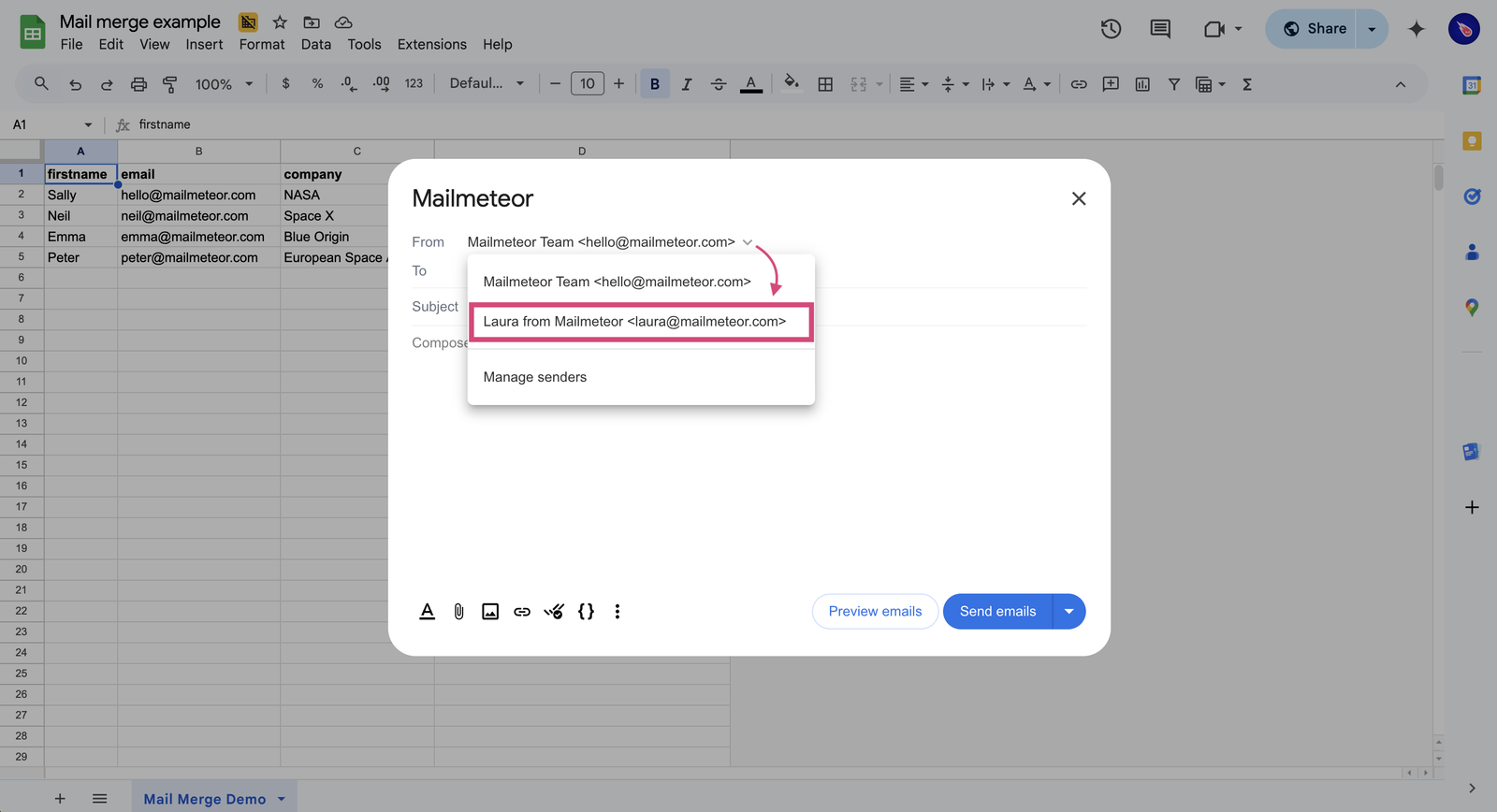
What changed is everything around it. Between June 2025 and October 2026 the small Paris company added multiple senders, email verification, an AI writer, warm-up, a Deliverability Hub, inbox rotation, an AI inbox assistant and SMTP/IMAP for any mail server. That is a cold email platform's feature list, and prices rose in the same stretch. So: is Mailmeteor still the cheap Gmail mail merge people installed, and is it now a real alternative to Smartlead or Woodpecker?
Short answer: yes to the first, mostly no to the second.
Pricing, and what the August 2026 change took away
All figures below were checked on the Mailmeteor pricing page on 2026-10-31. Prices are per user, per month, billed monthly. Annual billing gives "3 months free".
| Plan | Price | Emails / day | Emails / month | Senders | Follow-ups |
|---|---|---|---|---|---|
| Hobby (free) | $0 | 50 | 500 | 1 | none |
| Starter | $5.99 | 250 | 5,000 | 1 | none |
| Premium | $17.99 | 1,000 | 30,000 | 5 | 5 |
| Professional | $35.99 | 2,000 | 60,000 | 10 | 10 |
Mailmeteor's own GMass comparison page puts the annual prices at $53.99 per user per year for Starter and $161.99 for Premium. I could not find a published annual figure for Professional.
The free plan needs no credit card and lets you run 3 campaigns to up to 5,000 contacts, with tracking, scheduling, attachments and an unsubscribe link. The catch is branding: removing the Mailmeteor footer is a Starter feature. There is no trial of the paid plans, though there is a 30-day, no-questions-asked refund. Lifetime deals ended in December 2024.
Premium is the plan most buyers land on, and it is the one that moved. According to the PricingSaaS tracker, the week of August 3-10, 2026 saw Premium go from $15.99 to $17.99, the annual discount go from two months free to three, CRM integration and priority support move to Professional only, and follow-ups go from unlimited to capped at 5 on Premium and 10 on Professional. The tracker reads those caps as per month. Mailmeteor's pricing table only shows the numbers, and its own follow-up documentation (last updated July 12, 2026) still says "there's no limit to how many follow-ups you can add". Ask support before you build a five-step sequence around it.
The docs drift elsewhere too: the quota doc gives Starter 7,500 emails a month against the pricing page's 5,000.
Teams pay per seat, new seats are charged immediately, and "everyone on your team must be on the same license". A five-person team on Premium is $89.95 a month. You cannot put the boss on Professional and the interns on Starter.
The limit that matters is Google's
The plan table promises up to 2,000 emails a day. Your mailbox decides if you get them.
Mailmeteor's quota documentation says that if you upgrade with an address ending in @gmail.com or @hotmail.com, "you're limited to at most 500 emails per day". That is Gmail's own consumer ceiling. So a personal Gmail user paying $35.99 for Professional gets a quarter of the daily volume they pay for.
On Google Workspace the gap is smaller but real. Mailmeteor quotes 2,000 a day for Workspace. Google's admin help page, updated October 26, 2026, lists 2,000 a day per user in general but "1,500 for mail merge (previously called multi-send)", and 500 for trial accounts. If your Workspace domain is in its trial month, you are at 500 regardless of plan.
Quotas are per seat and reset 24 hours after your latest campaign, not at midnight. Ten Professional users on Workspace can push 15,000 to 20,000 a day between them, but one user cannot.
Warm-up, rotation and the Deliverability Hub
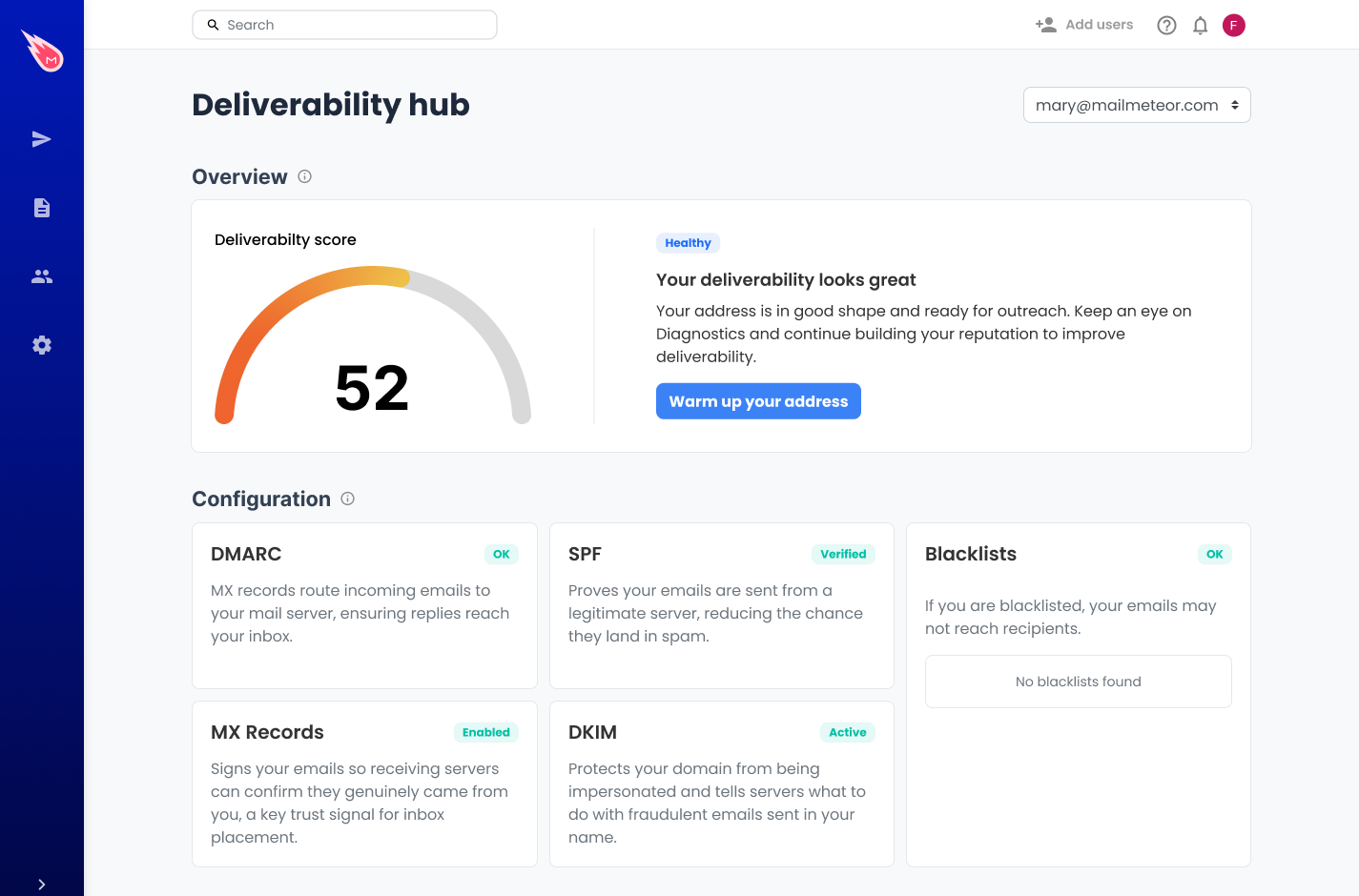
The Deliverability Hub, launched June 30, 2026, is the most useful recent addition for ordinary senders. For each connected sender it checks MX, SPF, DKIM and DMARC records with a pass or fail, looks the domain and IP up on blacklists, and gives a reputation score. If you have never set up DMARC, this tells you before your first campaign lands in spam.
The rest of the cold email kit is real but small. Warm-up sends "a few emails every day to a trusted network of inboxes from different providers", and both Premium and Professional include exactly one warm-up inbox. Inbox rotation, also from June 30, 2026, is Professional only: you pick 2 to 10 senders per campaign and Mailmeteor spreads the sends across them, with each follow-up going out from the same address that sent the first email to that person.
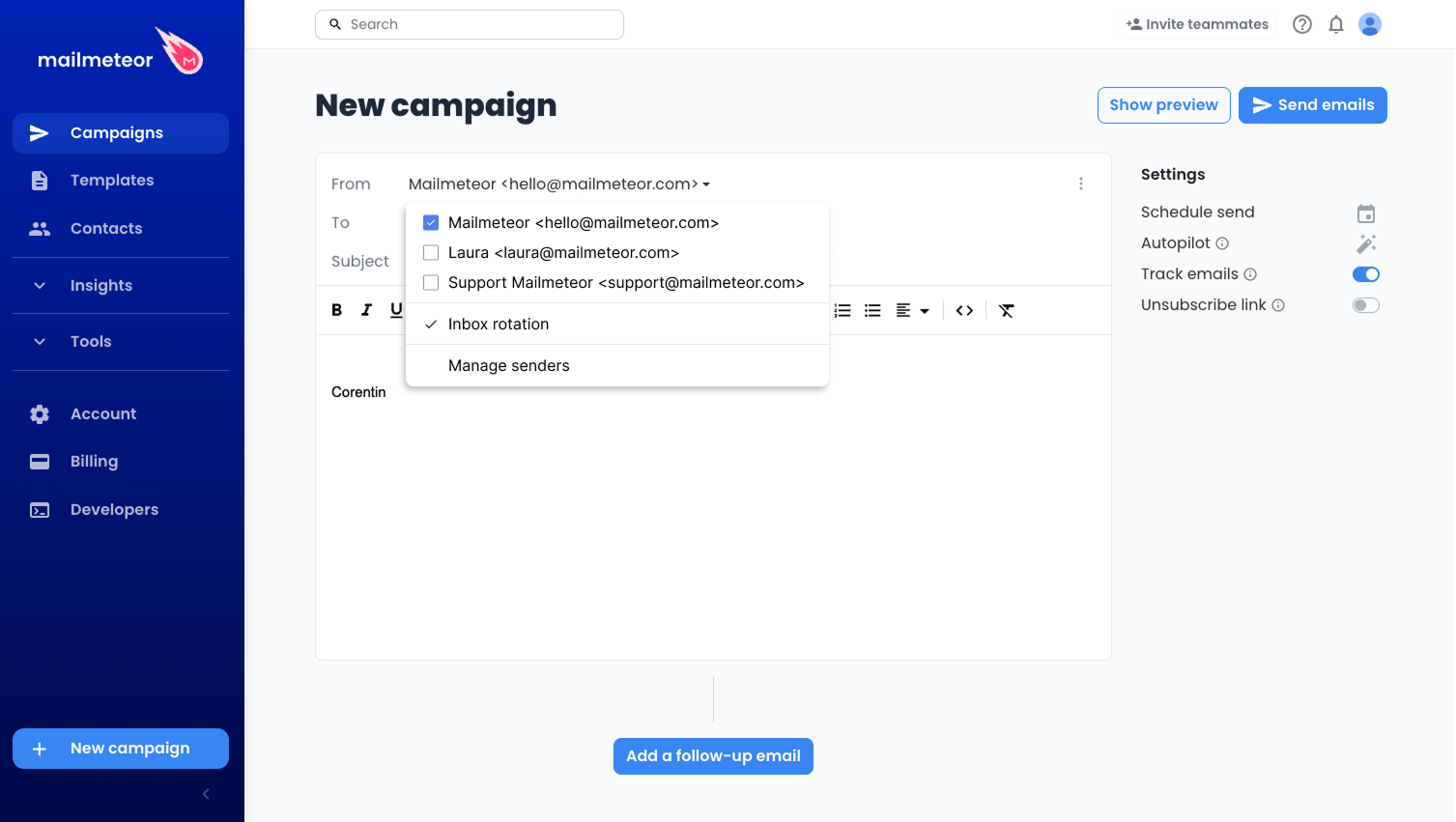
A serious cold email setup runs 20 or more secondary mailboxes, warms all of them and sends multi-step sequences. On Mailmeteor you get 10 senders at most, one of which is warmed, and 10 follow-ups on the top plan. Smartlead is built around unlimited mailboxes and warm-up; Woodpecker and Mailshake are built around sequences. Mailmeteor is a good mail merge that can do light outreach, not an outbound engine.
Smaller limits sit in the docs. Open tracking "does not work with Outlook, Yahoo or other email service providers", so the new SMTP and Outlook users get no open data. Attachments on follow-ups can only be added from the web Dashboard. The Google Docs extension cannot add an unsubscribe link at all.
Why SMTP/IMAP arrived now
Google is removing Gmailify, POP fetching and "Send as" from non-Google addresses. New setups stopped after the first quarter of 2026, and January 2027 is Google's announced deadline for existing users.
Mailmeteor's answer, which the PricingSaaS tracker logged across all four plans in the week of September 28 to October 5, 2026, is a direct SMTP connection, with IMAP so it can still see replies and bounces. SMTP alone can send, but reply detection needs IMAP. If you send from a non-Google address through Gmail today, connect that server directly and send a test before your next campaign. Do not wait for January.
What it can read, and what it keeps
The pricing FAQ claims Mailmeteor "cannot read, modify or delete your emails by design". For the Sheets add-on that holds up: its Marketplace listing asks for permission to send Gmail plus access to your Google Sheets, with no inbox read scope. Mailmeteor's comparison page says rival YAMM asks for Gmail and Drive read access.
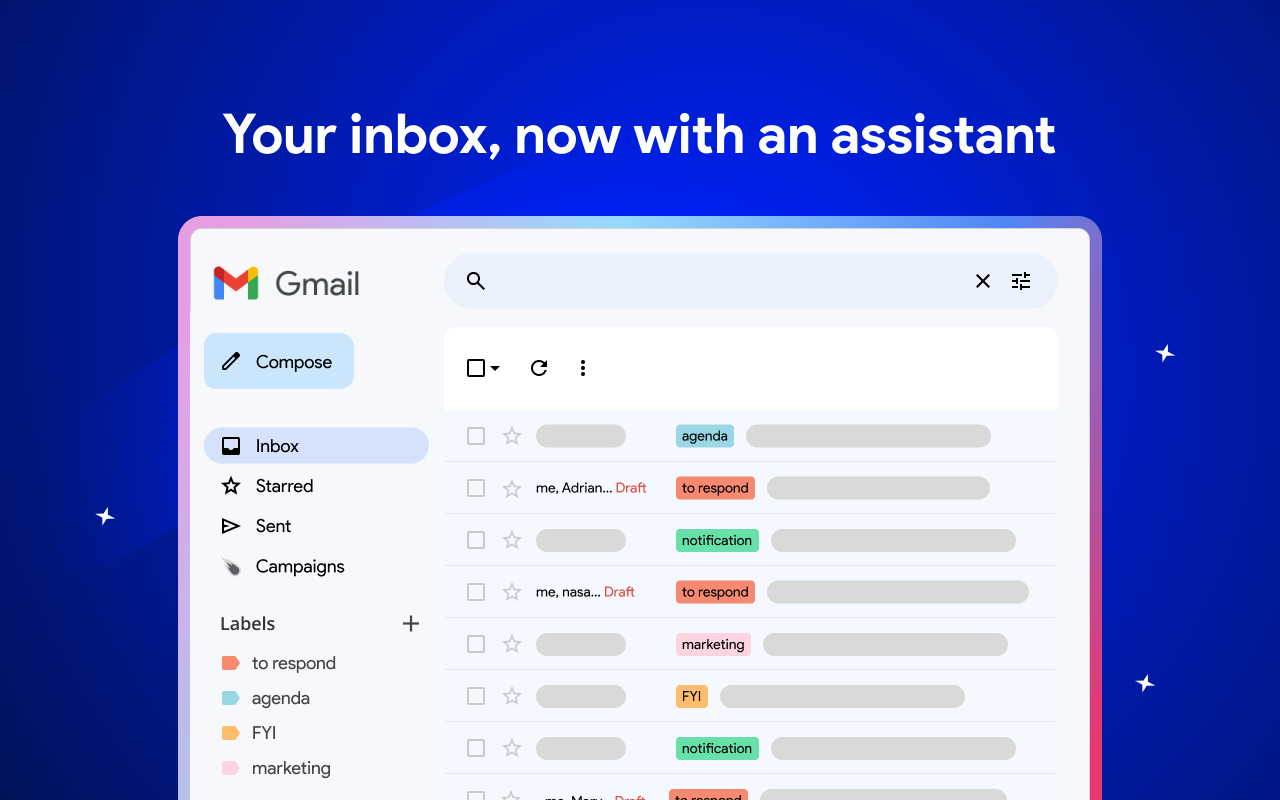
The claim does not hold for the whole product. The October 13, 2026 permissions doc says follow-ups may need more permissions, the Outlook connection requests Mail.ReadWrite, and warm-up adds MailboxSettings.ReadWrite. The AI Email Assistant, launched January 27, 2026, labels incoming mail and drafts replies "in your voice", which it cannot do without reading the inbox. Mailmeteor says it never sends those drafts itself, AI is opt-in, and your emails are not used to train its models. It does not name the model provider.
On retention, recipient addresses and merge fields are kept for 180 days, events for 90 days, and templates and contacts with no limit. The privacy policy also says it stores the subject and content of the emails you send. TAC Security audited it against CASA Tier 3 in November 2025.
Leaving is easy. Campaigns, contacts and sent emails export to CSV, with opens, clicks, replies, bounces and unsubscribes in the campaign file.
What users complain about
Marketplace ratings mostly come from people sending a few hundred emails from a sheet. Trustpilot, with 113 reviews and a score around 4.3, is where heavier users write, and they complain about sending, not the interface. One three-star review from August 2026 describes "too many emails stuck on 'retrying'". Another, from June 2026, says that going from Gmail to Yahoo there is "no way" to stay out of spam. A reviewer in October 2026 calls the "sending limits and account restrictions" hard to manage. In April 2026 one user reported being charged three times.
Most of that traces back to the ceiling described above: Mailmeteor sends through your own mailbox, so it inherits that mailbox's reputation and limits. That is why it is cheap, and why it cannot promise inbox placement at volume.
Verdict: who should buy it, who should skip it
Buy it if you send personal emails from a Google Sheet to a list you already have: a club newsletter, a recruiter's shortlist, invoices, event invites, a few dozen sales follow-ups a day. The free plan covers 50 a day, Starter at $5.99 removes the branding and covers 250, and the add-on does not need to read your inbox to do it. Mailmeteor's own comparison page says GMass starts at $25 a month; even allowing for vendor framing, Mailmeteor is the cheaper way to mail merge from Gmail.
Think twice about Premium if you are on a personal @gmail.com address, since you will hit Gmail's 500-a-day ceiling well before you use what you pay for.
Skip it for real multi-mailbox cold outbound. Ten senders, one warmed inbox and follow-ups capped at 10 on the $35.99 plan will hold back an outbound team within a month. Use Smartlead if you need many warmed mailboxes, or Woodpecker if you need careful multi-step sequences. If what you want is follow-up reminders and scheduling inside Gmail rather than bulk sending, Mixmax fits better.
Ready to try Mailmeteor?
Visit the official website to see the latest plans, pricing, and special offers.
Get Started - Mailmeteor* Affiliate link - we may earn a commission at no extra cost to you.