Pictory Review: The AI Text-to-Video Tool for Fast Content Creation
Pictory review: a deep look at the AI text-to-video platform's script-to-video, auto-captions, AI voices, media library, pricing plans, and whether it is worth it in 2026.
Expert Review

What is Pictory?
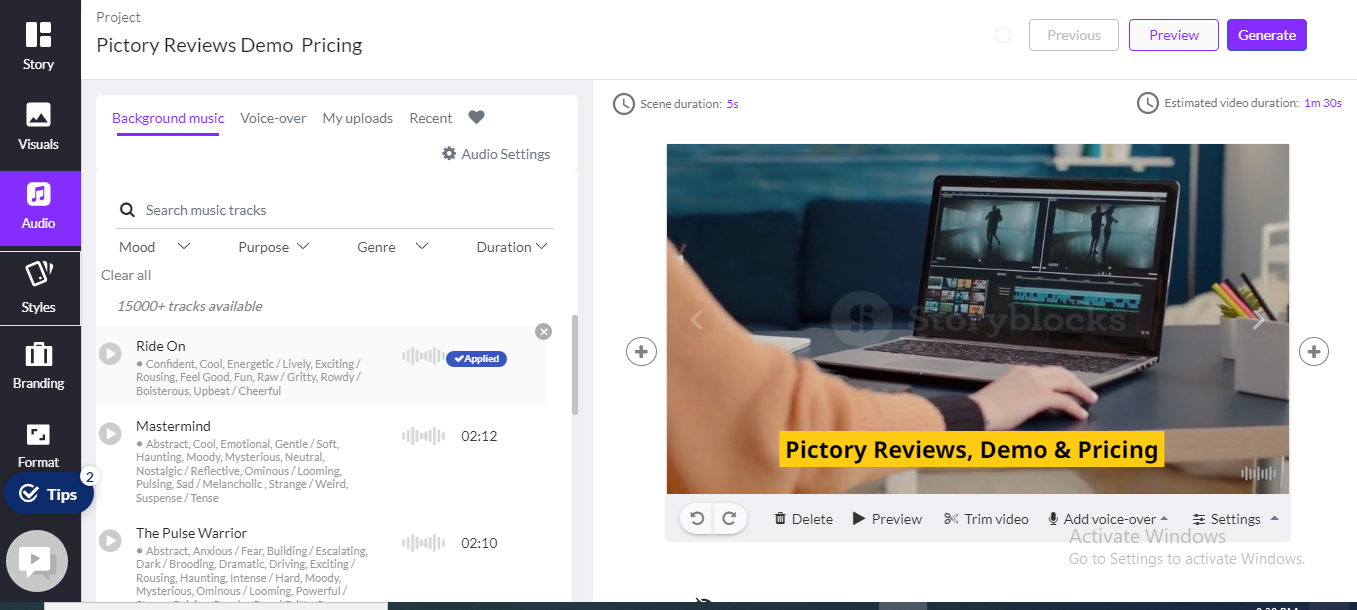
Pictory is a cloud-based, AI-powered video creation platform that turns text into polished, share-ready videos in minutes. Instead of learning complex editing software, you paste a script, drop in a blog URL, or upload a document, and Pictory's AI breaks it into scenes, matches each line to relevant stock footage, adds captions, and generates a voiceover — producing a first draft you can refine in a simple, text-based editor.
Built for people who need video output without a production team, Pictory is used by marketers, educators, course creators, YouTubers, and social media managers. It runs entirely in the browser on PC and Mac, ships with a library of more than 3 million royalty-free clips and images, and is SOC 2 and GDPR compliant. With a 4.7/5 rating on Capterra and partnerships spanning OpenAI, Getty Images, Microsoft, and Google, Pictory has become one of the most popular text-to-video tools on the market.
Benefits of Using Pictory
Adopting Pictory brings several concrete advantages for content-driven teams and creators:
- Speed: Turn a long-form article or script into a captioned draft video in minutes rather than hours, dramatically shortening the content production cycle.
- No Editing Skills Required: The text-based editor lets you change a video by editing words on a page — no timeline, keyframes, or rendering knowledge needed.
- Massive Media Library: Access 3M+ royalty-free video clips, images, and music tracks, so you rarely have to source or license footage separately.
- Repurpose Existing Content: Convert blog posts, PDFs, PowerPoints, and URLs into video, squeezing more value out of content you already own.
- Automatic Captions & Translation: Auto-generated subtitles in multiple languages boost accessibility and drive engagement on sound-off social feeds.
- Consistent Branding: Brand Kits apply your fonts, colors, and logo across every video so output stays on-brand at scale.
AI Features of Pictory
-
Script to Video
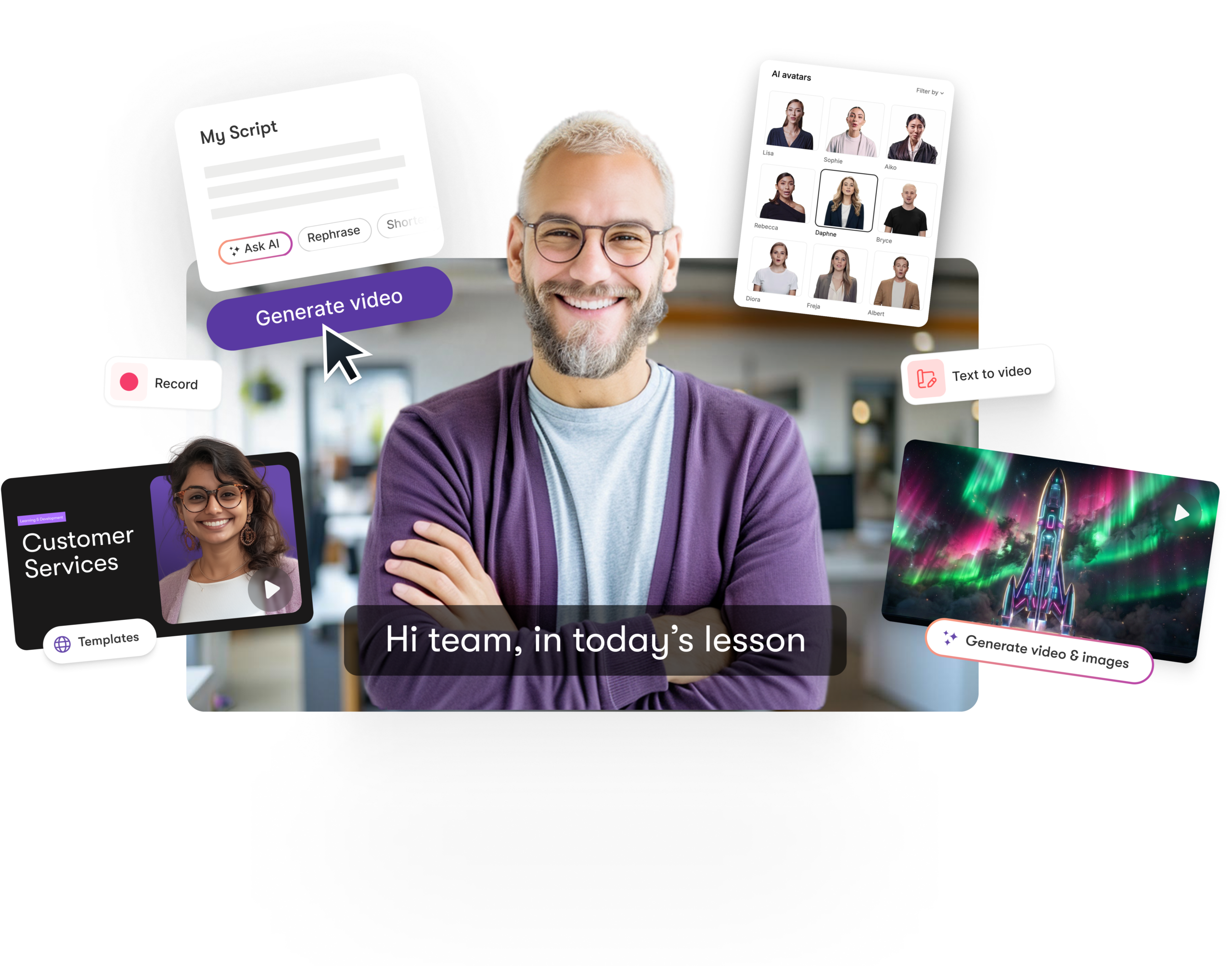
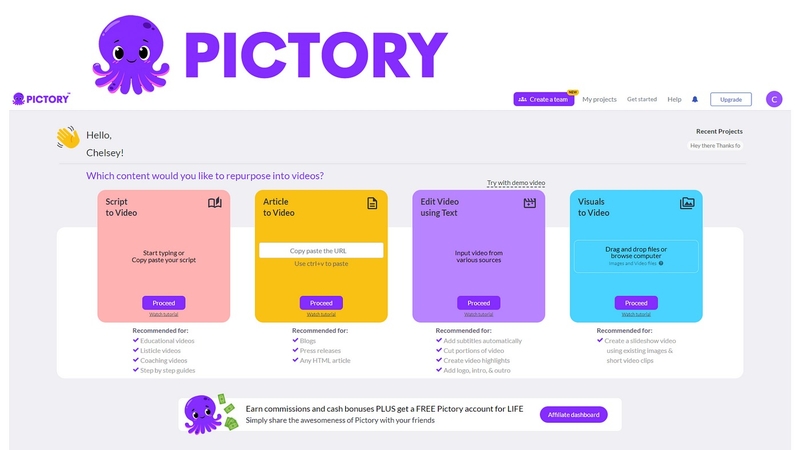
Paste or upload a script and Pictory automatically segments it into scenes, highlights keywords, selects matching visuals, and adds captions to build a structured storyboard. From there you can swap footage, adjust pacing, and personalize each scene in the AI Video Editor.
-
Article & URL to Video
Drop in a blog URL or article and Pictory summarizes the text, picks relevant visuals, and assembles a video — ideal for marketers turning written content into social-ready clips without rewriting anything.
-
Text-Based Video Editing
Pictory transcribes your video and lets you edit it like a document: delete a sentence from the transcript and the corresponding footage is removed automatically. It is one of the fastest ways to trim filler and tighten a rough cut.
-
Auto Captions & Subtitles
Captions are generated automatically and aligned to your audio, with support for translation into multiple languages. Since most social video is watched on mute, this feature meaningfully improves reach and comprehension.
-
AI Voiceovers & Voice Cloning
Choose from a range of realistic AI voices in multiple languages and accents, or record your own narration. Higher tiers add custom AI avatars and voice cloning, so you can scale a consistent on-camera presence without filming.
-
Video Highlights & Clips
Pictory can scan long recordings — webinars, podcasts, or Zoom calls — and automatically extract the most engaging moments into short, shareable highlight clips for social media.
-
Media Library & Brand Kits
A built-in library of 3M+ royalty-free videos, images, and music tracks (plus AI-generated visuals) means you rarely leave the app to source assets, while Brand Kits keep fonts, colors, and logos consistent across every project.
Pricing of Pictory
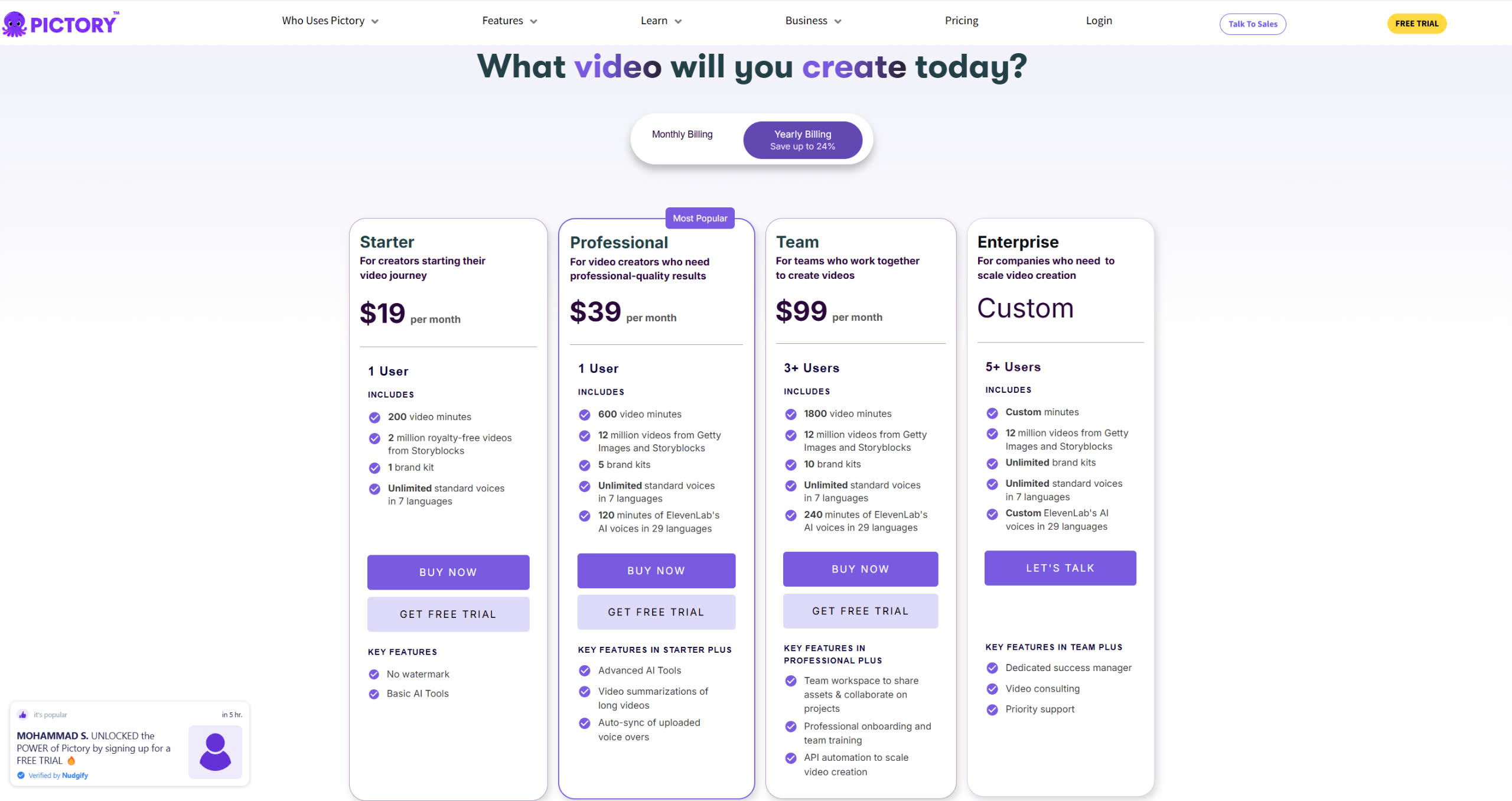
Pictory is priced per user, per month, with a significant discount for annual billing and a free trial to test the platform first. As of 2026, the tiers break down as follows (annual pricing shown; monthly billing costs more):
- Free Trial: Try Pictory before paying — create a limited number of short video projects to evaluate the workflow and output quality.
- Starter Plan: $25/month billed annually (about $29 monthly) — 2,400 minutes of video per year, 5 GB storage, 1 Brand Kit, 60 minutes of AI voices, 1,200 AI credits, and watermark-free exports. Best for solo creators getting started.
- Professional Plan: $35/month billed annually (about $59 monthly) — 7,200 minutes per year, 20 GB storage, 5 Brand Kits, 120 minutes of premium voices, 12,000 AI credits, plus custom avatars, voice cloning, and advanced AI tools. The most popular tier for active creators and marketers.
- Team Plan: $119/month billed annually (about $199 monthly) — 21,600 minutes per year, 100 GB storage, 10 Brand Kits, 240 minutes of premium voices, 28,800 AI credits, and a collaborative team workspace.
- Enterprise Plan: Custom pricing — custom minutes and storage, unlimited Brand Kits and voices, Pictory Central hosting with quizzes and CTAs, SSO, and a dedicated success manager for larger organizations.
Full details at: https://pictory.ai/pricing
Real-World Use Case Analysis
-
Marketers & Social Media Teams
Repurposing content at scale: Marketers turn blog posts, case studies, and newsletters into short videos for Instagram, LinkedIn, and TikTok, multiplying the reach of content they have already produced.
Staying on-brand: Brand Kits and templates let a small team pump out a steady stream of consistent, captioned promotional clips without a dedicated video editor.
-
Educators & Course Creators
Building lessons fast: Teachers and L&D specialists convert scripts and slide decks into narrated, captioned training videos, making course production far quicker and more accessible.
-
YouTubers & Content Creators
Faster faceless videos: Creators use script-to-video plus AI voices to produce listicle, explainer, and news-style videos without filming, while highlight extraction spins long uploads into Shorts.
-
Small Businesses
Affordable video marketing: Owners who cannot hire a production team create product demos and promos in-house, getting professional-looking video output at a predictable monthly cost.
Pros and Cons of Pictory
-
Advantages of Using Pictory
Pictory delivers strong value for content creators and marketers:
- Extremely fast text-to-video and URL-to-video workflows.
- Beginner-friendly, text-based editing with no software to install.
- Huge 3M+ royalty-free media library plus auto-captions and translation.
- Realistic AI voices, voice cloning, and avatars on higher tiers.
- Free trial and a clear, watermark-free paid entry plan.
-
Disadvantages of Using Pictory
There are some trade-offs to weigh:
- Less granular creative control than professional editors like Premiere Pro or After Effects.
- Plans are metered by video minutes and AI credits, so heavy users can hit limits.
- Requires a stable internet connection since everything runs in the cloud.
- Advanced features like voice cloning and custom avatars are gated to higher tiers.
Final Thoughts on Pictory
Pictory is one of the most practical AI video tools available for anyone who needs to publish video consistently without a production team. By automating scripting-to-storyboard, captioning, voiceover, and stock sourcing — and wrapping it in a text-based editor that anyone can use — it collapses hours of editing into minutes. It is not a replacement for a professional editor when you need frame-level control, and power users will watch their minutes and AI credits, but for marketers, educators, creators, and small businesses, Pictory hits a rare balance of speed, quality, and ease of use. The free trial makes it easy to test against your own content before committing — and for most content-first teams, it quickly earns its place in the stack.
Related comparisons: See how Pictory stacks up against the competition:
- Best AI Video Generators: Vidnoz vs HeyGen vs InVideo vs Runway vs Pictory
- Pictory vs Hypernatural vs Descript: Best AI Video Tool?
Or browse all comparisons & best-of guides.
Ready to try Pictory?
Visit the official website to see the latest plans, pricing, and special offers.
Get Started - Pictory* Affiliate link - we may earn a commission at no extra cost to you.